
Free tool
Open any intraoral scan and save it as STL.
Drop a 3Shape .dcm, a .3oxz or .zip package, or an STL, PLY or OBJ from any scanner. See it in 3D with its measurements, check borders and holes, and save it in the format and size the lab asks for.
.dcm · .3oxz · .zip · .stl · .ply · .obj · up to 500 MB per file
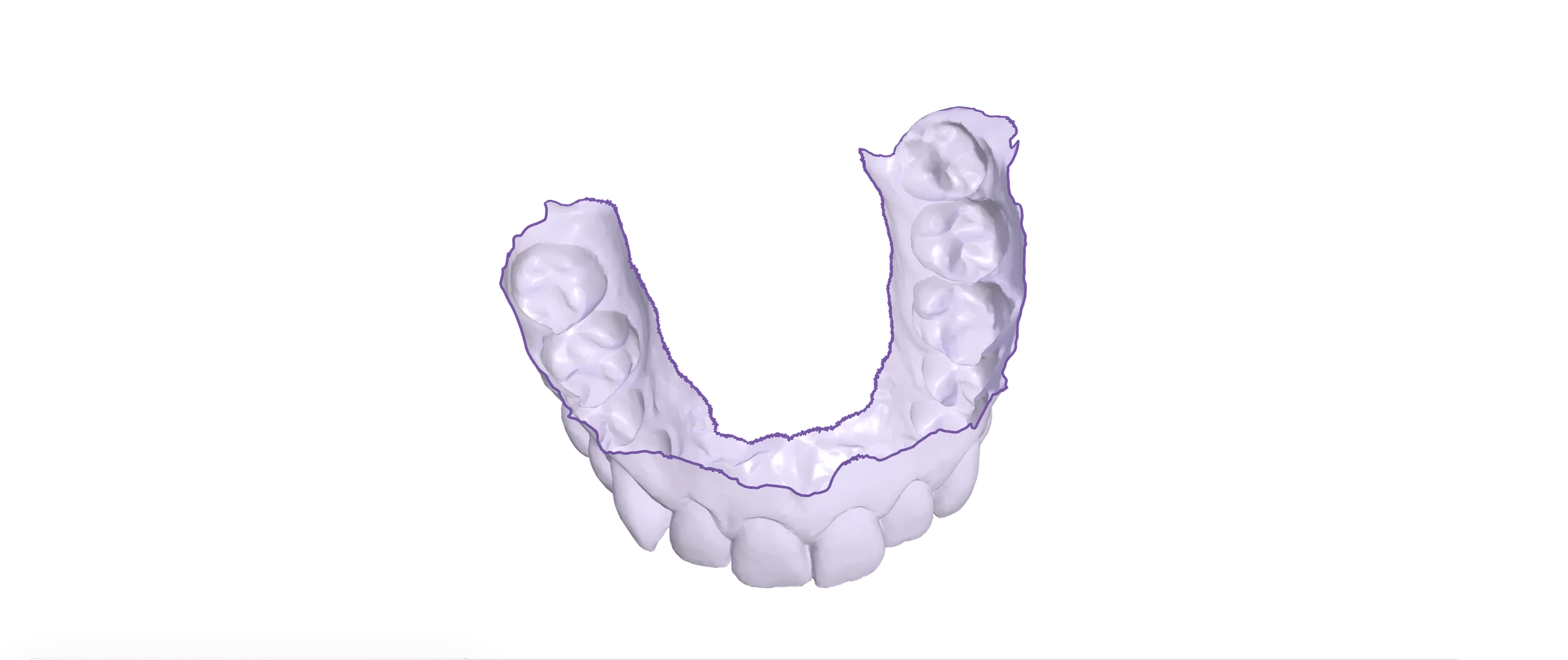
- The file is read on this device and never leaves it.
- Free, no account.
- Real sample scan
- Just want to know which .dcm you have?
How it works
From the scanner to the lab in three steps
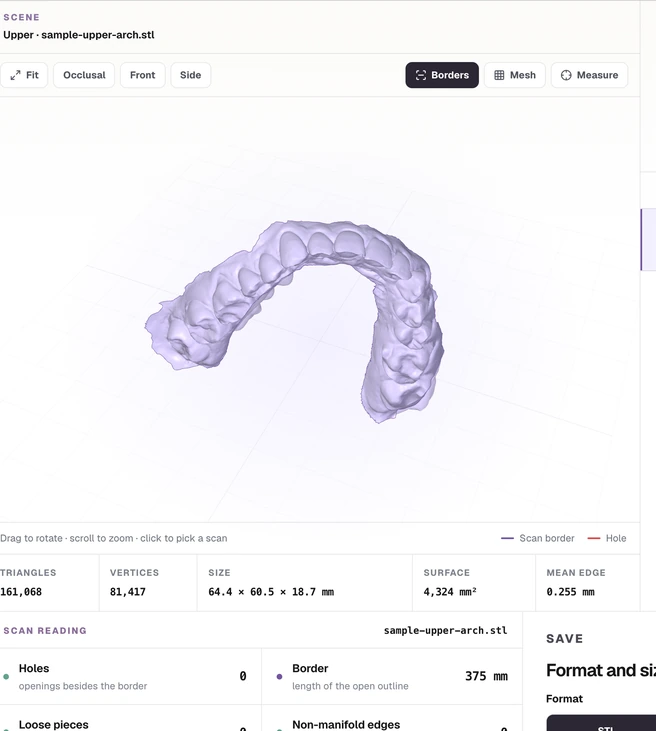
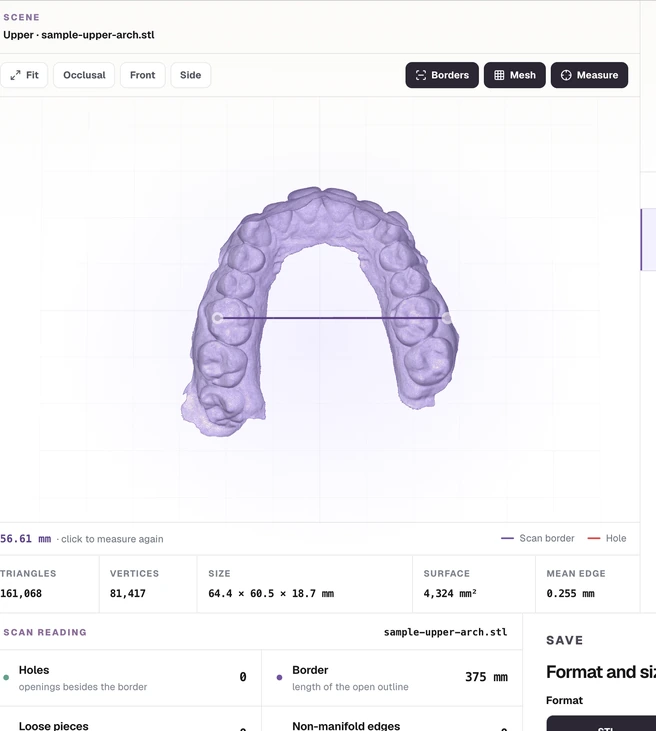
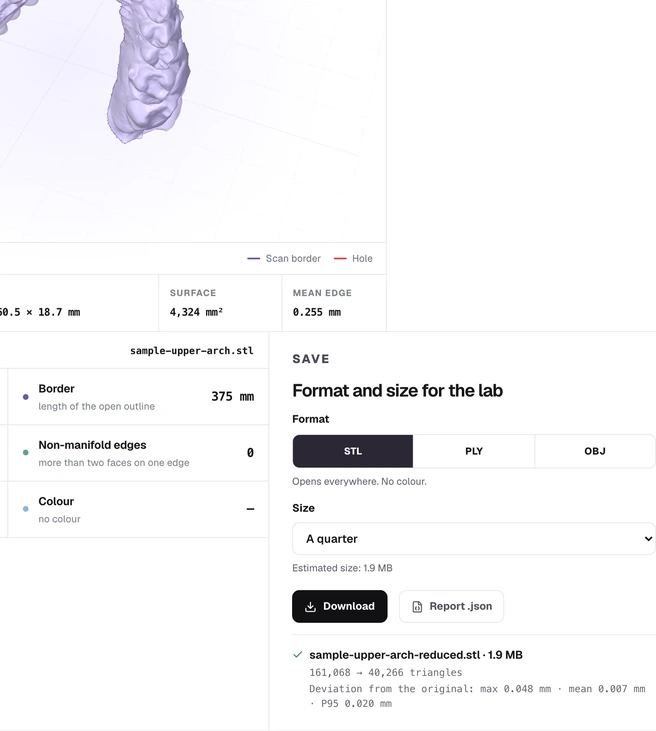
It works the same with one loose file or the whole case package.
What it opens
Every file, read for what it is
The tool does not trust the extension. It reads the first bytes of each file and decides what it is: a .dcm can be a 3Shape mesh or a DICOM image.
| File | What it is | What the tool does |
|---|---|---|
.dcm | Unprotected 3Shape3Shape's HPS mesh without protection. Opens and saves as STL, PLY or OBJ. | Opens and converts |
.dcm | Protected 3ShapeSchema CE or a key marker. Not decrypted: you get the steps to export it from 3Shape. | Export steps |
.3oxz | 3Shape case packageIf it is a ZIP, every file is listed and the scans inside are opened. | Lists and extracts |
.zip | Any scanner's packageArches, bite, photos and PDFs. Meshes open; the rest is saved as is. | Lists and extracts |
.stl | Mesh without colourBinary or text. Welded, checked and ready to shrink. | Opens and converts |
.ply | Mesh with colourThe scanner's per-vertex colour is kept when you save as PLY. | Opens and converts |
.obj | Text meshOpens and saves as STL or PLY. | Opens and converts |
What you get
Lighter, with the deviation measured
It removes triangles where the surface is flattest and keeps the scan border locked. Then it measures the distance between the original and the reduced surface and gives you the maximum, mean and 95th percentile in millimetres.
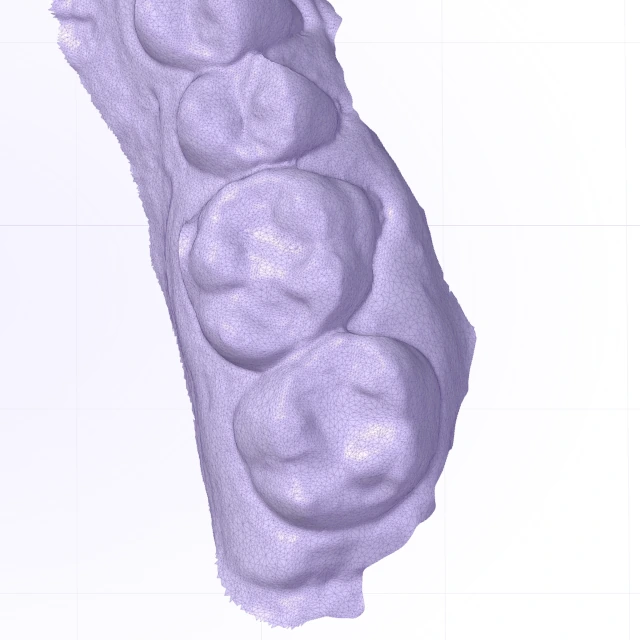
Original
- Triangles
- 161,068
- STL
- 7.7 MB
- Max deviation
- the file as it is
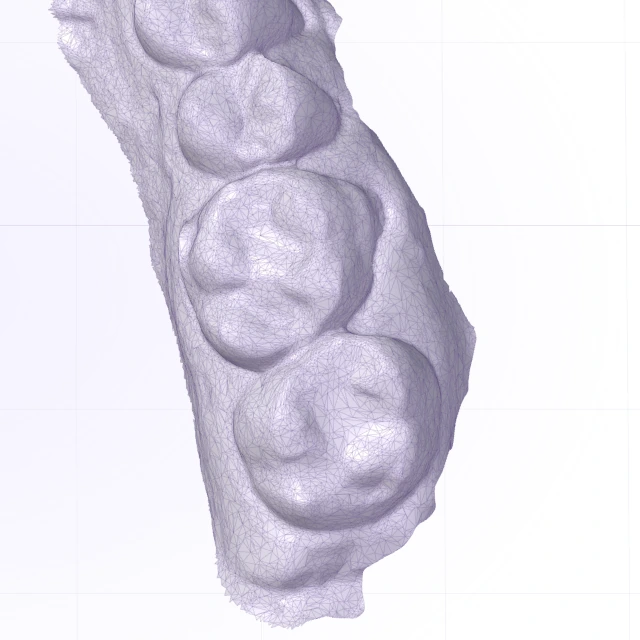
Half the triangles
- Triangles
- 80,534
- STL
- 3.8 MB
- Max deviation
- 0.040 mm
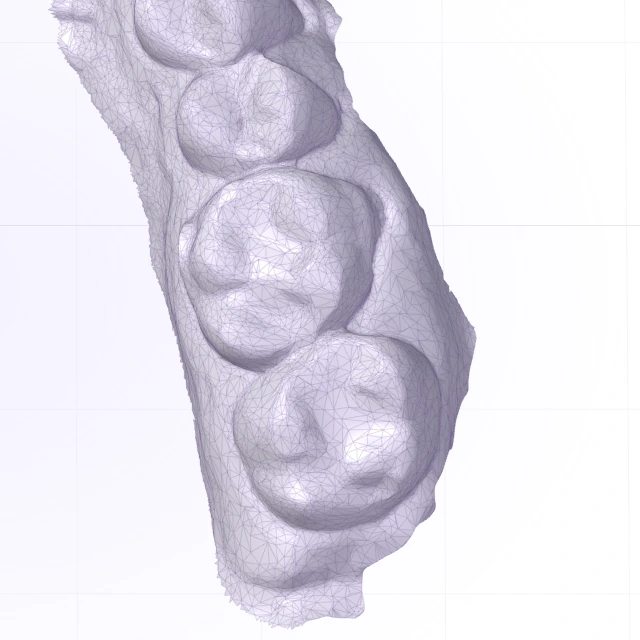
A quarter
- Triangles
- 40,266
- STL
- 1.9 MB
- Max deviation
- 0.048 mm
What you download
STLupper-arch.stlbinary, the format everything opensPLYupper-arch.plywith the scanner colourZIPtrazalab-scans.zipevery visible scanJSONtrazalab-scan-report.jsonreading and deviation for every file
Measurements assume millimetres, which is how intraoral scanners save. Deviation is measured on a sample of up to 30,000 points of the original.
Protected 3Shape
If your .dcm is protected
3Shape saved it with protection. No third-party tool opens it without the key, and this one does not try. Export it as STL or PLY from the 3Shape software, or ask whoever sent it to do so.
3Shape's documentation says DCM to STL conversion cannot be done in third-party software. 3Shape help
Hi. The scan reached me as a protected 3Shape .dcm and I can't open it. Could you export it as STL or PLY? Thanks.
How to export it
3Shape Unite
- Open the case from Patients or Cases.
- Open the three-dot menu, then choose Export and Scans.
- Choose where to save, select STL or PLY, and click Save.
Only post-processed or sent scans can be exported. PLY needs an active TRIOS license on the dongle.
3Shape helpDental System, TRIOS orders
- In Dental Manager, open Orders and right-click the order.
- Choose Advanced, then Export Scan.
- Under Save as Type, select STL or PLY and click Save.
Needs the TRIOS Scan STL Export dongle option. PLY needs Dental System 2021 or later. Orders from Communicate, Direct Connection or FTP must be accepted in the Inbox first. Rename each file, because TRIOS scans share a default name.
3Shape helpDental System, lab scans
- In Dental Manager, right-click the scanned order.
- Choose Advanced, then Export Scan.
- Under Save as Type, select STL File (.stl) and click Save.
Needs the ScanIt Restoration STL Output module on the dongle. Your reseller activates it.
3Shape help
Other ways
What else exists for a 3Shape .dcm
For a protected .dcm, the path is to export it from 3Shape. For the rest, these are the options we found on 11 November 2026.
Use this toolSources checked on 11 November 2026.
Questions
What people ask about scanner files
Can I convert a 3Shape .dcm to STL for free?
Yes, if the file is not protected. Drop it here, check it in 3D and download it as STL, PLY or OBJ. If it is protected, the tool says so and gives you the steps to export it from 3Shape.
Is my scan uploaded to a server?
No. The file is read on this device and never leaves it. Reading, shrinking and converting all happen in your browser.
What is a .3oxz file?
It is the case package 3Shape saves. Drop it here: if the tool can open it, it lists every file inside and opens the scans. If it cannot, it tells you.
Why won't my .dcm open?
Either it is protected or it is not a mesh. A .dcm can also be a DICOM image from a CBCT. The tool reads the file and tells you which one it is.
Does shrinking change the scan?
It removes triangles where the surface is flattest and keeps the scan border locked. Then it measures the distance between the original and the reduced surface and gives you the maximum, mean and 95th percentile in millimetres.
How do I send a scan under 25 MB?
Choose STL and "Under 25 MB" in Size. The tool works out how many triangles fit and shows the deviation before you send it.
What do the border and the holes mean?
An intraoral scan is an open surface: its outline is the border, in purple. Any other opening is a hole, in red, and may be an area the scanner did not capture.
Is there a size limit?
Up to 500 MB per file and 3 million triangles per scan. On a phone with little memory, the real limit may be lower.