
Quotes and invoices
Quote, invoice, and collect.
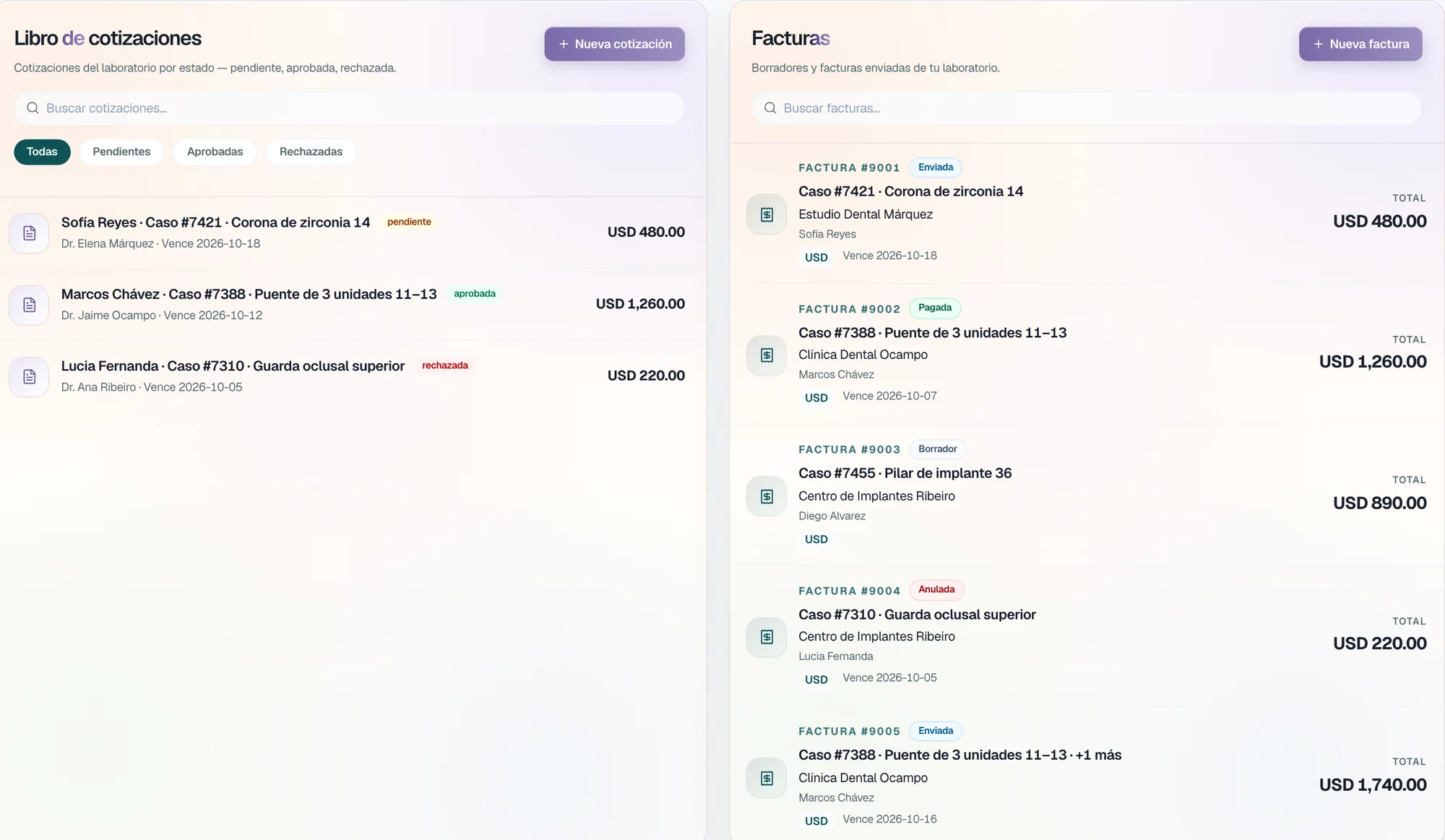
Line-item quotes the clinic approves in TrazaChat, invoices with a card or PayPal payment link, and the ledger of each clinic on its record.
For labs that charge several clinics
Quote
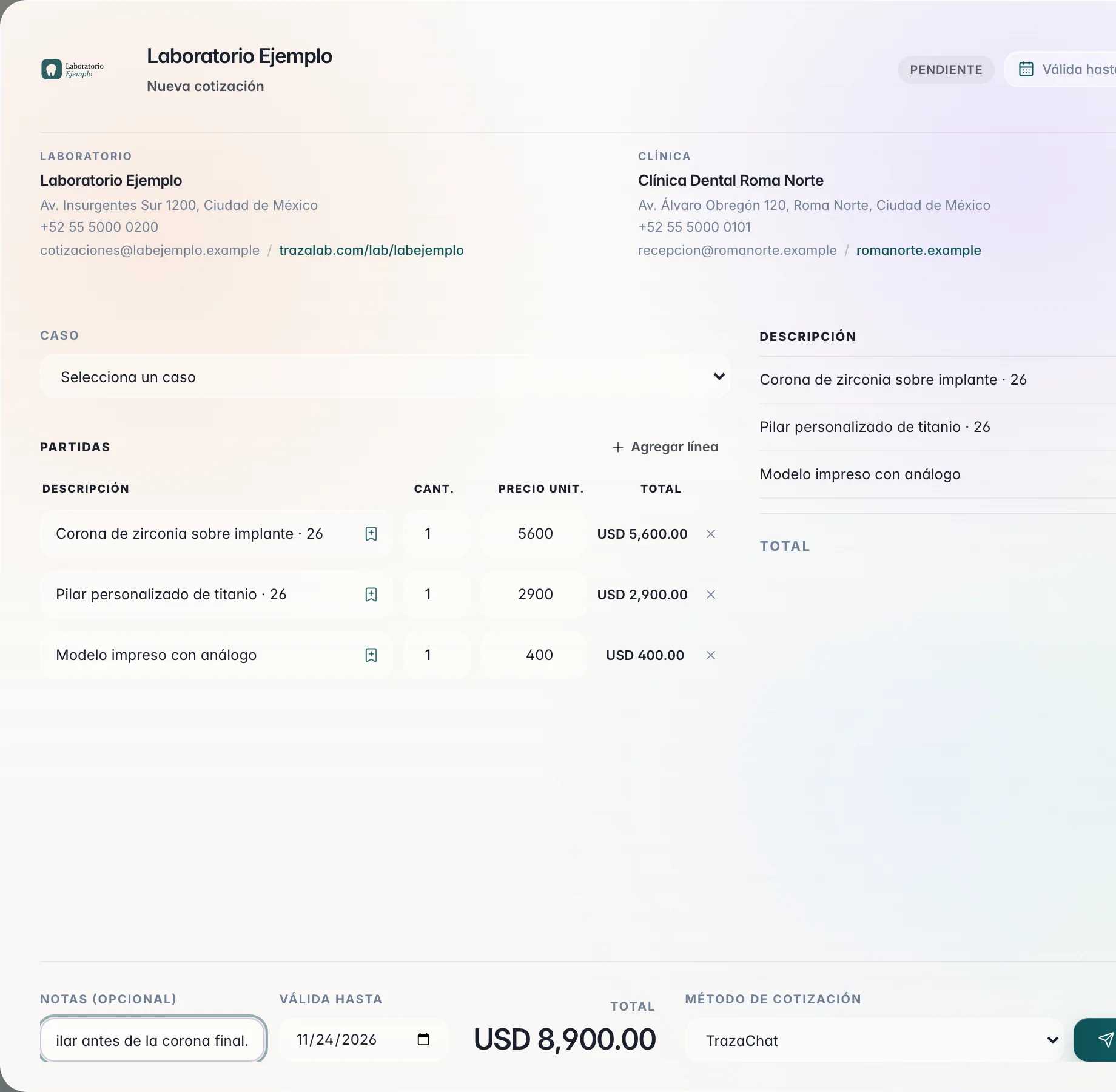
Quote by line item.
One line per job, with quantity and unit price. The total is calculated on its own.
- Choose the case.
The quote stays tied to the clinic's case.
- Add line items.
Crown, abutment, model: description, quantity, and unit price.
- Set the validity.
Notes for the clinic and the valid-until date.
Approval
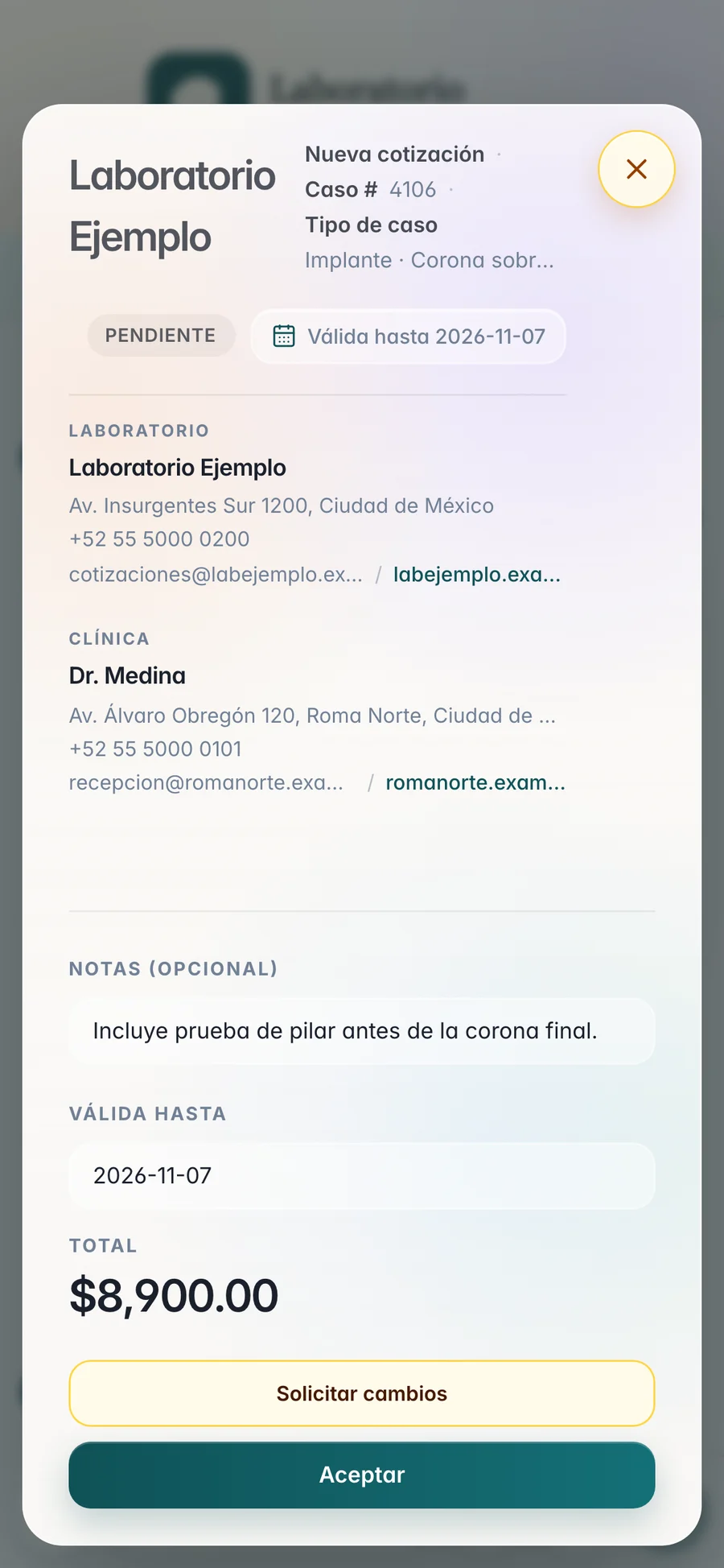
The clinic approves it or asks for changes.
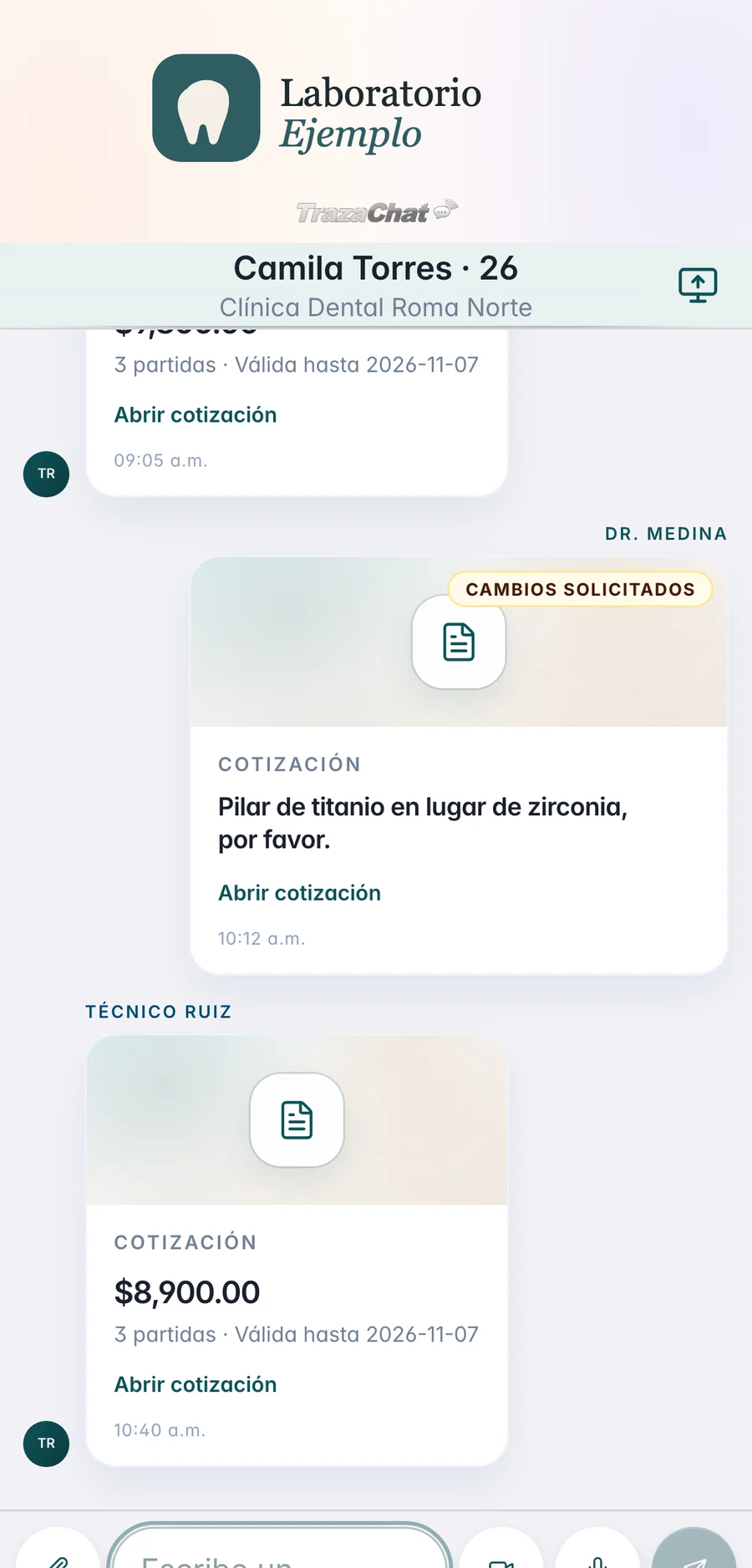
You send the quote by TrazaChat, with a link, or as a PDF. The clinic opens it and decides.
- Send it.
When you send, you choose TrazaChat, Copy link, or Download PDF.
- The clinic decides.
Accept or Request changes, from the desk or the phone.
- Adjust and send again.
You see what the clinic asked for, edit the quote, and send it again through TrazaChat.
Invoices
From quote to invoice.
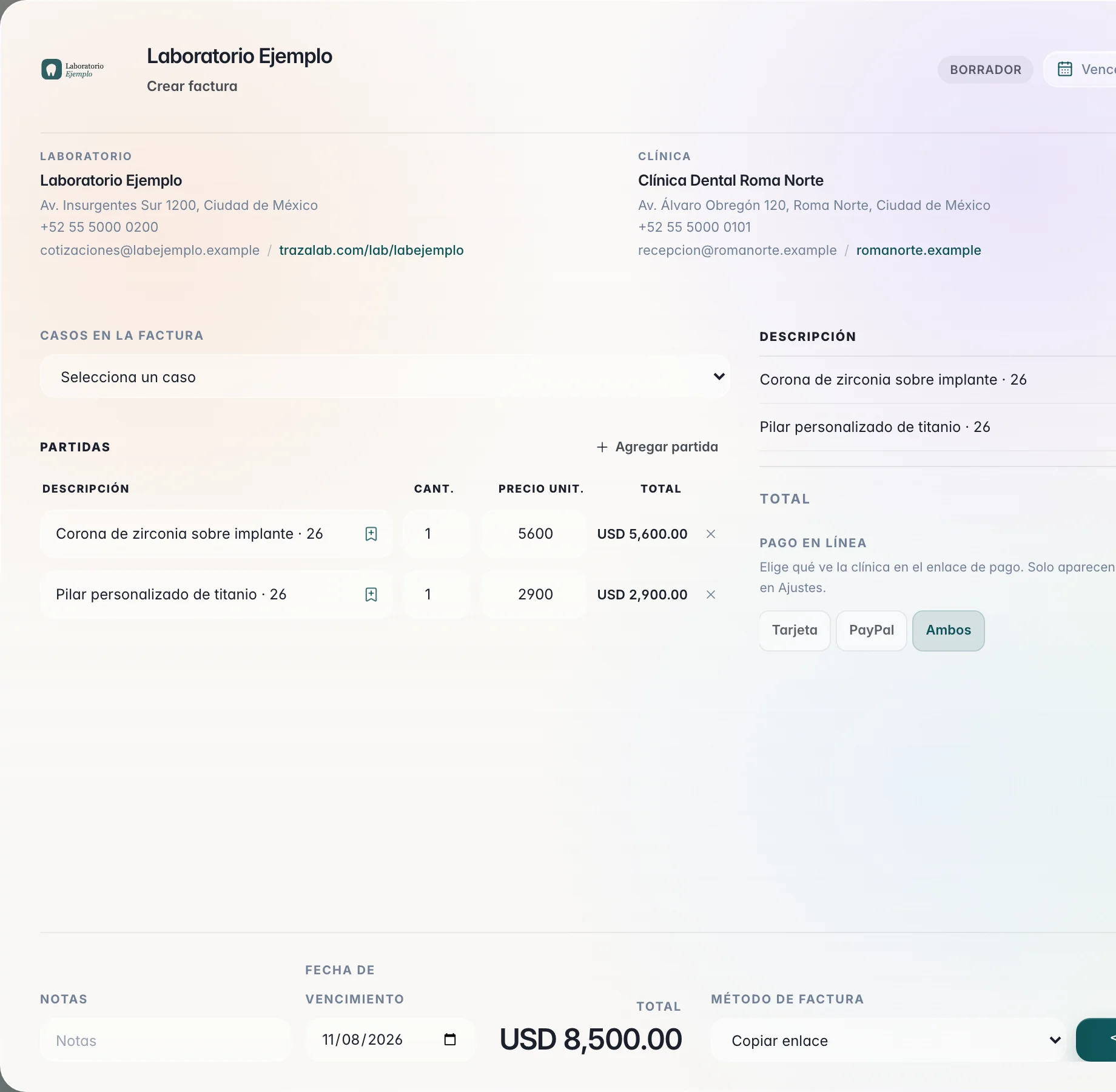
An approved quote becomes an invoice with its line items. One case or several on the same invoice.
- Create the invoice.
From the approved quote, or new with its line items.
- Edit it.
Open the invoice in the studio and change line items, notes, or the due date.
- Send it.
By TrazaChat, with the payment link, or as a PDF.
Charges
They pay you by card or PayPal.
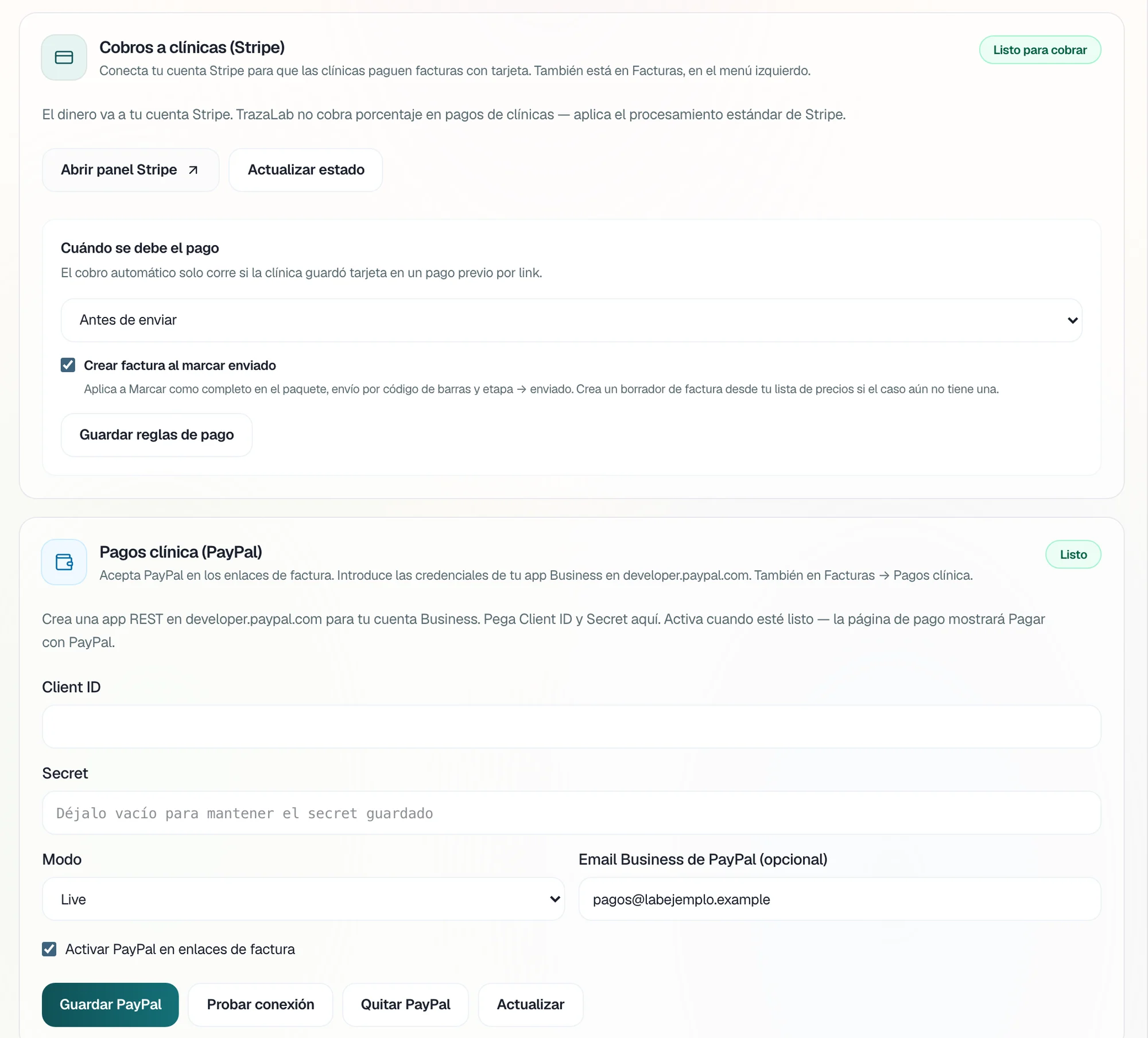
You connect Stripe and PayPal once. On each invoice you choose what the clinic sees on the payment link: card, PayPal, or both.
- Stripe.
The money goes to your Stripe account. TrazaLab does not charge a percentage; standard Stripe processing applies.
- PayPal.
With your PayPal Business app, the payment link shows Pay with PayPal.
- When it is paid.
When the invoice is sent, before fabrication, before sending, or manual only.
Client ledger
Each clinic, with its ledger.
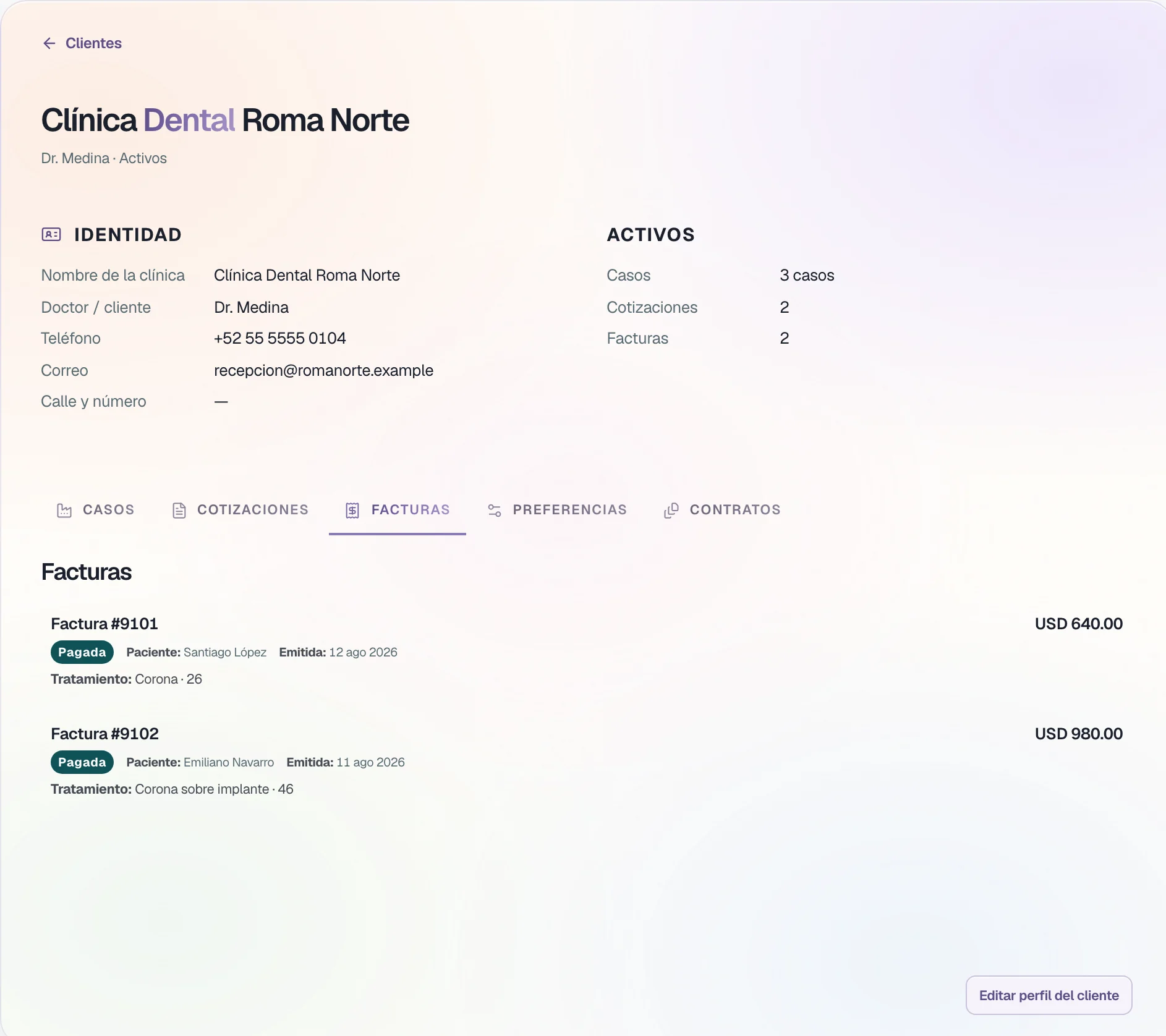
Each clinic's record gathers its cases, its quotes, and its invoices.
- Cases.
The clinic's case history.
- Quotes.
Each quote with its status: pending, approved, or rejected.
- Invoices.
Each invoice with its status: draft, sent, paid, or voided.
From the case to collection
Quote, approve, collect.
The quote, the invoice, and the payment stay with the clinic and the case.
The clinic accepts or asks for changes on the same quote.
Card, PayPal, or both, with the money in your account.
Cases, quotes, and invoices on the clinic's record.
Two sides
Laboratory and clinic.
What you do and what your clinic does, from the quote to payment.
Laboratory
Quotes, invoices, and collects.Clinic
Approves and pays.Builds the line items and sends it.
Accepts it or asks for changes.
Sees what the clinic asked for, edits, and sends again.
Writes what needs to change.
Creates it from the approved quote.
Receives it by TrazaChat, link, or PDF.
Connects Stripe and PayPal.
Pays by card or PayPal from the link.
Sees cases, quotes, and invoices by clinic.
Sees its quotes and invoices with the lab.
Questions
Questions from the lab.
No. The money goes to your Stripe or PayPal account. TrazaLab does not charge a percentage on payments from your clinics; Stripe or PayPal processing applies.
See plansWhen you send it you choose the method: TrazaChat, Copy link, or Download PDF.
ApprovalThe quote stays in Changes requested, with what the clinic wrote. You edit it and send it again through TrazaChat.
ApprovalYes. In Online payment you choose Card, PayPal, or Both. Only the methods you connected in Settings appear.
ChargesIn When payment is due you choose: when the invoice or the payment link is sent, before fabrication, before sending, or manual only. Automatic collection runs only if the clinic saved its card on a previous pay-by-link.
ChargesYes. In Quotes and invoices, Export CSV downloads your invoices.
For labsNext step
Send your first quote.
Build the line items and send it through TrazaChat.