
Calendar
Deadlines and appointments, in one calendar.
The laboratory sees its production by stage, closes the days it does not fabricate, and agrees each delivery. The clinic follows its cases and schedules its patients. Each event is seen by the people you choose.
For laboratories and dentists · Example cases, clinics, and patients
Who sees it
Each event, in view of the people you choose.
Three event types, three rules. Pick one and see Thursday the 29th on your calendar, on a technician's, and on a clinic's.
The person who creates an event sees it. You choose which people on your team and which clinics you show it to.
RuleThe clinic sees the event you share with it, and cannot edit it.
Your calendar
AdministrationThu 29
Your team
Technician Paula VegaThu 29
Your clinic
Clínica Dental del PradoThu 29
Nothing on this day.
Who sees it: you, Technician Paula Vega.
For the laboratory
Your production, your deadlines, your team.
You see each case on its date, close the days you do not fabricate, agree deliveries with your clinics, and decide what each person sees.
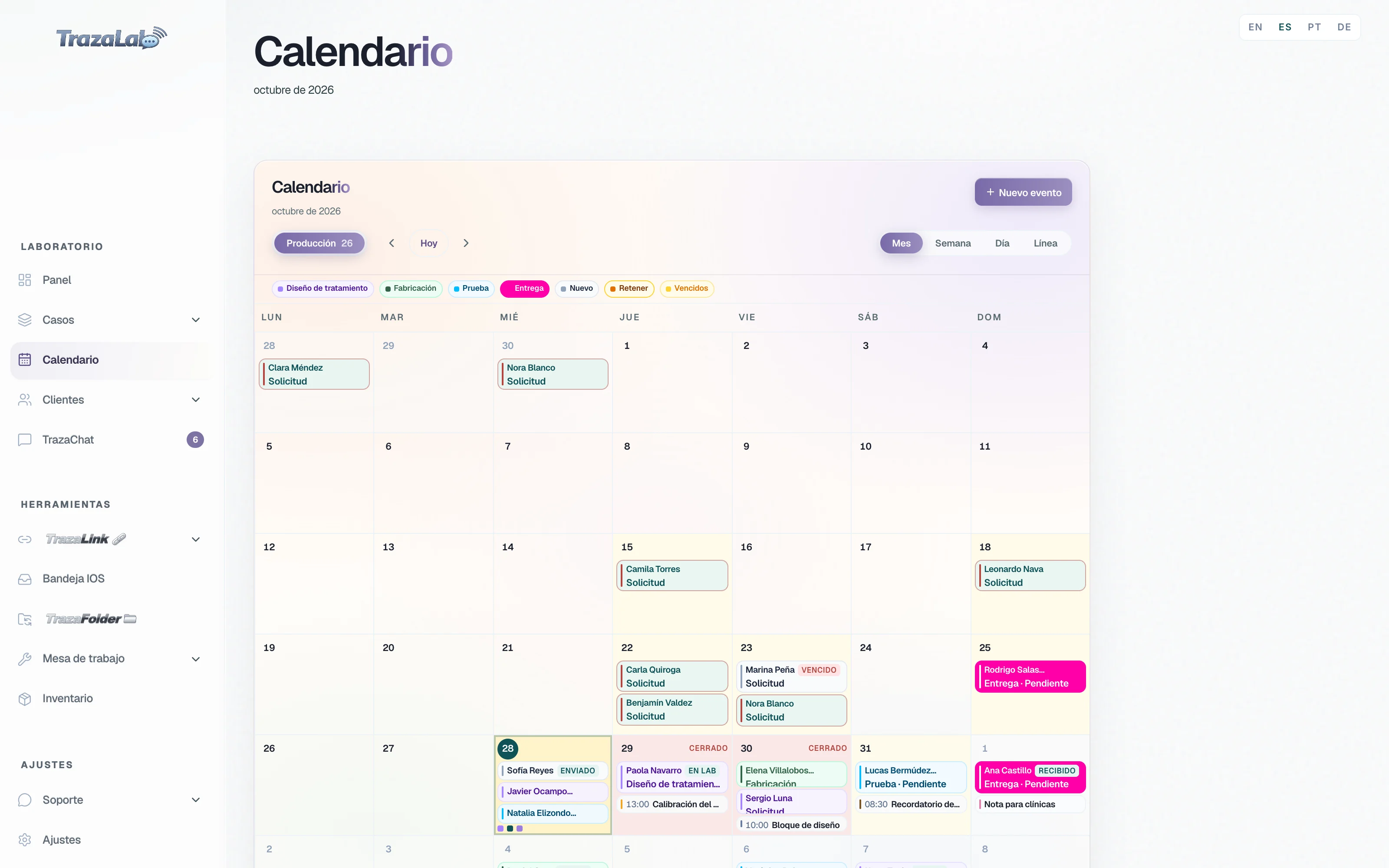
Production
Each case, on its date.
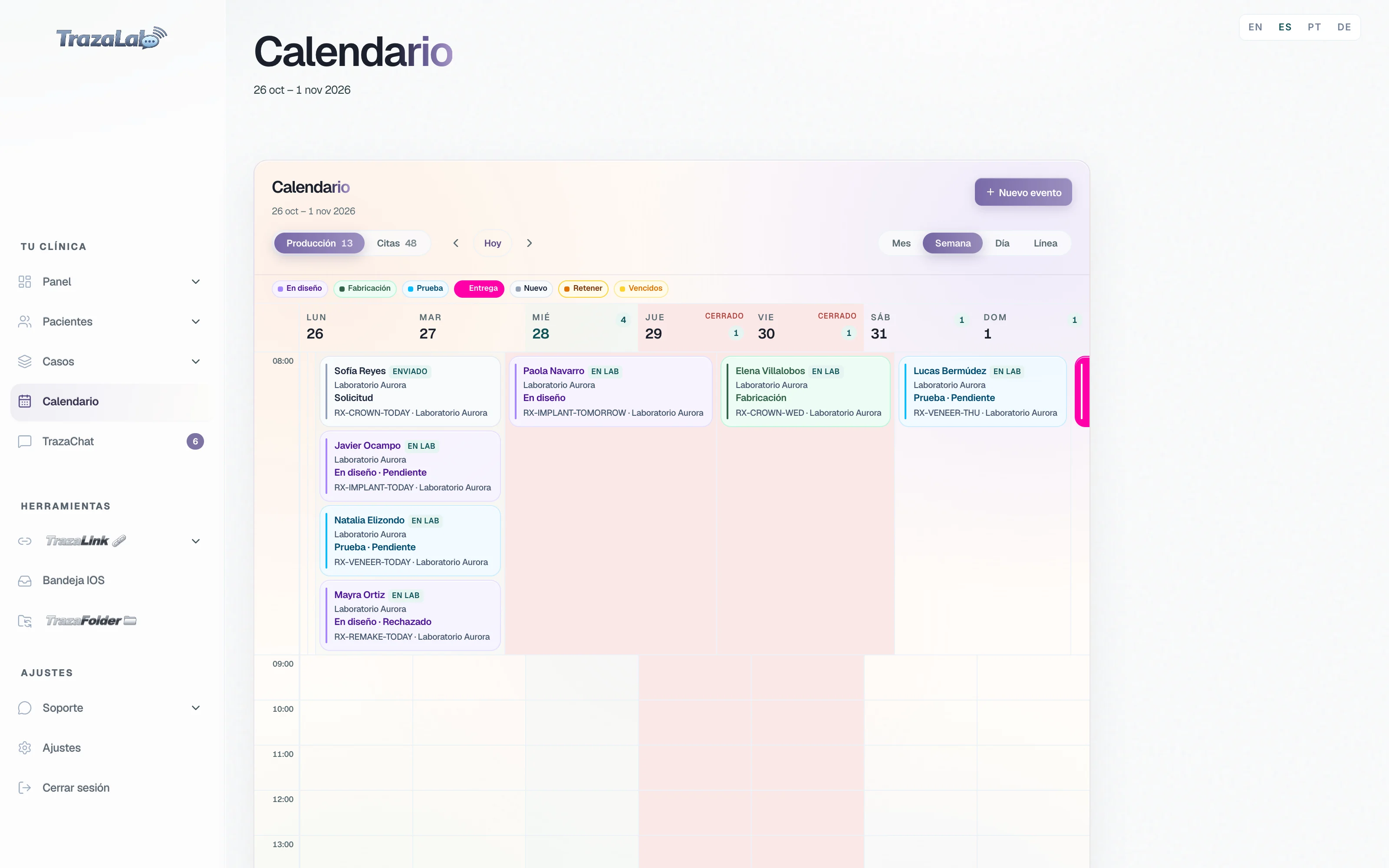
The laboratory calendar puts each case on its delivery date, with its stage color and the clinic that sent it.
- Filter by stage.
Treatment design, Fabrication, Try-in, Delivery, New, Hold, and Overdue.
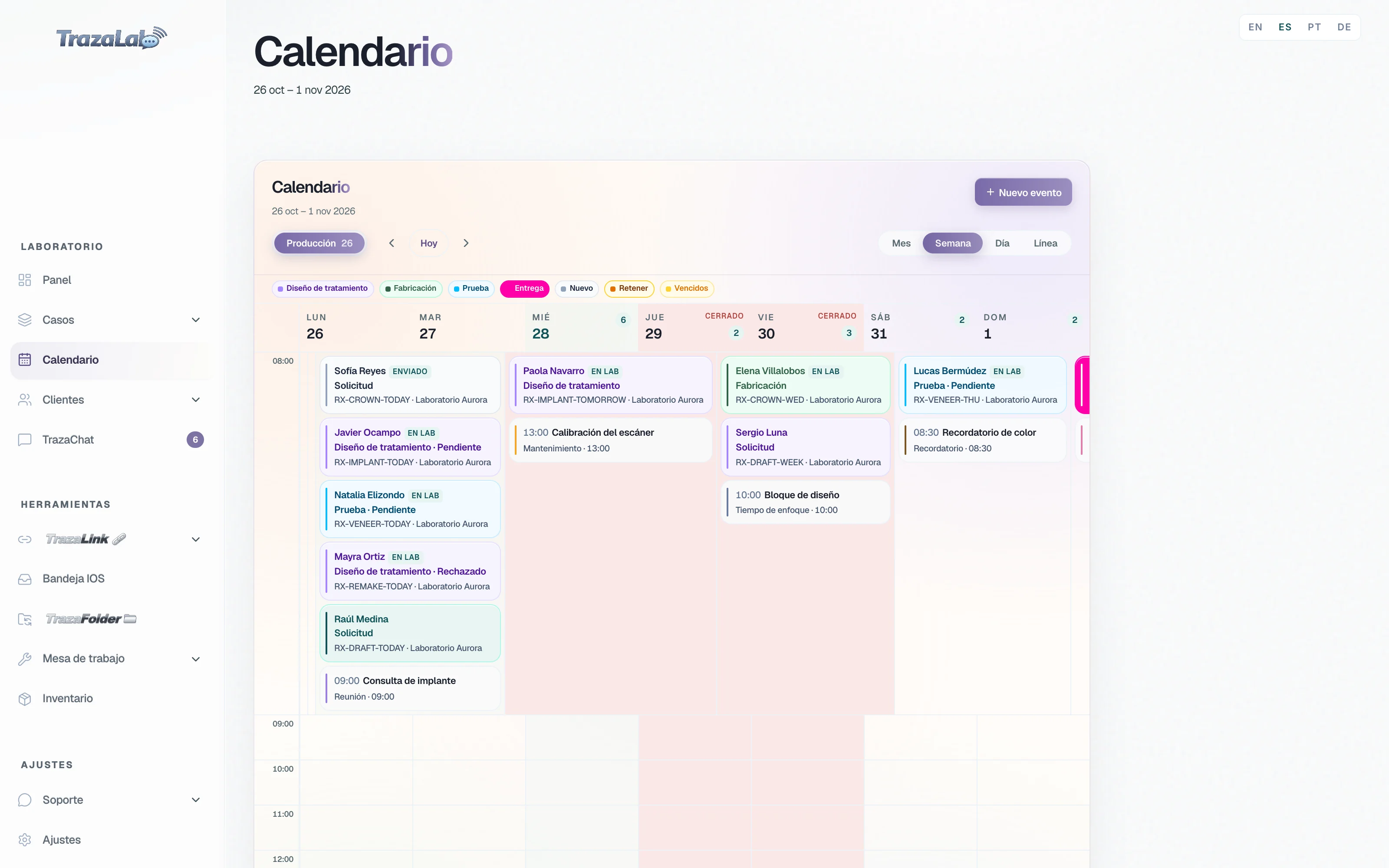
- Month, Week, Day, or Timeline.
Timeline shows the month as bars, from when the case comes in to its delivery.
- The reason, on view.
What you write when you move a case to Hold or Request shows on the calendar, without opening the case.
Deadlines
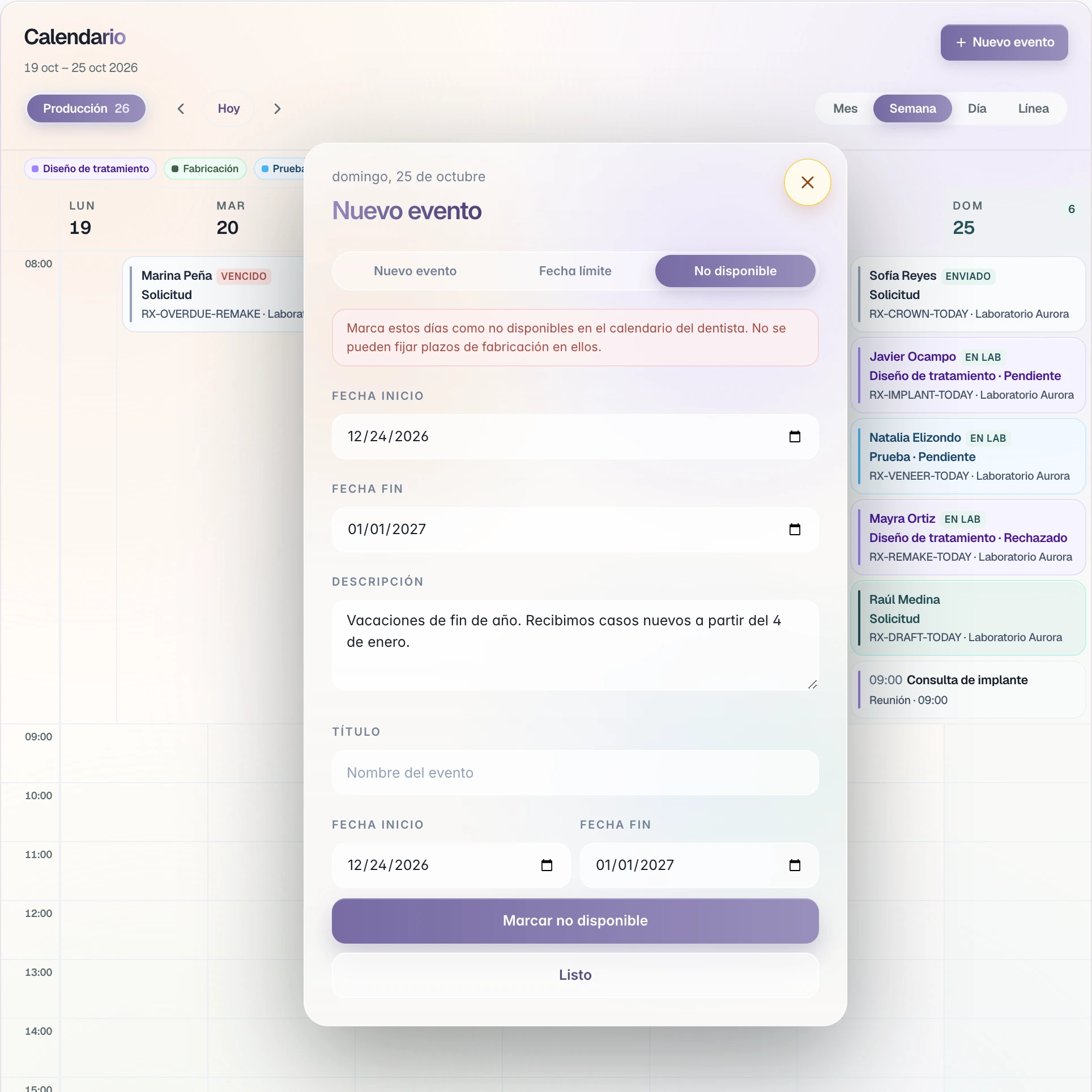
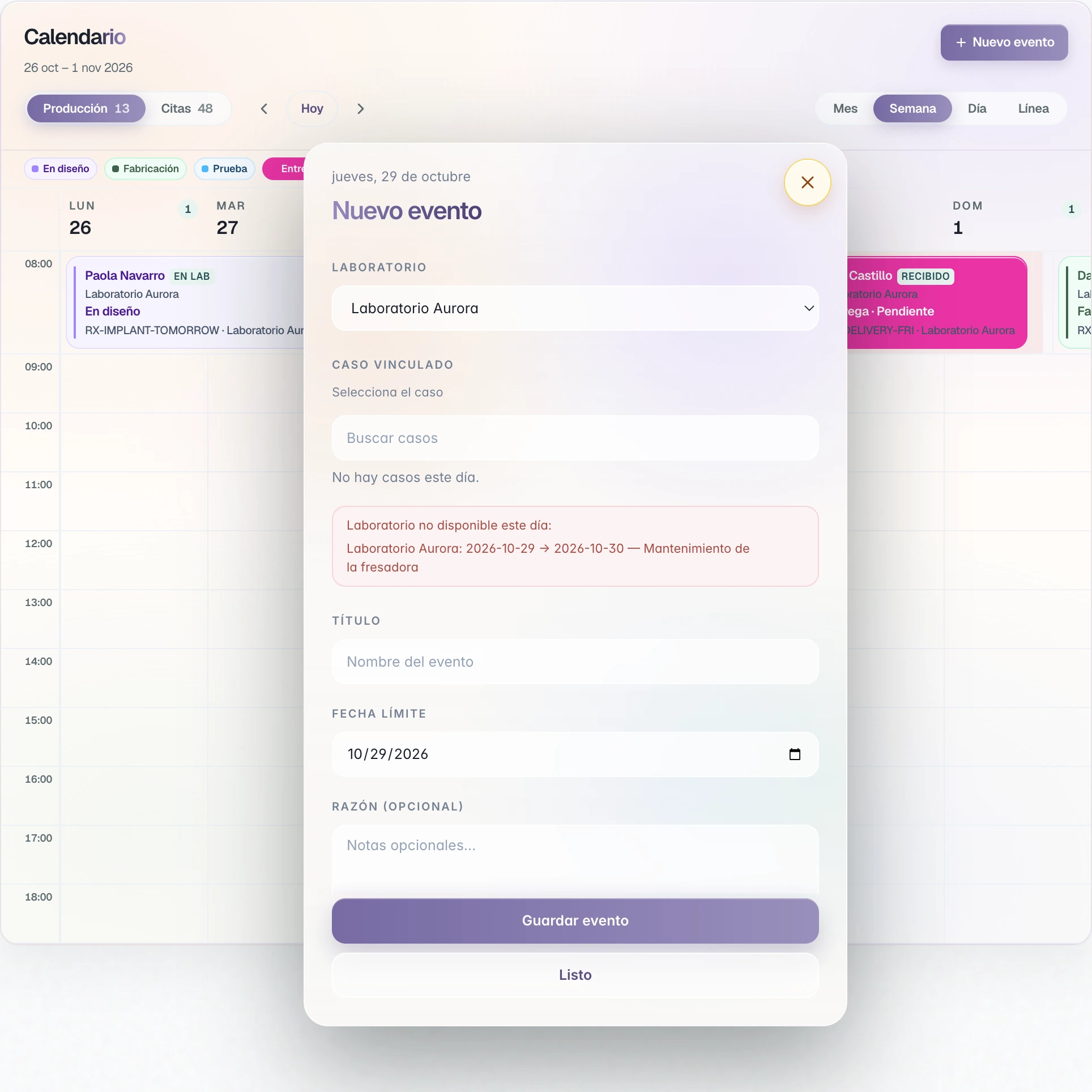
Closed days, dates you agree.
You close the days you do not fabricate, and your clinics cannot set a delivery there. If someone proposes another date, the other side decides.
Events
Tell the people who need to know.
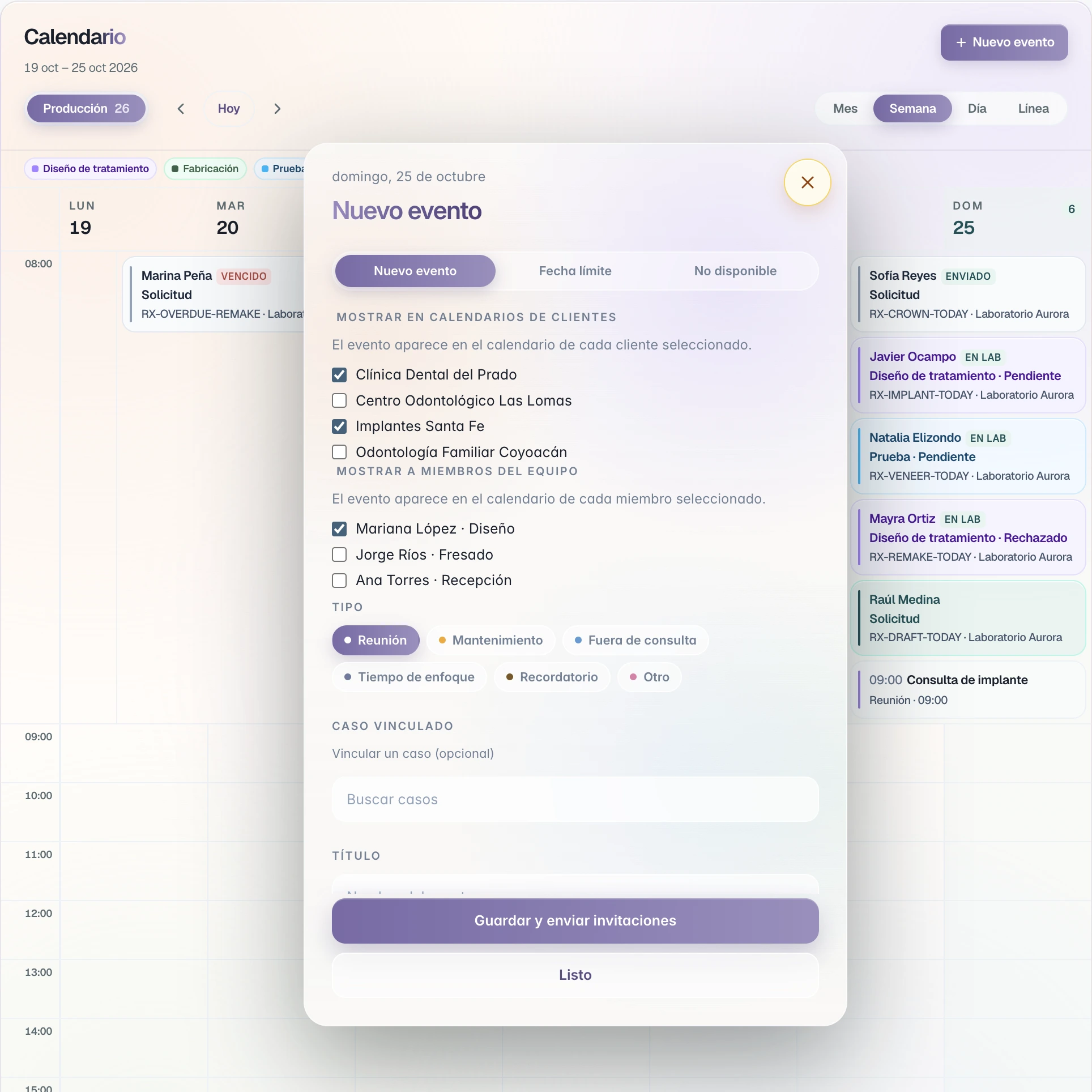
Meetings, maintenance, vacation, or a reminder, on the same calendar as your cases.
- Your clinics.
Show on client calendars: the event appears on each clinic you mark.
- Your team.
Show to team members: it appears on the calendar of each person you mark.
- Guests by email.
The invitation arrives with Accept or Reject and its .ics file.
- Make it repeat.
Daily, weekly, or monthly.
Your team
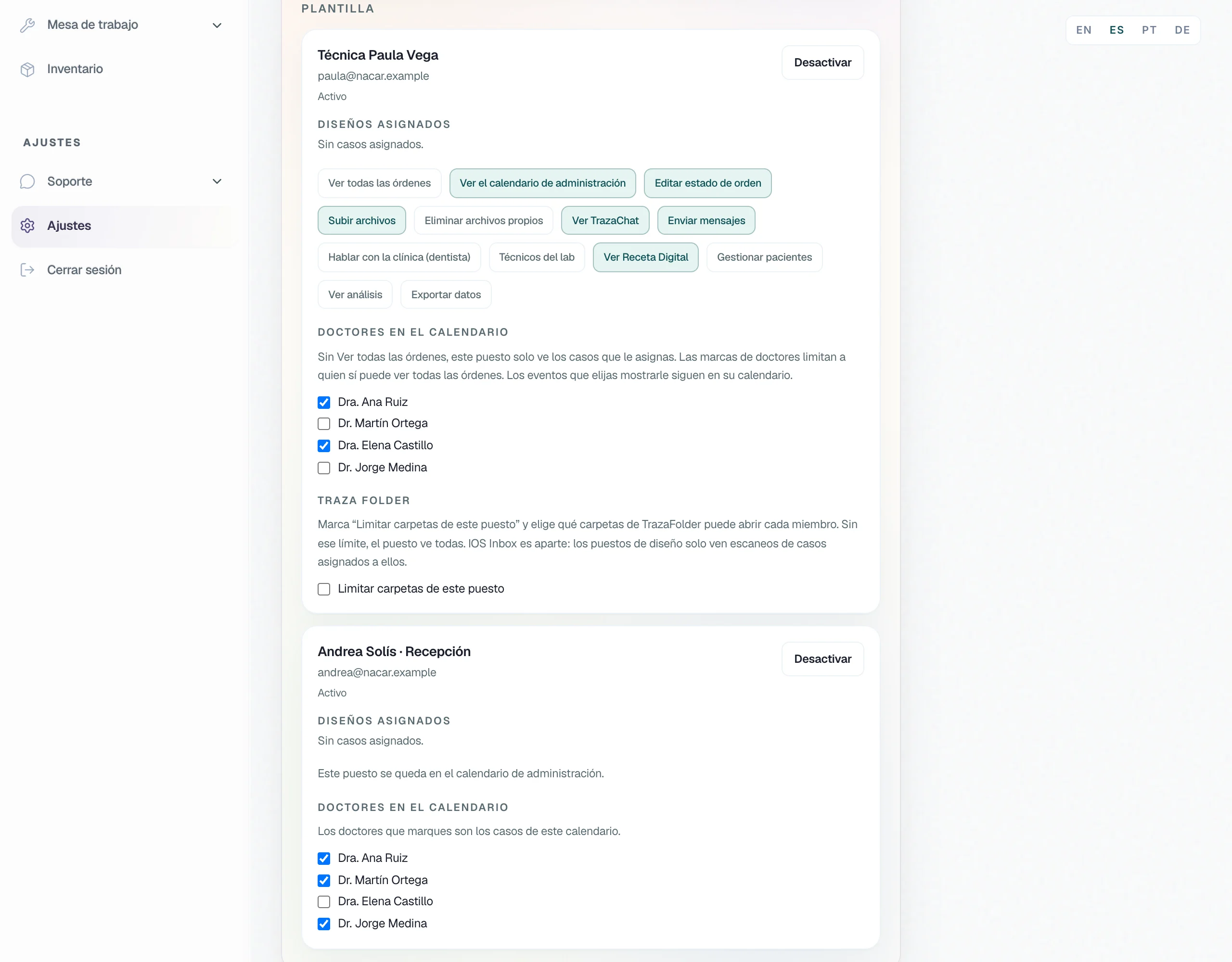
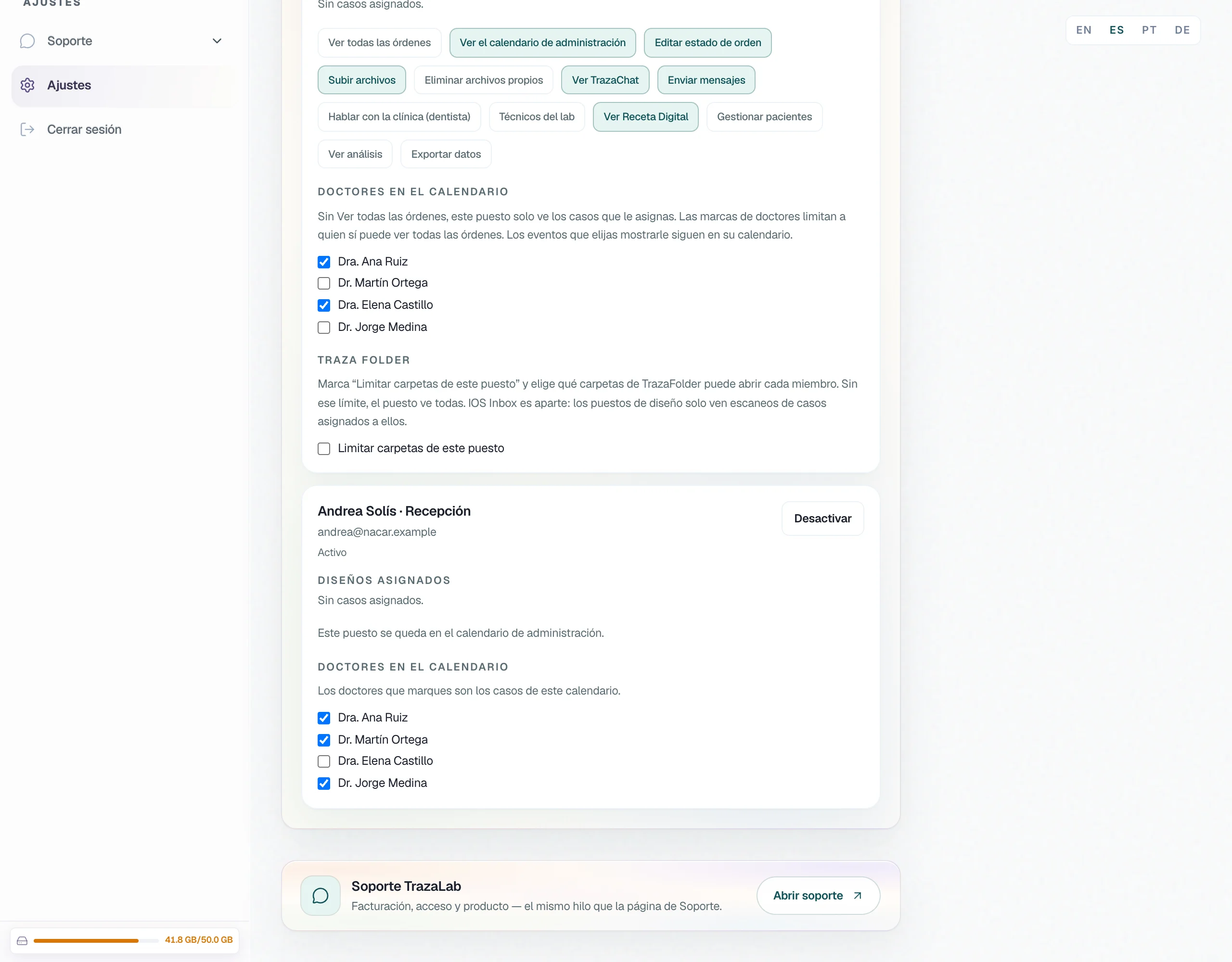
Each seat sees its calendar.
In Settings → Team you decide, person by person, which part of the calendar opens. From the calendar, an administrator assigns each case to a technician.
For the dentist
Your laboratory and your office, in one calendar.
You follow your cases at the laboratory and schedule your patients knowing whether the work arrives on time.
Production and Appointments
Your cases and your schedule, one click away.
The clinic calendar has two views: what is at the laboratory and what happens in your office.
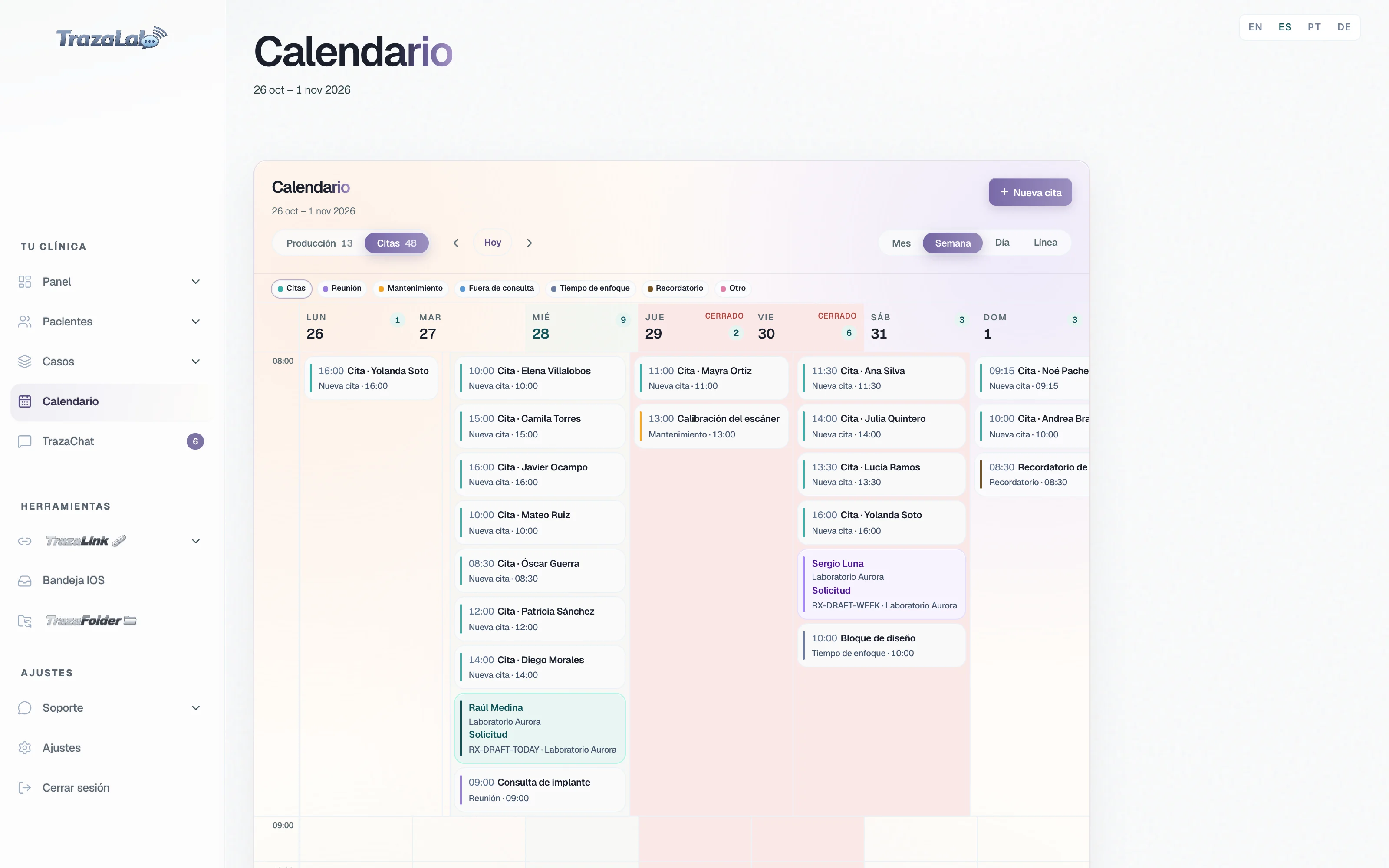
Patient appointments
The appointment knows how the case is going.
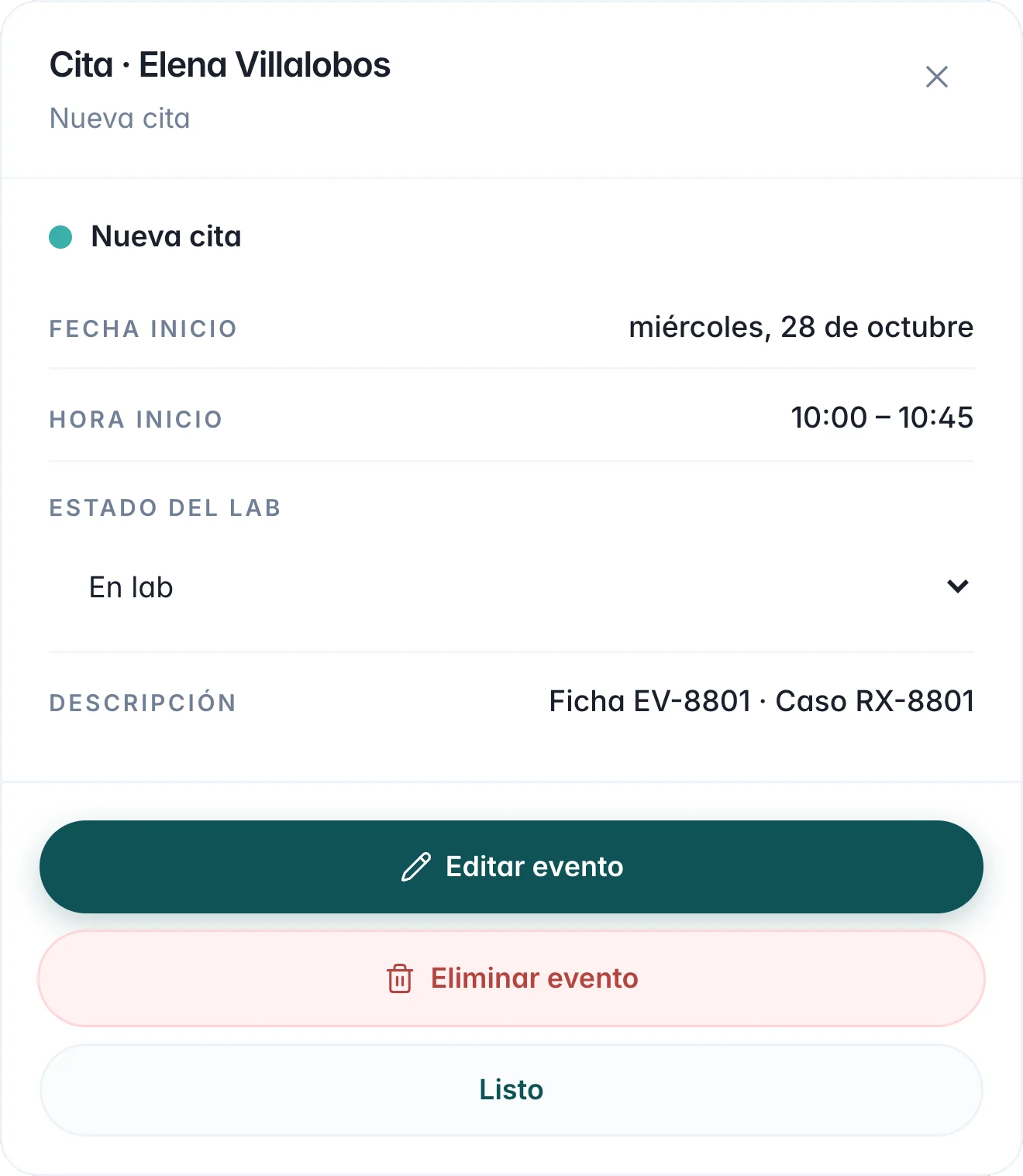
When you schedule a patient you link their case, and the appointment shows where the laboratory's work stands.
- Link the case.
It is optional: you search for the case and the appointment follows it.
- Lab status.
None, Sent, In lab, Received, or Overdue. With a linked case, it comes from the case.
- Start and end time.
Each appointment has them, and it can repeat every day, week, or month.
White label
The base comes ready. What is yours, we program.
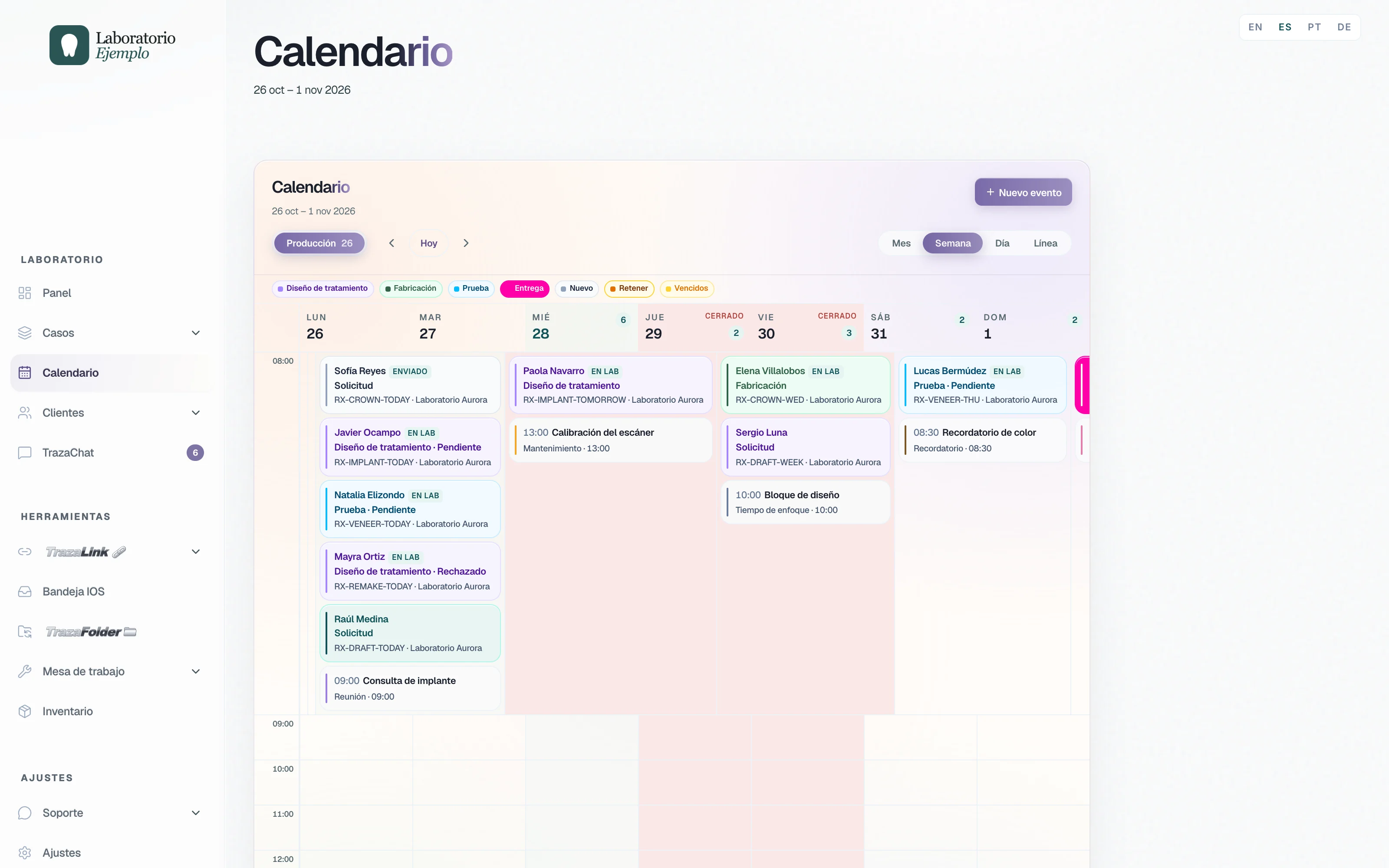
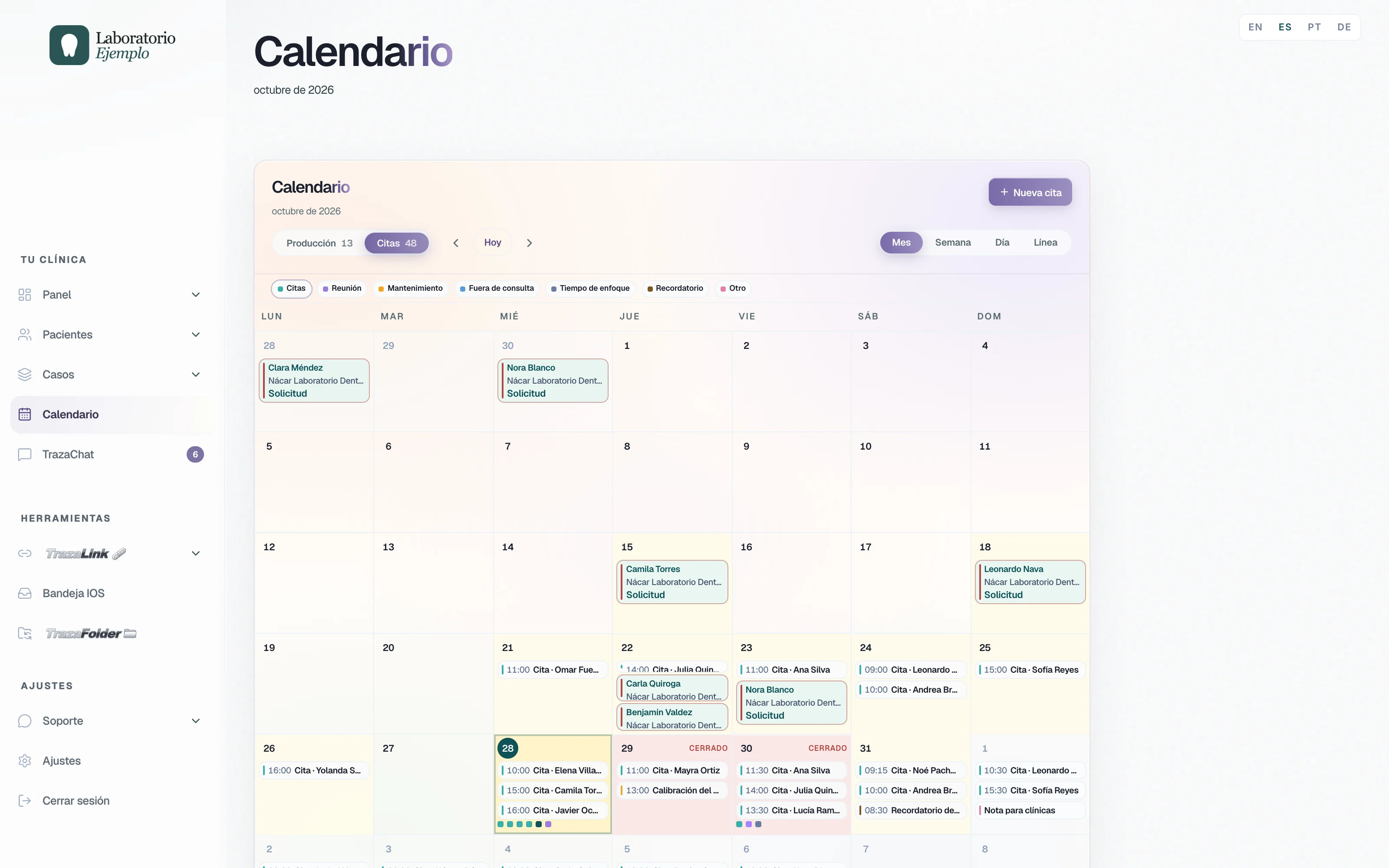
With the white-label subscription, the calendar carries your logo and the TrazaLab team programs on your account the rules your way of working needs.
Your brand
Your logo, on your calendar and on your clinics'.
The logo from Settings → Branding heads your desk. The clinics you create an account for open their calendar with your logo.
Custom
Built for one laboratory.
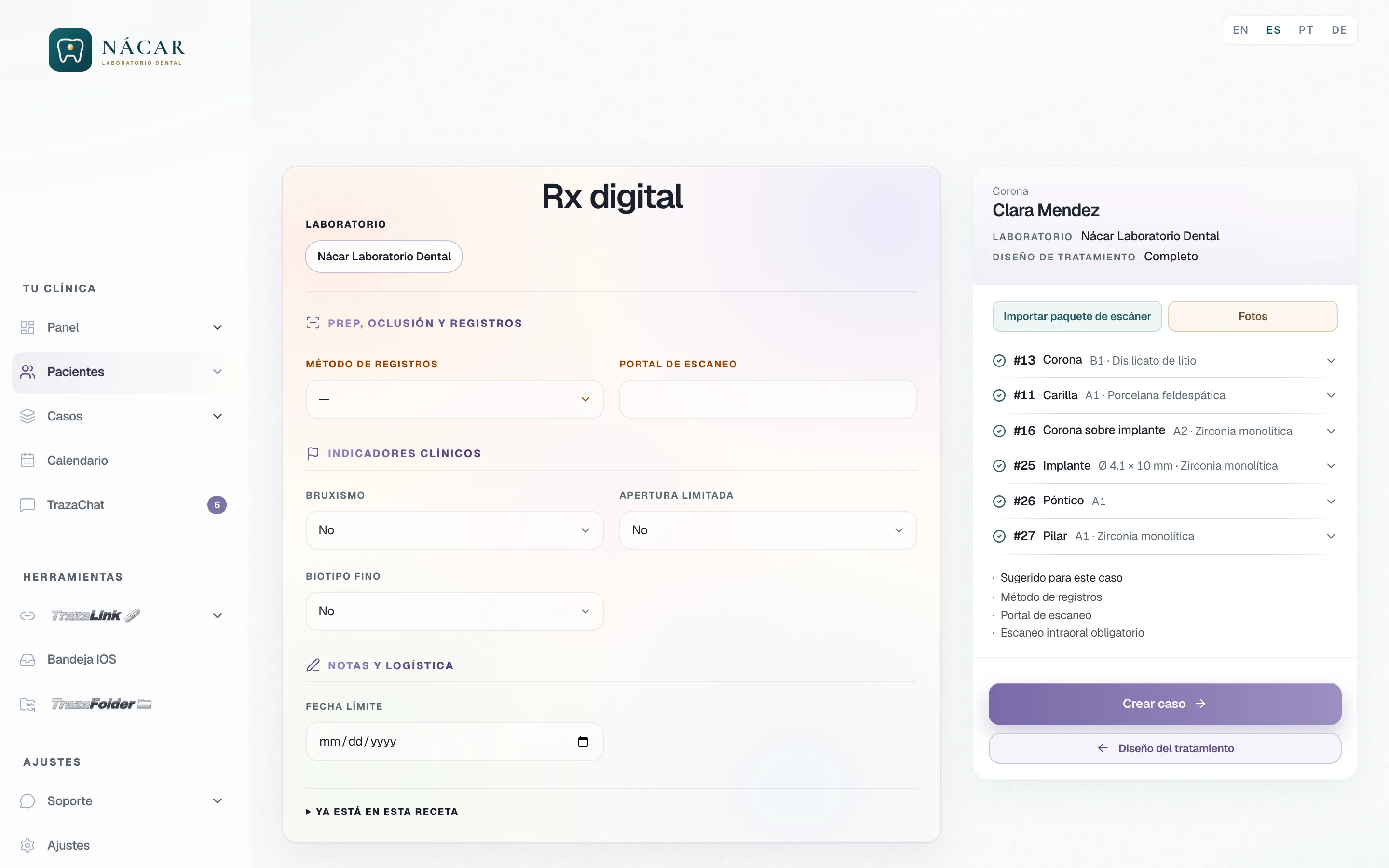
A laboratory asked that its dentists not be able to create a case without an intraoral scan. The TrazaLab team programmed it on their account.
- The rule.
Intraoral scan required, on its dentists' Digital Rx.
- Only on their account.
It applies to that laboratory and its clinics.
- On your calendar, the same.
A date rule, a notice, or a view: you describe it and we program it for your account.
How you ask
Ask for it the way you work.
White-label laboratories and clinics describe what they need. The TrazaLab team builds it on their account.
- Tell us how you work.
From Support on your desk or on a call: which dates you close, how many cases you accept, who should see each thing.
- We program it on your account.
The TrazaLab team builds the styling, the rule, or the behavior you asked for, only on your account.
- Your team and your clinics use it.
The rule lives in the same calendar they already open every day.
Already built to order
- Case cap per clinic.
It started as one laboratory's request and now comes on everyone's calendar.
- Intraoral scan required.
A case-creation rule one laboratory asked for, for its dentists.
- People in TrazaChat Mobile.
Your clinics and your team in one list, each with their latest message, for the laboratories that asked for it.
The base
Comes with the calendar.With white label
Your calendar, built for you.Production and Appointments; Month, Week, Day, and Timeline; filters by stage.
—
Closed days, a case cap per clinic, and deadlines you agree.
Date rules you ask for on your account.
Internal, or shared with clinics and the team; guests by email.
—
Per person, with marked doctors and calendar-only seats.
—
Your logo on your desk.
Your logo on the calendar of the clinics you create an account for.
—
Styling, features, and behavior programmed on your account.
Questions
Frequently asked questions.
From the laboratory
No. The person who creates an event sees it. Clinics see it only if you mark them under Show on client calendars, and they see it without being able to edit it.
Who sees itIt depends on their seat. View administration calendar is turned on per person in Settings → Team. Without View all orders, they see the cases you assign them, and the marks under Doctors on the calendar narrow what they see further.
Your teamNo. The day shows as Closed on their calendar, with your note, and when they try they read: That date is unavailable for this laboratory.
DeadlinesYes, with the white-label subscription. You tell us the rule and the TrazaLab team programs it on your account, like the required intraoral scan one laboratory asked for, for its dentists.
How you askFrom the dentist
Your appointments are saved on your calendar. The laboratory sees the cases you send it, with their dates, on its production calendar.
Patient appointmentsLink the case to the appointment. The appointment shows the case's Lab status: Sent, In lab, Received, or Overdue.
Patient appointmentsYou place the case on another day and the laboratory receives the proposal on the case. It can accept it, reject it, or counter with another date.
DeadlinesYes, with the white-label subscription. You describe how your clinic works and the TrazaLab team programs it on your account.
How you askNext step
Open your calendar.
Laboratory: mark your next closed day and share your first notice. Clinic: link your next appointment to its case.