
Digital payments
Charge with Stripe and PayPal, on every invoice.
The lab charges the dentist for fabrication, and the dentist charges the patient for treatment. Each one connects an account, and the invoice carries its card or PayPal payment link.
For dental labs and clinics
Stripe and PayPal
Connect your accounts once.
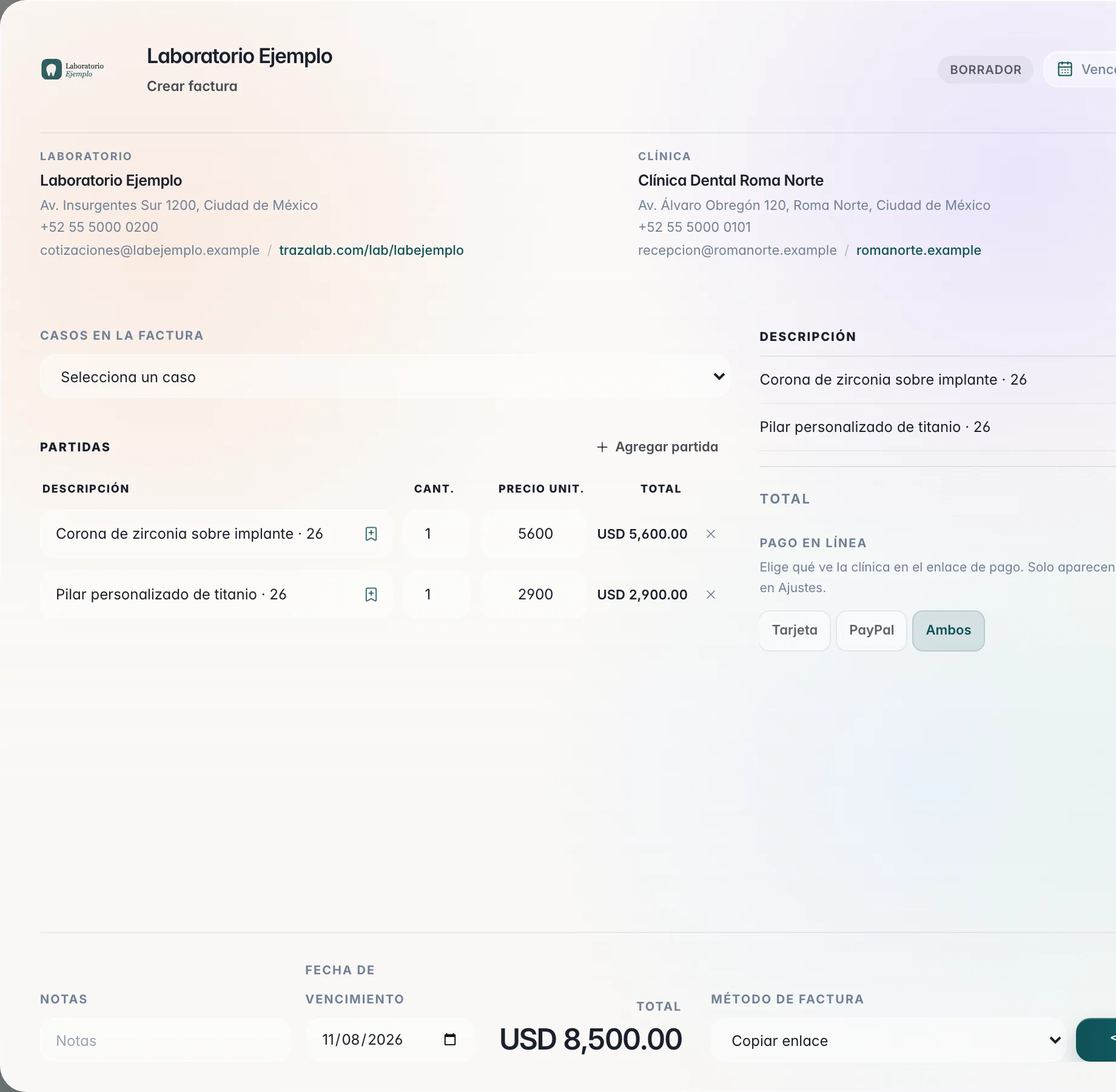
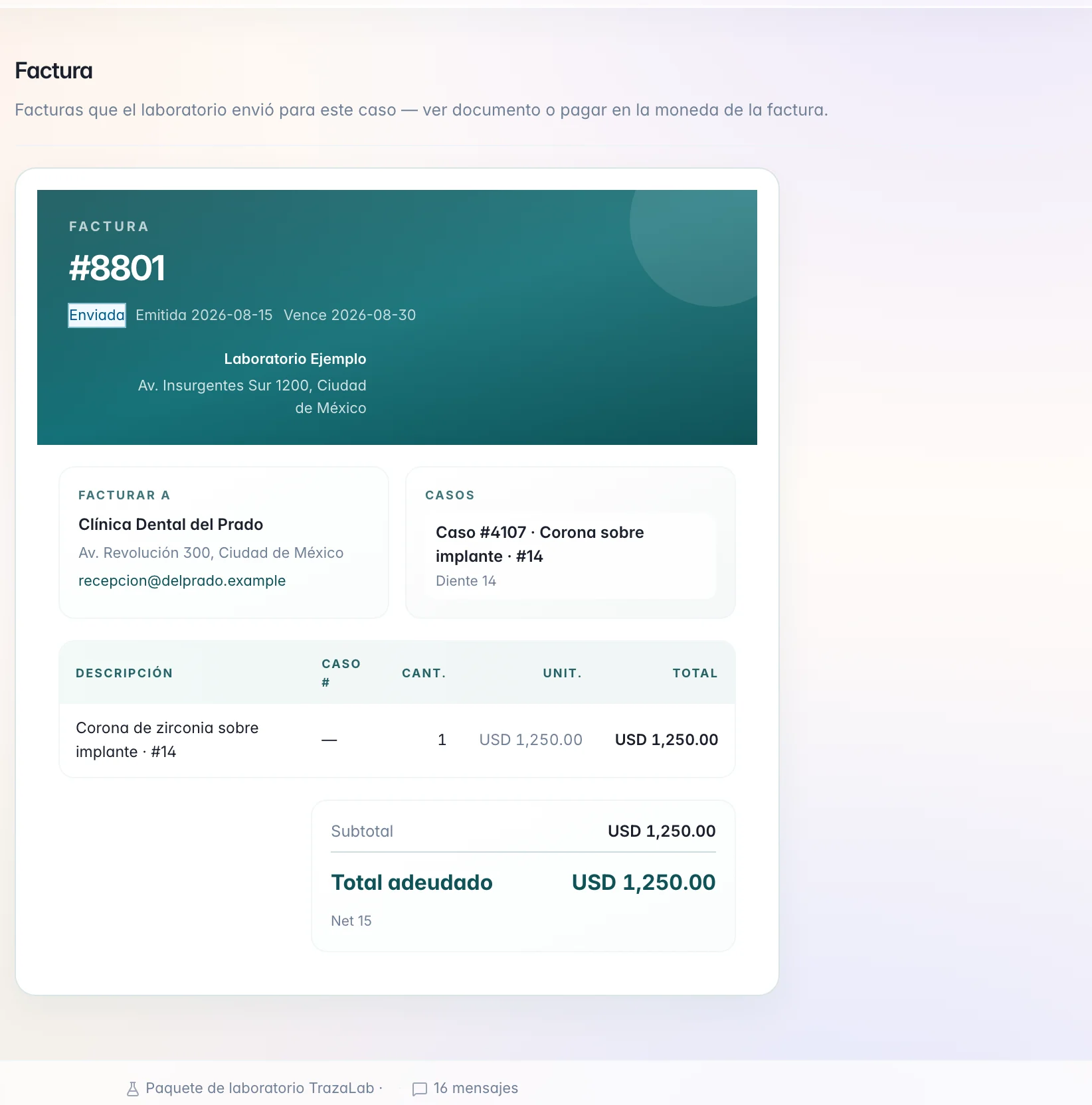
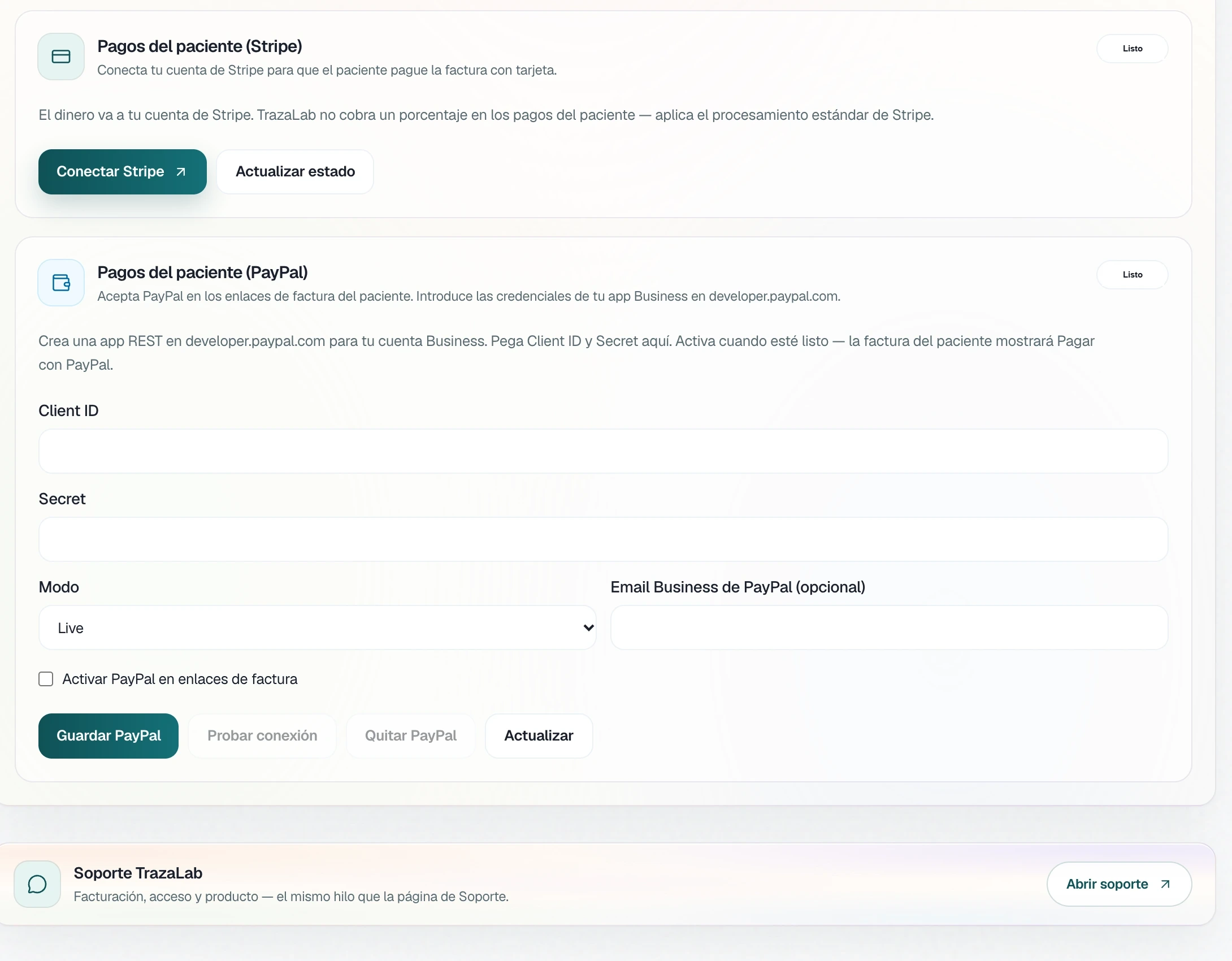
In Charges to clinics you connect your Stripe account, and in Clinic payments the credentials for your PayPal Business app. From there, each invoice can carry its online payment.
- On each invoice.
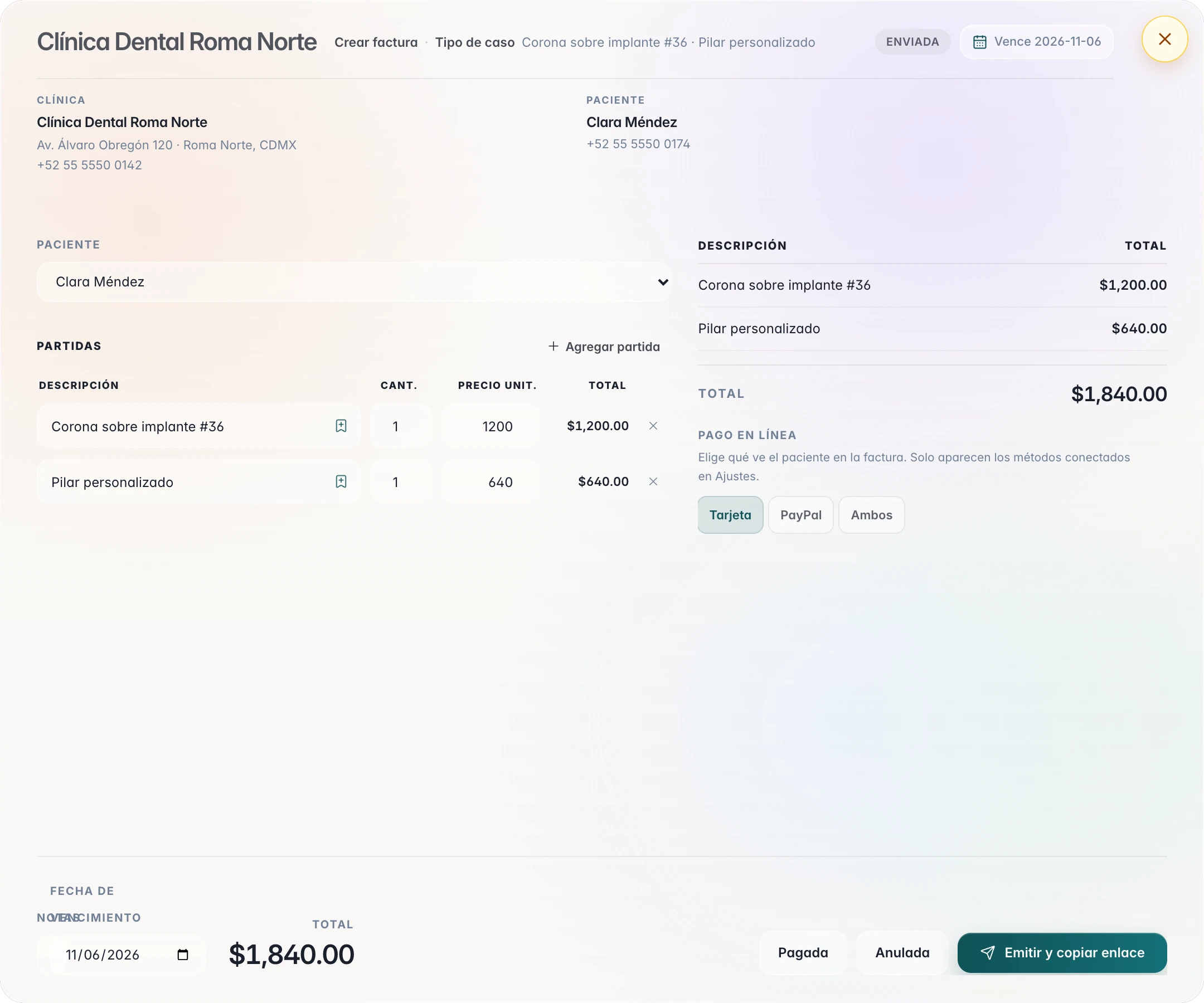
You choose the online payment the clinic sees: Card, PayPal, or Both. Only connected methods appear.
- Collect in your account.
The card payment arrives in your Stripe account, with its standard processing. PayPal, in your Business account.
The dentist pays
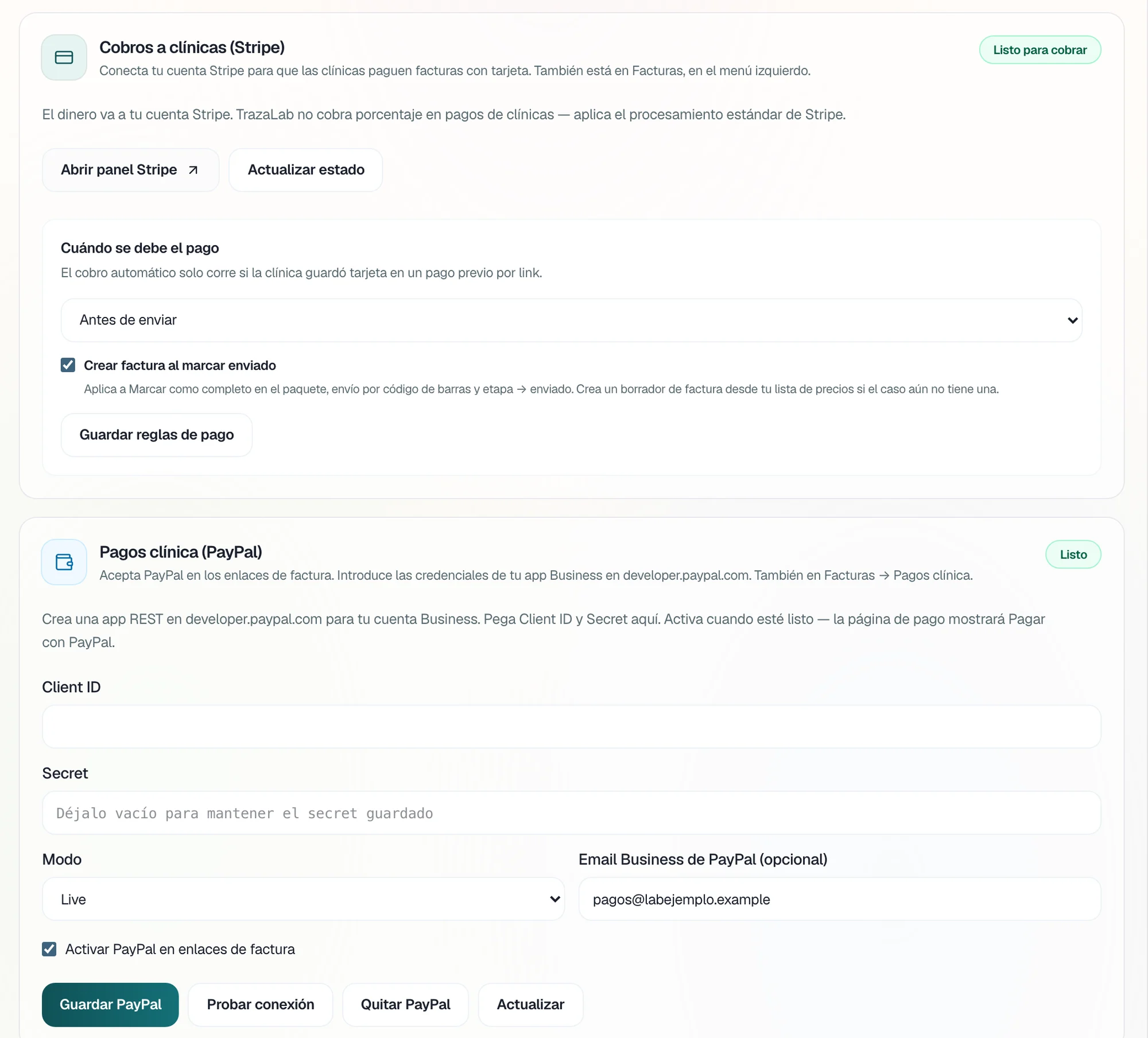
The invoice, inside the case.
In TrazaLink, the dentist sees the invoices the lab sent for that case: opens the document or pays in the invoice currency. In the portal they have Pay now and the payment history with your lab.
When it is paid
You decide when payment is due.
One rule in Charges to clinics. With Create invoice when marked sent, a sent case creates an invoice draft from your price list if it does not have one yet.
Automatic collection runs only if the clinic saved its card on a previous pay-by-link.
- When the invoice is sent
- Payment is due when the invoice or its link reaches the clinic.
- Before fabrication
- Payment is due before the case moves to fabrication.
- Before sending
- Payment is due before the work leaves the laboratory.
- Manual only
- No rule: you collect each invoice when you decide.
Patient payments
The dentist charges the patient.
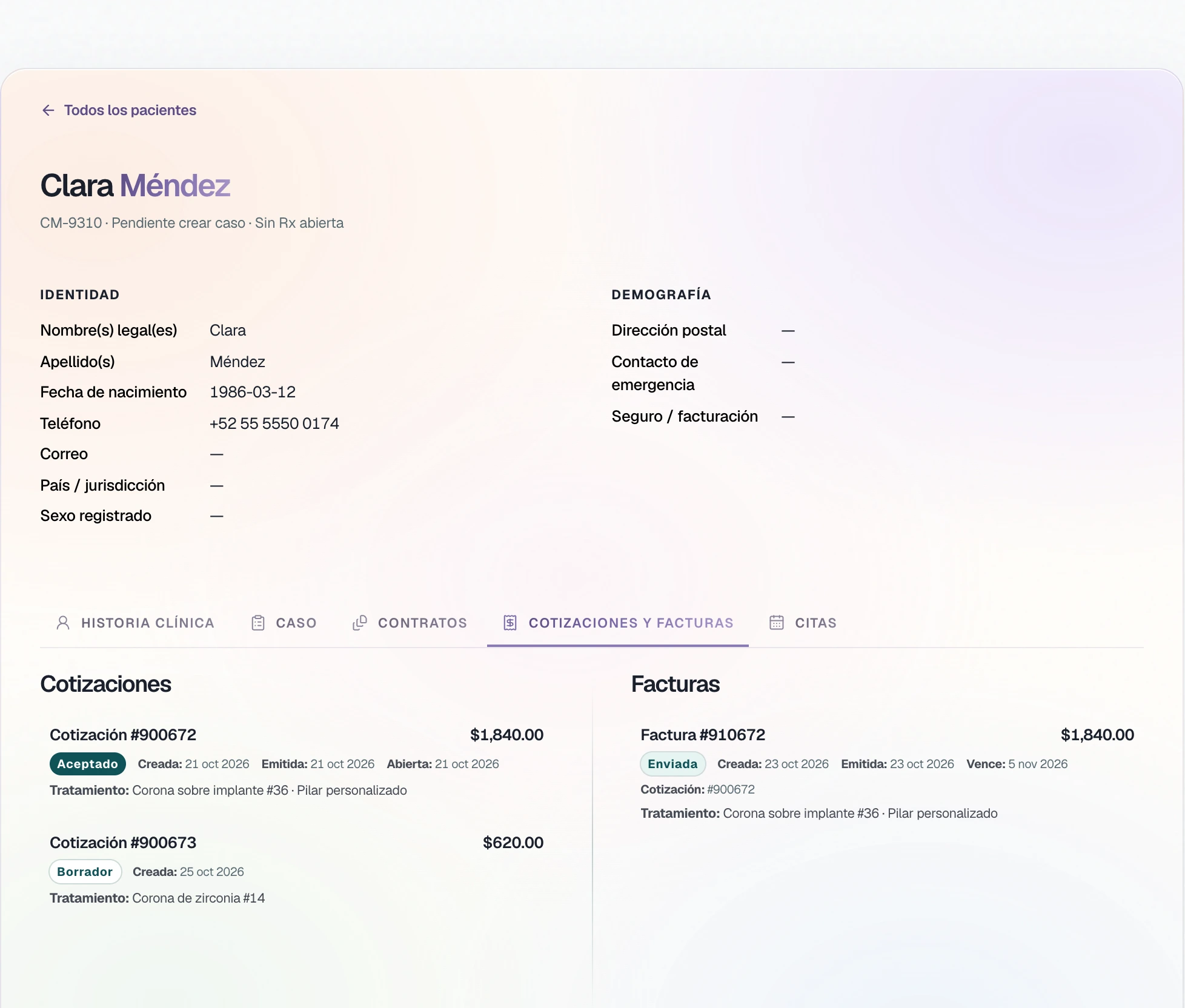
The clinic connects its own Stripe and PayPal accounts. The patient invoice comes from the accepted quote, and the patient pays from the link.
Questions
Questions about payments.
Yours. The lab connects its Stripe account and its PayPal Business app; the clinic connects its own. Standard Stripe or PayPal processing applies.
ConnectYes. On each invoice you choose Card, PayPal, or Both. Only the methods you connected in Settings appear.
ConnectFrom the invoice link, or in the portal: there they see the lab's invoices with Pay now and their payment history.
The dentist paysYes. In When payment is due you choose when the invoice is sent, before fabrication, before sending, or manual only.
When it is paidOnly if the clinic saved its card on a previous pay-by-link. If not, the clinic pays from the link.
When it is paidYes. The patient invoice comes from the accepted quote, and the patient pays it by card or PayPal from the link. The money goes to the clinic's account.
Patient paymentsNext step
Send your first invoice with payment.
Connect Stripe or PayPal in Settings and choose the online payment on the invoice.