
TrazaFolder
One folder, on both desks.
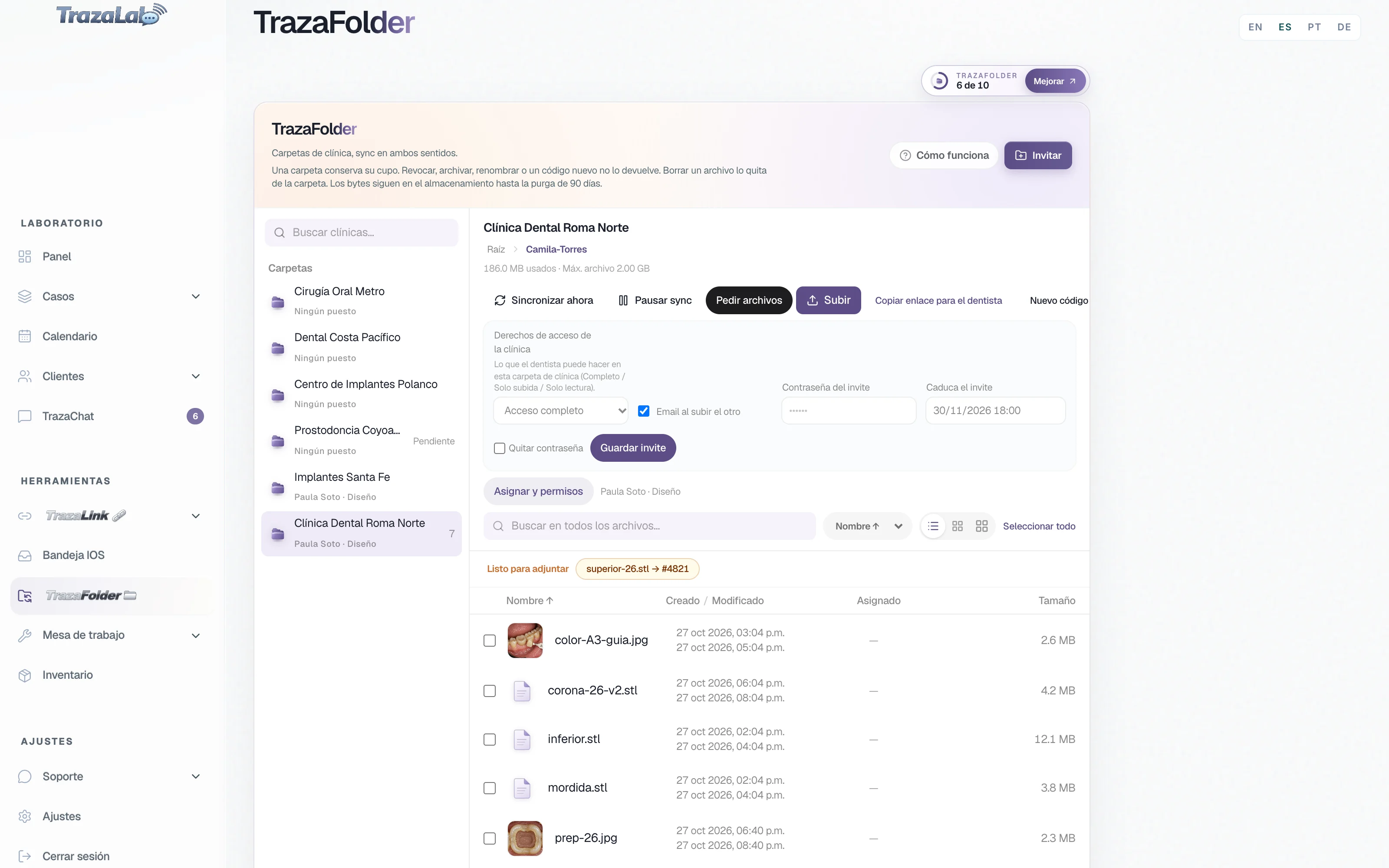
The lab opens one folder per clinic. The dentist opens it on their desk or in the browser, with nothing to install. What one side uploads shows up on the other, and each file can move into its case.
For labs and dentists · Sample logo: Nácar Laboratorio Dental
Both ways
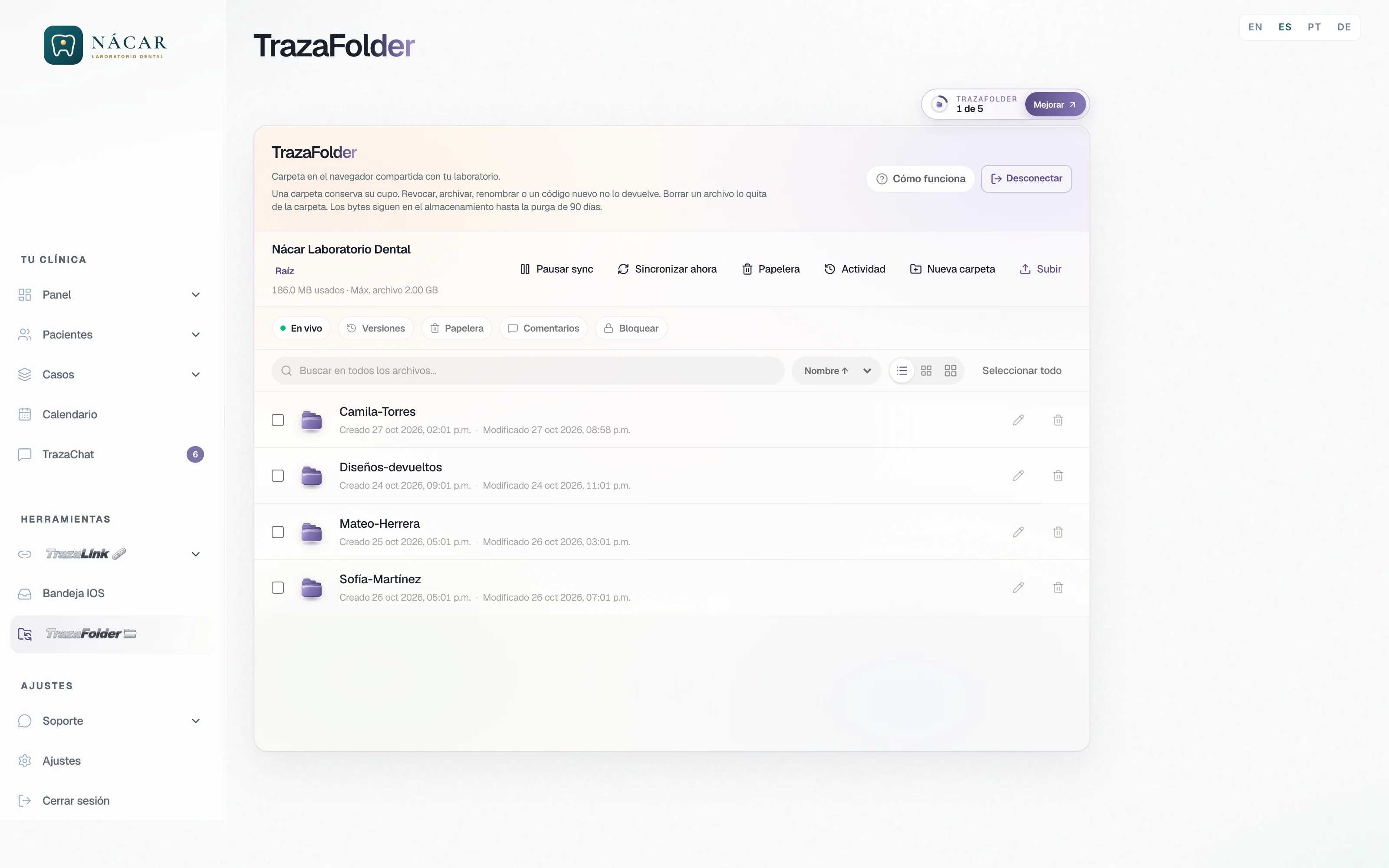
The same folder, on both sides.
What the clinic drops appears on the lab desk, and what the lab uploads appears in the clinic's folder. Without emails with attachments or loose links.
For the lab
Your clinics, your team, your cases.
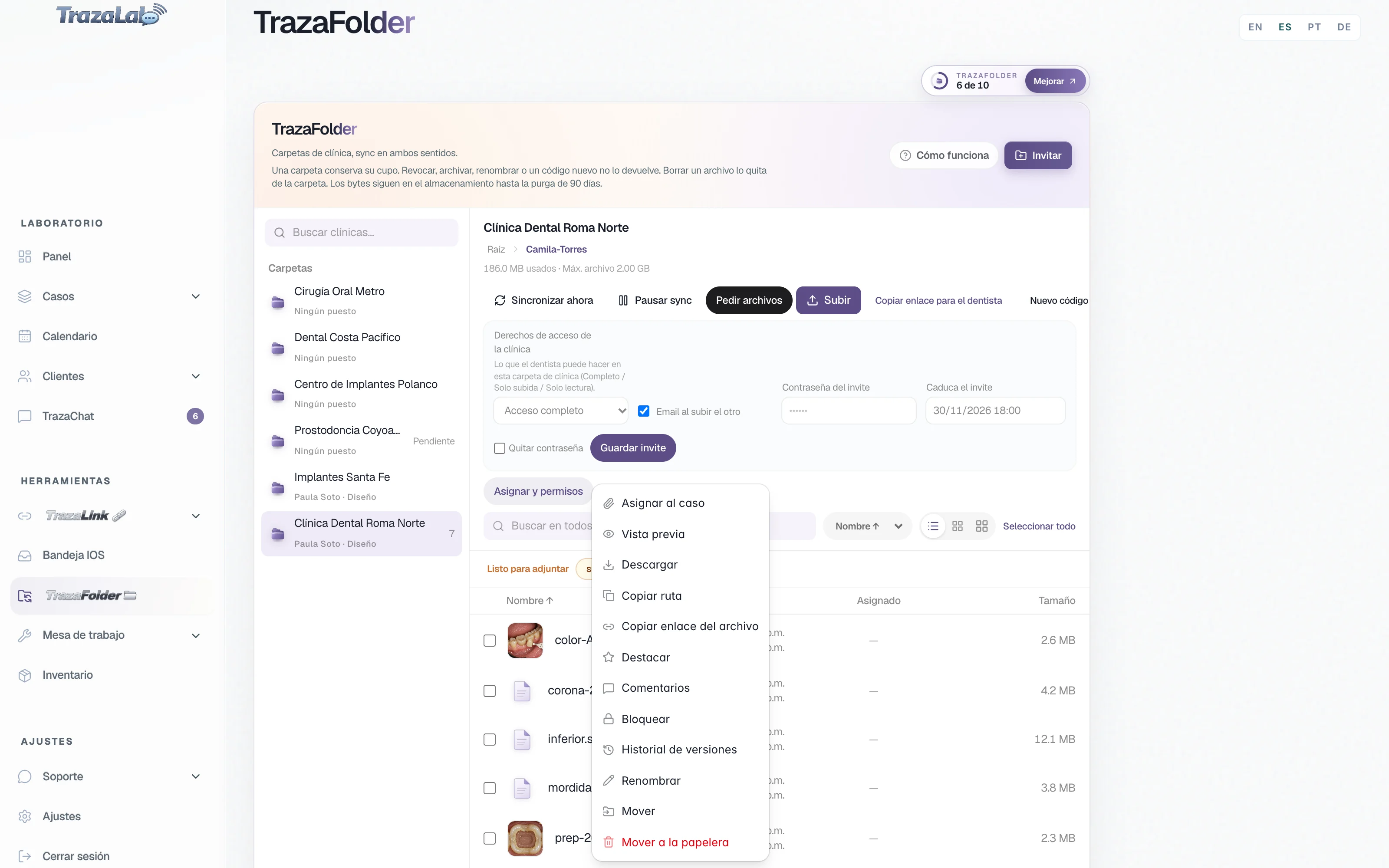
You invite each clinic to its folder, decide who gets in and with what permission, and move what arrives onto the right case.
Invite
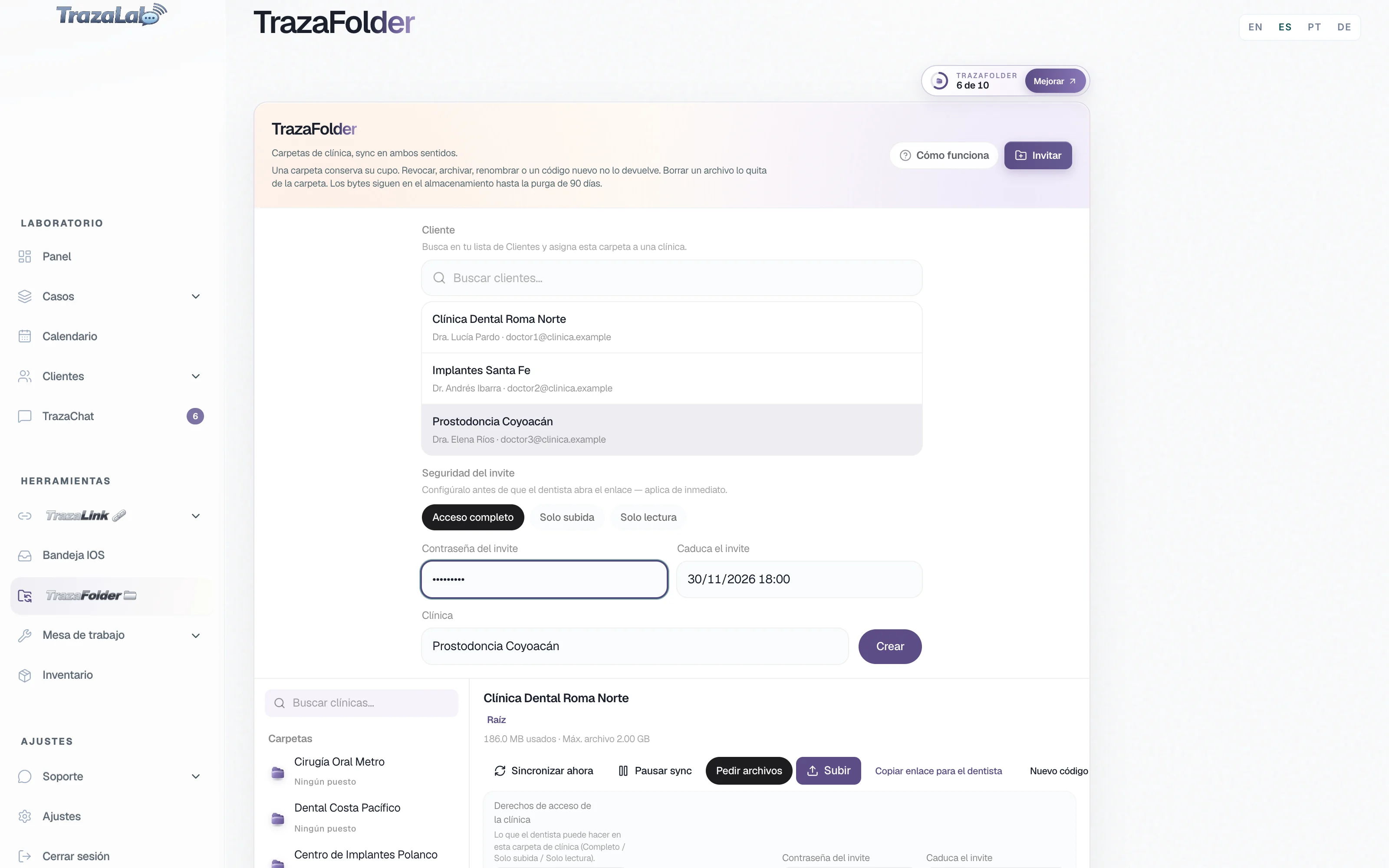
One link, and the folder opens.
You pick a clinic from your Clients list, decide how they get in, and send them the link.
- Pick the client.
The folder stays with one clinic from your Clients list.
- Set the security.
Invite password and expiry, before the clinic opens the link.
- Decide the access.
Full access, Upload only, or View only, and an email when the other side uploads.
Your desk
All your clinics, in one place.
One folder per clinic and, inside, a subfolder per patient. What the clinic uploads appears on your desk live.
- Sync now and Pause sync.
You force a sync or stop it whenever you want.
- Ready to attach.
What arrives in a folder bound to a case is marked for that case.
- Your slots in view.
The desk shows how many folders on your plan you are using.
Your team
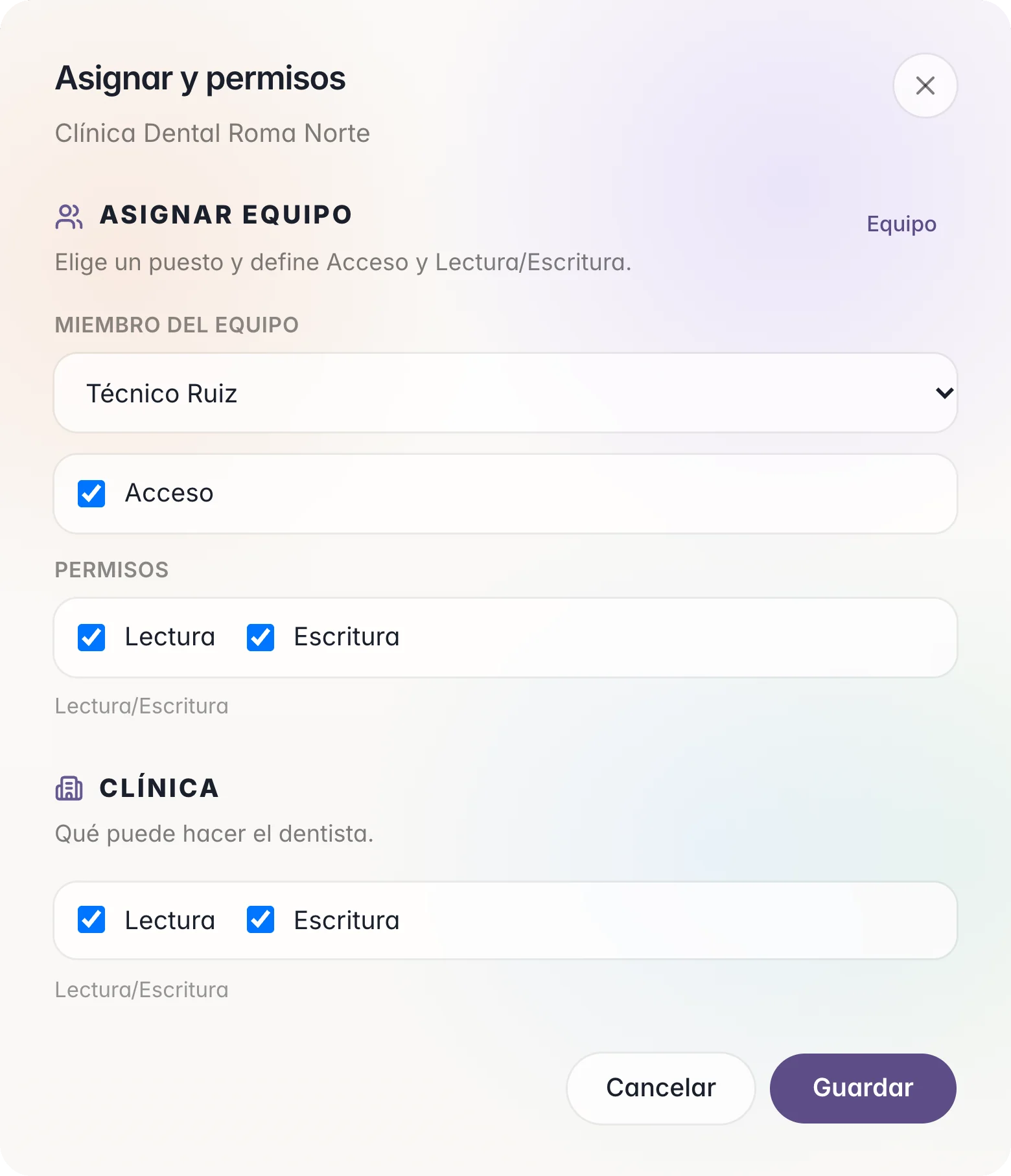
Each seat, its folders.
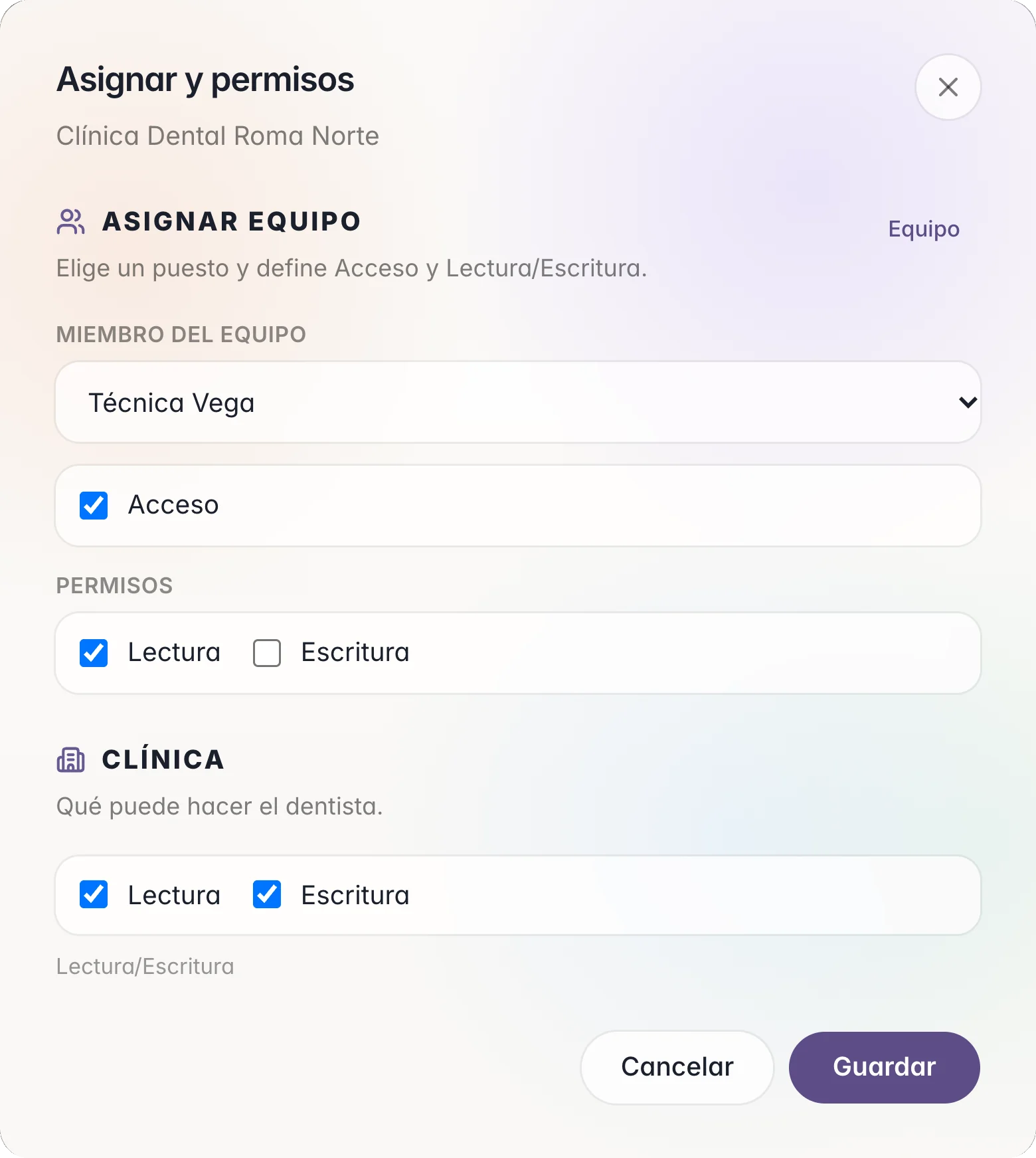
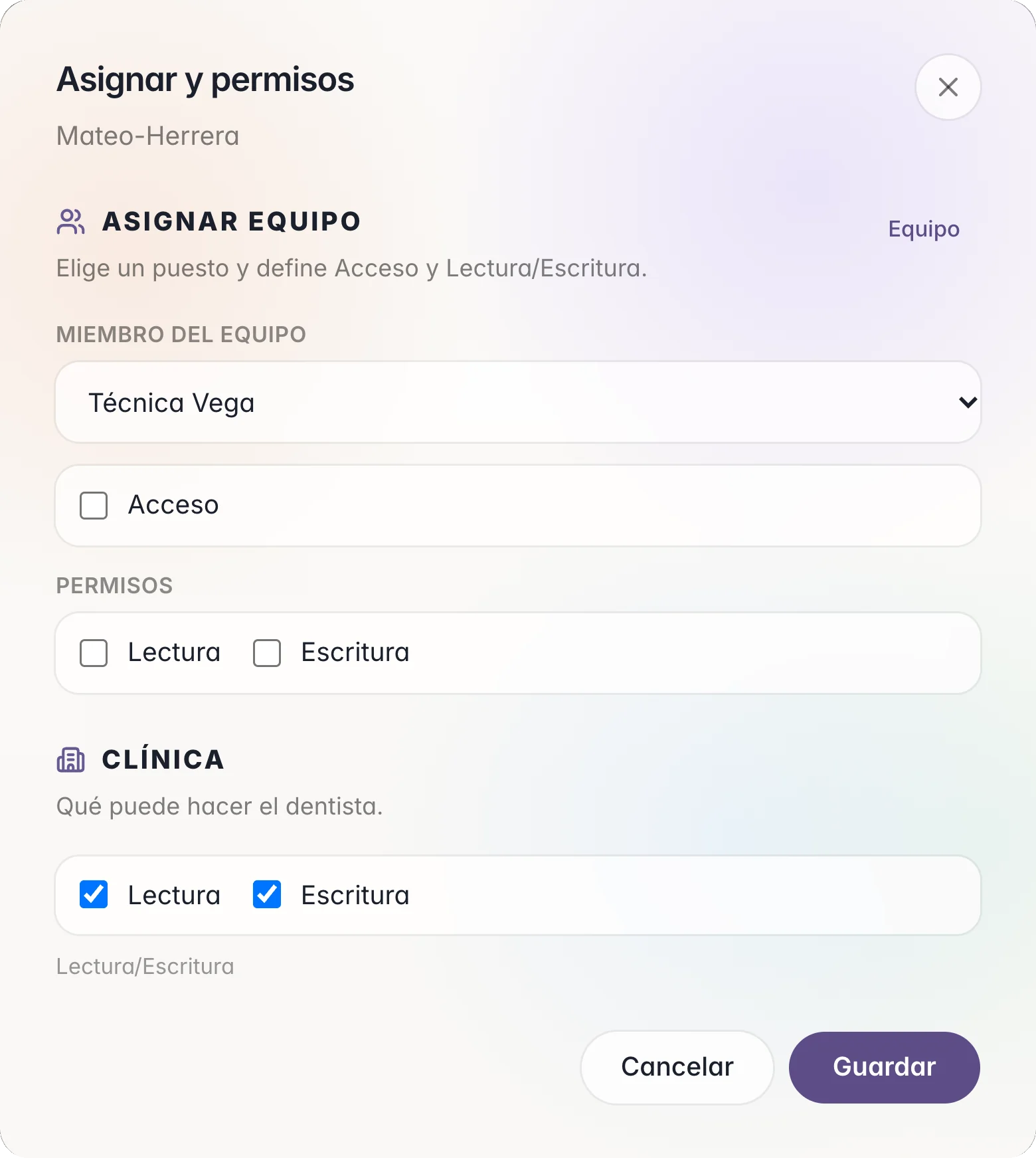
In Assign & permissions you choose which lab seats enter each clinic folder, and whether they only read or also write.
Your clinic
You decide what the clinic does.
Three modes for each clinic folder. Pick one and see what the dentist can do.
The clinic uploads, moves, renames, and deletes in its folder, the same as you.
- Upload files and foldersYes
- Change or delete their own filesYes
- Delete, rename, or replace the lab's filesYes
On the same invite
- Invite password.
Optional. It is asked when the link opens; you send it separately.
- Invite expires.
A date after which the link no longer opens.
- Email when the other side uploads.
An email notice when the other side uploads a file.
- Revoke.
You close the folder for that clinic.
To the case
From the file to the case, in one step.
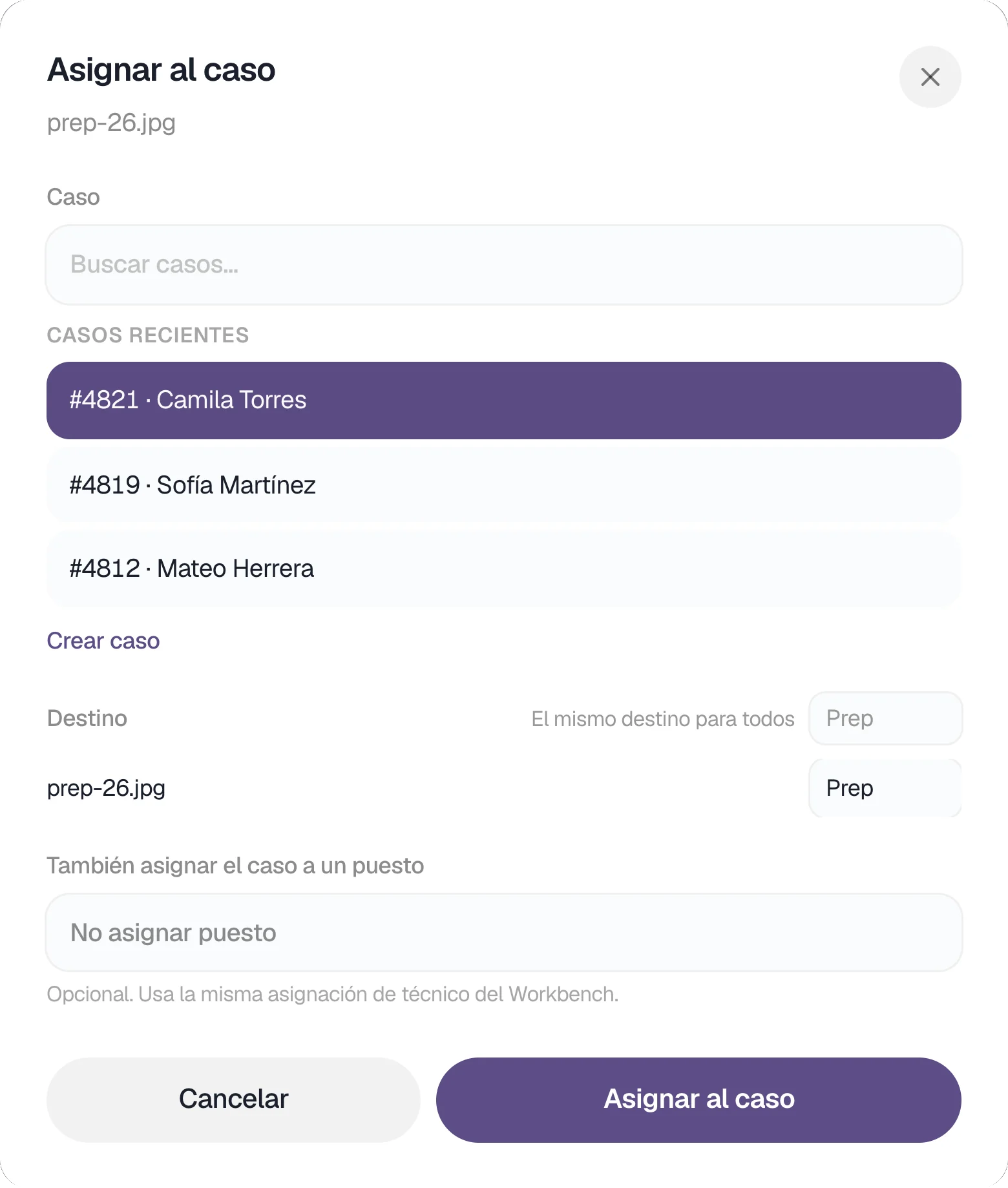
The folder belongs to the clinic. When a file belongs to a case, you put it on that case, in its place.
For the dentist
Your lab, one folder away.
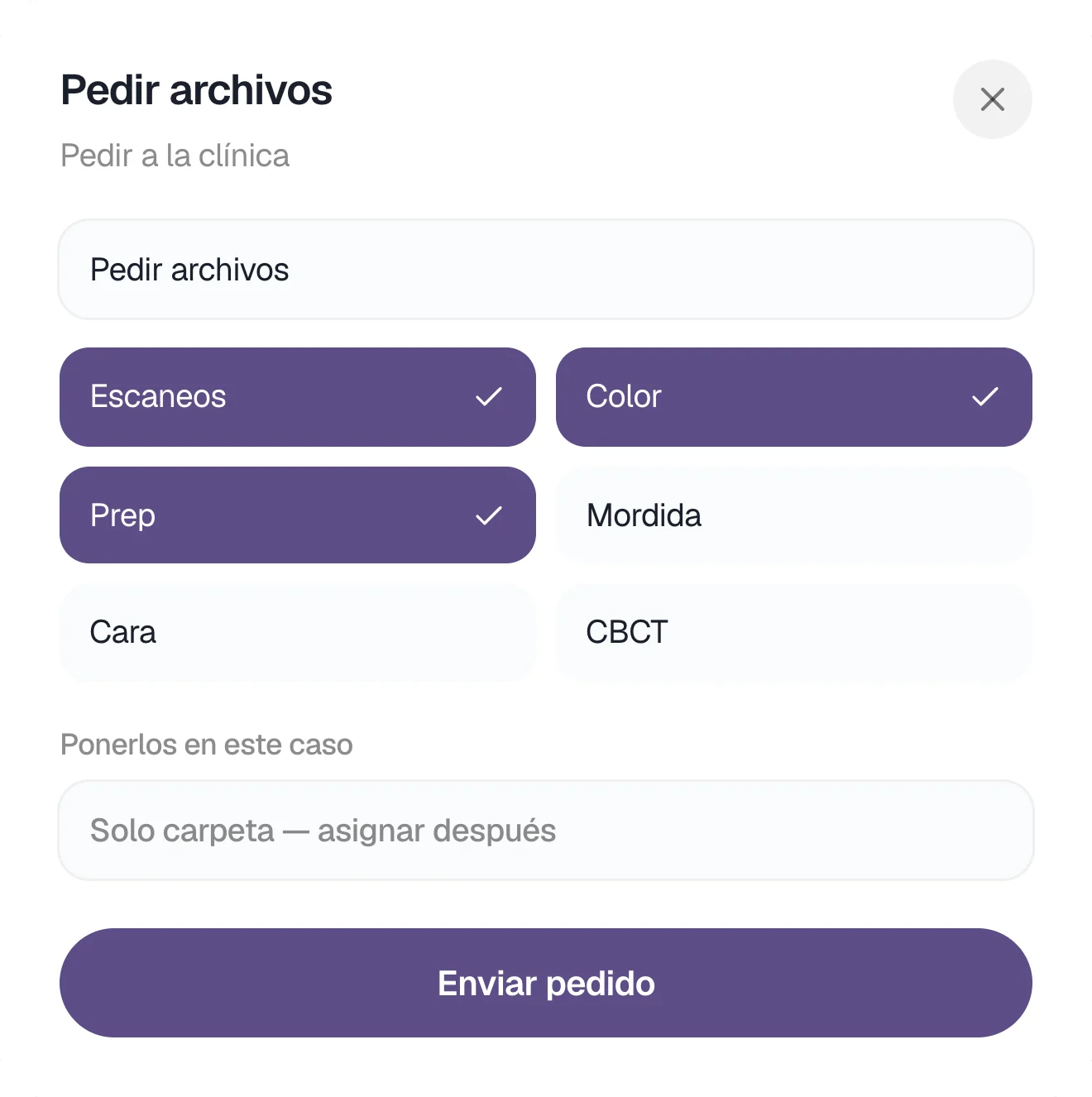
You send scans and photos to each patient's folder and receive, in that same place, what the lab designs.
Your folder
Your lab's folder, on your desk.
If your lab created your account, TrazaFolder opens with their logo when you sign in. If they sent a link, you open it in Safari or Chrome.
- Nothing to install.
A link and, if needed, a code you paste once.
- By patient.
One subfolder per patient, with their scans, photos, and designs.
- Live.
What the lab uploads appears in your folder, marked from lab.
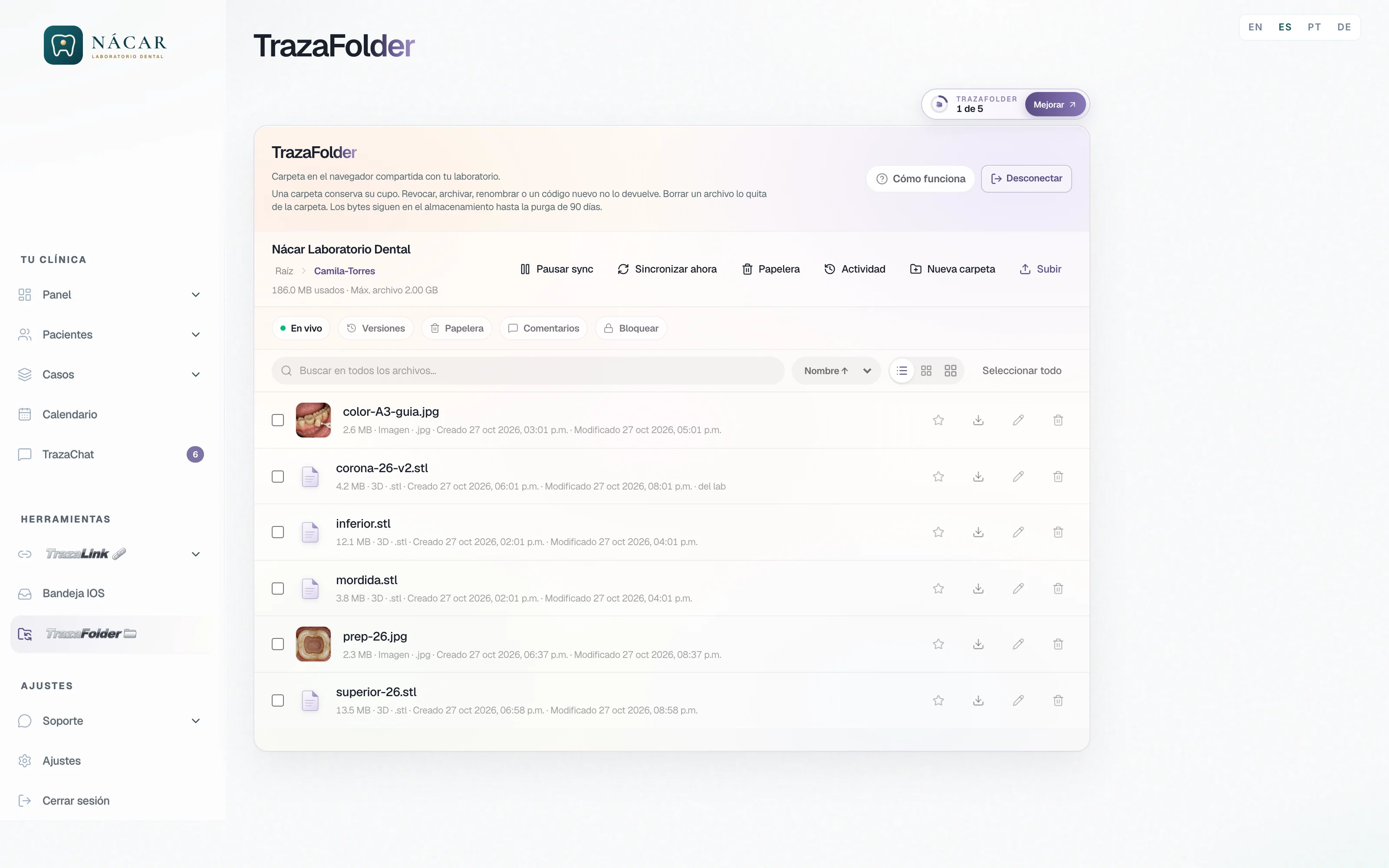
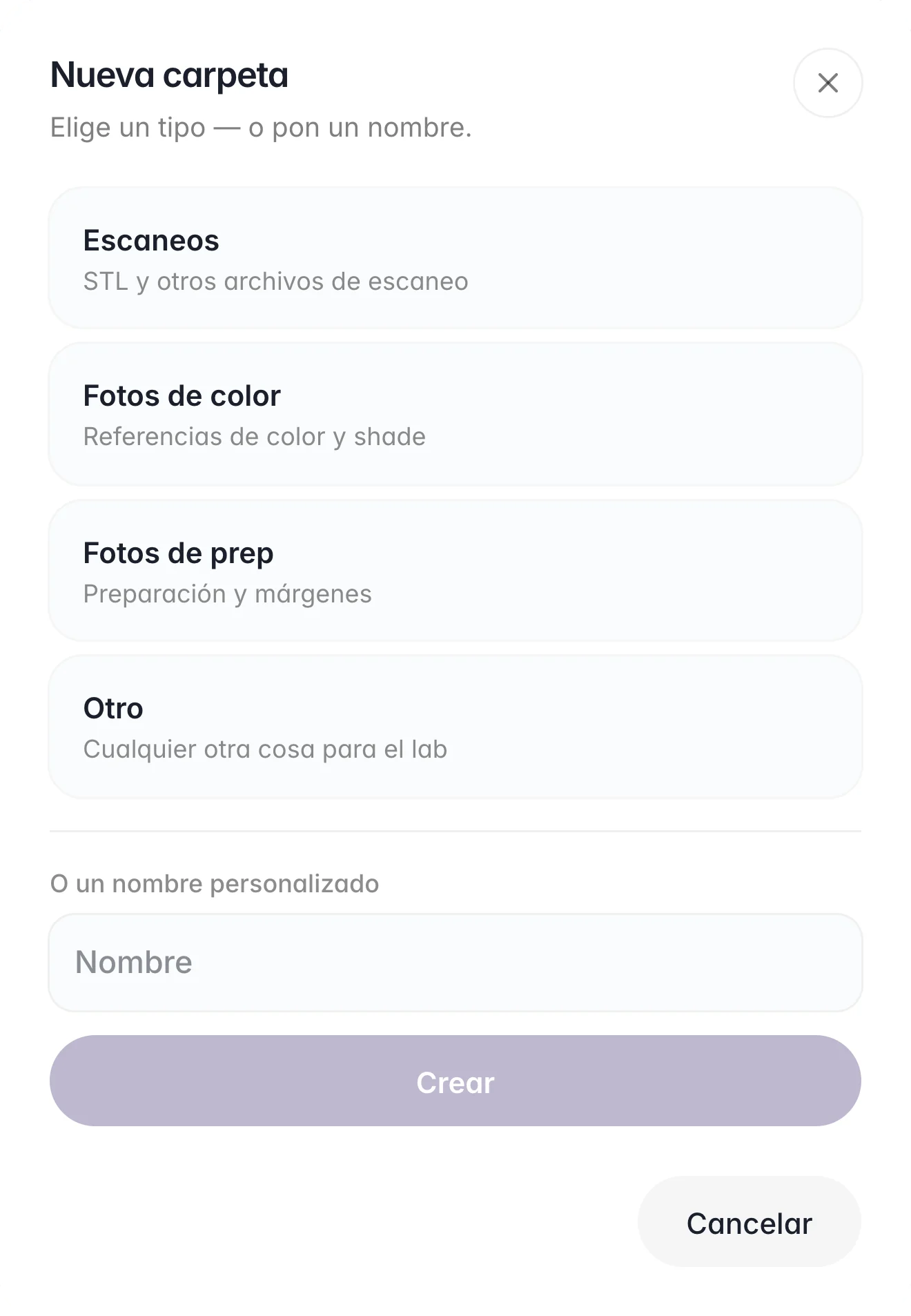
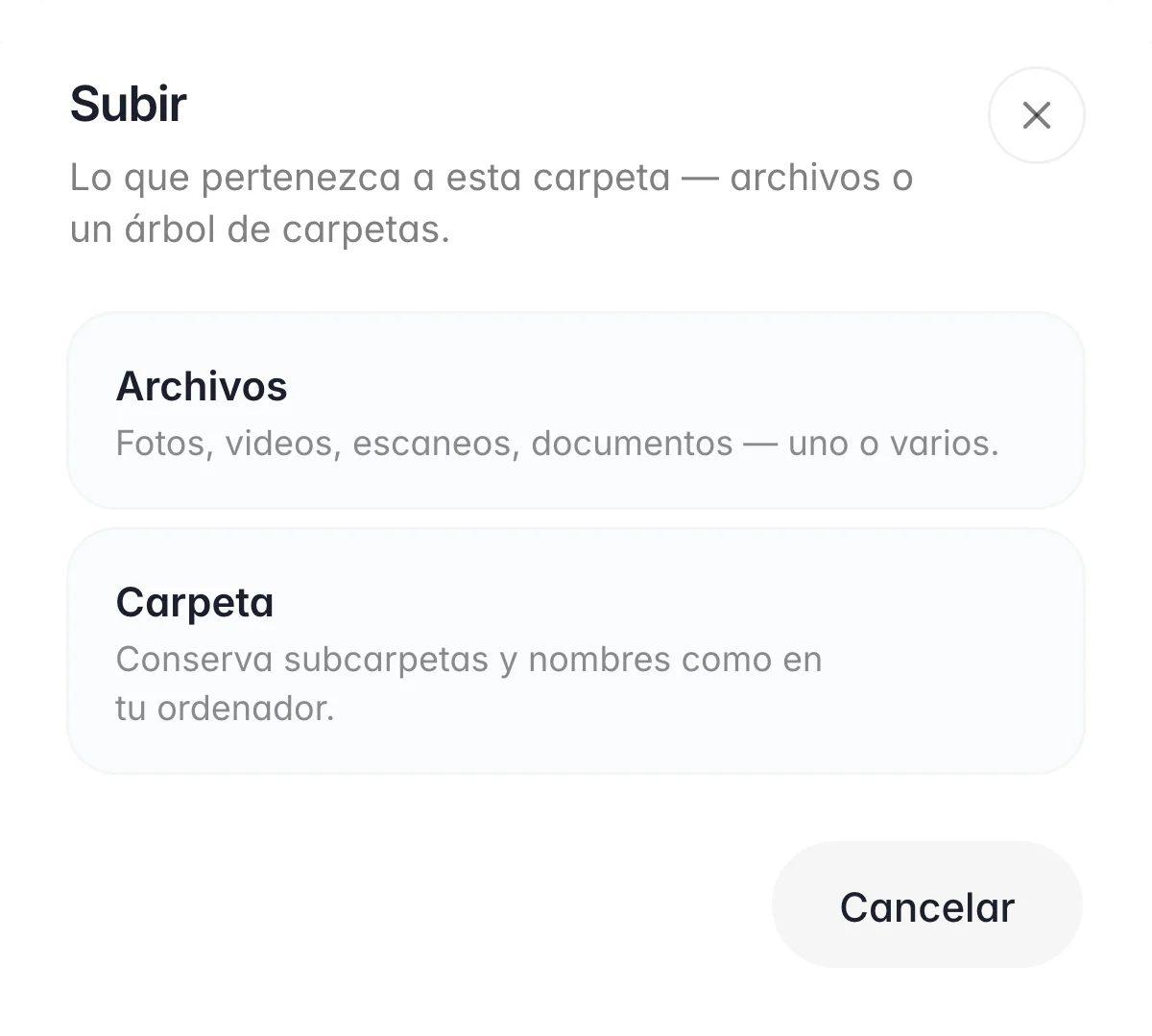
Organize and upload
Drop the files where they go.
You create a folder by type or by patient and upload loose files or whole folders.
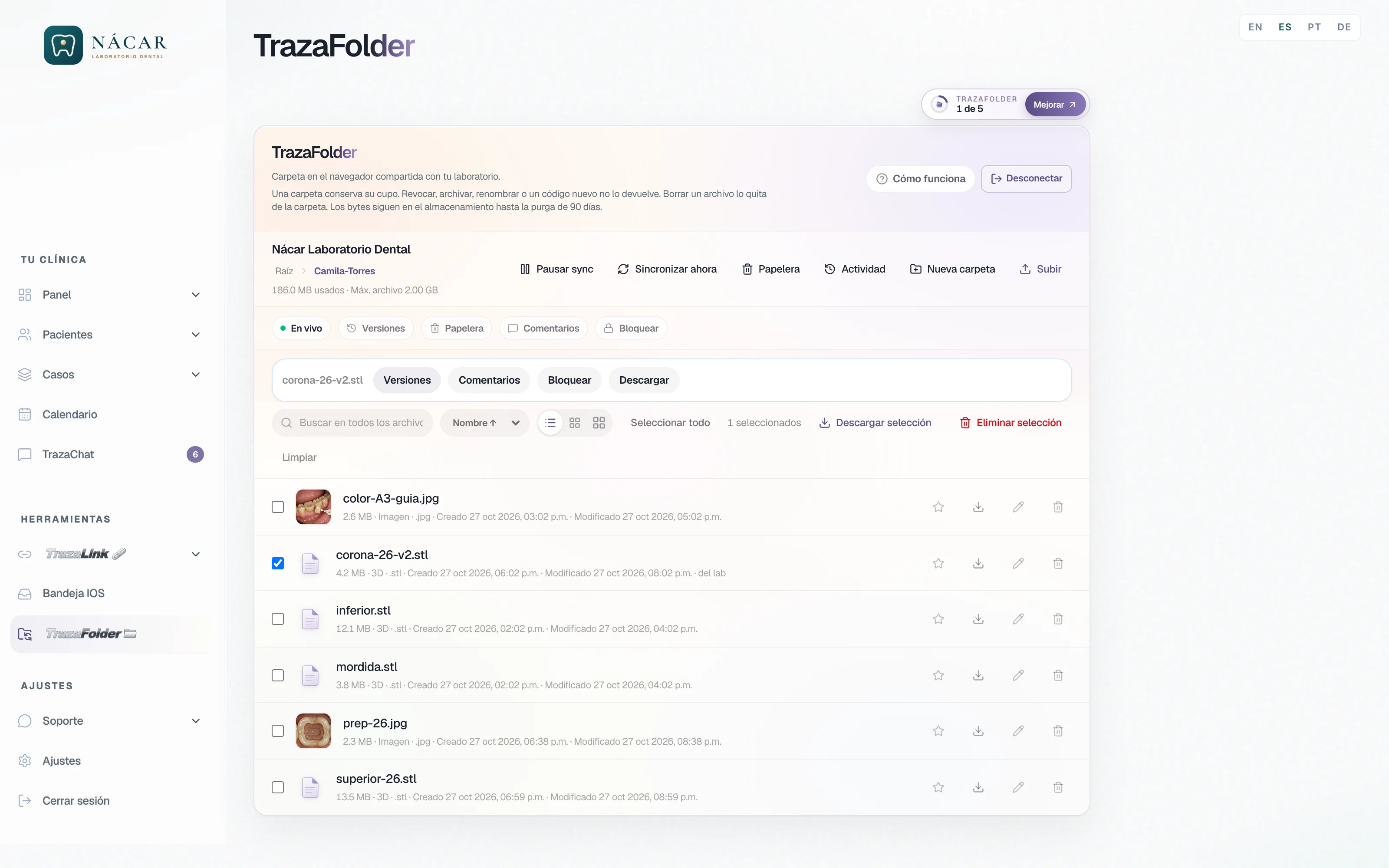
What the lab sends back
Review the design before you continue.
You select what the lab uploaded and, from there, see its versions, comment on it, or download it.
- Versions.
Each version the lab uploads is kept.
- Comments.
Notes on the file that the lab and the clinic both see.
- Lock.
You lock a file while you work on it and the other side does not overwrite it.
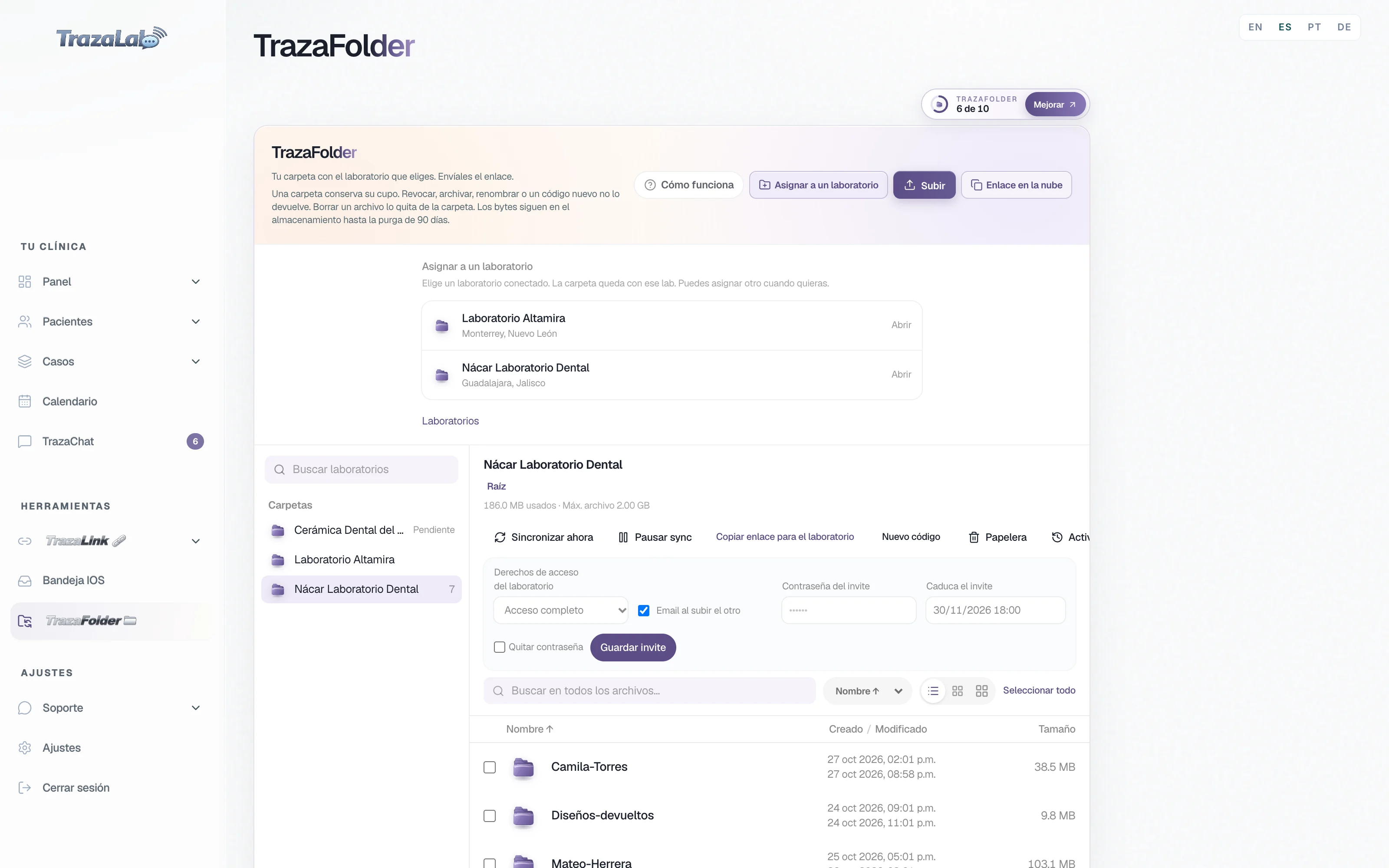
Your own folder
You open the folder, you choose the lab.
From your desk you assign the folder to a connected lab and send them the link. They open it and send files back to the same folder.
- Assign to a laboratory.
You pick one of your connected labs and you can change it whenever you want.
- You decide what they can do.
Laboratory access rights: Full access, Upload only, or View only.
- Inside the case.
A case's TrazaFolder tab shows only that case's files.
Safety net
What gets deleted comes back.
Lab and clinic write in the same folder, so both can undo.
- 90-day trash.
What is deleted goes to Trash and can be restored for 90 days.
- Version history.
If another version is uploaded, the previous one stays saved. Restore version brings it back.
- Conflict copy.
If both sides change the same file, both copies are kept.
- Activity.
Who uploaded, moved, or deleted what, and when.
Folder or link
TrazaFolder and TrazaLink.
Both connect the lab with the clinic. One is a folder that lasts; the other, a link per case.
 A folder between lab and clinic.
 A link per case.
All of that clinic's files, case after case.
One case: Rx, evidence, files, design, and invoice.
They open it on their desk or in the browser.
They open the link in the browser, without an account.
They go both ways. The lab assigns them to the case.
They arrive inside the case.
The seats the lab assigns, and the clinic, with the chosen mode.
Whoever opens the case link.
Questions
Frequently asked questions.
From the lab
No. If you created their account, their folder opens on their TrazaLab desk. If not, they open your link in Safari or Chrome and paste the code once.
InviteIt is used like a shared folder: subfolders, drag and drop, upload a whole folder. What changes is everything around it: one folder per clinic, permissions per seat and per clinic, and the files move into the case.
Your deskThey see the folders you assign them in Assign & permissions, with Read or Read/Write. You can also hide a subfolder from a seat.
Your teamIt copies it. The file lands on the case, in the destination you choose, and stays in the clinic's folder.
To the caseEach plan includes a number of clinic folders, and the desk shows how many you use. A folder keeps its slot even if you revoke it, archive it, or rename it.
PricingFrom the dentist
If your lab created your account, in TrazaFolder on your desk: it opens when you sign in. If they sent a link, open it in Safari or Chrome and paste the code once.
Your folderYes. In Upload you choose Folder, and its subfolders and names are kept. You can leave the page while it uploads.
Organize and uploadIt goes to Trash and can be restored for 90 days. If it was overwritten, Version history keeps the previous one.
Safety netYes. On your desk you assign the folder to a connected lab, decide what they can do, and copy them the link. Both of you see the same folder.
Your own folderTrazaLink is a link for one case. TrazaFolder is a folder with your lab that goes back and forth, case after case.
TrazaFolder and TrazaLinkNext step
Open your first folder.
Lab: invite a clinic. Dentist: open your lab's folder or assign your own.