
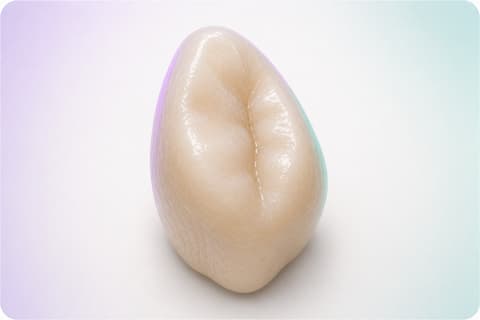
 EDITORIAL VISUALIZATION
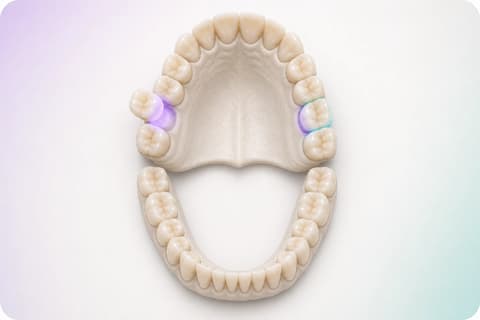
PERMANENT DENTITIONAdult
Up to 32 positions with stable identity.
FDI or Universal changes the visible label, not the site that treatment, evidence, and history belong to.
ODONTOGRAM THAT BUILDS THE CASE
Select the site on the full arch, open the tooth, and let treatment reveal only the specifications and evidence it needs.
Locally verified workflow · Editorial 3D anatomy applied to real software states.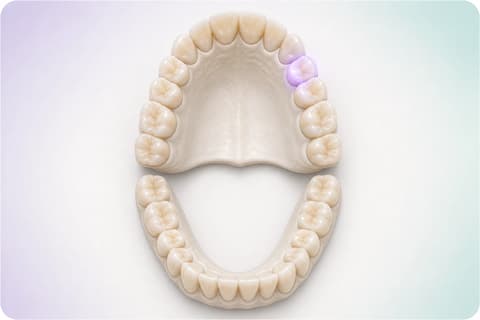
THE RIGHT CHART, BEFORE TREATMENT
Adult, pediatric, and mixed are not visual themes. Each odontogram keeps the sequence, morphology, and site identity that will continue inside the case.
EDITORIAL VISUALIZATIONFDI or Universal changes the visible label, not the site that treatment, evidence, and history belong to.
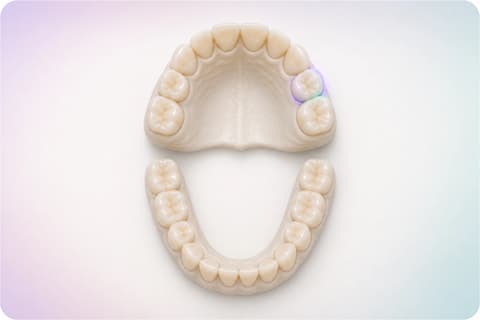 EDITORIAL VISUALIZATION
It is not a scaled-down adult chart: it keeps its primary sequence without inventing premolars where they do not exist.
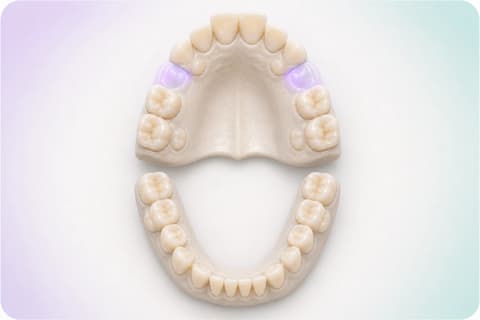 EDITORIAL VISUALIZATION
Clinical coexistence keeps each site’s name during eruption, review, and planning.
The label changes. The clinical identity does not.
TWO READINGS · THE SAME TOOTH
Clinical mode records what exists and treatment mode defines what follows. On the anterior, TrazaLab keeps vestibular, distal, incisal, mesial, and lingual without resetting evidence or history.
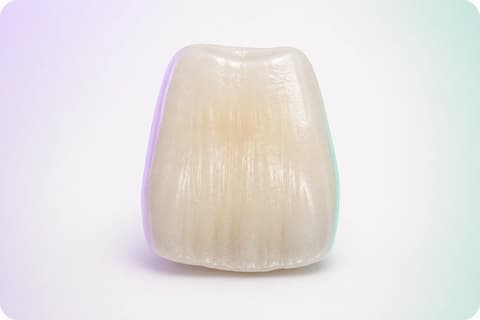 ANTERIOR · CROWNFDI 11#8EDITORIAL VISUALIZATION
Observation, surface, and evidence stay inside the tooth identity.
FOCUSED TOOTH · FOCUSED WORKSPACE
Selecting a tooth does not open a universal form. Available anatomy and the next requirement follow the tooth type and the active branch.
PERIODONTAL DETAIL
A molar can open six periodontal positions, keep them inside its identity, and return them to the same case.
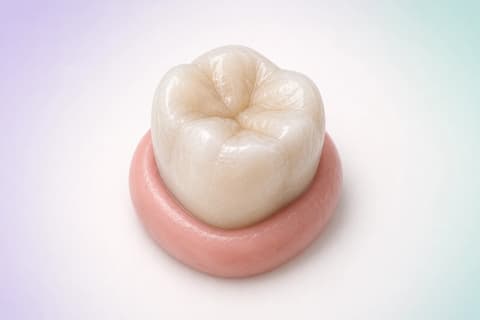 MV2V3DV2ML3L2DL3SYNTHETIC DATA · EDITORIAL VISUALIZATION
Periodontal positions, observations, and tasks keep the molar identity instead of opening a parallel chart.
ONE SITE · DIFFERENT CLINICAL BRANCHES
TrazaLab does not dump every possible field on the user. Crown, veneer, bridge, implant, extraction, and guide open different decisions without losing the site that originated them.
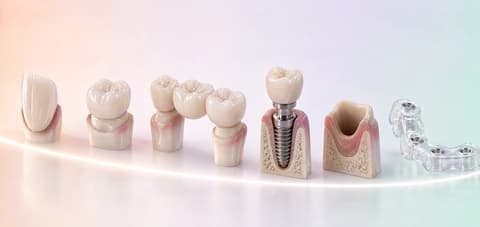
Anterior range, surfaces, and related esthetic decisions.
FROM THE SITE TO CASE MEMORY
Marking a surface is not the end. The site keeps evidence, treatment, and version so later it can explain what changed and why.
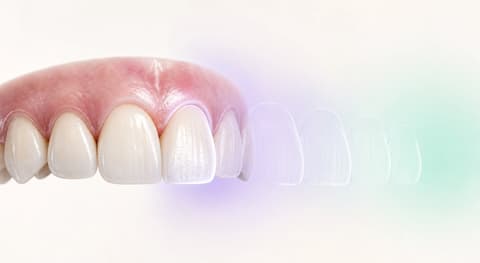
TrazaLab structures relationships, requirements, and states. It does not diagnose, does not decide for the professional, and does not automatically declare that a treatment is clinically correct.
WHY CONTEXT CHANGES THE WORK
The odontogram adds value when it stops being a closing form and participates during observation, planning, and case coordination.
Dentition, numbering, and position establish where each record belongs. Switching between FDI and Universal changes the visible label, not the stored clinical relationship. That is why a photograph, a surface, or a note can return to the same site even when the team changes view.
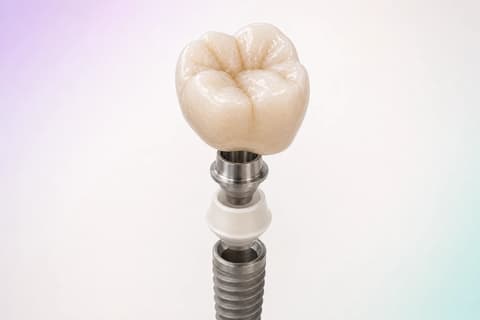
When a tooth is selected, TrazaLab adapts surfaces to anterior or posterior anatomy and opens the requirement that belongs to the active branch: characterization for a crown, or emergence profile for an implant-supported restoration.
Finishing the detail returns the data to the site with its evidence, treatment, and version. Another person can understand what was documented, what remained pending, and what action was taken without reconstructing relationships between separate files.
QUESTIONS ABOUT THE ODONTOGRAM
These answers describe locally verified structural behavior and mark the difference between editorial visualization and the activated interface.
The TrazaLab odontogram keeps a structured clinical identity for each site. The tooth, its surfaces, findings, treatments, evidence, priority, and status can stay related inside the same case. When a tooth opens, the workspace keeps numbering and arch context, but shows only the decisions that belong to that anatomy and the selected branch. The chart stops being an isolated illustration and becomes the visible entry into a traceable record.
Yes. Odontogram identity can be configured as adult, pediatric, or mixed dentition. This is not shrinking the same drawing: each identity keeps the sequence and morphology expected for its teeth. Mixed dentition can show primary and permanent teeth together without losing site identity. Numbering can appear as FDI or Universal according to the working configuration, while the internal record keeps the relationship between the selected tooth and the rest of the case.
Both modes use the same structured chart, but they answer different questions. Clinical mode records what the team observes or documents: condition, surface, evidence, priority, and intended action. Treatment mode defines what is requested or planned for that site and opens the specific data of the chosen branch. Changing mode does not duplicate the tooth or break its history; it keeps identity and shows the information needed for the next human decision.
TrazaLab opens a focused workspace for that tooth. Anatomy and available surfaces adapt to the tooth type: an anterior can show vestibular, distal, incisal, mesial, and lingual; a posterior includes its occlusal surface. The system keeps the tooth number, arch, and active mode, and presents the next open requirement for that branch. A crown can request characterization; an implant-supported restoration can request the emergence profile. The person completes a concrete decision without losing the full map.
The locally verified structure includes branches such as restoration, crown, veneer, inlay, onlay, implant, implant crown, extraction, guide site, pontic, and bridge abutment. Each branch can require different data; that is why the focused interface does not present a universal form. The aim is that the dental site leads the team to the information that belongs to the selected work. Final availability of each branch depends on configuration and the activation approved for the production environment.
A selected surface can keep its relationship with the finding or treatment, attached evidence, and the case version in which it was recorded. Photographs, notes, and files do not need to live as orphaned references: they can return to the site that gives them meaning. When the case changes, history lets a person understand what information was present, who performed the action, and which version was reviewed. This structure supports coordination; it does not validate a clinical interpretation by itself and does not replace professional judgment.
The architecture contemplates a focused periodontal view that relates measurement sites to the same tooth and can prepare work lists and summaries. The visualization on this page uses six editorial positions around a molar to explain the interaction principle; it does not represent data from a real patient. Values, diagnoses, and clinical decisions remain the professional’s responsibility. Availability of specific panels and fields depends on local configuration and the product activation process.
No. They are editorial visualizations created to make anatomy and the software sequence visible at commercial-page quality. The states, controls, surfaces, requirements, and relationships around the images explain locally verified behaviors; photorealistic 3D anatomy must not be read as a capture of a 3D interface already shipped. Production availability is confirmed during workflow review; this page does not present the locally verified experience as universally activated.
SEE THE ODONTOGRAM INSIDE A CASE
Walk a dentition, open a tooth, and check how evidence and treatment stay connected.
Editorial 3D anatomy applied to locally verified software states. This page does not diagnose.