
FREE PLY REPAIR

Fix a PLYonline for free.

Free online STL repair for open edges, non-manifold edges, and degenerate triangles. Download a sanitized copy without uploading the file.

Open a PLY
Stays in this browserNo account required
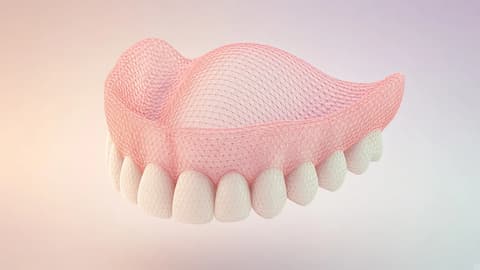
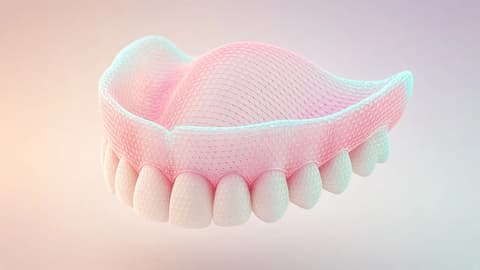
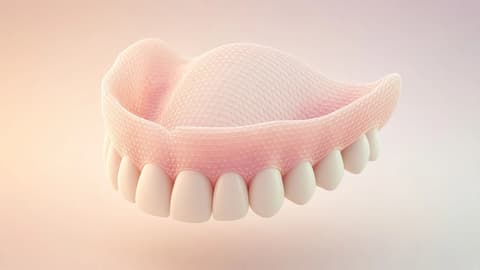
A vertex-colored upper-arch mesh with one open rim
MESHNo PLY loaded

Your PLY will appear here.

Open a file to orbit it, see the color, and mark each issue on the mesh.

ASCII or binary PLY · vertex color kept · up to 75 MB

Scanner color, in the file

A PLY carries its color on the vertices.

There is no material library beside the mesh. Red, green, and blue sit on each vertex. This page reads ASCII and binary PLY, keeps that color on the faces that remain, and writes a cleaned PLY.

The file opens with a header. Color is a vertex property, not a separate library.
ply
format binary_little_endian 1.0
element vertex
property uchar red
property uchar green
property uchar blue
element face
end_header

On the mesh

Three things the tool will name.

  1. Open edges

    The rim stays drawn. Cleanup leaves it alone. If you choose to cover it, that surface is named as not captured.

  2. Bad junctions

    An edge shared by more than two faces. Click the count and the viewer looks there.

  3. Collapsed faces

    Degenerate or duplicate triangles can be removed. The points, and their color, are not moved.

Before the laboratory starts

A sealed scan border is a floor the scanner never saw.

The remake risk in this file is a surface that was never captured, sent on as if it were the arch. Color does not make that invented floor real.

This page shows the rim and leaves it open during cleanup. Close all and Make solid add a wall and say so. The PLY is not a fabrication release. The prescription and the evidence still travel with the mesh, in remake prevention.

What you download

A cleaned PLY, reopened before it is offered.

Open a PLY
File
A cleaned PLY, and the same result as STL and OBJ. None of them is a print certificate.
Color
Vertex color stays on the faces that remain. On the shell, scan color is carried onto the new wall.
Check
The export is read back. If it does not match the cleaned mesh, the download stays off.
Not claimed
The new wall was not captured. Not fit, occlusion, or print success.

The file itself

The color is already on the mesh when the file arrives.

A scanner PLY is not a photograph that someone later painted onto a model. The red, green, and blue sit on the vertices, in the same list as x, y, and z. When the laboratory opens the file, the gum and the enamel are already a property of the points. There is no material library standing beside it, and there is no second document you have to keep in the same folder for the color to exist.

That is why this page treats color as part of the mesh, not as decoration. Cleanup can remove a damaged or duplicate face. The points that remain keep the color they already had. A face that is removed does not keep a texture coordinate somewhere else, because a PLY of this kind never stored color that way. The color lived on the corner, and the corner is gone.

People send a PLY because the intraoral scanner wrote one. They also send it because a photograph of the arch, however careful, is a different object: it has a lens, a flash, and a background. The PLY has coordinates. You can orbit it. You can see which edge is open. A still image cannot tell you that an edge is shared by three faces. The file can.

TrazaLab is dental case software. This page is the public place where that file can be looked at before anyone pretends the mesh is ready to leave. The color makes the arch recognizable. It does not make an invented floor under the scan into captured tissue.

Before the triangles

The header is a short contract, and it is worth reading.

Every PLY this page accepts begins as text, even when the body of the file is binary. The first line is ply. Then a format line names ascii, binary_little_endian, or binary_big_endian, and the version 1.0. Then the file lists elements. A vertex element says how many points exist and which properties each point carries: x, y, z, and, when the scanner stored them, red, green, and blue, or the shorter names r, g, and b. A face element says how the points join. The word end_header is the door between that description and the numbers.

If the header is missing a format, or a property appears before its element, the page refuses the file. It does not guess a layout from the length of the bytes. Guessing is how a laboratory spends an afternoon looking at a mesh that is quietly wrong: a color channel read as a coordinate, or a face index read as a normal. Refusal is the kinder result.

Normals, when they are present, are nx, ny, and nz on the vertex. They are written back on the faces that remain. Many scanner files have no normals at all. The page says so, instead of inventing a smooth direction and calling it part of the original.

The bench after a successful open shows the format, the vertex count, the polygons, the triangles after fan triangulation, whether color was read, and whether normals were present. Those counts are the file. They are not a score.

Two ways of writing the same arch

ASCII you can glance at. Binary is what most scanners actually write.

An ASCII PLY is slow to open in a text editor and useful when you want to see a single vertex with your own eyes. After end_header the lines are numbers: three coordinates, then three color channels if the header promised them, then the face rows. A face row starts with a count. Four means a quad. Three means a triangle. A longer count is a larger polygon. You can spot a broken line because a human can read it.

A value for color that is already between zero and one stays as a fraction. A scanner channel stored as an integer above one is divided by 255, which is how uchar red usually arrives. The cleaned download writes color back with the faces that remain. It does not invent a fourth channel, and it does not attach a texture image.

Binary is the same contract with the numbers packed. Little-endian is the common scanner habit. Big-endian is less common and still named in the header, so this page reads it when the header says so. You will not see the vertices as lines. You will see the mesh. The counts on the bench are how you know the reader agreed with the header: the vertex element count matches the points, and the face list becomes triangles without walking off the end of that list.

If the body is shorter than the header promised, or a face index points past the vertex list, the read stops. A partial arch that looks almost right is worse than an error. The person who sent the file can export it again. This page will not quietly drop the last hundred vertices and hope the palate still closes.

Polygons

A quad is still the arch. The triangles are only how the viewer holds it.

The tool’s viewer and the cleanup both think in triangles. A scanner PLY often thinks in quads, and sometimes in polygons with more than four corners. The page counts those polygons before it fans them. The first corner stays, and each next edge of the polygon becomes a triangle with that first corner. A quad becomes two triangles. A five-sided face becomes three. Nothing is added along the scan border to make the outline prettier.

That distinction matters when someone compares the polygon count with the triangle count and thinks the file grew. It did not grow in space. The same corners were grouped into threes so a triangle engine can mark an open edge, a bad junction, or a collapsed face. The bench keeps both numbers so you can see the file you opened and the triangles the review is using.

A face with fewer than three indices is skipped. It was never a surface. A face whose index is not in the vertex list is an error, not a hole to fill. Degenerate triangles, the ones whose corners collapse onto a line or a point, can be removed later. Their removal does not slide the neighboring enamel into a new place.

The illustrative rim on this page is a small colored arch built for the same rules: quads, one repeated face, one degenerate face, gum-toned vertices and ivory vertices, and an opening that is supposed to stay open. It is labeled illustrative. It is not a scan and it is not a patient. It exists so you can see the tool before you trust it with a file from a clinic.

The opening

An open rim is the edge of what the scanner saw.

Sealing that rim is drawing a floor the scanner never recorded, then sending the floor on as if it were the arch.

Color does not make that floor captured tissue.

Why the border stays

The laboratory should see the missing surface, not a confident patch.

Intraoral scans are open. The camera never saw the tissue beyond the last captured row, and it rarely saw a neat mathematical hole with a flat inside. The boundary is a rim: a loop, sometimes a chain, sometimes a branch where the scan tore. This page draws that rim. Cleanup does not lay triangles across the dominant opening and call the mesh sealed.

The first cleanup draws that rim and leaves it. Close all openings covers it with new triangles. Make solid rounds a closed shell that follows the arch, including a wall across the rim. The log names that wall as surface the scanner never saw, then reports open edges, shared edges, and a thickness range in file units. It is not a print certificate.

Volume is not offered on that open shell. A volume number would pretend the rim had a lid. Thickness is the same kind of temptation. A wall measurement needs a closed body, or at least a clearly defined inner and outer surface. An open scan has neither until someone designs it. The bench says thickness is not available while a shell is open. The median edge length is the size the file actually has. Use that, and the span of the opening, when you need a number.

The pleasurable part is the choice you can see. Leave the rim, and both sides of Together still show it. Cover it, and the proof says the open edges went down because new surface was added. Either sentence is useful. Sending a covered rim as if the scanner had seen it is the remake this page is trying to interrupt. The prescription, the shade, the photographs, and the conversation still travel with the mesh. The PLY is not a case.

On the model

Three findings are enough to start, if you can see them on the arch.

Open edges are the rim and any tear inside it. They draw in red. Click the count and the view looks there. An open edge is often the truth of a scan. The large one is the border. Cleanup leaves it. Close all and Make solid cover it, and the log says the new surface was not captured. A small tear in the middle of a cusp is a different finding: you can see its edge count and its span, and you can decide whether a later design should even start.

A bad junction is an edge with more than two faces. Tissue does not fold through itself that way on purpose. It happens when two scans were fused, when a hole was closed by a sloppy fan, or when a duplicate sheet was written on top of the arch. The edge is marked. Clicking it is faster than orbiting until your eye finds a glint. The page does not delete the extra face by aesthetic preference. Conservative cleanup removes faces that are degenerate or exact duplicates, and it can reorient a face. A genuine non-manifold junction can remain, and the proof says so.

Collapsed faces are the triangles that have no area worth keeping: a repeated triangle, or one whose corners fell on top of each other. Removing them does not move the points and does not repaint the neighbors. The color on a surviving corner stays. If the only thing wrong with a file is three collapsed faces and one honest rim, you should see the triangle count drop by those faces and the opening stay.

Crossings, flipped faces, and narrow faces are marked when the review finds them. A narrow face is a sliver, an angle so sharp that a later design tool may hate it. It is a finding, not an automatic deletion. You are still looking at a scan, not approving a restoration.

The record beside the arch

Read the bench as a description, not as a grade.

After the file opens, the viewer is the arch and the bench is the sentence beside it. Format, vertices, polygons, triangles, color, normals. Then the openings, each with a type, an edge count, and a span in file units until you confirm millimeters or inches. Then the shells: separate pieces that share no edge. A small shell can be a stray island from a bad merge. Isolating it ghosts the rest so you can see whether it is a speck or a second scan that matters.

The smallest sampled angle, the worst aspect, and the median edge are triangle shape, not anatomy. A median edge of a few file units tells you the resolution of this capture if you have agreed what a unit is. The page does not assume millimeters. Scanner exports are usually millimeters. A research file might be something else. The unit menu is there because a dimension printed without a unit is how a 28 millimeter arch becomes a 28 inch story. Confirm the unit before you treat the span of the rim as a clinical length.

Together, after a cleanup, puts the original and the cleaned mesh side by side. The opening you refused to fill should be visible in both. The faces that left should be the damaged or duplicate ones named in the proof: how many were removed, how many were reoriented, and how many open edges remain. If those open edges went to zero on a scan, something other than this page’s conservative cleanup has happened, and you should not trust the download.

The file stays in the browser. The limit here is 75 MB. A larger PLY is not forwarded to the isolated STL engine from this page. Nothing about the mesh, the name, or a patient identifier is what the review needs to send in order to run.

The file you take away

The download is offered only after the page can read its own PLY.

Cleanup writes an ASCII PLY. The header is plain. Vertices carry x, y, z, and color when the original had color, and normals when the original had normals. Faces are the triangles that remain. The page then reads that export with the same parser. If the triangle count does not match the cleaned mesh, the download stays off. You should not be handed a file the tool itself cannot reopen.

The name is the original name with -cleaned.ply. That file is still a PLY, and the same result is offered as STL and as OBJ. Vertex color stays when the original faces remain. On a solid shell, the nearest scan color is carried onto the new wall. The wall itself was not captured. None of those files is a print certificate.

What the download is not: a print certificate, a statement about fit, a statement about occlusion, or a permission to fabricate. Cleanup does not move points. Close all and Make solid do add a wall, and the log names it as not captured. A designer, a technician, and a prescription still have work to do. If the case lives in TrazaLab, that work continues in remake prevention, not inside this browser tab.

If you opened the illustrative rim, the download is an illustration too. Use cleanup to see the color and the open rim. Use Make solid to see the rounded shell and the sentence that names the new wall. Then open the file the clinic actually exported.

After the mesh

A beautiful PLY is still not the prescription.

The pleasurable part of this page is the arch: color on the vertices, the rim drawn in the open, the ability to turn it and click a finding instead of describing the finding in a message. That pleasure is useful. It is also easy to mistake for completeness. A coordinator can fall in love with a clean viewport and forget that the laboratory still does not know the tooth, the margin the dentist argued about, or the shade the photograph was supposed to settle.

Send the file with the sentence you can stand behind: the rim stayed open, or you added a wall and said so. Send it with the rest of the case. TrazaLab’s public promise, the one this page is allowed to repeat, is remake prevention: the prescription, the evidence, and the decision about sending stay connected. This tool does not create that connection by itself. It keeps one file from lying about a surface that was never captured.

Use the English or the Spanish page. They are the same review. The words change. The parser does not. Neither page will tell you the mesh is ready for a printer, a mill, or a patient’s mouth. When you can say, in a sentence, which opening you left and which faces you removed, the file is ready to leave this tab.

A slower pass

Click one finding and stay with it until the sentence is boring.

Press the open-edge count and stay there. If the loop is the back of the scan, leave it, or cover it and say that you covered it. If it is a tear through a prep, say that in the message that travels with the case. Then read the proof: removed faces, reoriented faces, open edges left. When the viewport and the proof agree, the download is the PLY, with STL and OBJ of the same result beside it.

Then press a collapsed-face count, if there is one. The proof after cleanup should move by about that many triangles, not by a mysterious reconstruction. Reoriented faces, when they exist, are faces whose winding was turned. The points stayed. If the proof and the viewport disagree, do not download out of impatience. Remove the file and open it again. A tool that cannot repeat its own sentence is not ready to be the file you send.

Measure if you need a length, and confirm the unit first. Cut if you need to look inside without pretending the cut is a CBCT section. When you have looked, take the cleaned PLY. If you made a shell, the log already said the new wall was not captured.

The limit, said plainly

What this page will not dress up as a result.

It will not call itself a repair of every dental mesh. It reads PLY. STL has its own page. OBJ has its own page, because a Wavefront file carries texture coordinates and names a material library this format does not. Mixing those promises is how a coordinator downloads the wrong kind of file and notices on a Friday.

Make solid rounds a closed shell that follows the mesh and carries the nearest scan color onto it. The log reports open edges, edges shared by more than two faces, and a thickness range in file units. The new wall at the border was not captured. The page will not promise a mill or a successful print, and it will not report thickness on an open shell.

It will not take the file to a server in order to show it to you. Review and cleanup run here, up to 75 MB. Above that, the page stops. The larger file is a different job, not a quiet upload. And it will not let a pleasant render stand in for the prescription. When the mesh is ready to leave, it leaves as a PLY you can reopen, with the opening you chose to keep.

CONNECTED WORKFLOW

Free tools, then the full case

Start in the browser without an account. TrazaLab keeps the mesh or series tied to prescription, evidence, and send decisions.

Free browser tools
  • STL viewerOrbit, section plane, wireframe, and mesh inventory in the browser.
  • STL repairConservative cleanup, reconstructive repair, and signed downloads.
  • OBJ repairOpen edges and bad faces on a Wavefront mesh, with the scan border left open.
  • DICOM viewerAxial CBCT review with window/level and declared scale.
Where the case continues

See the connected product tour

FREQUENTLY ASKED QUESTIONS

Questions this PLY tool will answer.

What does this page do?

It opens an ASCII or binary PLY and marks open edges, bad junctions, and collapsed faces. Cleanup can remove inverted, damaged, or duplicate faces without moving mesh points. Vertex color stays on the faces that remain.

Does the file leave this browser?

No. Review and cleanup run on this device. This page does not send the mesh to TrazaLab’s isolated STL engine.

What do I download?

A cleaned PLY, plus the same result as STL and as OBJ. Vertex color stays on the faces that remain. Make solid rounds a shell that follows the mesh and carries scan color onto the new wall. That wall was not captured. None of the downloads is a print certificate.

Will it close every hole?

The first cleanup leaves a scan border open. Close all openings and Make solid add new surface, including over that border. That surface was not captured. The page does not promise a printable or CAD-ready mesh.

Are vertex colors kept?

Red, green, and blue on each vertex are read and written back on the faces that remain. A removed face does not keep its color. On a solid shell, the nearest scan color is carried onto the new wall.

How large a file can I open?

Up to 75 MB in this browser. A larger PLY is not sent on from this page.

Is this the STL repair page?

No. STL repair lives at /stl-file-repair-online.html. Wavefront OBJ repair lives at /obj-file-repair-online.html. The Spanish page is /reparacion-archivo-ply-gratis.html. This page reads a PLY and hands back a cleaned PLY.

Choose the right next step

Start with one case.

Create an account now or walk through a complete case before deciding. Both paths are available today.

Already using TrazaLab? Log in

Choose based on what you need

ACCOUNTStart nowCreate an account through the functioning TrazaLab signup journey.
TOURUnderstand before decidingFollow the complete self-guided case without registration or a sales conversation.
CASECompare it with your flowUse the tour as a guide and activate TrazaLab when the process fits your team.