
Patient management
The patient, on one record.
Clinical history, case, records, consents, quotes, invoices, and appointments. You open the record and it is all there.
For dentists and clinics
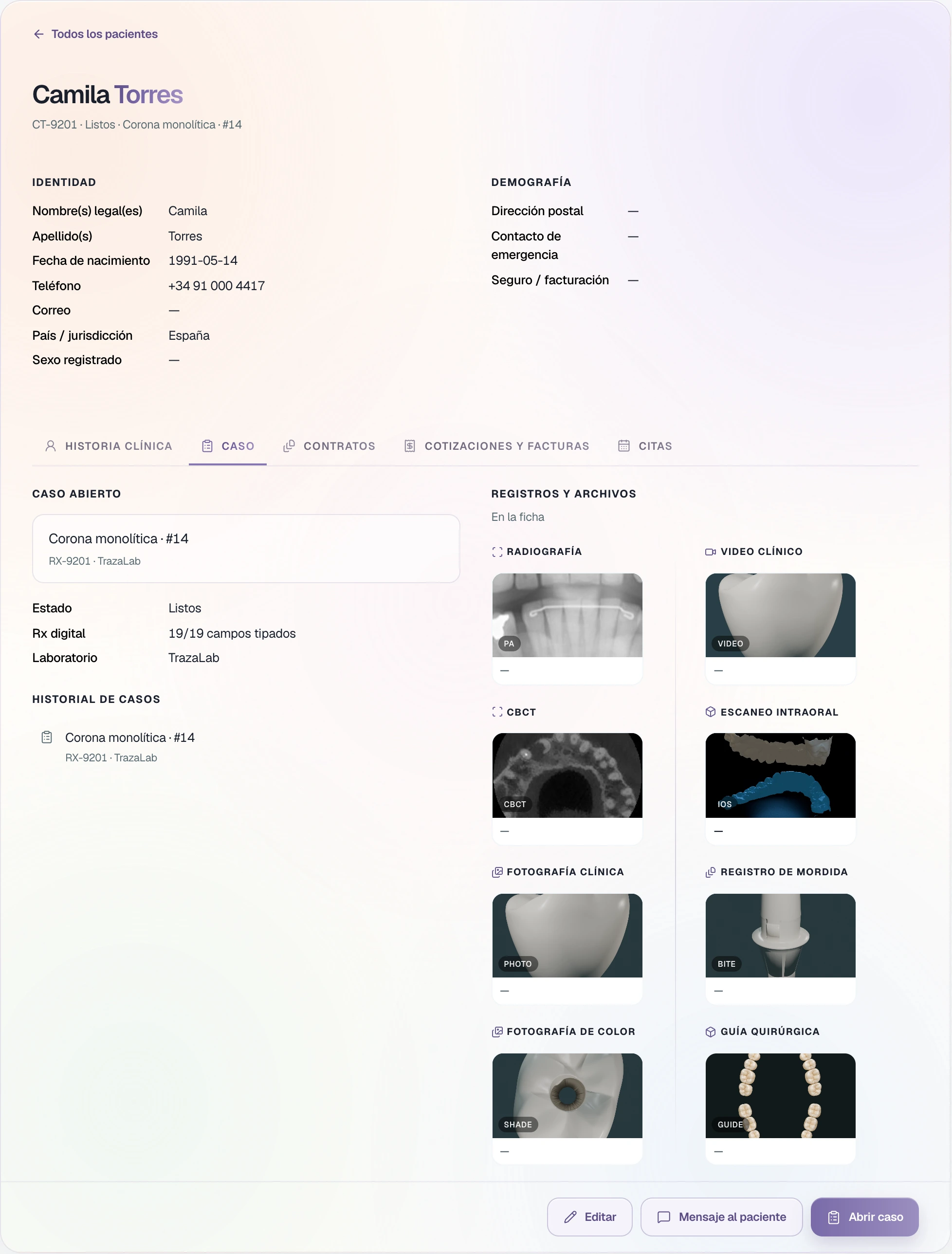
Sample patient and case.
The order
From the patient to the appointment.
Each step stays on the record.
Intake
Open the record.
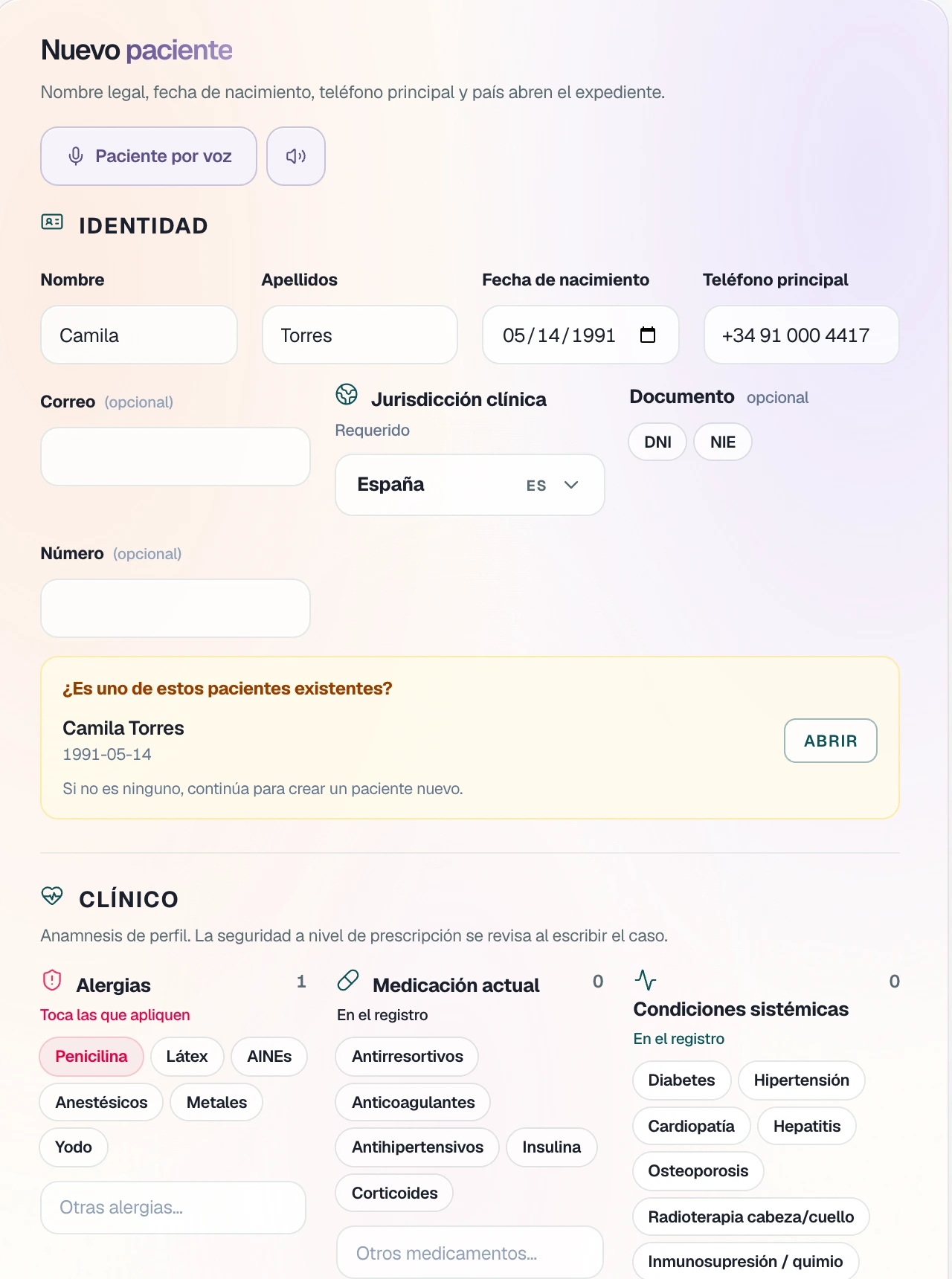
New patient asks for the minimum needed to open the record; the rest stays optional. The form adapts to the country.
- Identity. Legal name, date of birth, primary phone, and country.
- Clinical. Allergies, medication, conditions, and ASA class. Allergies travel with each case.
- Confirm. You review and create the record, or continue with the case.
If the patient already exists, TrazaLab shows you that before you create another.
Case
From the patient to the laboratory.
You open the case from the record: the patient and their allergies are already there. The laboratory receives the case, and its status comes back to the record.
How a case is created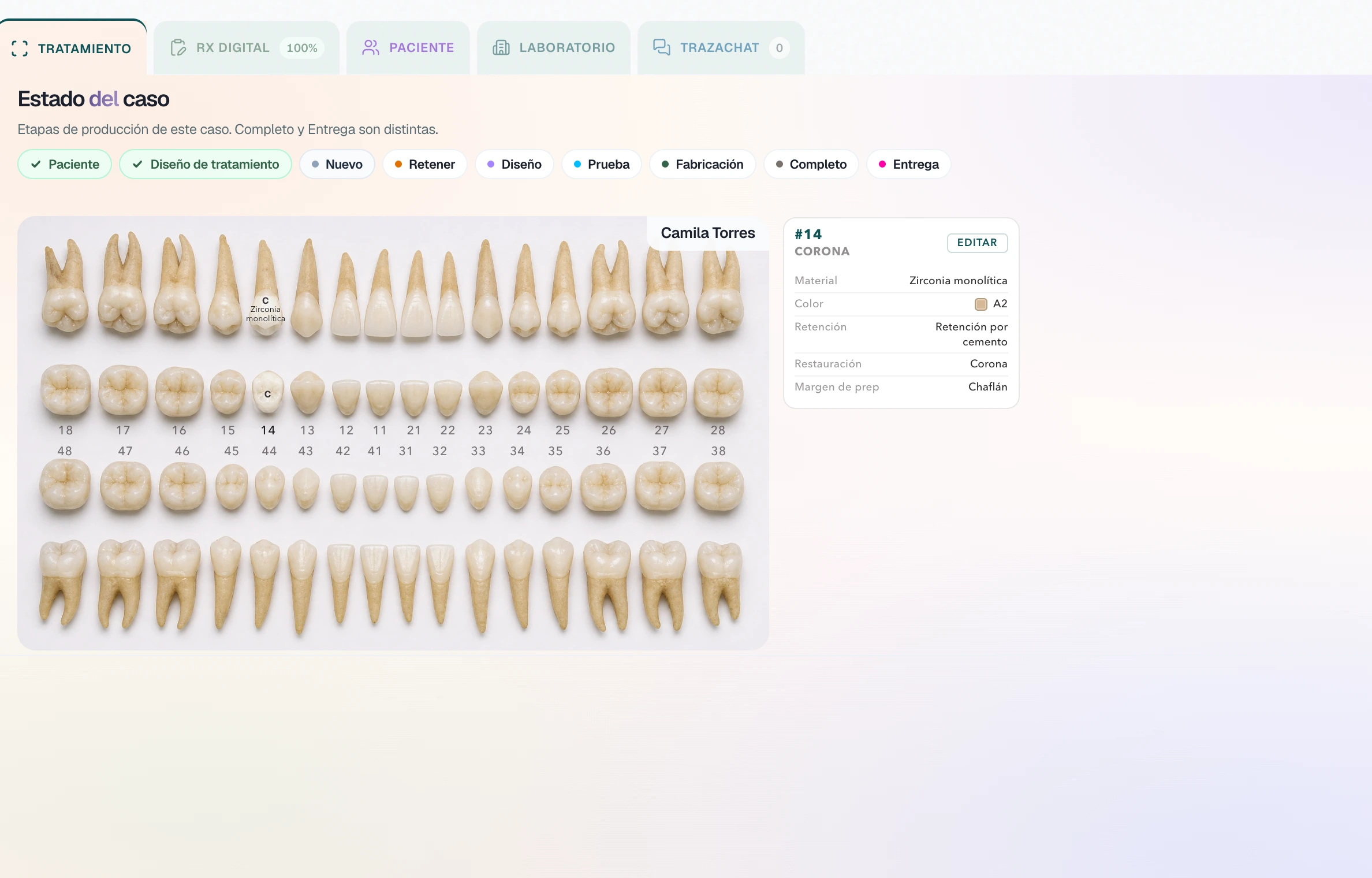
Quote
Two quotes.
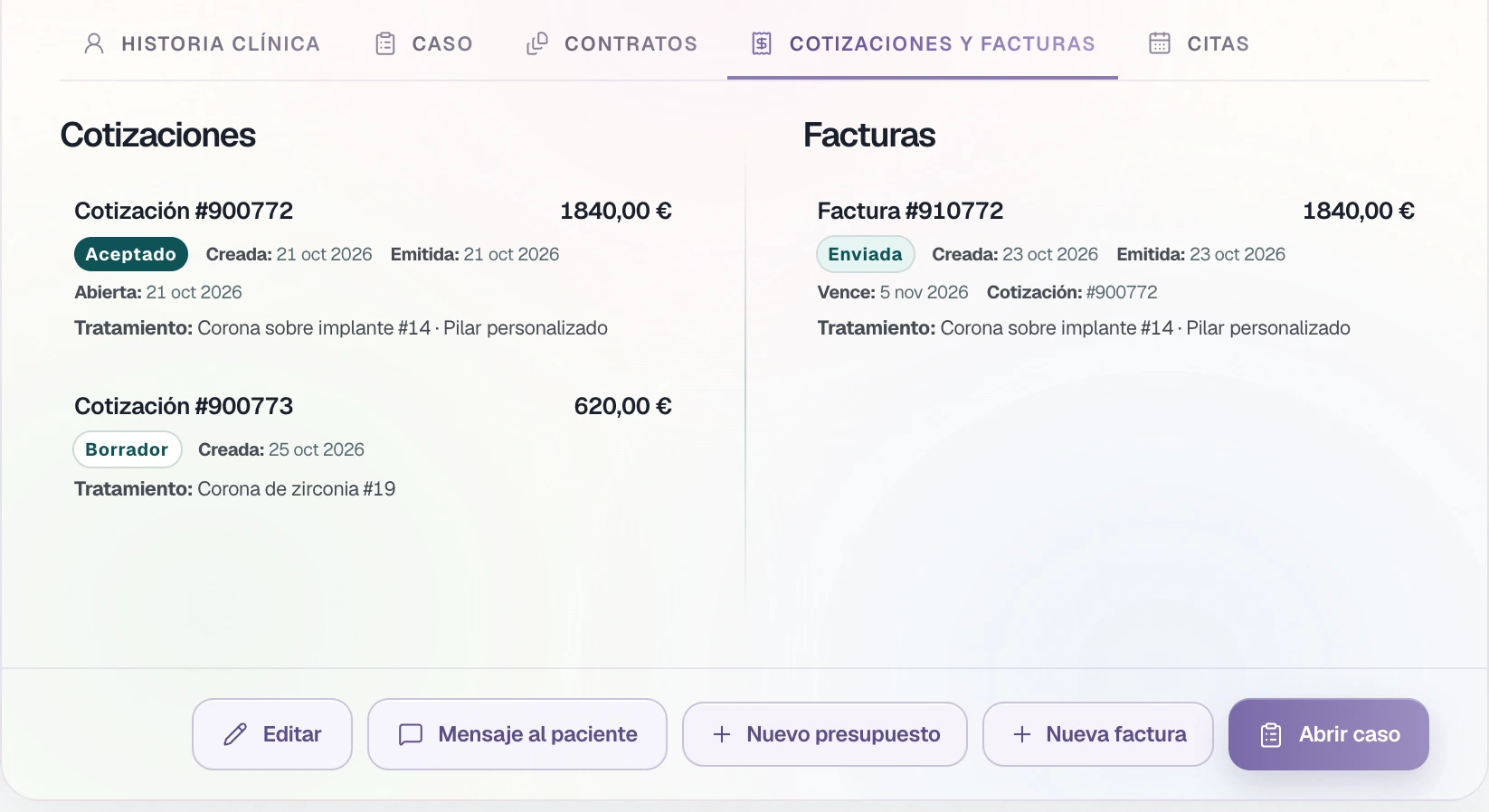
The laboratory quote arrives on your case. Yours goes to the patient and stays on the record.
- From the lab. You accept it or request changes in one click.
- To the patient. The treatment lines, waiting for acceptance.
- Accepted. You can invoice. If there is no appointment, the board marks it.
On the patient board: accepted quote — no visit on the calendar.
Invoice
To payment.
The invoice takes the lines from the quote. You choose how the patient pays and share the link.
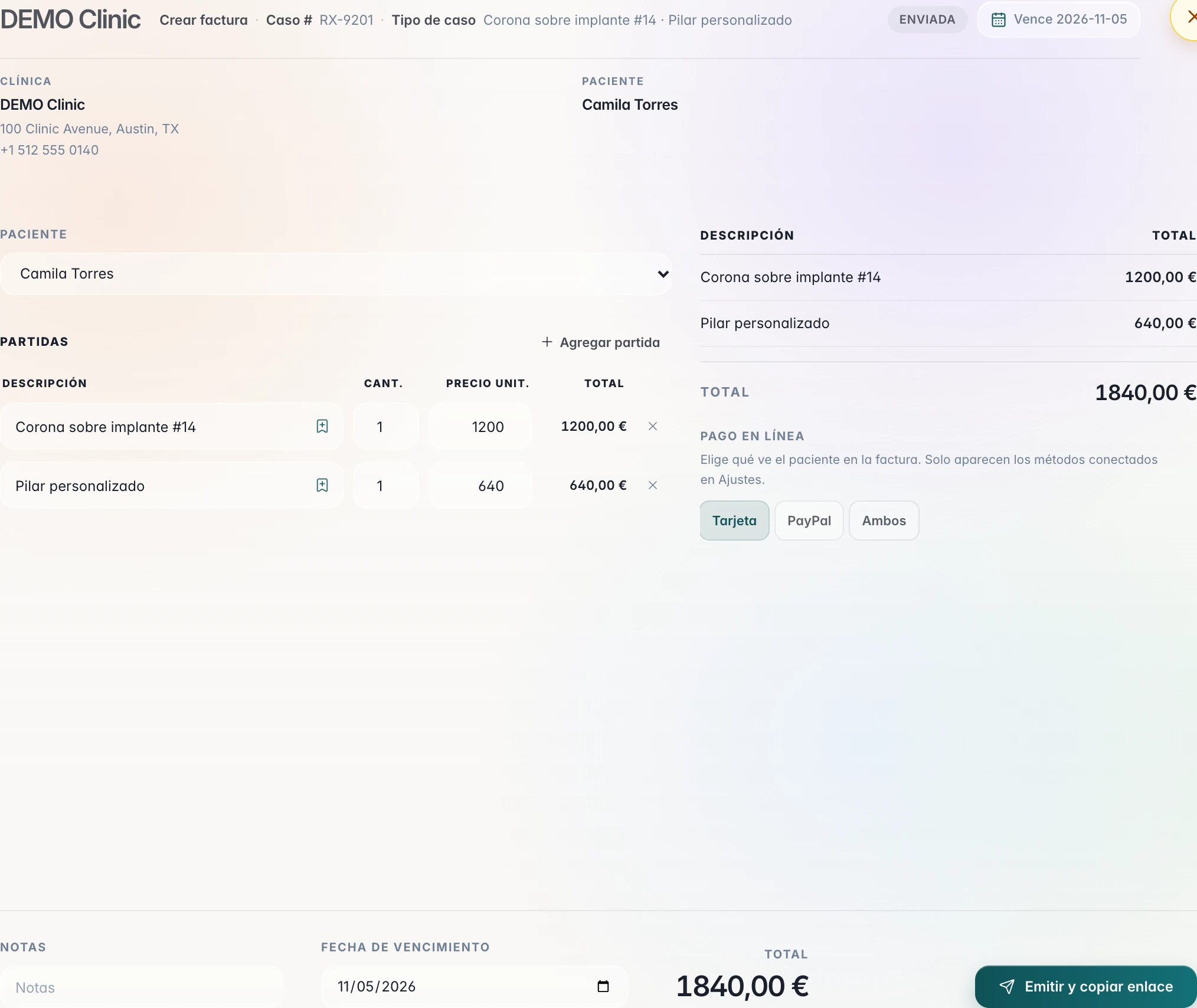
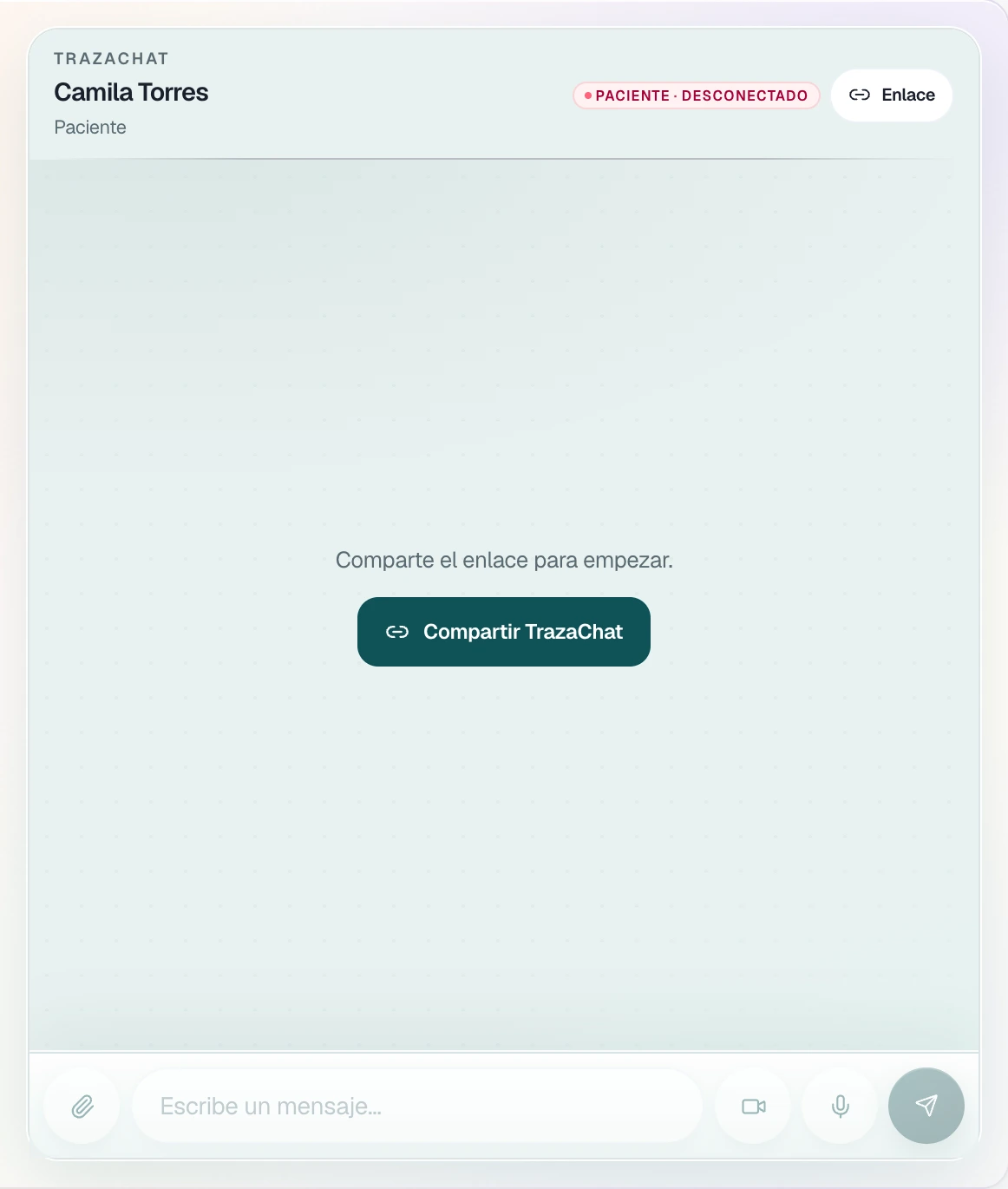
To the patient. They pay by card or by PayPal; the money goes to the Stripe or PayPal account of your clinic. Only the methods you connected in Settings appear.
Appointments and board
What is missing today.
Three lanes: patients for today, those who still have no appointment, and cases missing a radiograph or a scan. Each appointment is also on the record; with a right-click you mark it confirmed.
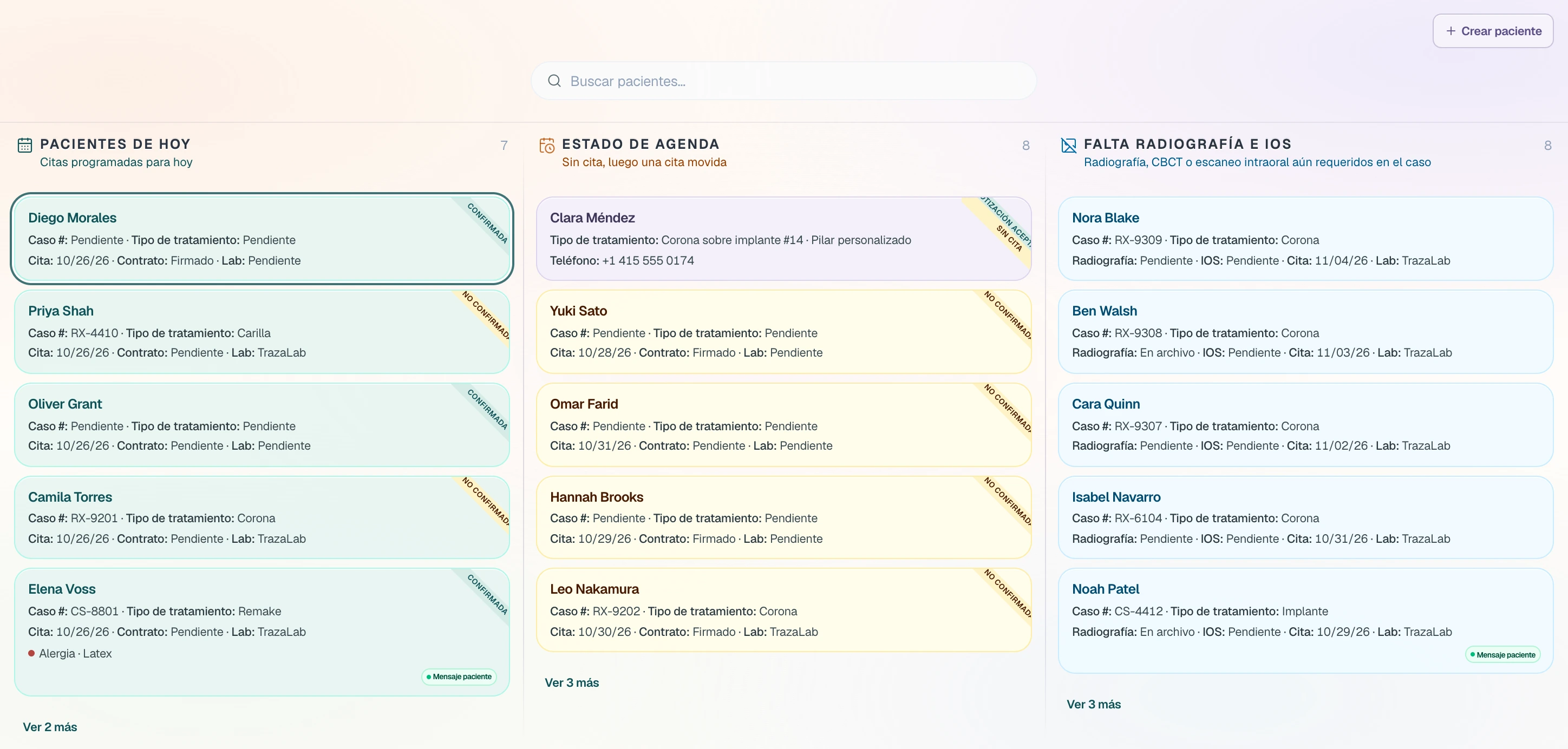
Sample patients.
Questions.
Clinical history, case, contracts, quotes and invoices, and appointments, each on its tab, with the timeline of cases and appointments beside it.
The recordTo open the record: legal name, last names, date of birth, primary phone, country, and the data-protection consent. The rest is optional, such as the clinical history, the ASA class, the emergency contact, or the insurer.
IntakeBefore you create a new one, TrazaLab shows you the patients who match so you open the one you already have.
IntakeYes. The allergies on the record appear as a warning on every case for that patient.
CaseIt arrives on your case and you accept it or request changes. The lab's invoices arrive in your portal with Pay now.
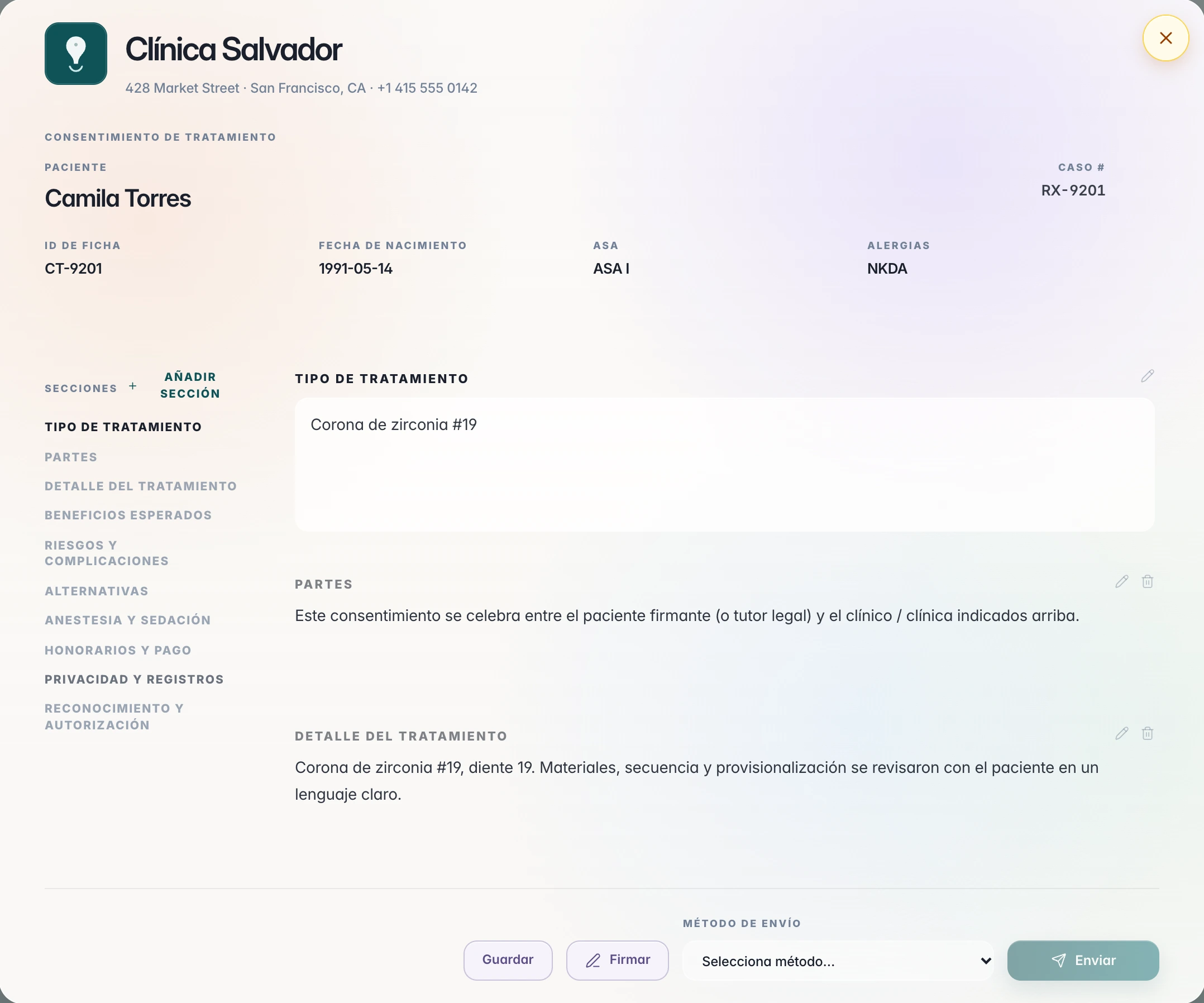
QuoteThe clinic: the clinician draws the signature, and their name, the date, and the IP stay. Then you send it by TrazaChat, with a link, or as a PDF.
ConsentWhen the patient accepts the quote. The invoice takes its treatment lines, you choose whether they pay by card, by PayPal, or by both, and you share the link.
InvoiceTo your clinic's Stripe or PayPal account, the one you connect in Settings.
InvoiceOn the patient board, under Today's patients. Each card says Confirmed or Not confirmed.
Appointments and boardNext step
Open the first record.
Add a patient, open the case, and send it to your lab.