
Laboratory inventory
Each lot, on its case.
You receive lots with the code, see what is below the minimum or expiring, and each case stores the lot it used. If a lot fails, you know which cases it is on.
Included in Lab Pro
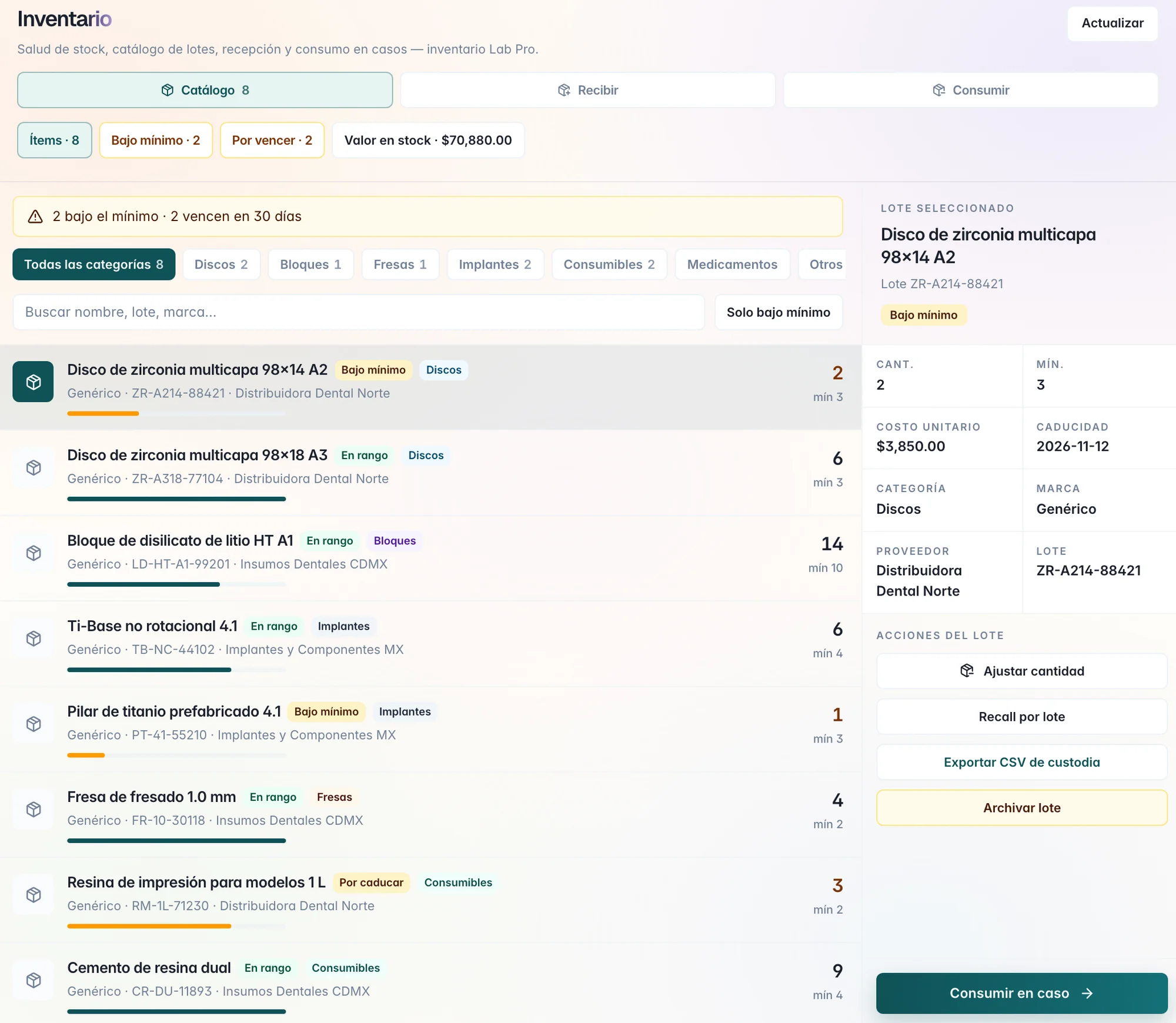
Stock health
What is missing, before it is missing.
Above the inventory: how many items you have, the stock value, what is below the minimum, and what expires in 30 days.
- Below minimum.
Each lot carries its minimum; Below minimum only leaves the list of what you need to order.
- Expiring.
The lots that expire in the next 30 days, marked in the catalog.
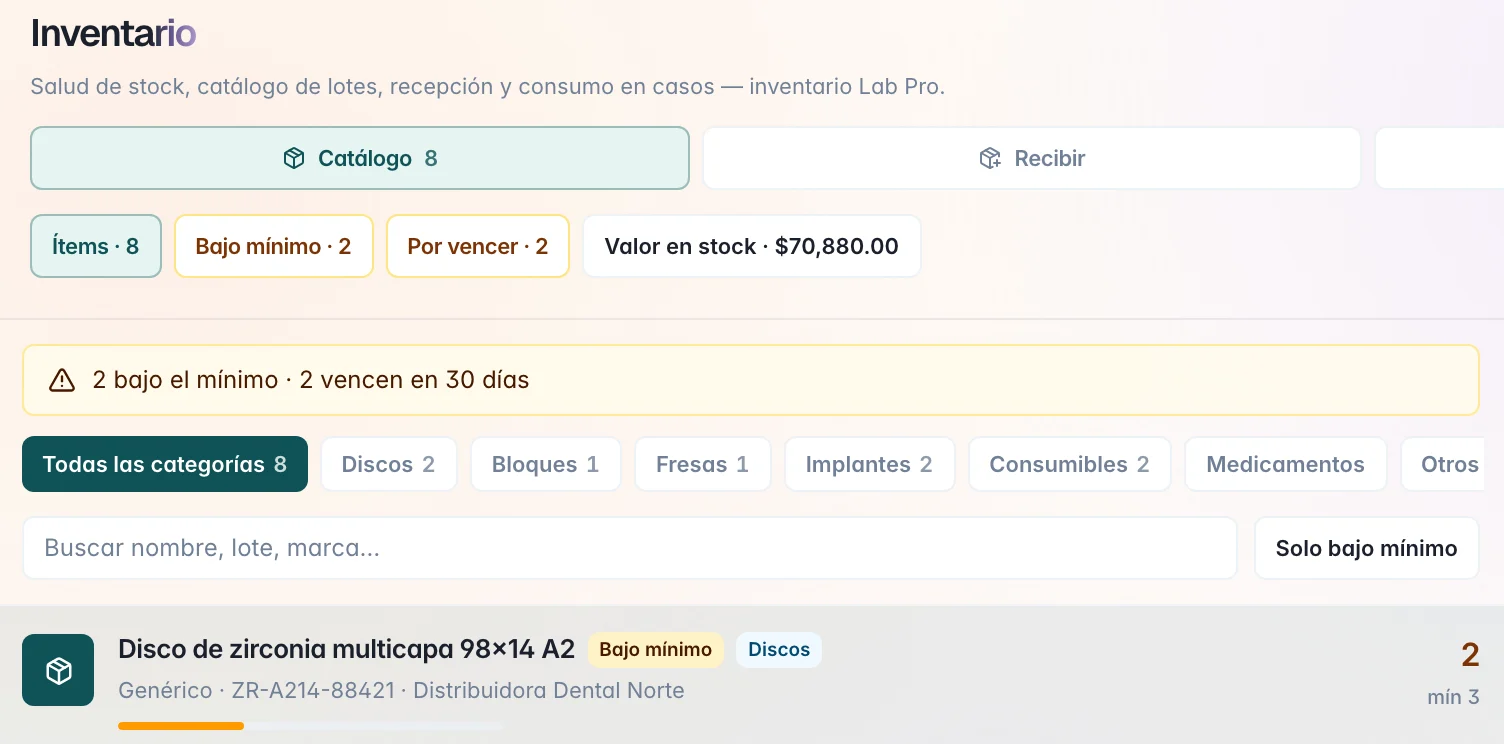
Receive
Receive a lot with the code.
You scan the material's GS1 code, with a reader or with the camera, and the lot and the expiration fill in on their own.
- Material.
Name, category, and brand.
- Quantity and lot.
The same lot code adds to the stock you already have.
- Cost and supplier.
Unit cost, currency, and supplier for each lot.
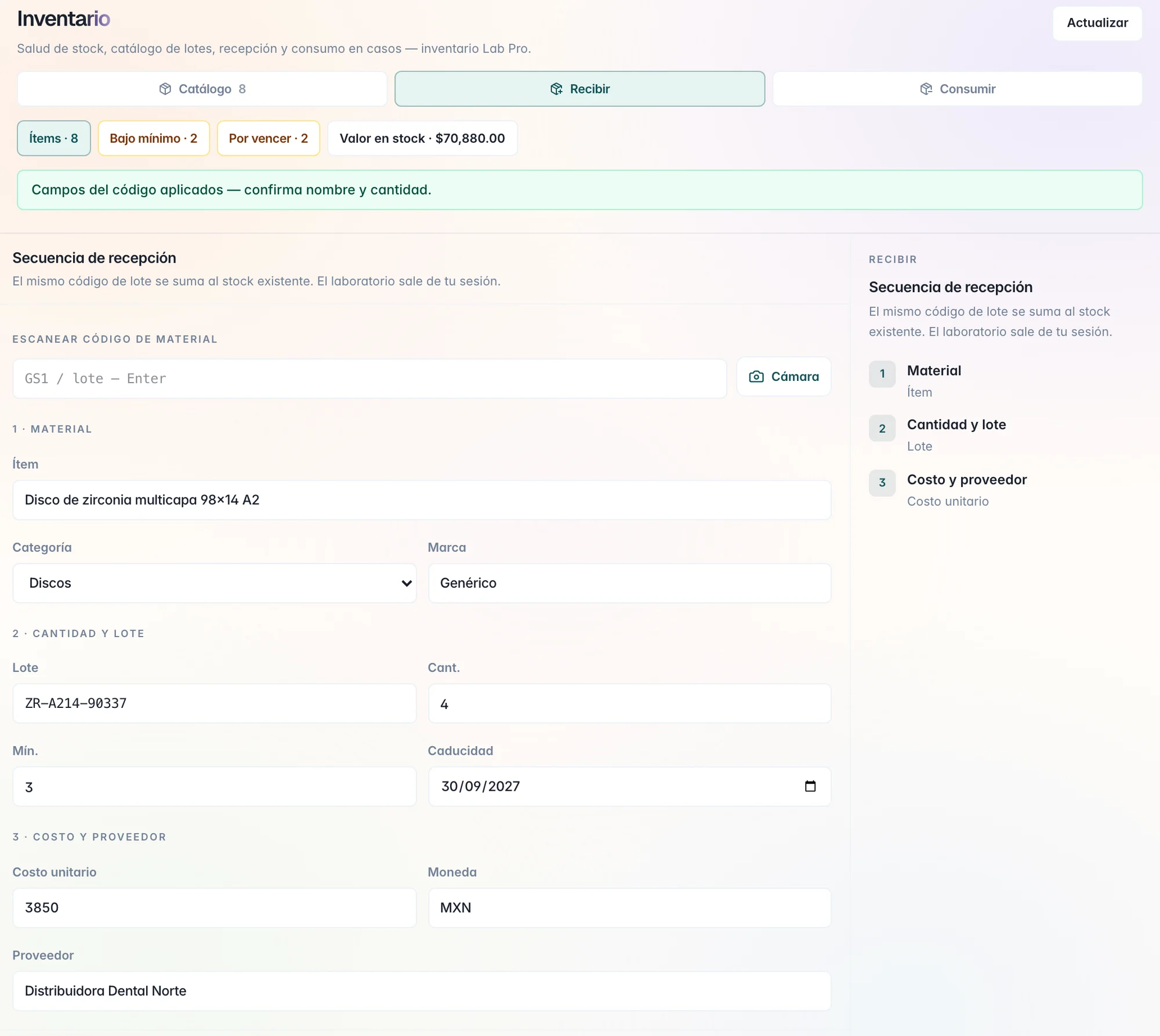
On the case
The lot stays on the case.
On the case's Fabrication tab, you choose the lot from your stock and the quantity. The case stores which lot you used and when it expires, next to what the Rx asks for: material, shade, and the plan by tooth.
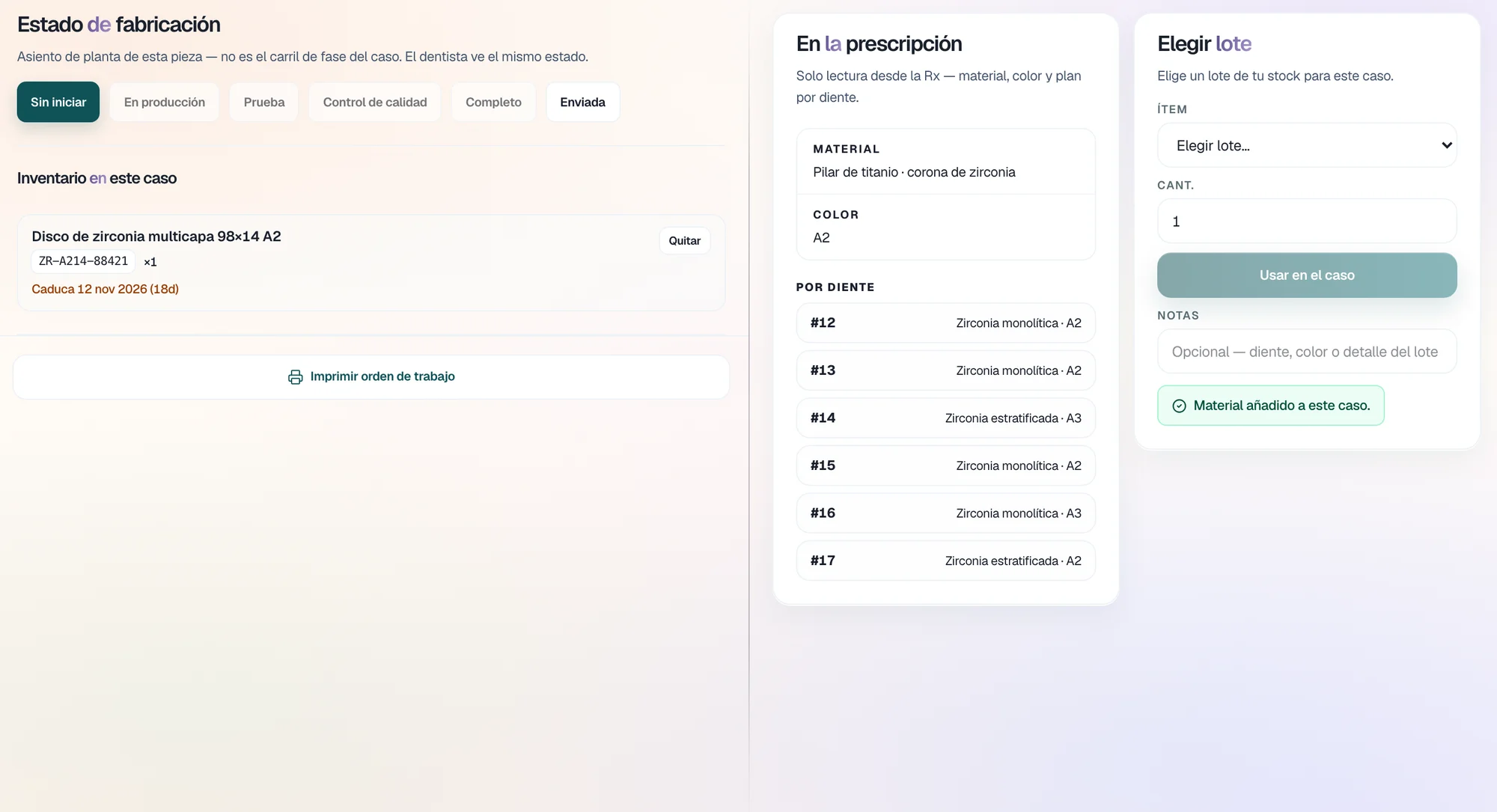
Each lot
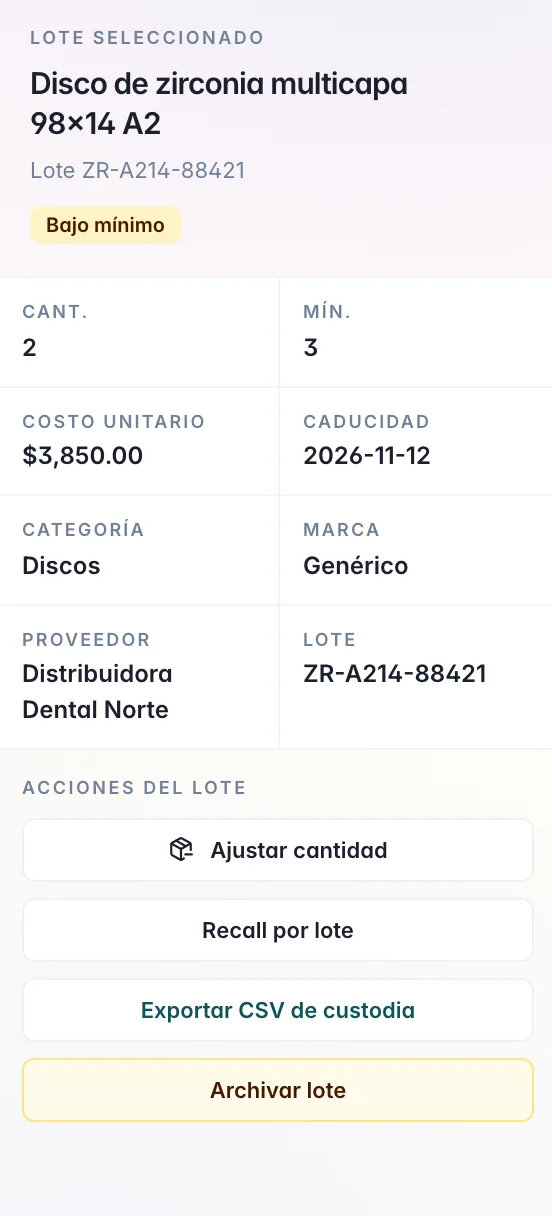
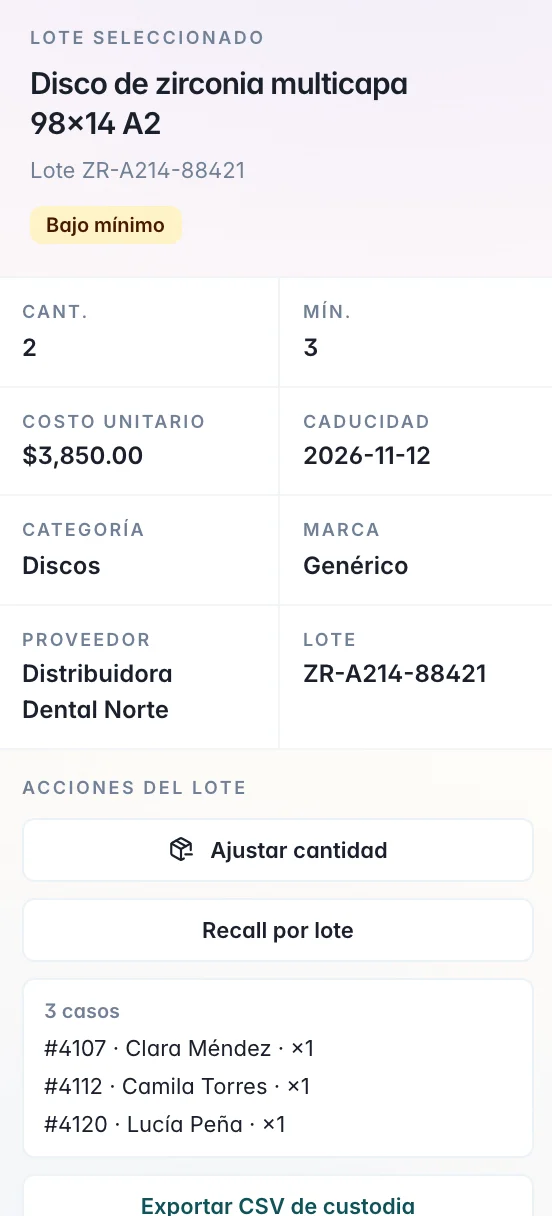
From the lot to the case that used it.
Open a lot and you have its full record and its actions.
From the storeroom to the case
You know what you have and where it went.
Receiving, stock, and use on the same laboratory desk.
Below minimum and expiring, above the catalog.
GS1 with a reader or the camera; the lot is added on its own.
Each case stores its lot; recall gives you the list.
Questions
Questions from the lab.
Lab inventory (stock, lots, and use on cases) is in Lab Pro.
See plansYes. You scan the GS1 code with a reader or with the camera, and the lot and the expiration fill in on their own.
ReceiveOn the case's Fabrication tab you choose the lot from your stock and the quantity. The case stores the lot and its expiration.
On the caseOpen the lot and use Recall by lot: you see the cases that used it, with patient and quantity.
Each lotYes. Adjust quantity stores the new quantity with a reason, such as a count correction or a breakage.
Each lot