
01
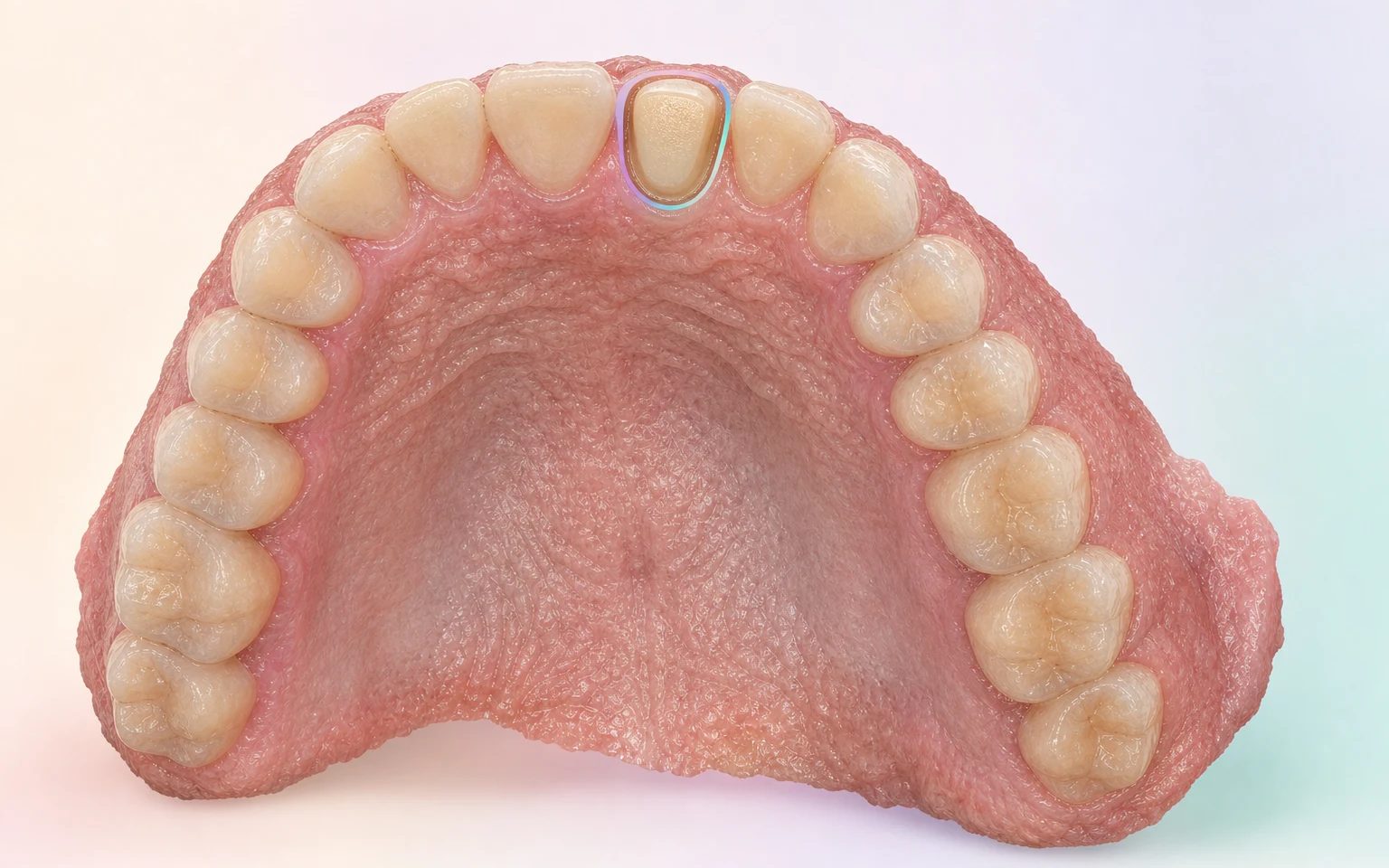
The working site
Identifies where the preparation is and prevents an isolated image from being mistaken for the complete order.

CLINIC–LABORATORY WORKFLOW · CASE TL-4027
TrazaLab keeps the case, the planned treatment, the prescription, the records, and the files connected while the order moves forward. The surgeon authorizes the submission; the laboratory makes a separate decision on receiving it.
Synthetic case · FDI 11 · anterior crown · no real patient data
01 · PREPARE THE ORDER
With an intraoral scanner or a physical impression, each record keeps a purpose within the order. That way a missing item can be seen before sending, designing, or booking the patient again.
Identifies where the preparation is and prevents an isolated image from being mistaken for the complete order.
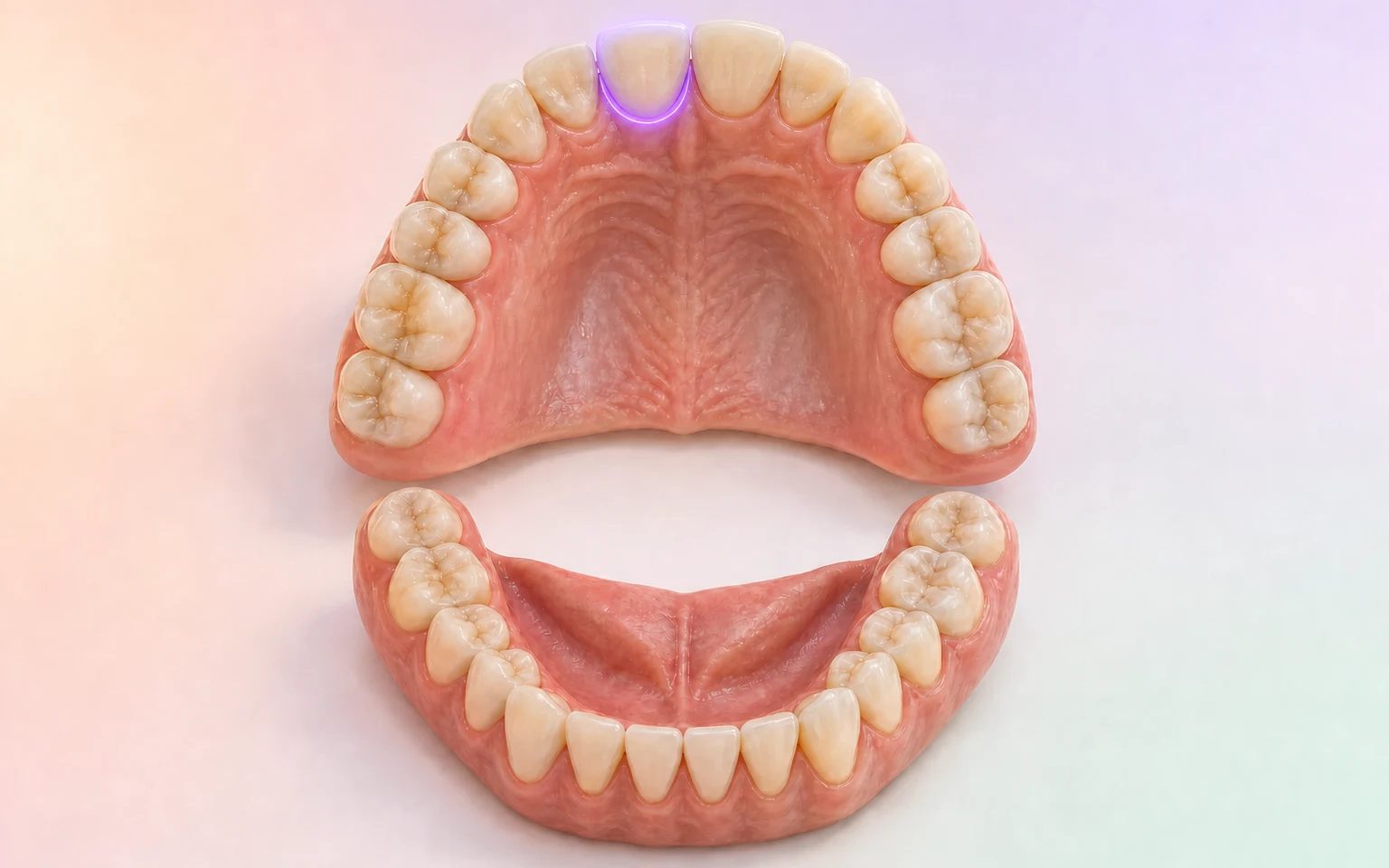
Keeps the opposing arch as a distinct record so that its absence is visible before designing.


Keeps the buccal relationship or the interocclusal record with its function, author, and corresponding order.


02 · COMPLETE THE RECORDS
TrazaTono, TrazaVideo, and TrazaCaptura document different references. Each one returns to the position, the planned treatment, and the order that needs it.

Guide, plane, and context remain linked to the order. Confirmation remains clinical.

Closure, opening, and excursions are documented without being presented as a force measurement or a diagnosis.

The phone captures; TrazaLab keeps position, view, and author to avoid a new capture for lack of context.
03 · REVIEW BEFORE SENDING
TrazaLab shows the prescription, records, files, and configured rules in a visible sequence. The professional determines sufficiency; the software does not certify the clinical result.

Prescription · Defined
04 · LABORATORY INTAKE
The laboratory reviews the same order the surgeon authorized. It can accept it for design or request information; a question keeps the record and the requirement that originated it.


The request returns to FDI 11 and to the record that originated it.
The answer keeps author and moment; it is not an automatic clinical approval.
The laboratory returns to the resolved requirement without rebuilding the conversation in another channel.
05 · DESIGN, FABRICATION, AND RECEIPT
Accepting the order opens the design review, not an automatic authorization for the whole process. Each version, control, and delivery keeps an owner and a state.

The surgeon reviews the design version and can approve it or return it with an annotation.

Fabrication, control, and dispatch keep separate states and owners within the laboratory workflow.

The clinic confirms receipt and the professional documents try-in, adjustment, acceptance, return, or the next step.
Editorial visualization of a synthetic case. These scenes do not execute a real approval, fabrication, dispatch, receipt, or clinical evaluation.
06 · OPERATIONAL MEMORY
The order, the records, the clarifications, and the design versions stay related. If a remake occurs, its recorded cause and cost can be reviewed without rebuilding the history.
Connects case, order, the function of each record, version, and owner.
Decides whether the order contains what is needed before sending it.
Accepts for design or requests information without losing the context.
FREQUENTLY ASKED QUESTIONS
It is a sequence that separates the clinical case from the laboratory order. The case keeps the longitudinal history; the order gathers the prescription, records, files, and instructions for one specific job. TrazaLab keeps both relationships visible through to clinical receipt.
The surgeon creates the case, documents the condition, records the position or arch, and adds the planned treatment. Then they prepare the associated order with the laboratory prescription, records, files, and instructions to the laboratory. This preview is editorial and does not execute a real submission.
See the clinic workflowOn the digital route, the order distinguishes the working arch, the antagonist, and the buccal relationship. On the physical route, it documents the final impression, the antagonist, and the interocclusal record. Both media keep a human review; the mere presence of a file or record does not prove its quality.
Compare the prevention routesTrazaCaptura requests specific views; TrazaTono organizes a shade reference; and TrazaVideo can document movement when the treatment requires it. The page illustrates how those records link to the order, not a universal integration in production. The tools do not diagnose or automatically correct a capture.
Before sending, Gate 1 reviews the prescription, required records, the scan when applicable, configured rules, and an indicative remake risk. On receiving the order, Gate 2 lets the laboratory accept it for design or request information. Neither review automatically guarantees clinical fit.
The request stays linked to the order, the requirement, and the record that originated it. A design version can also return to the surgeon for approval or return before fabrication. The sequence is editorial and does not demonstrate a real exchange with the laboratory.
See the laboratory intakeThe laboratory records the dispatch and the clinic confirms receipt of the restoration inside the case. When applicable, the professional documents try-in, adjustment, acceptance, or return. Confirming receipt does not by itself declare a satisfactory clinical outcome.
No. TrazaLab connects the case and the order around the scanner, the impression, the CAD, and the human work. Acquisition quality, design, fabrication, inspection, and clinical decisions remain the responsibility of the corresponding professionals.
LESS REWORK BEFORE FABRICATING
TrazaLab helps detect missing items before submission and reduce clarifications, recaptures, corrective chair time, and remake risk.
TL-4027 · FDI 11 · editorial visualization with no real patient data.


