
Quotes, invoices, and contracts
Design the document before you send it.
Each line comes from your catalog, each document carries your letterhead, and you see what the other side will read before you send it. The laboratory quotes, invoices, and contracts with its clinics; the dentist, with their patients.
For laboratories and dentists · Example clinics, patients, and prices
Build the document
From the catalog to the document.
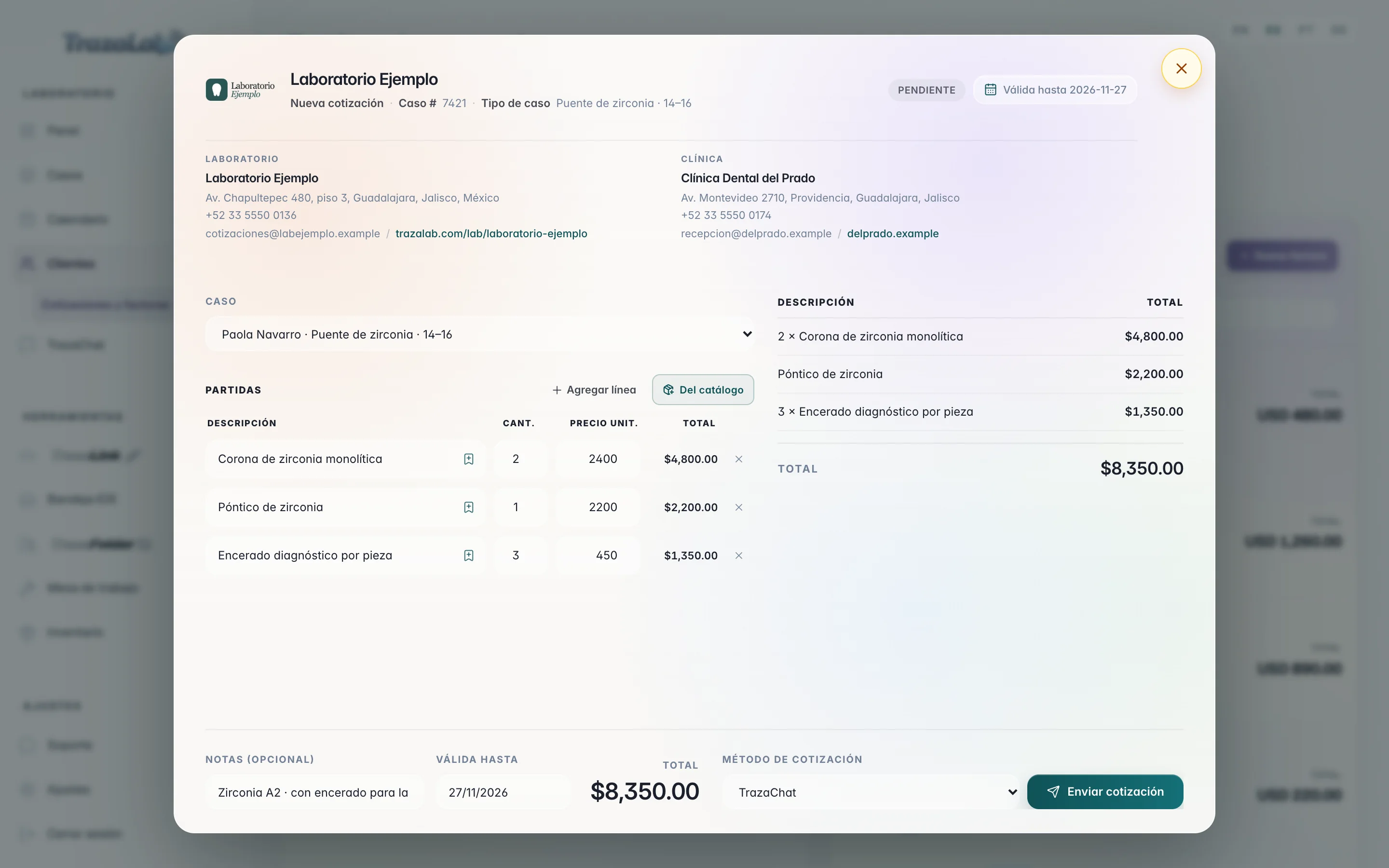
Add services, change quantities, save a new line, and see the same document as a quote, an invoice, or a contract.
Tap a service to add it as a line. Change the quantity and watch the total add up.
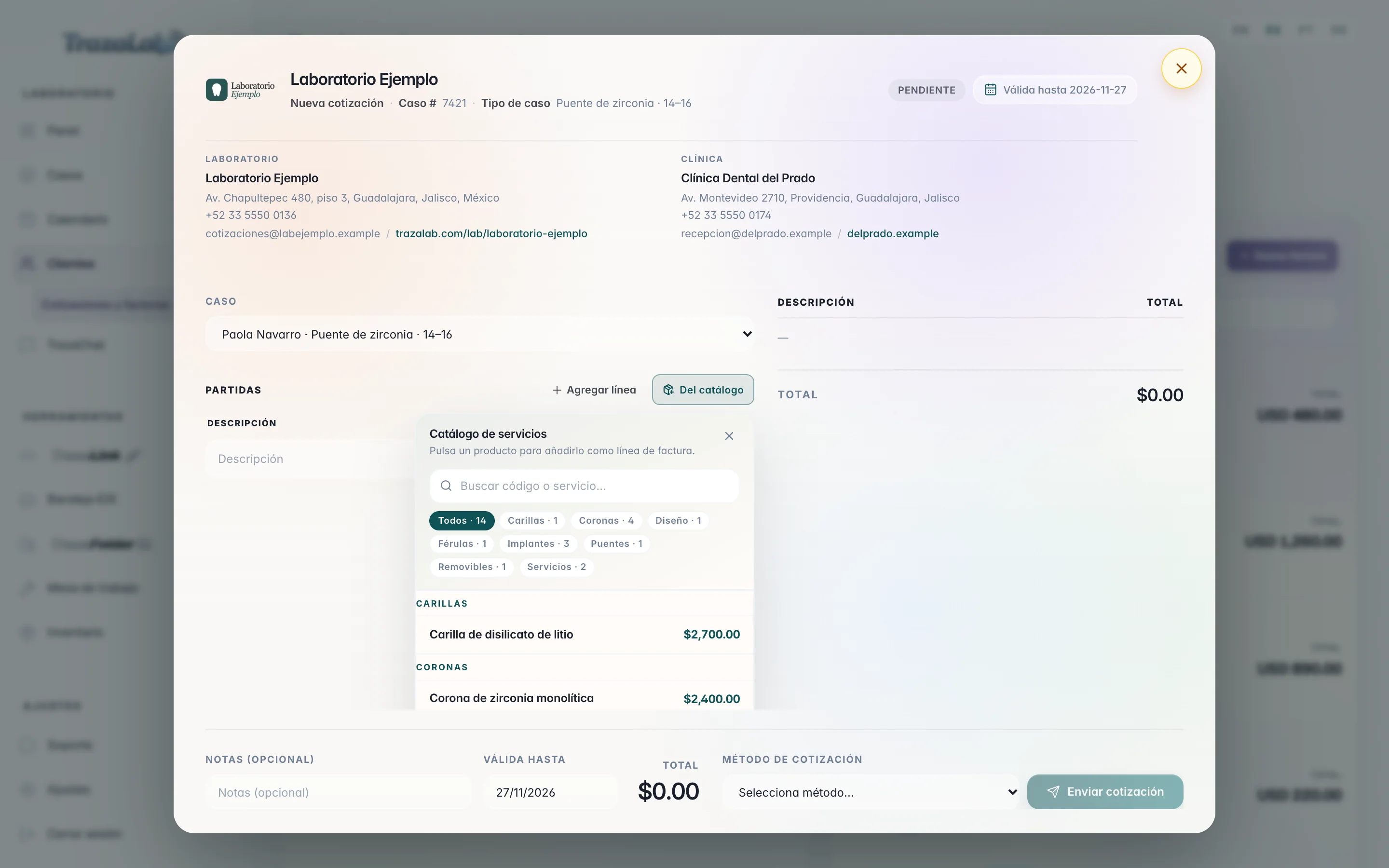
Service catalog

Laboratory
Laboratorio Ejemplo480 Chapultepec Ave., GuadalajaraClinic
Clínica Dental del PradoDra. Ana RuizLine items
- Monolithic zirconia crown2$4,800.00
- Zirconia pontic1$2,200.00
Valid untilNov 27, 2026
Quote methodTrazaChat
QuoteThe clinic receives it by TrazaChat, link, or PDF, and accepts it or requests changes.
For the laboratory
Your price list on every document.
You quote by line items from your catalog, save what you type new, invoice what was approved, and sign fabrication agreements with each clinic.
The catalog
Your services, one tap away.
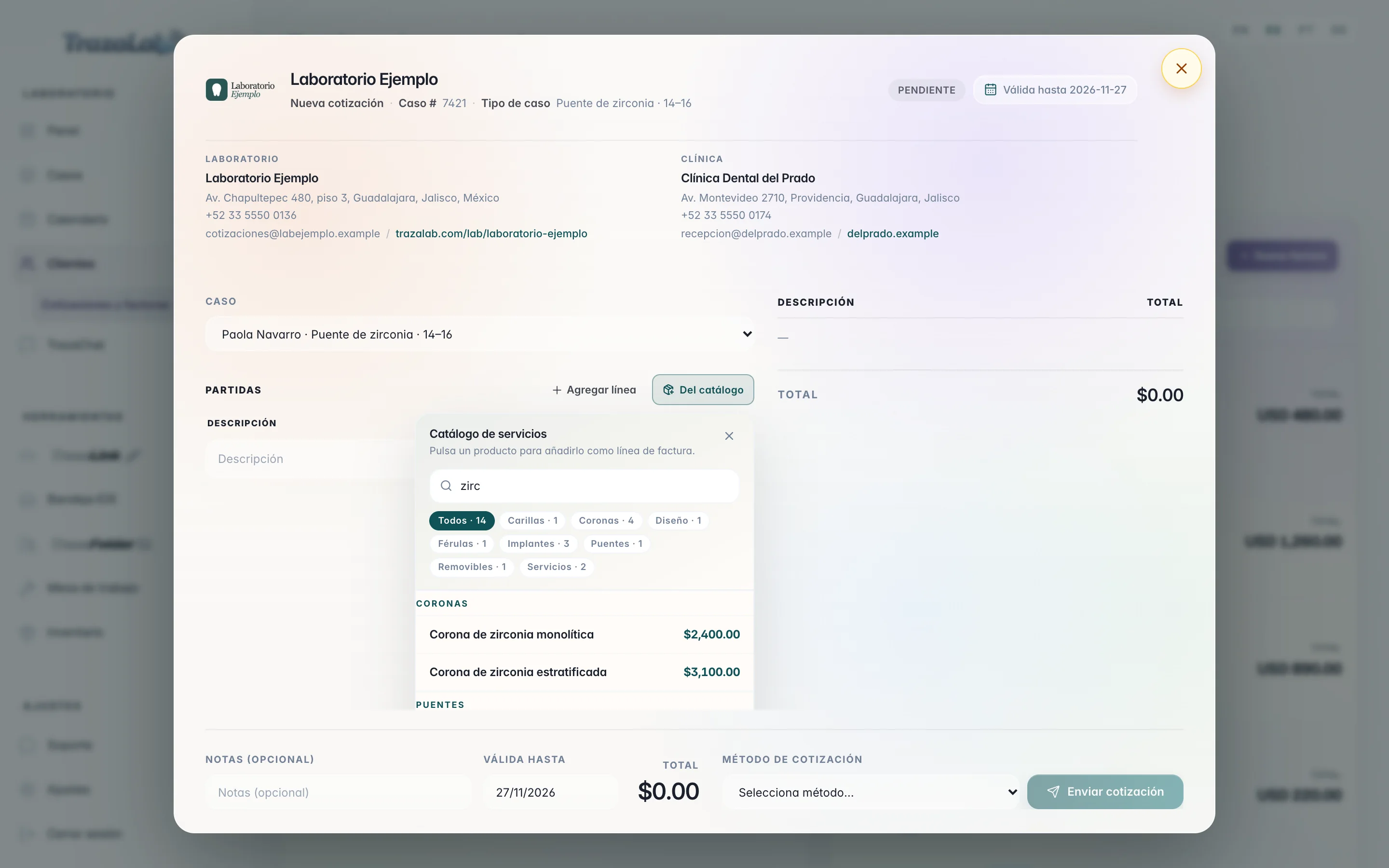
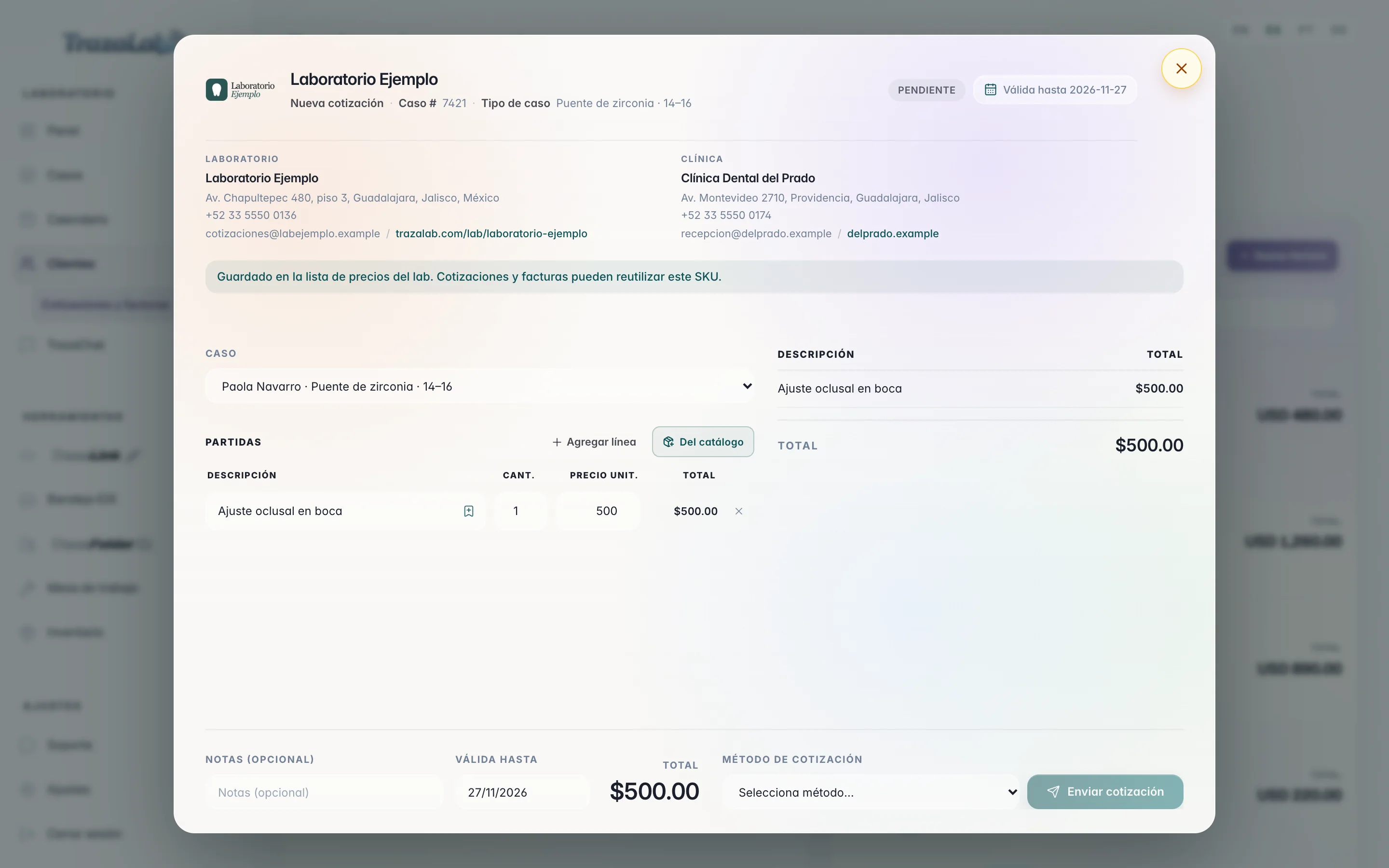
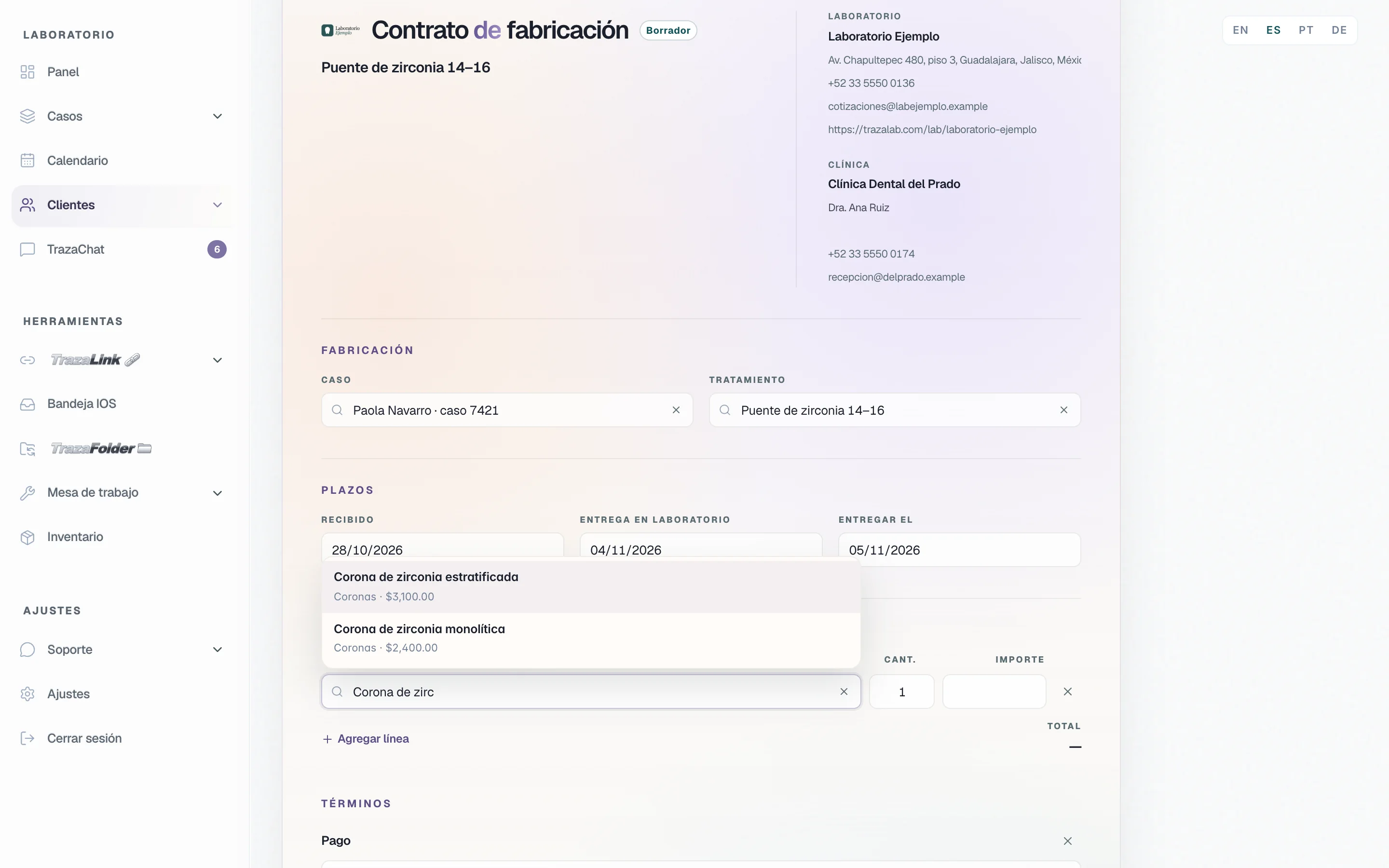
From catalog opens your price list inside the quote: each service with its category and its price. Each tap adds a line.
Line items
Quote by line items, with your letterhead.
The quote carries your logo from Settings → Branding and your laboratory's and the clinic's details. On the right you see the document as the clinic will read it.
Save to catalog
What you type once, stays.
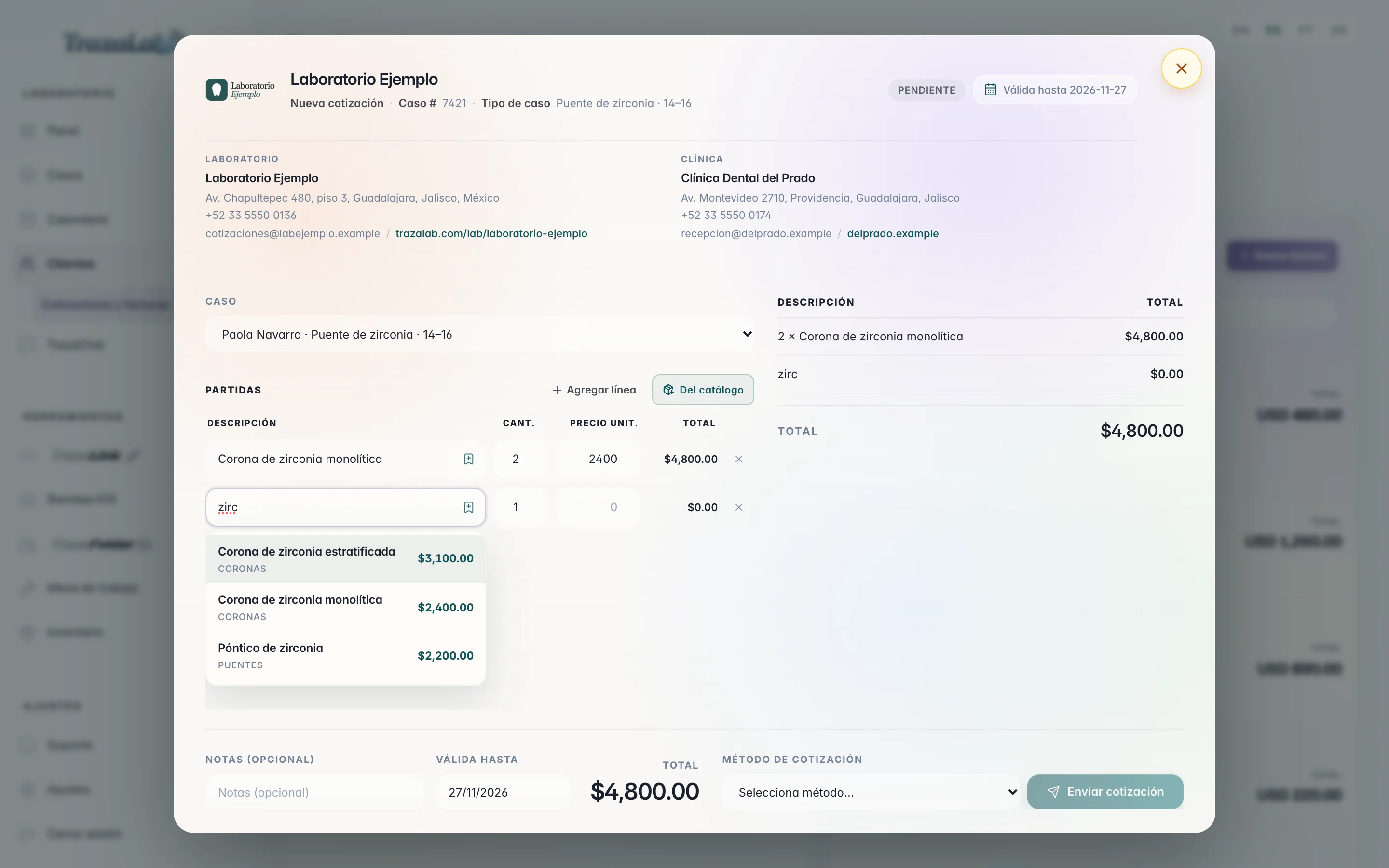
A line typed by hand is saved to your price list from that same line. The next quote, invoice, or agreement already finds it.
- From the line.
Description and price, and Save to catalog. Quotes and invoices can reuse that service.
- Your price list.
Laboratory prices for all your clinics, or for one only. Import or export a CSV with name, category, and price.
Invoice
From the approved quote to the invoice.
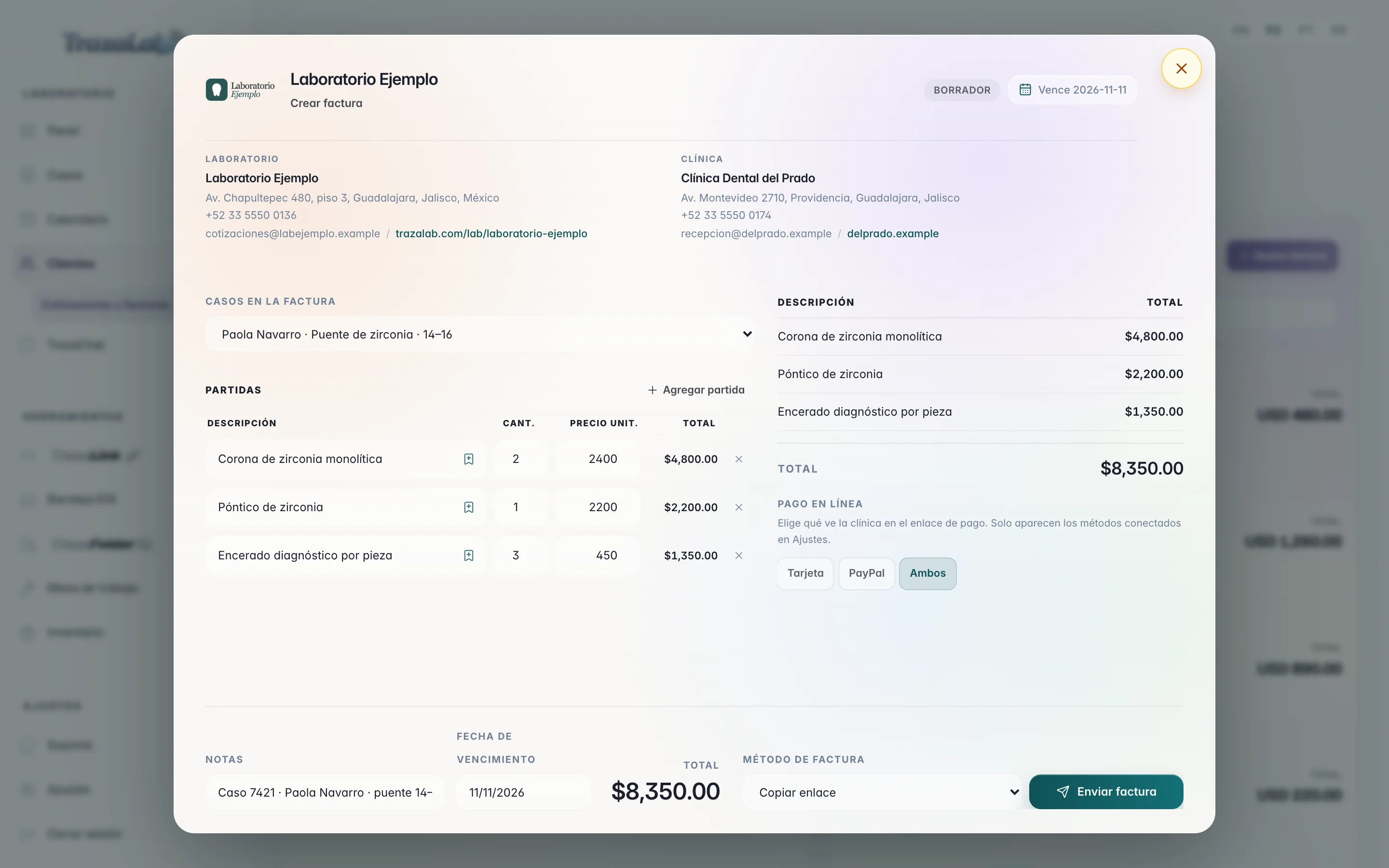
Create invoice takes what the clinic approved. You build the invoice with the same catalog lines and decide how you get paid.
- One or several cases.
An invoice can carry several cases from the same clinic, with a due date and notes.
- Online payment.
Card, PayPal, or Both on the pay link. Only the methods you connected in Settings appear.
- And you send it.
By TrazaChat, with its link, or as a PDF.
Fabrication agreement
An agreement in sections, with your prices.
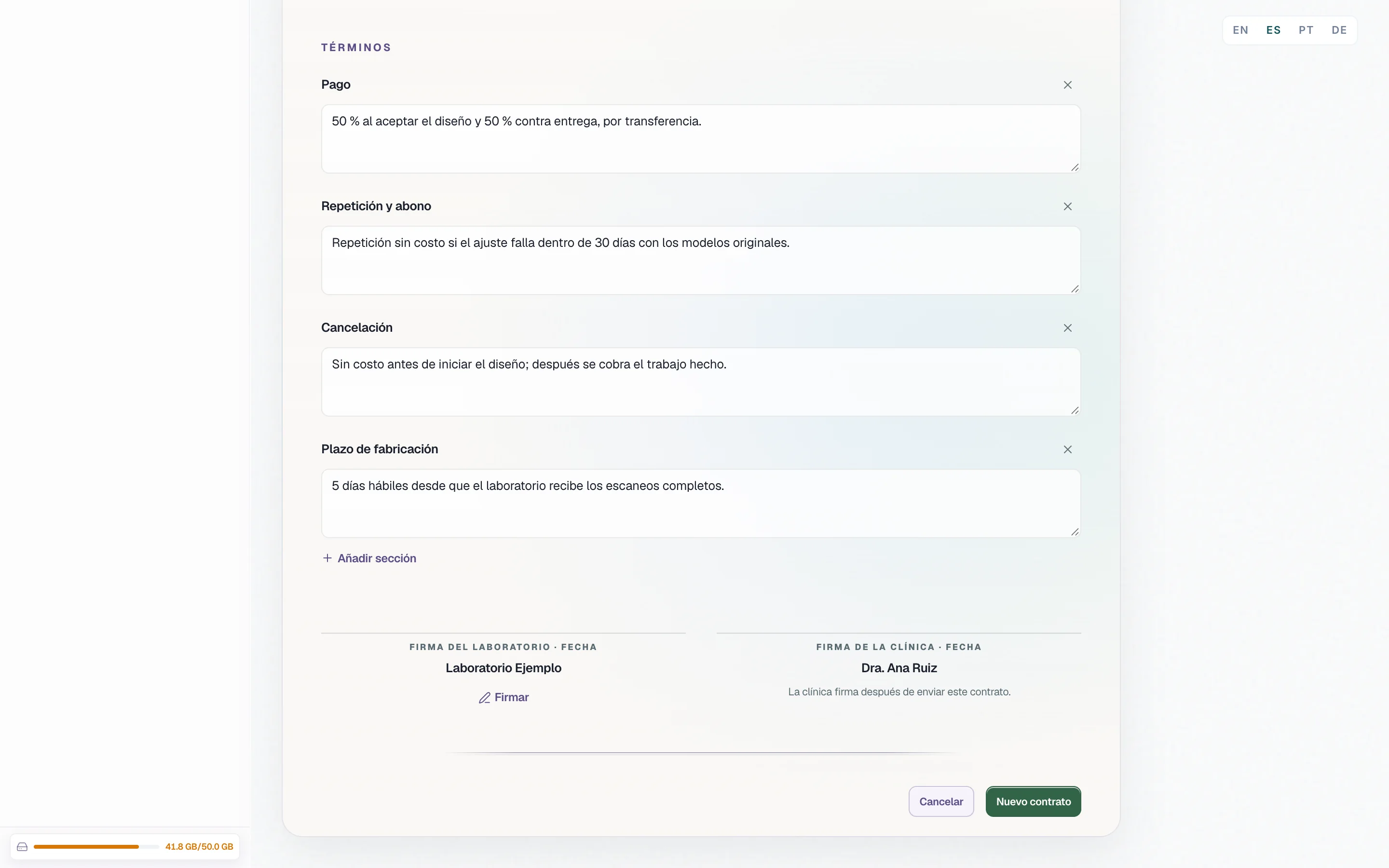
From each clinic's record, the fabrication agreement already brings the parts. You fill in the case, the dates, the costs, and the terms.
For the dentist
With your laboratory and with your patients.
You answer your laboratory's quotes, quote and invoice your patients with your letterhead, and write their consents.
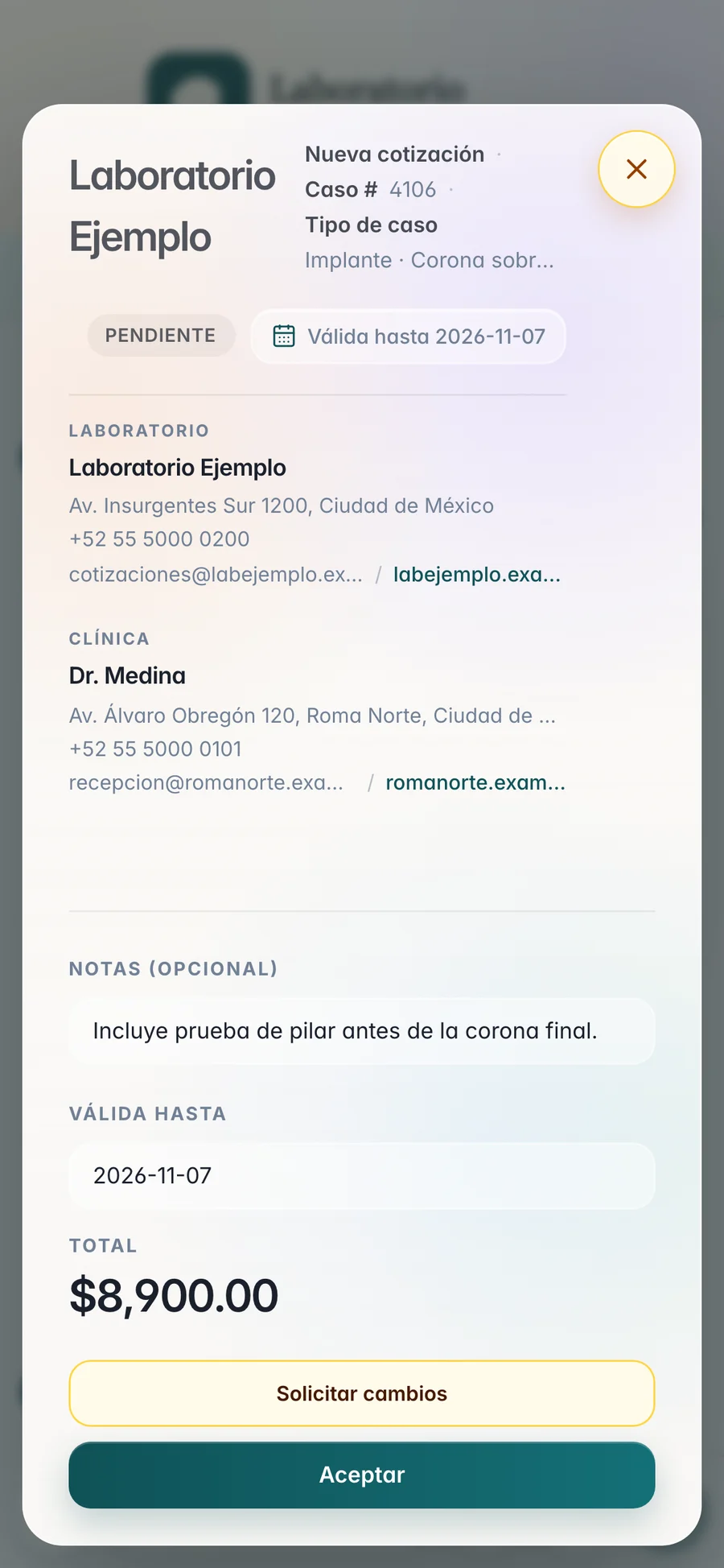
Laboratory quote
Approve or request changes.
Your laboratory's quote arrives in TrazaChat or by link, with its lines, notes, valid until, and total.
- Accept.
The laboratory sees it approved and can invoice it.
- Request changes.
You write what to adjust. The laboratory reads it on the quote, then edits it and sends it again.
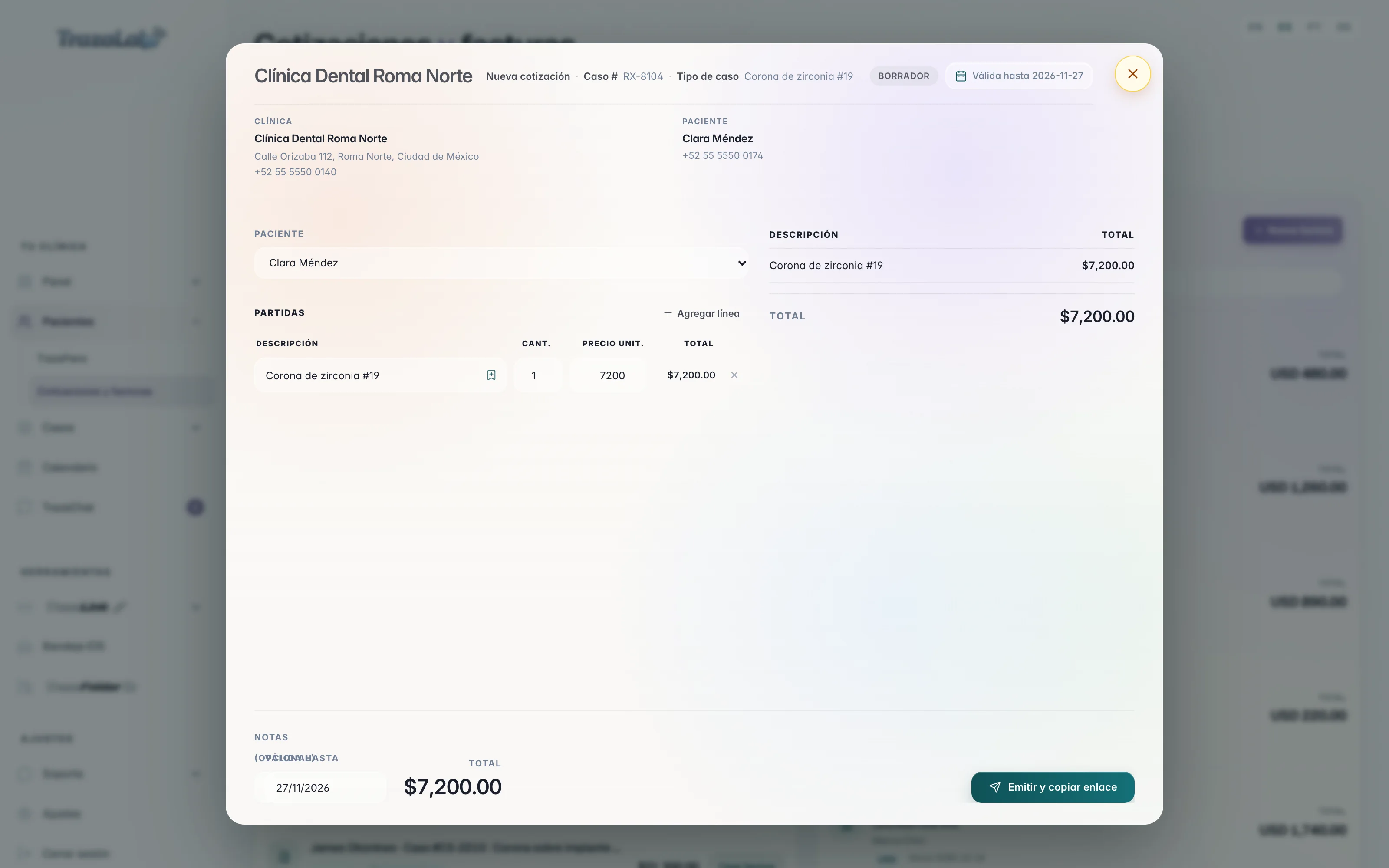
Patient quote
Your letterhead, your lines.
You quote the patient from their chart or from Quotes and invoices, with your clinic's name, address, and phone at the top.
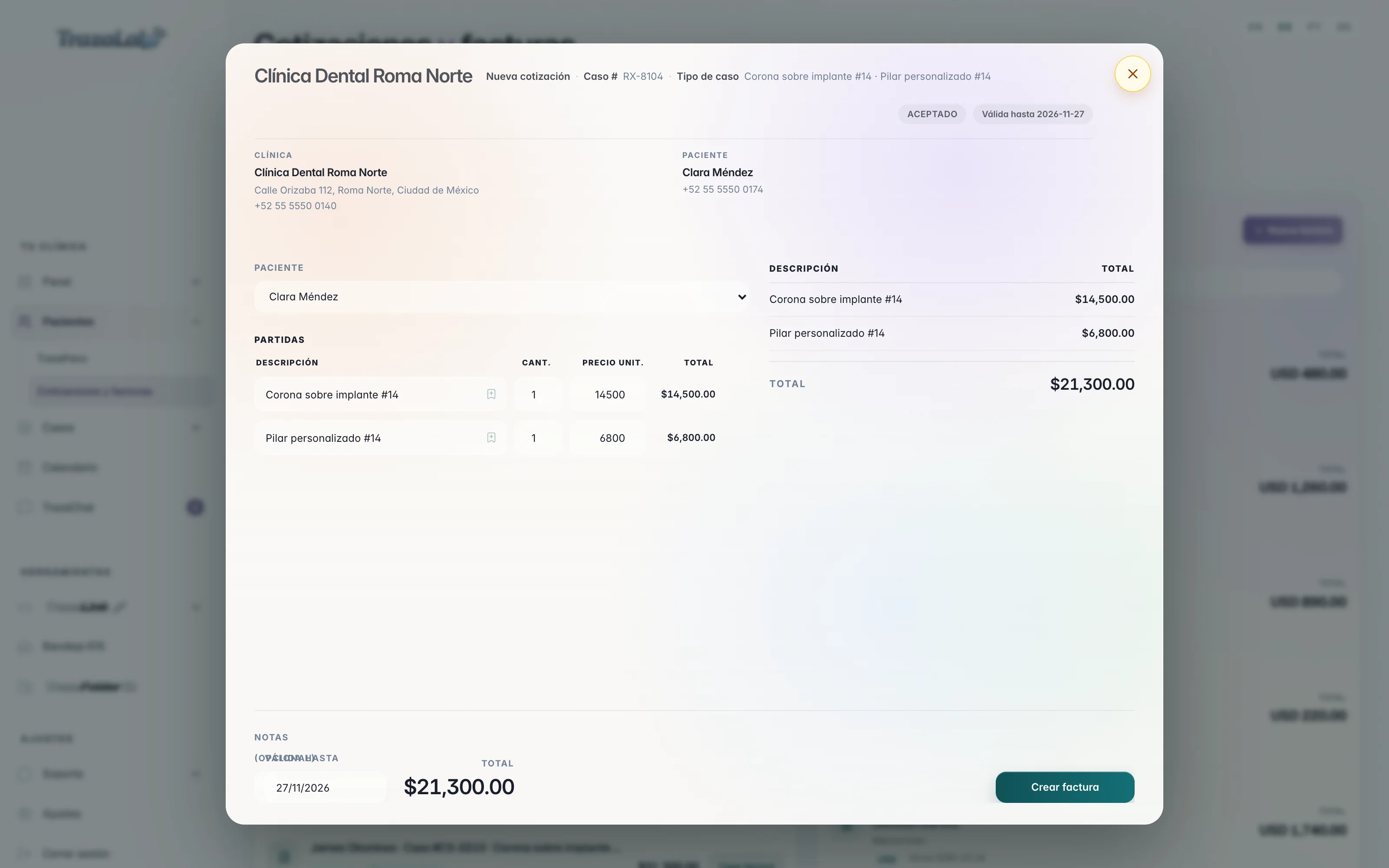
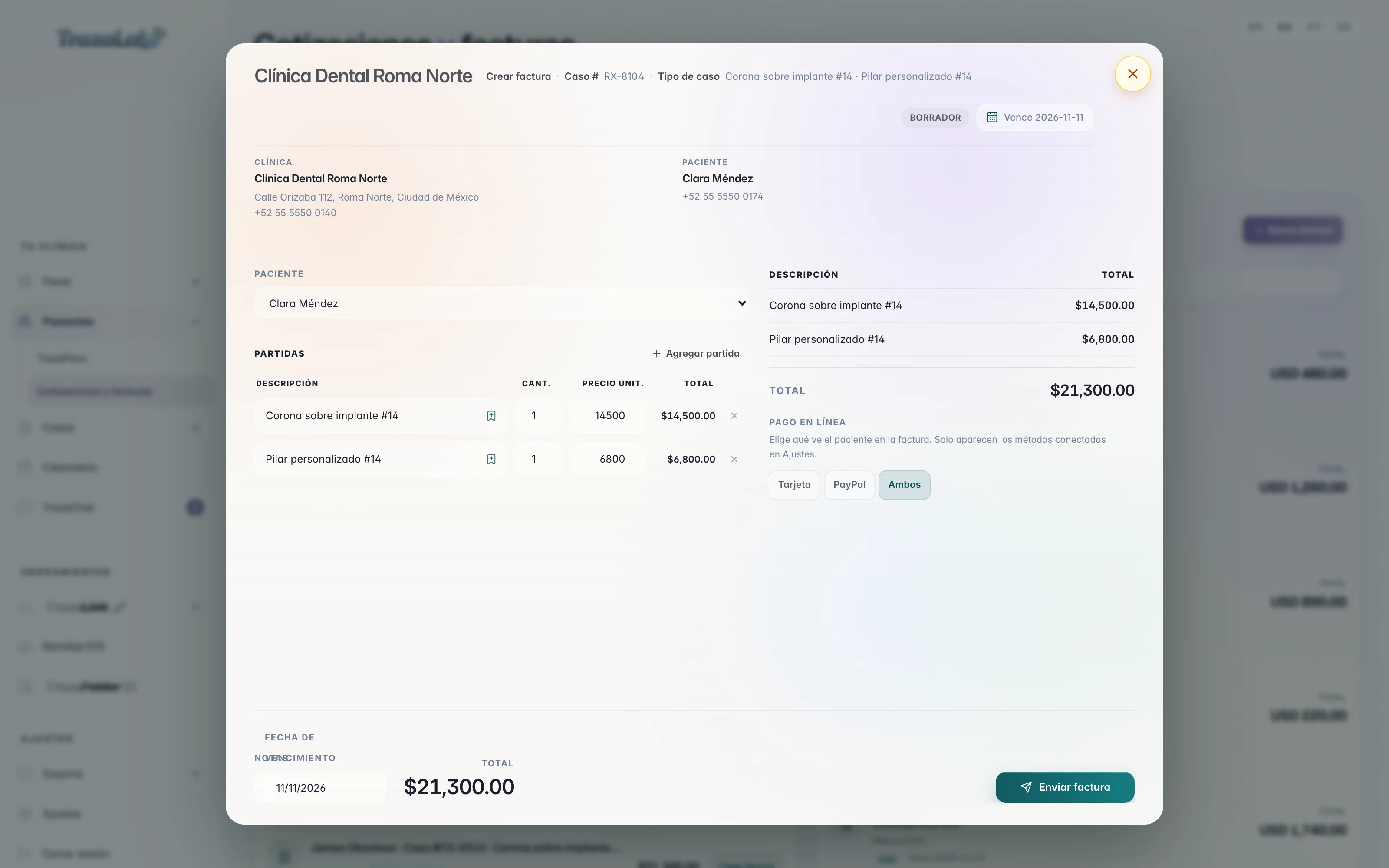
Patient invoice
The invoice comes from what was accepted.
The patient invoice takes the lines from the accepted quote. You choose what they can pay with.
- Same lines.
A crown, an abutment, or what the patient accepted, with its total and due date.
- Card, PayPal, or Both.
Choose what the patient sees on the invoice. Only the methods connected in Settings appear.
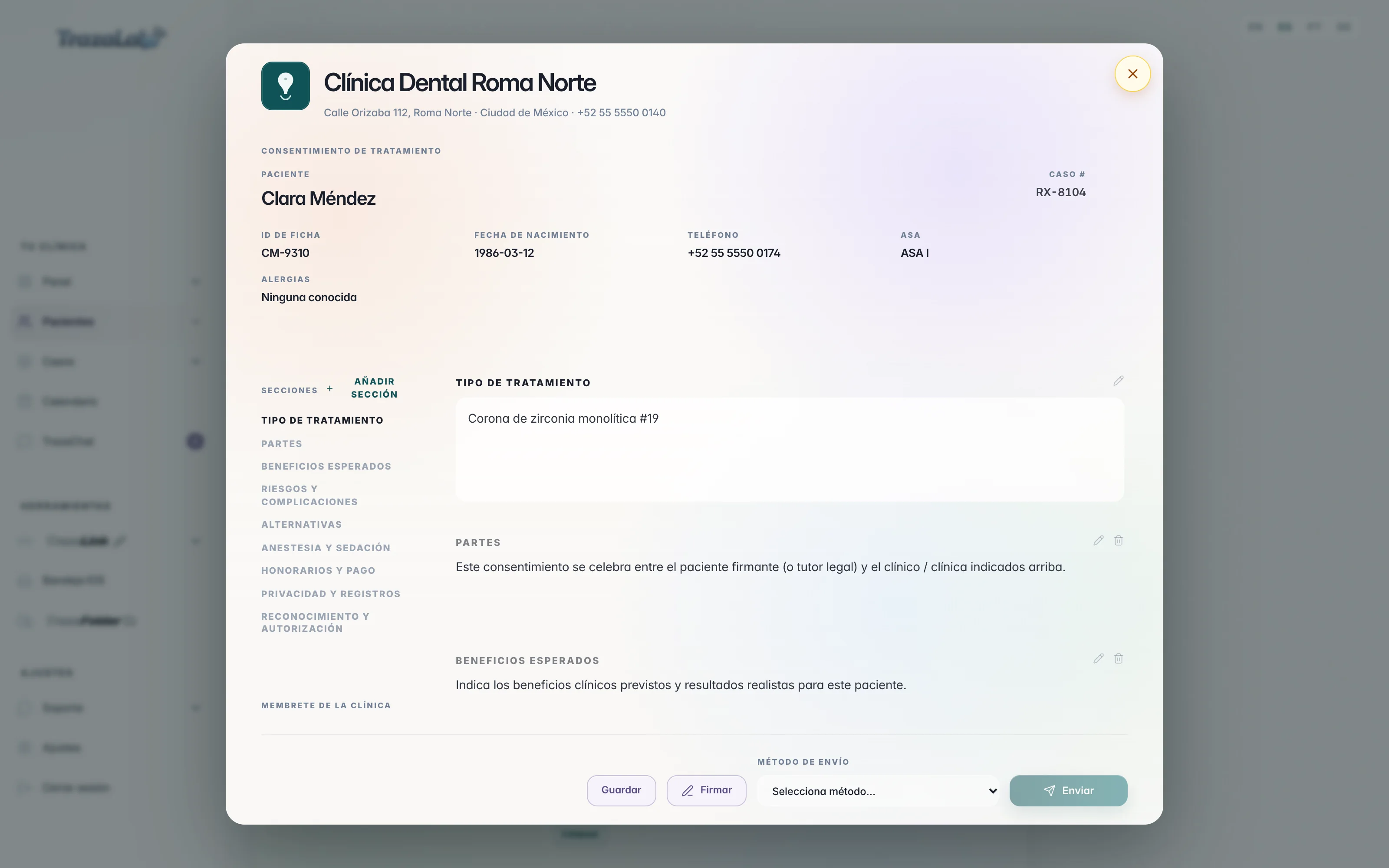
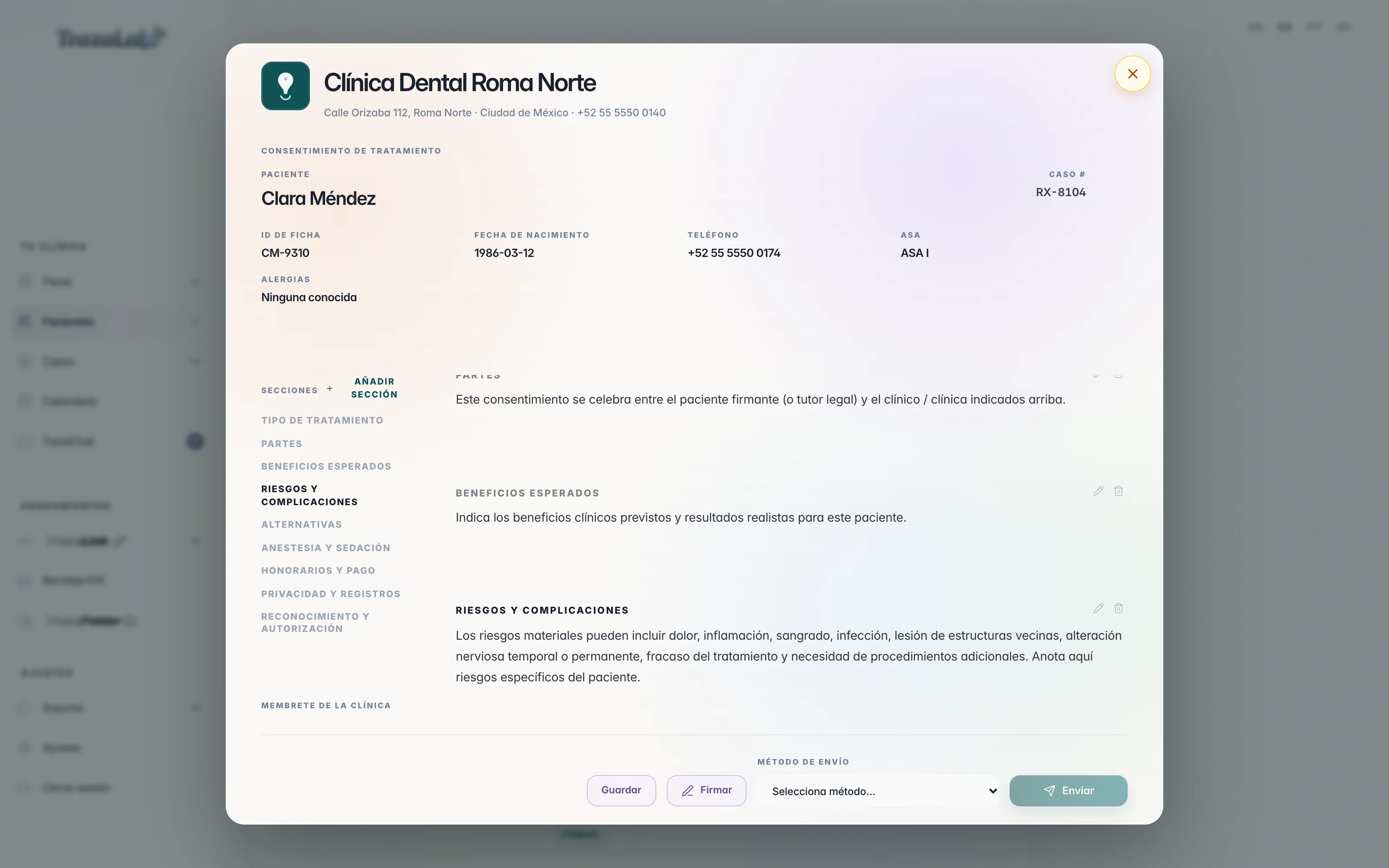
Consent
A consent you write to your measure.
The consent goes out with your clinic's letterhead and the patient's details. The sections come written for you to adjust.
Each desk
What each one designs.
The same document studios, with what each side needs.
Laboratory
To your clinics.Dentist
To your laboratory and to your patients.Logo from Settings → Branding and the laboratory's and the clinic's details.
Your clinic's name, address, and phone, and the patient's details.
Price list by laboratory or by clinic, search, categories, suggestions, and Save to catalog. CSV in and out.
—
By case, with valid until and notes. The clinic accepts or requests changes.
To the patient, with your letterhead. And you accept or request changes from your laboratory.
From the approved quote, one or several cases, Card, PayPal, or Both.
To the patient from the accepted quote, Card, PayPal, or Both.
Fabrication agreement: case, dates, costs from your list, and terms.
Treatment consent in sections.
Laboratory signature placed; the clinic signs after it is sent.
Clinician signature stamped on the consent.
TrazaChat, Copy link, or Download PDF; the agreement also by TrazaLink.
TrazaChat, link, or PDF.
Questions
Frequently asked questions.
From the laboratory
From your price list. From catalog opens the service catalog with search and categories, and as you type a description the list suggests the services that match. You can keep laboratory prices for all your clinics and prices for one clinic in particular.
The catalogFrom the line itself: you type the description and the price and press Save to catalog. You can also add it on the price list or import a CSV with name, category, and price.
Save to catalogThe logo you upload in Settings → Branding and your laboratory's details: name, address, phone, email, and page. Beside that, the clinic's details from that record.
The quoteYes. From the approved quote, Create invoice opens the invoice studio. There you choose which payment methods the clinic sees on the link and how you send it.
The invoiceFrom the dentist
Yes. The patient quote carries your clinic's name, address, and phone at the top and the patient's details beside them. You issue it and copy its link.
Patient quoteNo. It is created from the accepted quote, with the same lines. You choose whether the patient sees payment by Card, PayPal, or Both; only the methods you connected in Settings appear.
Patient invoiceTreatment type, Parties, Expected benefits, Risks and complications, Alternatives, Anesthesia and sedation, Fees and payment, Privacy and records, and Acknowledgment and authorization. Each one can be edited or removed, and you can add your own.
ConsentYou open it from TrazaChat or from its link and choose Accept or Request changes, with what you need adjusted.
Laboratory quoteNext step
Build your first quote.
Laboratory: load your price list and quote from the catalog. Clinic: set your letterhead and quote your next patient.