
FREE OBJ REPAIR

Fix an OBJonline for free.

Free online STL repair for open edges, non-manifold edges, and degenerate triangles. Download a sanitized copy without uploading the file.

Open an OBJ
Stays in this browserNo account required
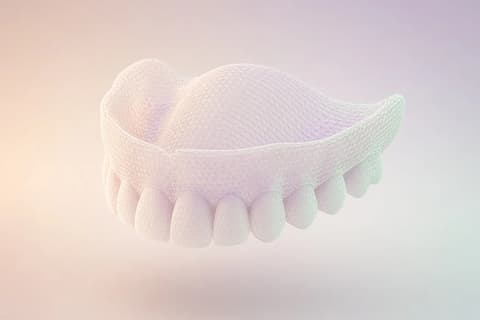
A translucent upper-arch mesh before review
MESHNo OBJ loaded

Your OBJ will appear here.

Open a file to orbit it and see each issue on the mesh.

Wavefront OBJ · triangles or polygons · up to 75 MB

Wavefront, in the file

An OBJ is lines. The repair is which lines survive.

Illustrative lines. Not a scan and not a patient file.
v  18.420   -6.110   22.904
v  18.610   -6.040   22.981
v  18.802   -5.980   22.870
f  1 2 3
f  0 1 2

Faces that start at 0 are shifted when the whole file is consistently 0-based.

Indexes start at one.

A vertex line starts with v. A face line starts with f and points at those vertices. Wavefront counts from 1. Some exporters count from 0, then the last index falls short and the mesh will not read.

When every face index is 0-based and still inside the vertex list, this page shifts them before you see the model. A mix of a 0 with an index past the vertex list is refused. It is not quietly guessed.

Polygons are split into triangles. Texture coordinates, normals, object names, and material names are written back onto the faces that remain. The .mtl file itself is not inside the download. Faces are written from 1.

On the mesh

Three things the tool will name.

  1. Open edges

    A boundary no neighboring face shares. An intraoral trim keeps that rim. It stays drawn on the model. Cleanup does not lay a surface across it.

  2. Bad junctions

    An edge shared by more than two faces. The count is in the panel. Click it and the viewer looks there, instead of handing you a score.

  3. Collapsed faces

    Inverted, degenerate, or duplicate triangles. Conservative cleanup can remove them. The points of the mesh are not moved.

Before the laboratory starts

A sealed scan border is a floor the scanner never saw.

The remake risk in this file is not a missing button. It is a surface that was never captured, sent on as if it were the arch. Sites that publish a watertight mesh, a solid, or filled holes are describing a different decision: they close the opening.

This page leaves the border open and keeps the remaining inventory visible. The cleaned OBJ is not a fabrication release. The person, the prescription, and the evidence still have to travel with the mesh. That continuation is the case, in remake prevention.

What you download

A cleaned OBJ, reopened before it is offered.

Open an OBJ
File
Wavefront OBJ. Same kind of file you opened. Not a converted STL.
Faces
Triangles, numbered from 1. The 0-based shift, when it applied, is already in the mesh you reviewed.
Material library
The .mtl library bytes. Its name is kept, so the laboratory file can sit beside the OBJ. A face that was removed does not take its texture coordinate with it.
Check
The export is read back. If it does not match the cleaned mesh, the download stays off.
Not claimed
Not sealed. Not printable by promise. Not a fit, occlusion, or CAD-ready certificate.

What the pages publish

They seal it. This page does not.

These cells are what each site publishes. TrazaLab did not run those tools on one file. The TrazaLab column is this workspace: the scan border stays open, and the download is a cleaned OBJ.

TrazaLab
MeshTune
PrintPal
MeshRefinery
JustFixSTL
Runs here
Yes
Published: yes
Published: yes
Published: yes
Published: yes
OBJ download
Yes
Published: yes
Published: yes
Not published
Published: yes, or STL
0-based face indexes
Yes
Not published
Not published
Not published
Published: yes
Click a finding
Yes
Published: yes
Not published
Not published
Not published
Scan border left open
Yes
Published: filled watertight
Published: make solid
Published: watertight
Published: holes filled
Keeps UVs and names
Yes. Not the .mtl file
Not published
Not published
Published: color dropped
Not published
Competitor cells are what those sites publish.

TrazaLab cells are what this page does. This is not a bake-off we ran on their files.

The file itself

An OBJ is a letter written in lines, and the repair is which lines remain.

A Wavefront OBJ does not hide. Open it in any editor and you see a stack of short sentences. A line that starts with v is a point in space. A line that starts with f names the corners of a face. Between them, if the person who exported the arch was careful, you may find vt for a texture coordinate, vn for a normal, o for an object name, g for a group, usemtl for a material name, and mtllib for the name of a material library. The mesh is that list. There is no sealed container around it.

That plainness is why laboratories still receive OBJ files from clinics, from scanners that offer it as an export, and from design tools that speak Wavefront more fluently than they speak anything else. It is also why the file gets damaged in transit in a very particular way: someone opens it, a editor rewrites the line endings, a face index that started at zero sits next to faces that start at one, a material name is left behind when the library file was never attached. This page reads the lines. It does not pretend the library file is inside them.

Color, if you were expecting the PLY kind, is not how OBJ usually carries it. A PLY puts red, green, and blue on the vertex. An OBJ points at a material name. The coordinates of a texture, when they exist, are a second list. The cleaned download writes those coordinates, the normals, and the names back onto the faces that remain. The .mtl file itself is not embedded. If the message says enamel, you still need the library that defines enamel, or you need to accept that the name traveled and the recipe did not.

TrazaLab is case software. This page is the public reading of one Wavefront file before that file is asked to stand in for a prescription. The lines can be made less dishonest. They cannot become the case.

Counting from the right place

Faces start at one. A whole file that starts at zero can be shifted. A mix cannot.

OBJ numbers its corners from one. The first vertex is 1, not 0. Plenty of exporters, and plenty of people who have spent their lives in other formats, write the first face as 0 1 2. If every face index in the file is zero-based and still lands inside the vertex list, this page shifts them to the one-based order OBJ expects. The bench says so. You are not looking at a silent reinterpretation of a single broken corner.

A mix is different. A face that uses 0 beside a face that uses an index past the end of the vertex list is not a consistent dialect. It is a file that two writers touched, or a file that was cut in half. The page refuses it. Guessing which half was meant would produce an arch that looks familiar and is attached to the wrong points. Refusal is the result you can explain in one sentence to the person who exported it.

Relative indexes, the negative numbers some OBJ files use to mean “count back from here,” are counted when they appear. They are not a mystery the download is allowed to drop. What the download does drop is a face that was removed because it was degenerate or an exact duplicate. That face does not keep its texture coordinate. The coordinate belonged to a corner of a face that is no longer in the list.

The illustrative rim is a small arch of lines, including a face that starts at zero, a duplicate, and a degenerate face, plus an object name, a group, a material name, and an mtllib line. It is labeled illustrative. It is not a scan. It lets you see the shift and the surviving names before you open a clinic file.

What “kept” means

Texture coordinates and normals are written back. The library is only named.

When a line says vt, it stores a place in a texture, usually two numbers, sometimes three. It is not the color itself. The color lives in the material file, in an image, or in a convention the two labs share. This page can carry the vt numbers forward on the faces that survive cleanup. It cannot open a JPEG that was never in the OBJ, and it will not invent one.

usemtl and mtllib are names. Seeing usemtl enamel in the download means the face still claims that material. Seeing mtllib illustrative.mtl means the file still points at a library with that filename. Open the download and you will not find the body of that library between the v lines and the f lines. If your process needs the library, send it beside the OBJ, the way you received it. This page will not staple it in and call the mesh self-contained.

A vn line is a direction. Some exports write a normal per vertex and then face lines that point at vertex, texture, and normal together, in the familiar v/vt/vn form. The cleaned file keeps that linkage for the faces that remain. A face removed for being collapsed does not leave a normal floating in the download as if the face were still there.

That limit is the one to say out loud when someone asks whether the color survived. On a PLY, vertex color can survive inside the same file. On an OBJ, the name can survive inside the file and the paint can live next door. Both are honest. Neither is a promise that the restoration matches a photograph.

Polygons

Quads and larger faces are still the arch. Triangles are how the review holds them.

An OBJ face can have three corners, four, or more. The page counts polygons, quads, and larger faces before it fans them into triangles for the viewer and the cleanup. A quad becomes two triangles that share the first corner. A longer face becomes a fan. The outline of the scan does not gain a new row of triangles whose job is to look finished.

The triangle count on the mesh and the polygon count in the file will not match, and that is not growth. It is grouping. The bench shows both so a technician who exported quads can recognize their file, and a reviewer who thinks in triangles can see the surface the findings are drawn on.

A face that names an index the vertex list does not have is an error. A face with too few corners is skipped. A triangle whose corners collapse, or a triangle repeated exactly, can be removed without sliding the neighbors. Reorienting a face turns its winding. It does not lift a cusp into a nicer silhouette.

If you came from the STL page, this is the difference to keep: an STL is triangles already, with no names and no texture list. An OBJ is the lines above. Cleaning one and downloading the other would throw away the part you opened the file to preserve. This page hands back an OBJ.

The opening

The open rim is the edge of the capture, even when the file is only lines.

A tidy OBJ can still be an unfinished scan. The lines do not become tissue because they are easy to read.

Closing the dominant rim draws a floor the scanner never wrote.

Why the border stays

Names, textures, and a sealed floor are three different kinds of completeness.

It is tempting to treat a well-labeled OBJ as more finished than a raw scan, because the file has an object name and a material. The names are bookkeeping. The geometry is still whatever the exporter wrote. If that geometry is an intraoral arch, it has a rim: a loop of open edges, sometimes a chain, sometimes a branch. This page draws the rim. Conservative cleanup does not stretch a surface across the dominant opening.

Pages elsewhere publish watertight, solid, or hole-filled results. Those sentences are theirs. This page did not run their tools on one shared file, and the comparison table says exactly that: the cells are what each site publishes. TrazaLab’s cell is this workspace. The download is a cleaned OBJ. The scan border stays open. A published claim that someone else fills holes is not a claim this page is making.

Volume is not shown for an open shell, because a volume wants a closed body. Thickness is not shown while a shell is open, because a wall measurement wants an inside and an outside. The median edge, the span of each opening, and the sampled angle are the numbers the file can support. Use them as description. Confirm millimeters or inches before you treat them as a clinical length. The page will not assume the unit for you.

The remake to interrupt is the polite floor. Someone closes the hole so the preview looks like a product. The laboratory designs on that product. The mouth never had the surface. Leaving the OBJ open, with its names still attached to the faces that remain, keeps the argument about invention from starting. The prescription and the evidence still have to travel. A Wavefront file is not a case file.

On the model

The findings are on the mesh, not buried in the line numbers.

Open edges draw where the surface stops. On a scan, the long loop is often the capture border, and it should stay. A short loop in the middle of a cusp is a tear. The opening list separates them by edge count and span. Click the count and the viewer turns toward that place. You do not have to describe “somewhere on the left” in a chat message and hope the other person orbits to the same glint.

A bad junction is an edge wearing more than two faces. It shows up when shells were fused, when a fan closed a hole badly, or when a duplicate sheet was written over the arch. The marker is the edge. Cleanup will remove a degenerate or duplicate face. It will not choose, by taste, which of three competing faces was the real enamel. If a non-manifold edge remains, the proof says it remains.

Collapsed faces are the triangles with nothing to stand on: exact duplicates, or corners that fell together. Removing them changes the triangle count by those faces. It does not repaint the group name of a neighbor, and it does not move a vertex to relax the mesh. Flipped faces can be reoriented. Narrow faces and crossings are marked when the review finds them. A narrow face is a warning about shape, not an instruction to sculpt.

Together, after cleanup, shows the original and the cleaned OBJ. The rim you refused to close should be in both. The faces that disappeared should match the proof: removed, reoriented, open edges still present. If a scan’s open edges fell to zero, you are not looking at this page’s conservative result.

The record

The bench is the file’s table of contents, read after the lines have been understood.

Polygons, quads, larger faces, triangles, vertices. Then the index basis: started at one, or started at zero and was shifted. Objects, groups, and materials, with the names the file actually used, not a generic “Object 1” invented for the marketing page. If more names exist than fit the row, the row says there are more. The texture-coordinate count and the normal count say whether those lists were present to write back.

Shells are separate pieces. A stray island can be isolated so the rest of the arch ghosts and you can decide if the island is a speck or a second scan. Openings stay listed after cleanup when they are the border. The angle, aspect, and median edge describe triangles, not teeth. Thickness stays unavailable on an open shell. None of these rows is a grade. A file with one honest rim and three collapsed faces can be a better send than a file with no findings and a floor nobody captured.

The unit menu is the same discipline as on any mesh that arrives without a labeled scale. Unconfirmed means the numbers are in the file’s own units. Millimeters is what you select when you know the export. Choosing inches by accident will make a short span sound enormous. The page would rather show the unit as a choice than print a confident clinical length it did not verify.

Seventy-five megabytes is the ceiling in this browser. Above it, the page stops and does not hand the OBJ to the isolated STL engine. The review does not need the filename, a hash you can tie to a person, or the mesh itself to travel anywhere in order to run.

The lines you take away

The download is an OBJ the page has already reopened.

After cleanup, the page writes the surviving triangles as Wavefront lines and reads them back. If that second read does not match the cleaned mesh, the download stays hidden. You should not be given a file the tool cannot parse a moment after writing it. The name ends in -cleaned.obj. The format is still OBJ.

What is inside: vertices, the faces that remain, texture coordinates and normals on those faces when the original had them, and the object, group, and material names that still apply. What is not inside: the body of the .mtl, a converted STL, a converted PLY, or a new surface across the scan border. Faces are written from 1. A removed face does not keep its vt.

What the file is not allowed to mean: sealed, printable, CAD-ready, a fit, an occlusion, or a release to fabricate. Points did not move. The laboratory still needs the prescription, the photographs, and a decision that this mesh is the one to send. If that decision lives in TrazaLab, it lives in the case, in remake prevention, not as a side effect of a browser download.

Run the illustrative rim first if you want to see the zero-index shift and the names without using a patient file. Then open the OBJ the clinic exported. The illustration is not a substitute for that file, and the page says so on the mesh.

After the lines

A readable OBJ is a pleasure. It is still not the instructions.

There is a real satisfaction in a file you can read, click, and see annotated on the arch instead of in a forum thread about non-manifold edges. Keep that satisfaction. It is the reason a tool page can be worth more than a paragraph of advice. Spend it on the rim and on the faces you actually removed. Then write the sentence the laboratory needs: which opening stayed, which names were in the file, whether the material library is traveling beside it.

Do not spend it on a feeling that the mesh is done because the viewport is calm. Calm can mean the collapsed faces left and the border stayed, which is the result this page is for. Calm can also be mistaken for a designed surface. This download is the first kind of calm. The second kind is design, and it does not happen in the cleanup.

When you can point at the open edge and at the -cleaned.obj and say they belong together, the file can leave the tab. The case still has to carry the rest.

Said once, clearly

The sentences this page will not borrow.

It will not say it repairs every mesh. It reads Wavefront OBJ and writes a cleaned OBJ. The STL page is the STL page. The PLY page keeps vertex color inside a PLY, which this format does not do. Downloading the wrong sibling is a coordination error, and the pages stay separate so the error is harder to make.

It will not promise millable, or a successful print. Make solid builds a closed shell on a grid and then reports a thickness range on that shell, in file units. It will not report thickness on an open shell. It will not move points to improve a cusp. It will not embed a material library that was only named. The same result can be downloaded as STL and as PLY. None of those files is a print certificate.

It will not upload the mesh in order to show it. The work is in the browser, up to 75 MB. Past that, stop. And it will not let the pleasure of a clean set of lines replace the prescription. The OBJ leaves when the opening you kept is still visible in the file you send.

The hour it usually happens

The file goes wrong in small, ordinary ways.

A coordinator exports from the scanner, the lab software asks for OBJ, and the download folder holds the mesh plus a material file with a similar name. Only the mesh gets attached to the message. On the other side the names enamel and gingiva still appear, and the colors do not, because the library stayed in the first folder. This page will show you those names and will not pretend it absorbed the library. Send both, or say in the case that the library is missing. Either sentence is more useful than a render that looks gray and a guess about whose software failed.

Another ordinary break is the index. A design tool writes faces from zero. The scanner wrote faces from one. Someone concatenated the two into a single OBJ because both were “the upper.” The page will not shift that mix. It will stop. The fix is to re-export one arch from one program, not to ask a browser to choose which zero was philosophical.

The third is the rim. The preview in the sending software looked closed, because that software fills holes for its own viewport. The OBJ you actually saved may still be open, or it may contain a fan of new triangles across the back of the arch. Open it here. If the large border is present, leave it. If a sheet of faces has appeared where the scanner had no camera, those faces are the thing to question before design, not after the model comes back.

CONNECTED WORKFLOW

Free tools, then the full case

Start in the browser without an account. TrazaLab keeps the mesh or series tied to prescription, evidence, and send decisions.

Free browser tools
  • STL viewerOrbit, section plane, wireframe, and mesh inventory in the browser.
  • STL repairConservative cleanup, reconstructive repair, and signed downloads.
  • PLY repairVertex color, open edges, and a cleaned PLY, with the scan border left open.
  • DICOM viewerAxial CBCT review with window/level and declared scale.
Where the case continues

See the connected product tour

FREQUENTLY ASKED QUESTIONS

Questions this OBJ tool will answer.

What does this page do?

It opens a Wavefront OBJ and marks open edges, bad junctions, and collapsed faces. Cleanup can remove inverted, damaged, or duplicate faces without moving mesh points.

Does the file leave this browser?

No. Review and cleanup run on this device. This page does not send the mesh to TrazaLab’s isolated STL engine.

What do I download?

A cleaned OBJ, plus the same result as STL and as PLY. Faces are written from 1 in the OBJ. Texture coordinates, normals, and object or material names are written back on the faces that remain. The .mtl file itself is not inside the download. Make solid rounds a shell that follows the mesh. The new wall was not captured. None of the downloads is a print certificate.

Will it close every hole?

The first cleanup leaves a scan border open. Close all openings and Make solid add new surface, including over that border. That surface was not captured. The page does not promise a printable or CAD-ready mesh.

Can it read faces numbered from 0?

When every face index is 0-based and still inside the vertex list, those indexes are shifted to OBJ’s 1-based order. A mix of a 0 with an index past the vertex list is refused.

Are normals, UVs, and materials kept?

The coordinates, normals, and names are written back on the faces that remain. The .mtl file is not embedded. A removed face does not keep its texture coordinate.

How large a file can I open?

Up to 75 MB in this browser. A larger OBJ is not sent on from this page.

Is this the STL repair page?

No. STL repair and download live at /stl-file-repair-online.html. This page reads a Wavefront OBJ and hands back a cleaned OBJ.

Choose the right next step

Start with one case.

Create an account now or walk through a complete case before deciding. Both paths are available today.

Already using TrazaLab? Log in

Choose based on what you need

ACCOUNTStart nowCreate an account through the functioning TrazaLab signup journey.
TOURUnderstand before decidingFollow the complete self-guided case without registration or a sales conversation.
CASECompare it with your flowUse the tour as a guide and activate TrazaLab when the process fits your team.