
Dental case processing
The case comes in through two channels.
You give the clinic the desk, with a username and password. Or you send a TrazaLink packet for a single case. In Cases you see which one it came through.
For laboratories that receive cases from several clinics
Desk
Username and password.
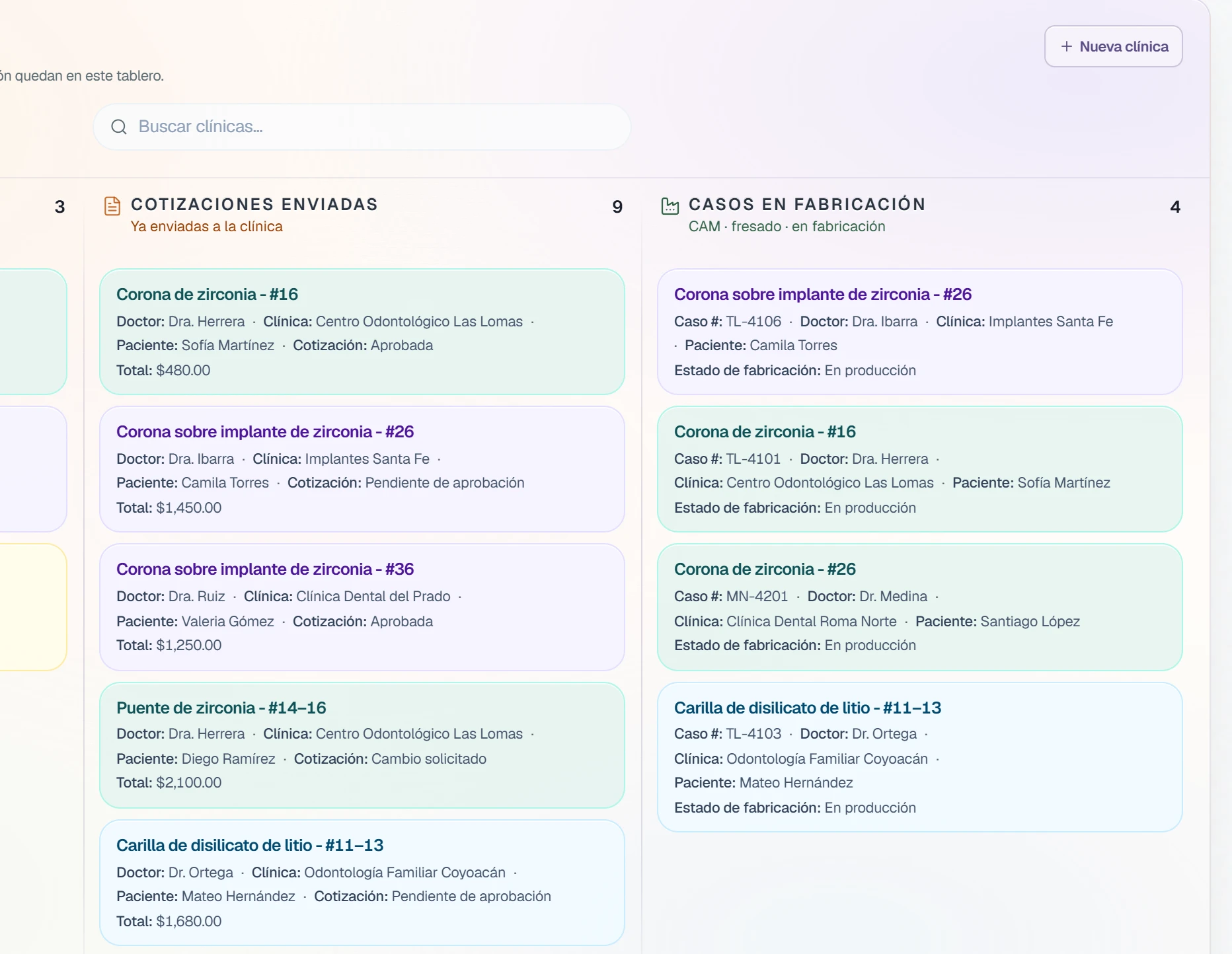
For the clinic that sends you cases regularly. You open the full desk for them.
- You create it.
Clinic name, login email, and password.
- You send it.
You give them that username and that password.
- It stays linked.
The clinic appears on your clinic board.
Desk
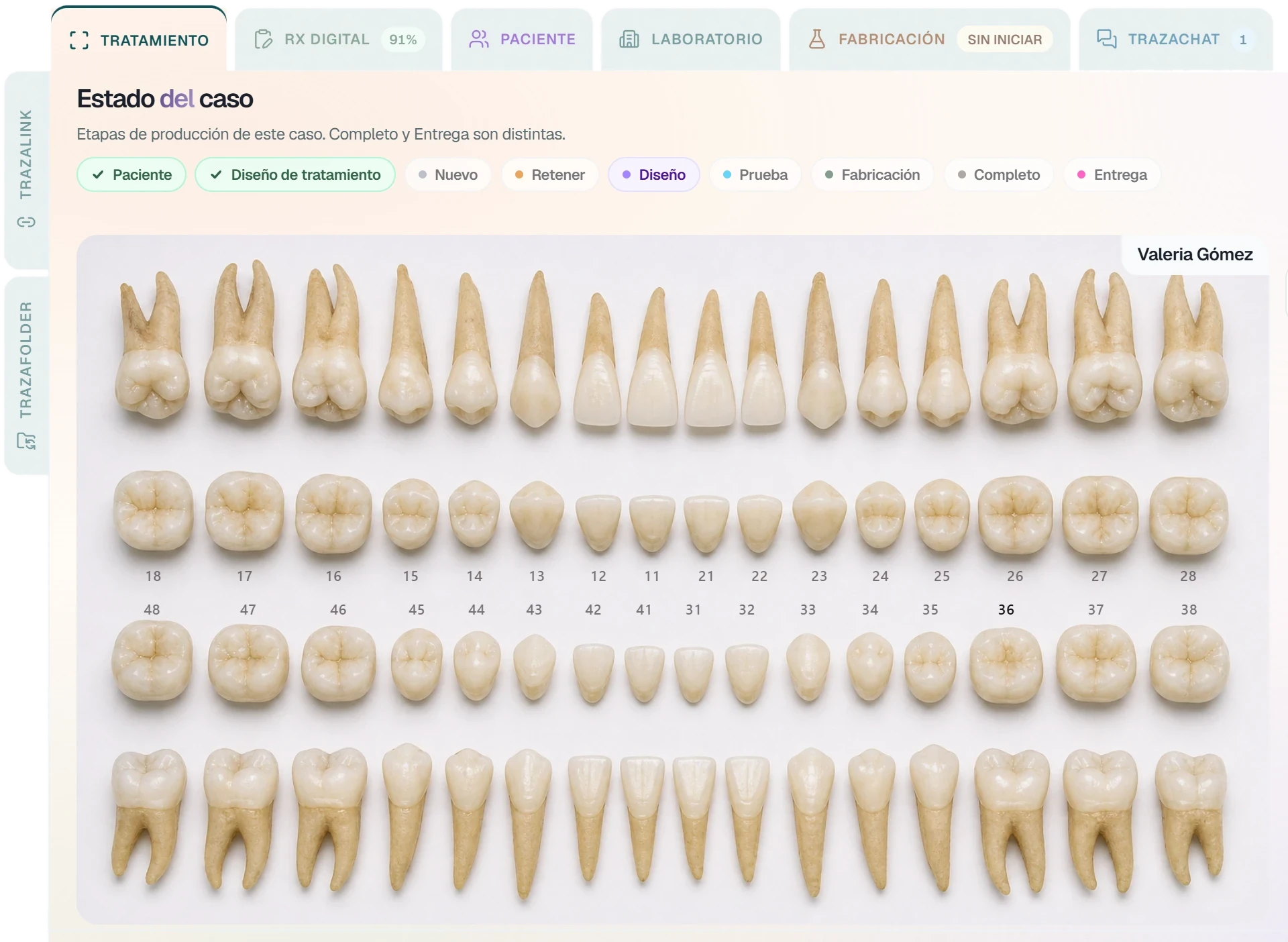
Build the case.
The clinic signs in with its access and builds the case on the desk.
- Choose the patient.
The case starts with who it belongs to.
- Mark the tooth.
Photos, radiographs, and the scan stay on the prescription.
- They send it.
From the case. It arrives on your board with origin Dentist Desk.
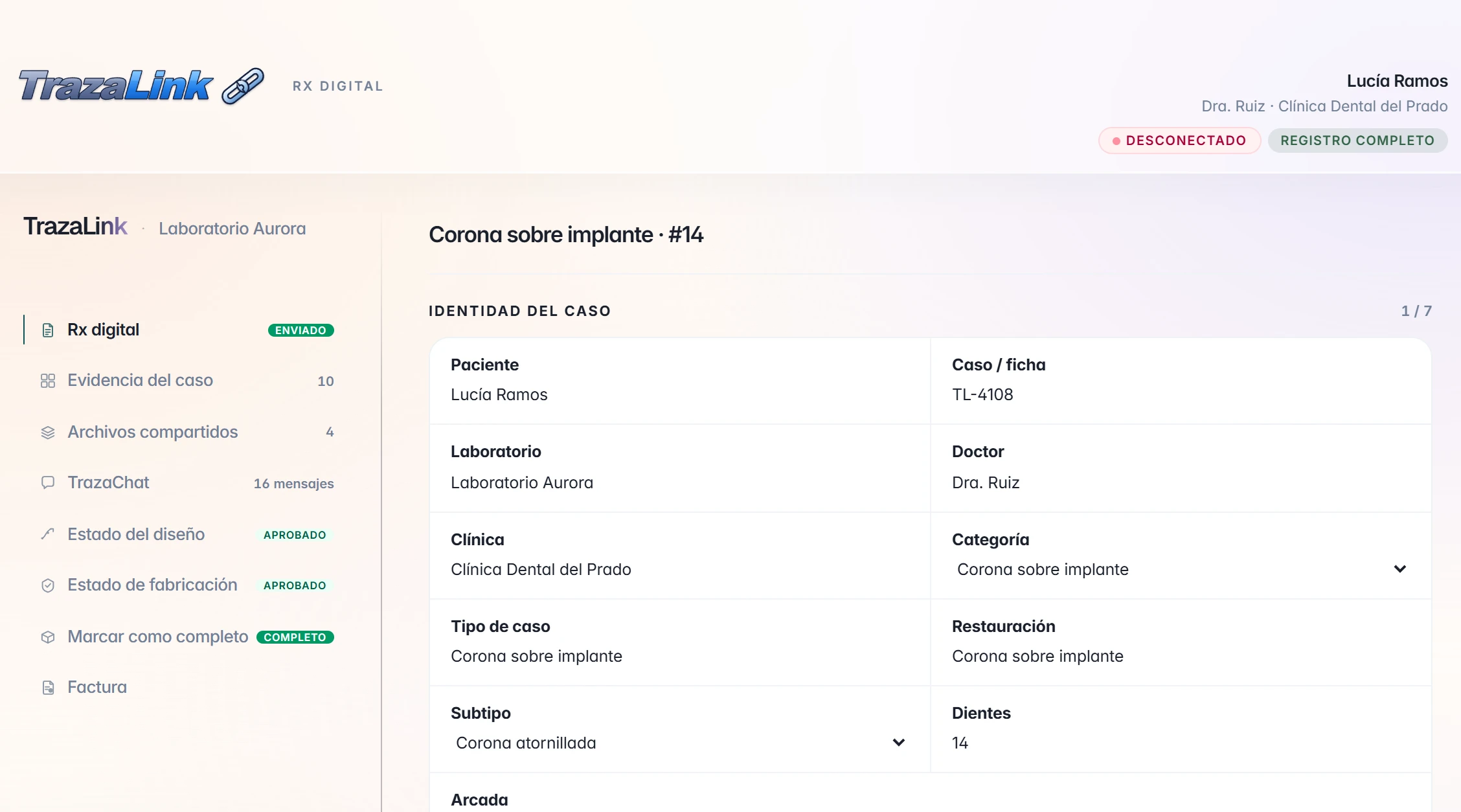
TrazaLink
One packet.
For the one-off case. One link for a single case, with no account and no desk.
- You create it.
Right-click the clinic and the link is created.
- You send it.
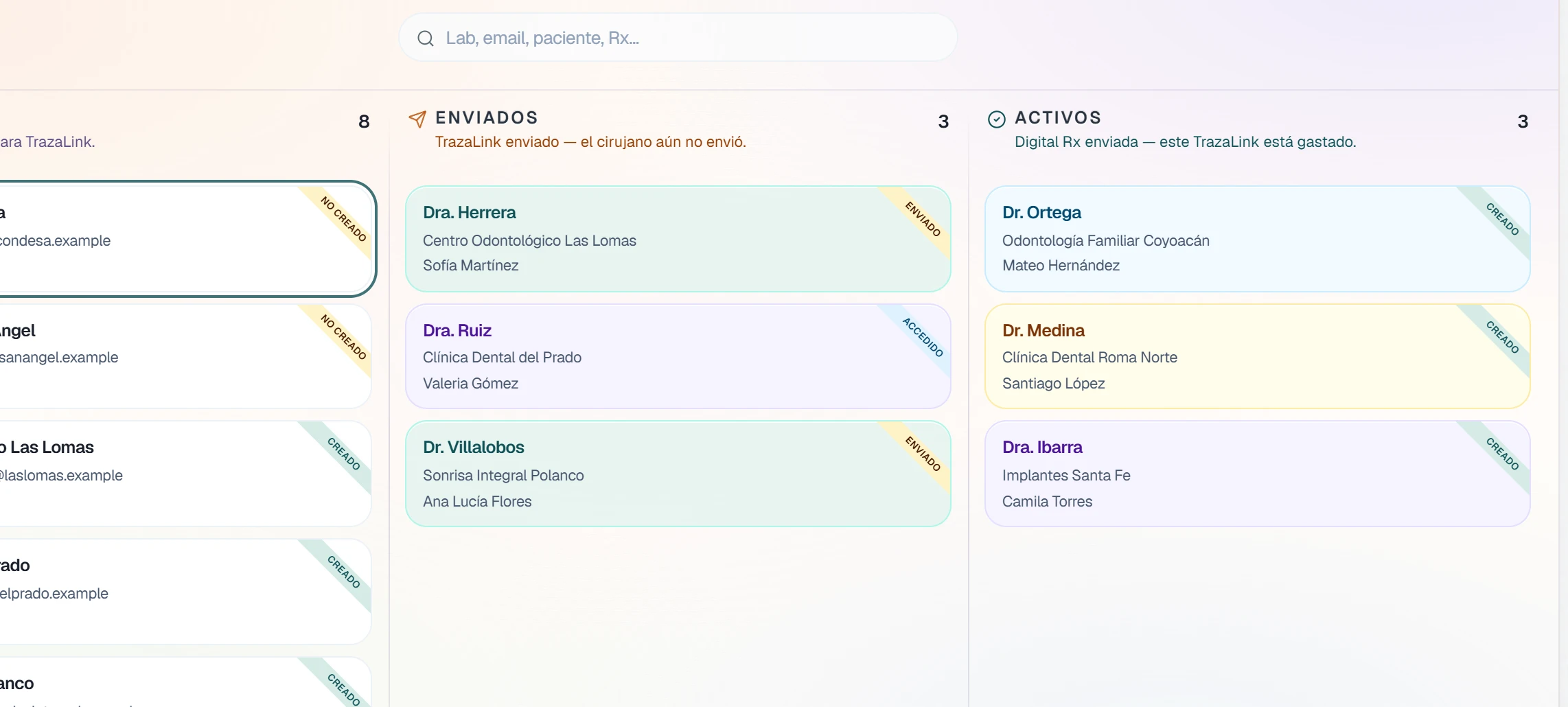
The clinic receives the link. It moves to Sent.
- It is spent.
The clinic sends the digital prescription. It moves to Active and does not work for another case.
TrazaLink
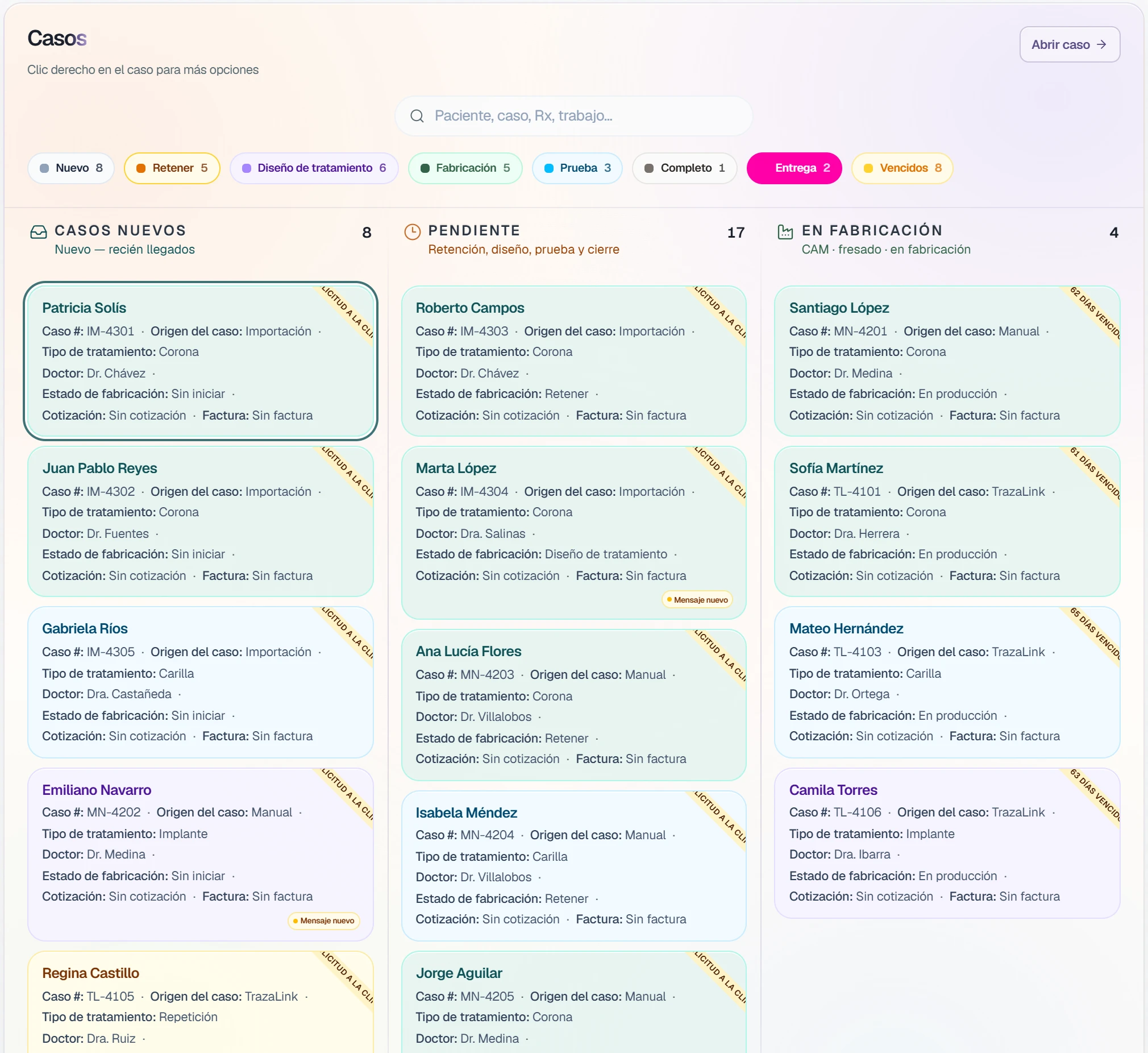
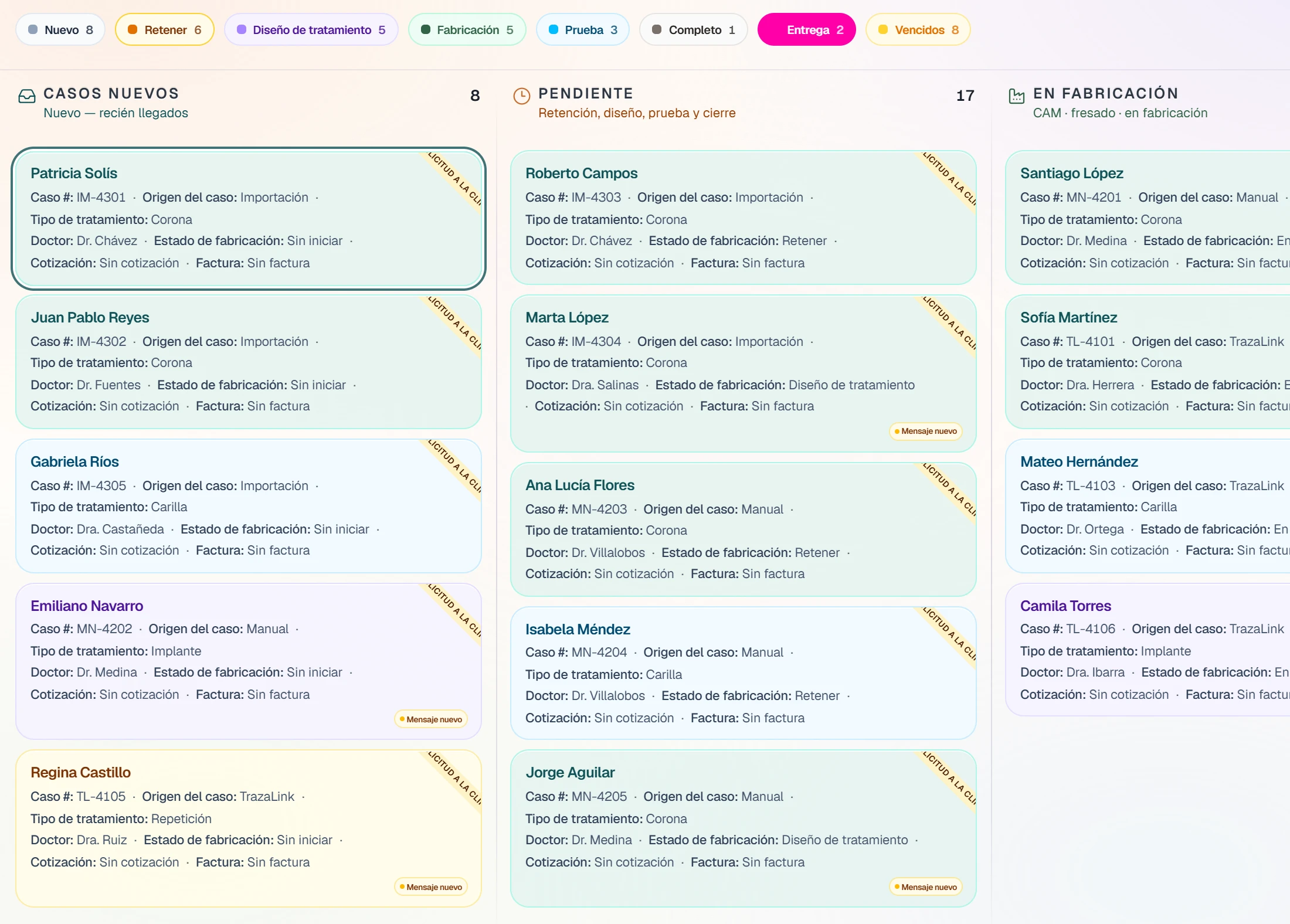
It arrives in Cases.
The packet's prescription becomes a case on your board.
- With its origin.
The card says TrazaLink.
- With its files.
The digital prescription and the files stay on the case.
- On the same board.
Next to the cases that arrive through the desk.
Digital Rx
It arrives with its Rx.
Prescription, photos, and files on the case. Through the desk or through TrazaLink.
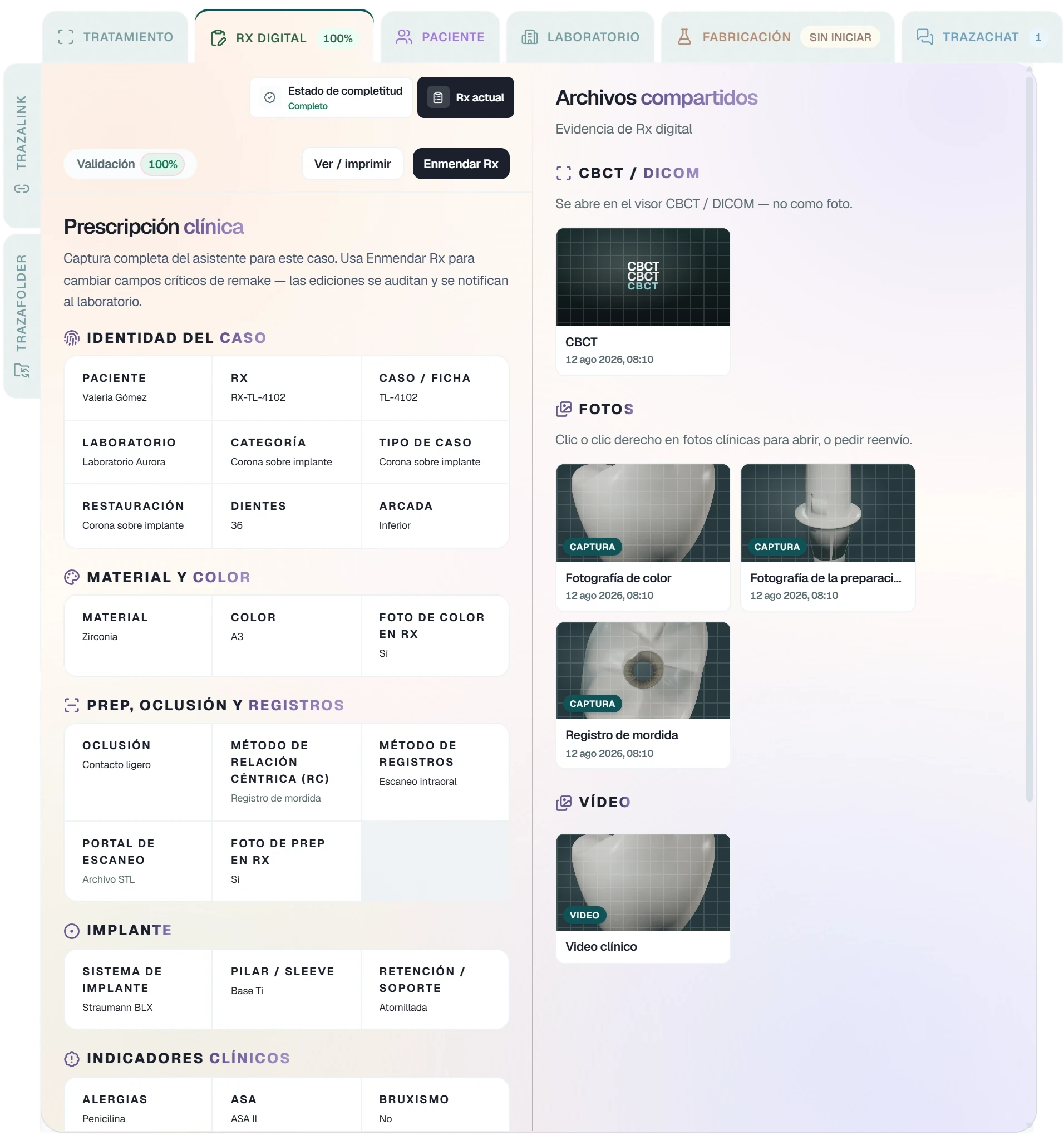
Tooth, material, and shade, field by field.
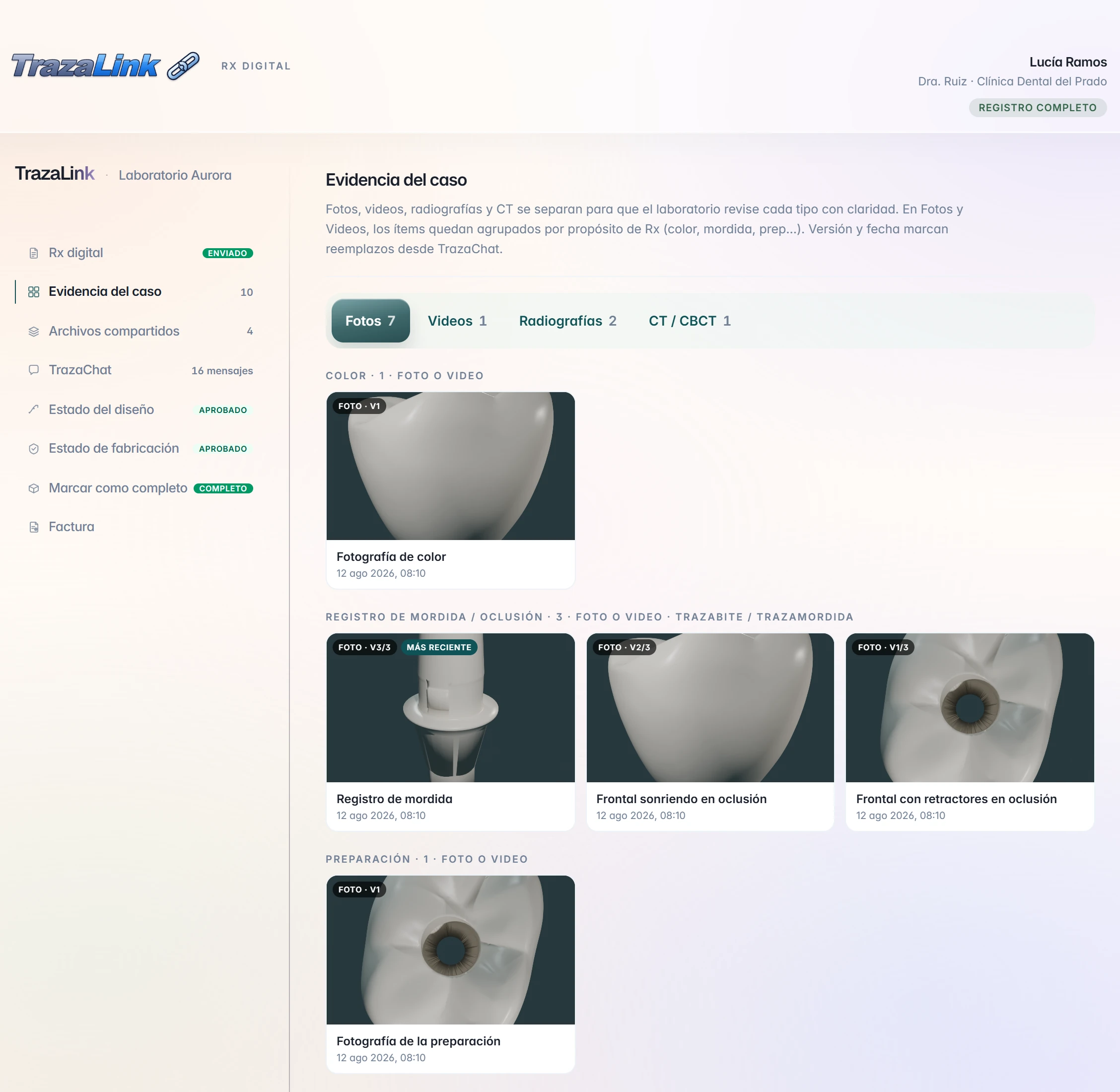
Photos, video, and radiographs, grouped by purpose.
Intraoral scan, STL, and CBCT, inside the case.
The board
Both end in Cases.
Desk or packet, the case stays on your board.
Each card says how the case arrived: Dentist Desk or TrazaLink.
Fabrication does not move until you change it. On both channels.
New cases, Pending, and In fabrication. What came in through the desk and through a packet, together.
Which channel?
Choose by the clinic.
Both arrive in Cases with their Rx. What changes is how the clinic gets in.
Desk
Username and password.TrazaLink
One packet per case.The clinic that sends you cases regularly.
The clinic that sends one case.
Username and password.
One link. No account.
Builds the case on the desk.
Sends the digital prescription from the link.
Prescription, photos, and files on the Digital Rx tab.
Prescription, evidence, and files in the packet.
Cases, with origin Dentist Desk.
Cases, with origin TrazaLink.
Questions
Questions from the laboratory.
The case prescription, field by field: tooth, material, and shade. With it, photos, video, radiographs, CBCT, and the scan files.
Files and scannersNo. The packet is for a single case. The clinic does not open an account or enter the desk.
See TrazaLinkIt is spent. That packet does not work for another case. The subscription seats are on the same screen.
See pricingYou do. The case arrives in Not started through both channels and stays there until you change it.
For laboratoriesIn Cases. Each card shows the origin: Dentist Desk or TrazaLink.
Take the tourNext step
Start with one case.
Open the desk for a clinic, or send your first packet.