
IOS inbox
Review and accept.
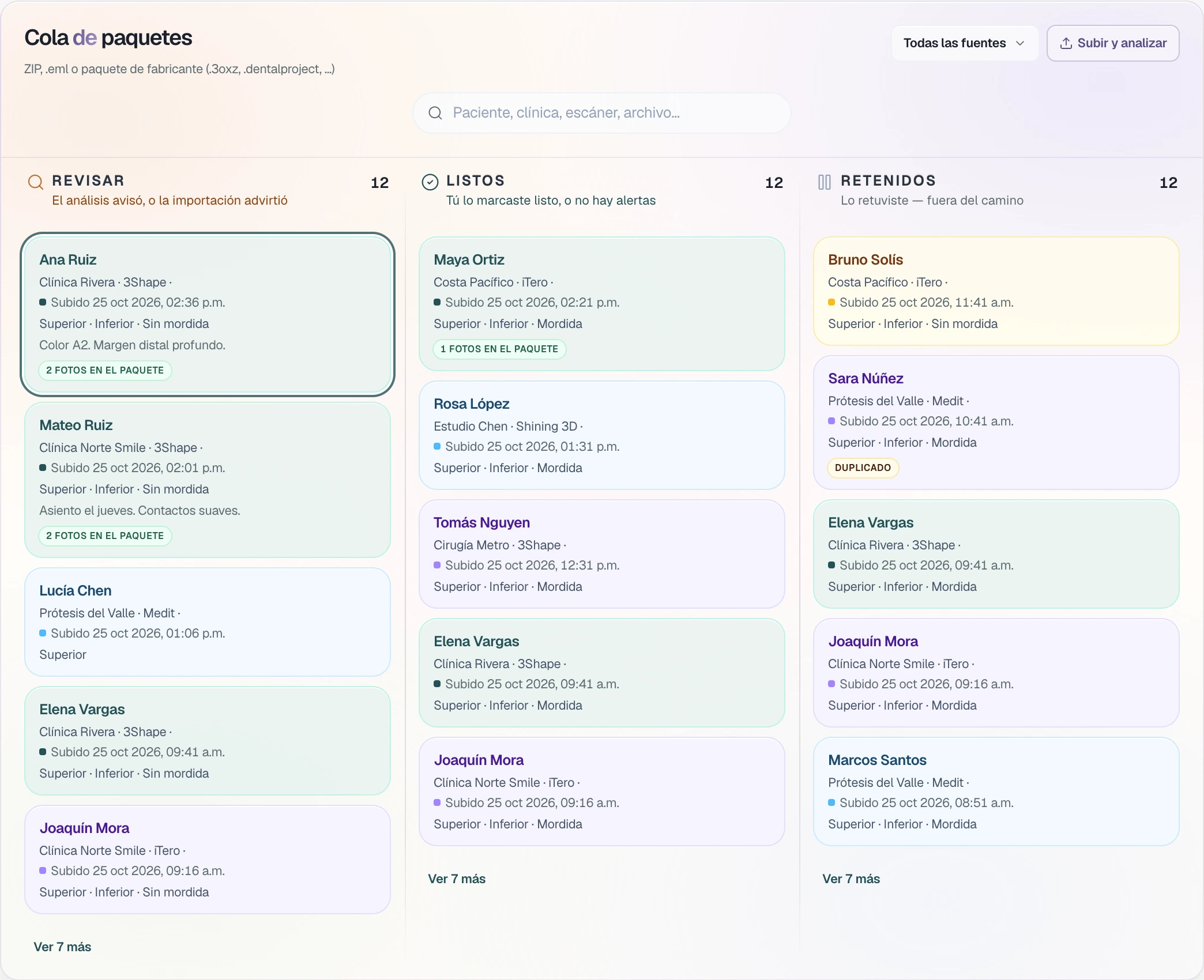
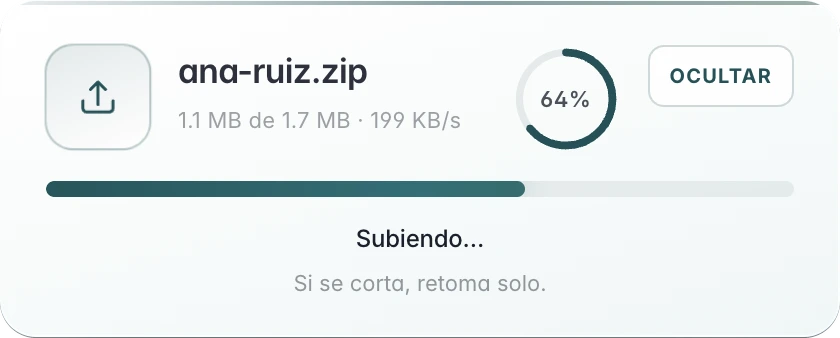
Upload and analyze opens the scanner package. If the bite is missing, it stays in Review. Accept opens the new order and the scans stay on the case.
For labs that receive scanner packages
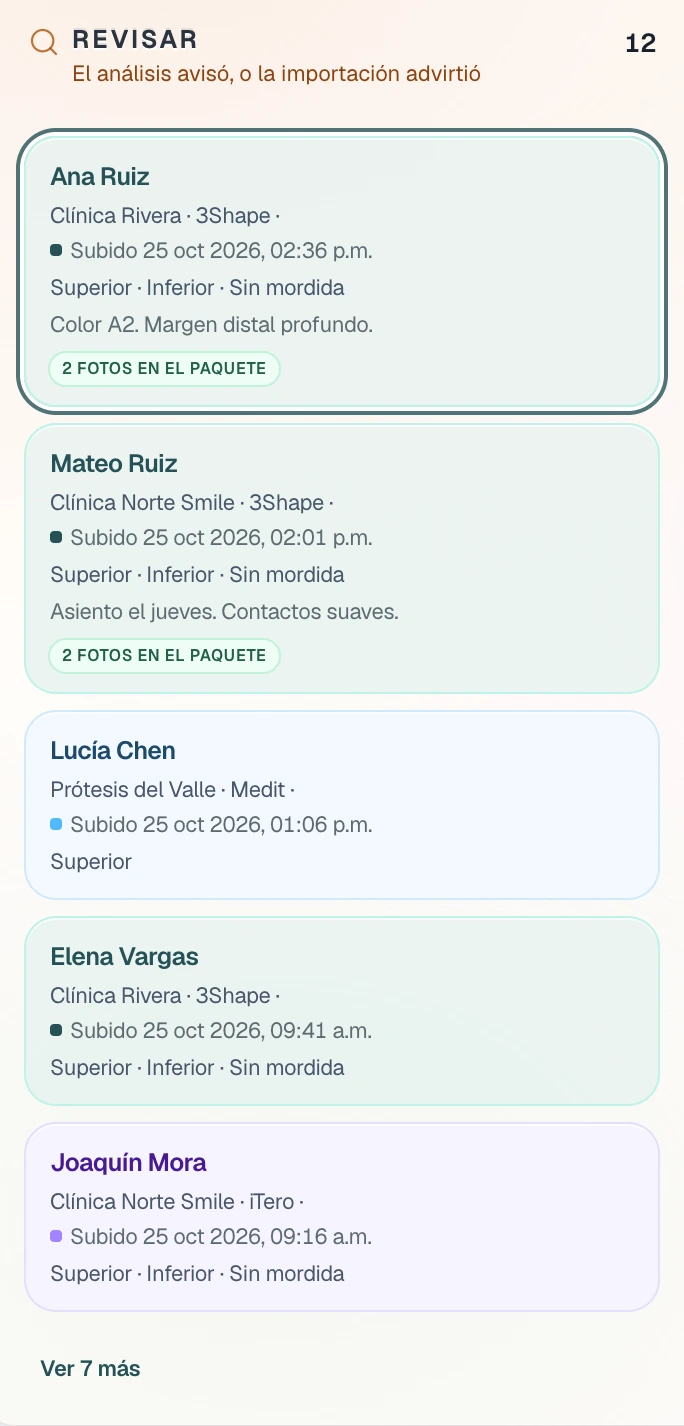
Review
If the bite is missing.
Upper and lower, with no bite file. The card says so, and the package stays in Review.
- Read the card.
Upper, Lower, No bite.
- See the photos.
The card counts the photos that came in the package.
- Do not send it like that.
It stays in Review until you open the mesh and decide.
The menu
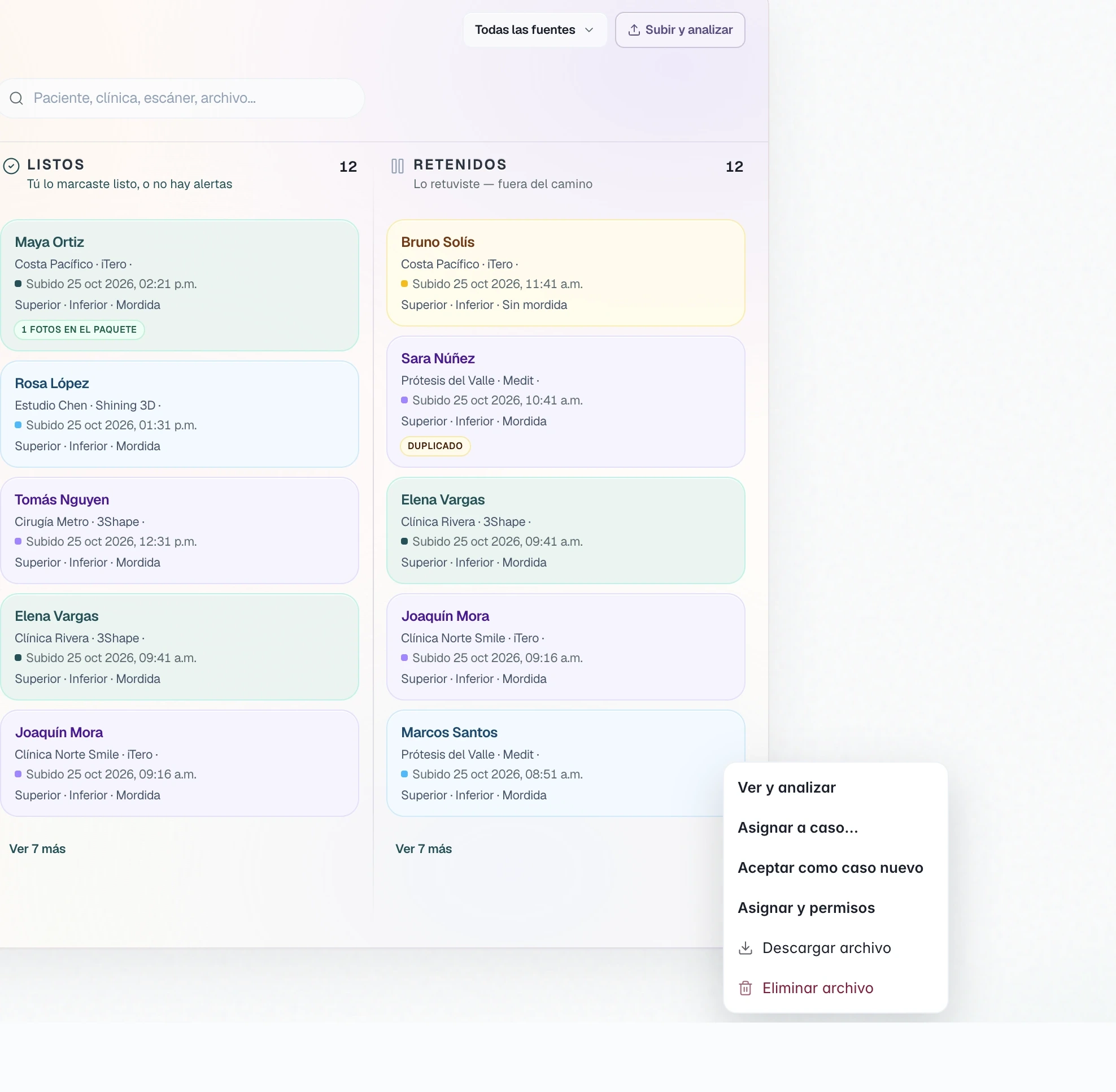
You open the mesh.
View and analyze opens the package mesh. Then you assign or accept.
- View and analyze.
The mesh first. Then you choose.
- Assign to case.
The package goes to a case that is already open.
- Accept as new case.
New order opens with the patient and the clinic from the package. When you create the case, the scans are confirmed on it.
TrazaMesh
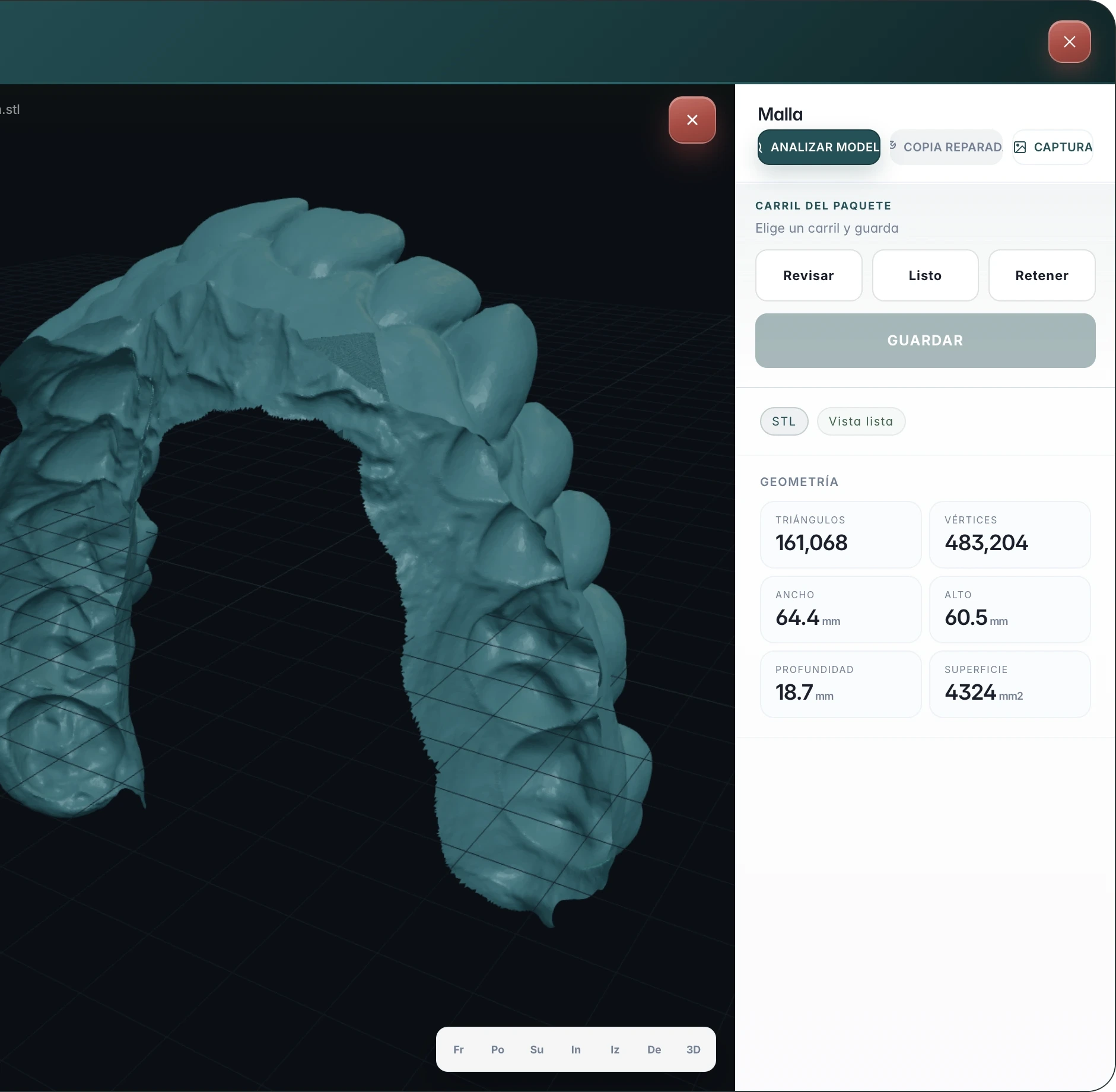
The scan, open.
View and analyze opens the package mesh. You see the arch, the geometry, and the lane.
- The mesh.
The package's upper file, in the viewer.
- Geometry.
Triangles, size, and surface, next to the arch.
- The lane.
Review, Ready, or Hold. Save leaves it on that lane.
The source
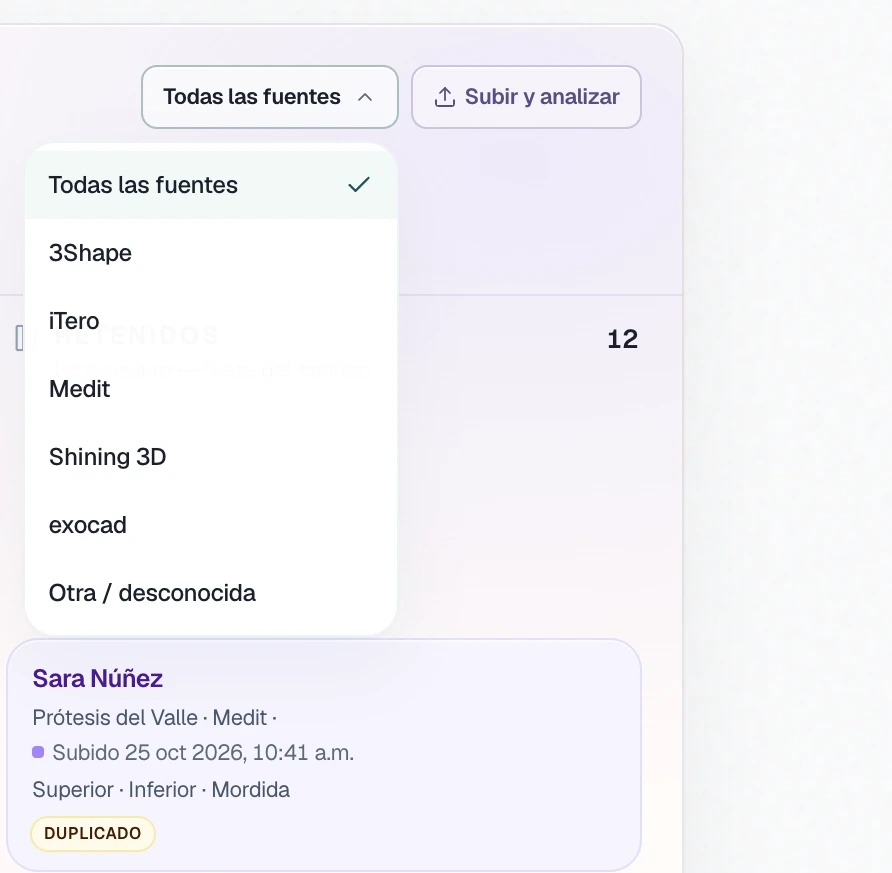
Filter the queue.
You upload the file. The inbox shows the source it detects in that package.
- Upload and analyze.
ZIP, .eml, or a manufacturer package: .3oxz, .dentalproject.
- All sources.
3Shape, iTero, Medit, Shining 3D, exocad, or another.
- Duplicate.
If the package was already there, the card marks it.
Three lanes
Review, ready, held.
The package does not move to the case on its own. You read it and you move it.
The importer flagged it, or the bite is missing. The package waits for you to read it.
You marked it ready, or the package has no alerts.
Hold takes it off the path. It stays there until you release it.
Before and after
The inbox and the case.
The file waits in the queue. The case stores what you already accepted.
Inbox
The packageCase
Already acceptedThe file, still without a case.
The scans, confirmed.
If it is missing, the card says No bite.
It comes in when you accept or assign.
You open the mesh.
New order, or an open case.
Questions
Questions from the lab.
ZIP, .eml, or a manufacturer package: .3oxz, .3ox, .xorder, .xorder2, .dentalproject. You drop it on the queue or use Upload and analyze.
Files and scannersNew order opens with the patient and the clinic from the package. When you create the case, the scans are confirmed on it.
Case processingYes. Assign to case. First, View and analyze opens the mesh.
The caseIt leaves the package in Held, off the accept path. You release it when the package can continue.
For labsNo. You upload the file. The inbox shows the source it detects in that package, and you filter the queue with that.
The inboxNext step
Accept the first package.
Review it. If the bite is there, open it on the case.