
Digital contracts
Every contract, signed on screen.
The laboratory signs the fabrication agreement with each clinic. The dentist signs the consent with each patient. Both are written by sections, signed on screen, and sent by TrazaChat or as a PDF.
For dental laboratories and clinics
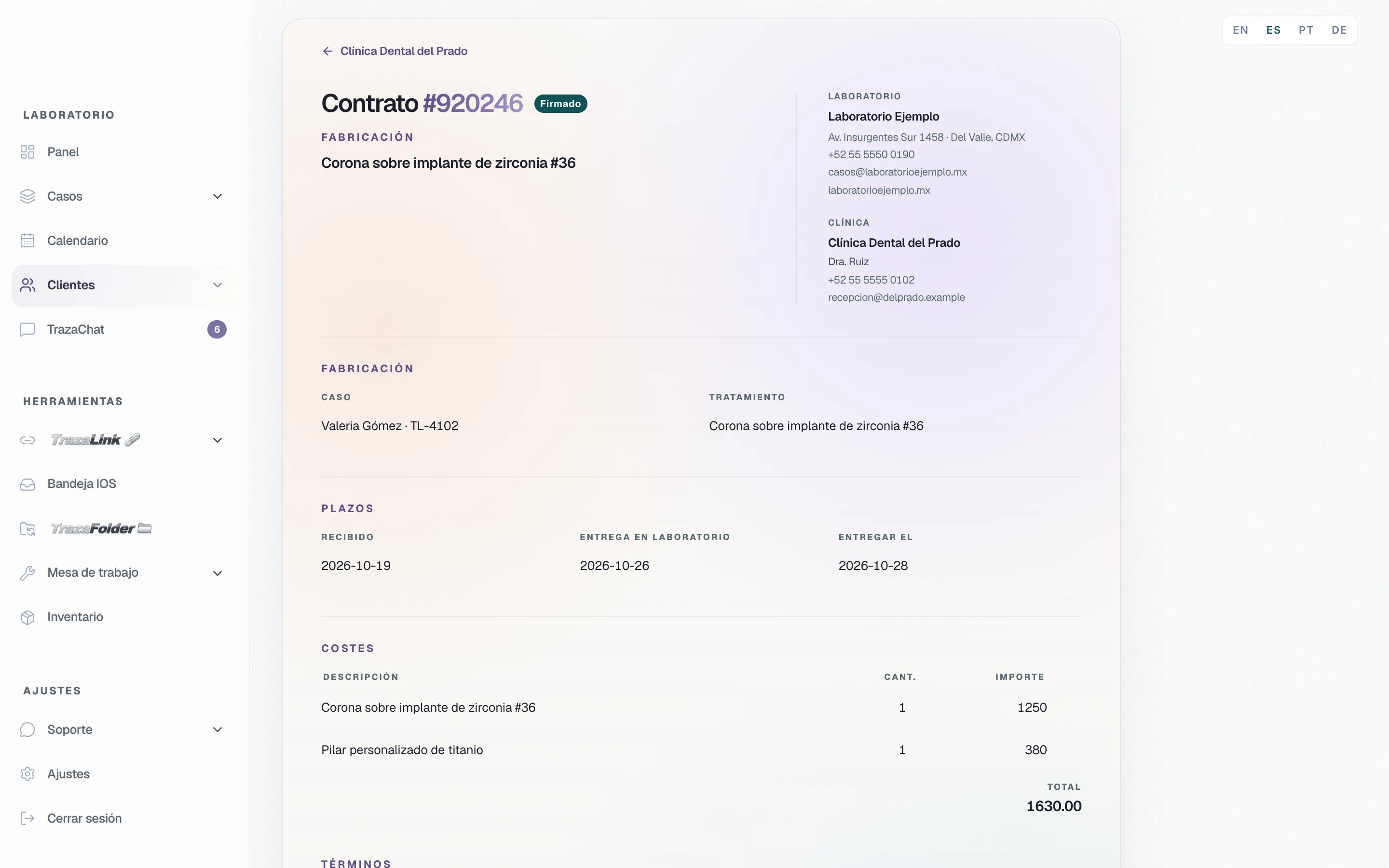
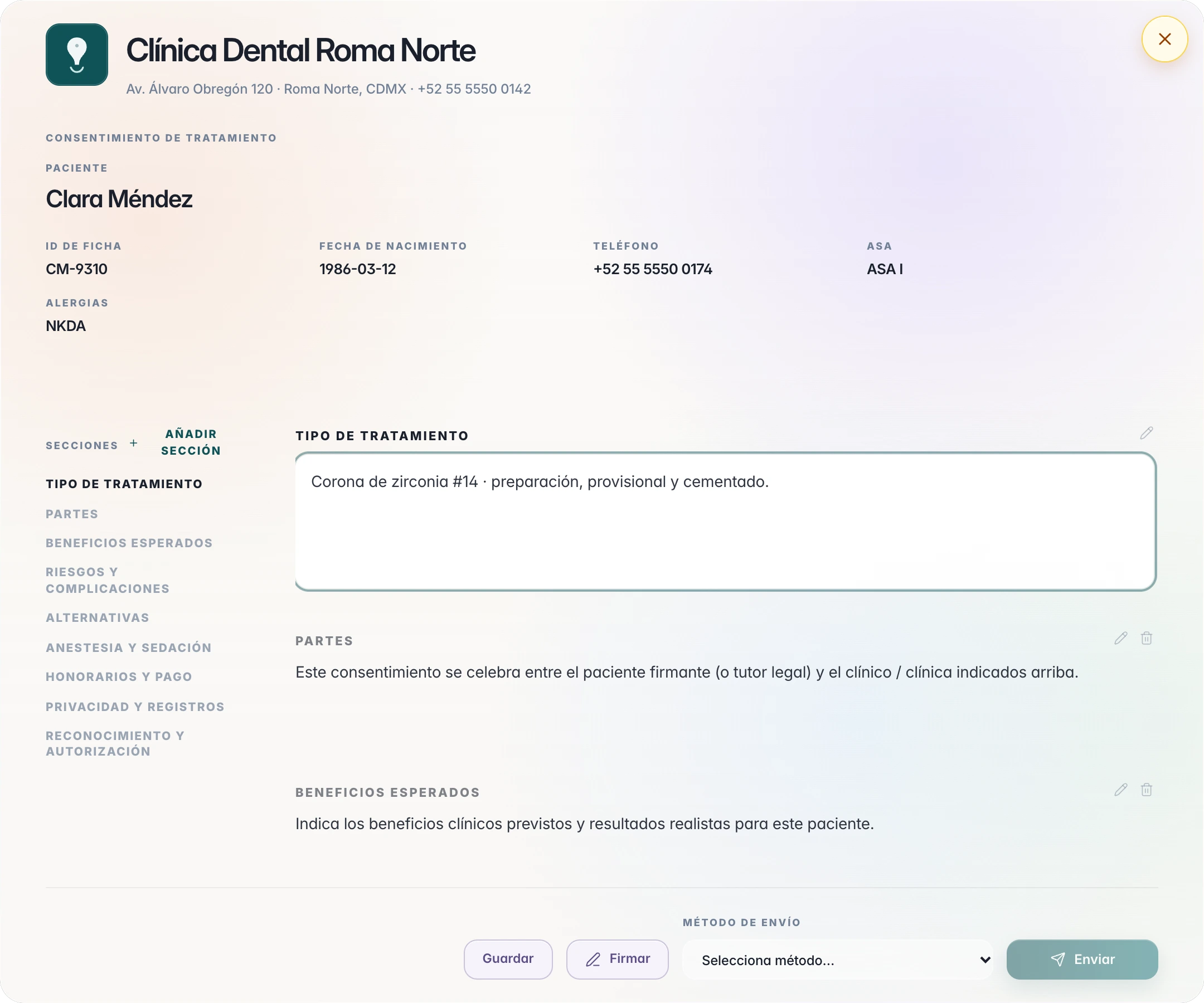
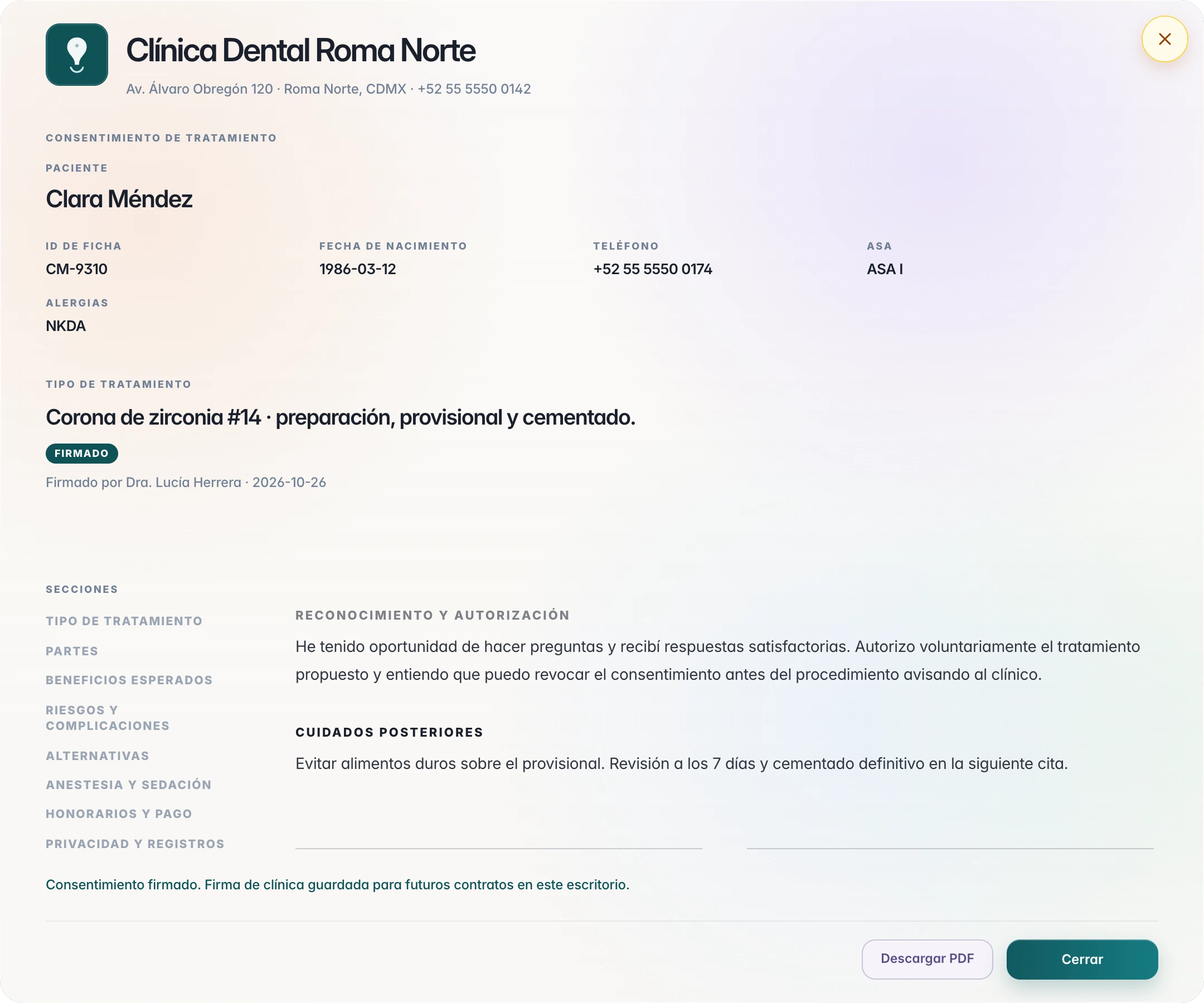
Laboratory · Fabrication agreement
The agreement with each clinic.
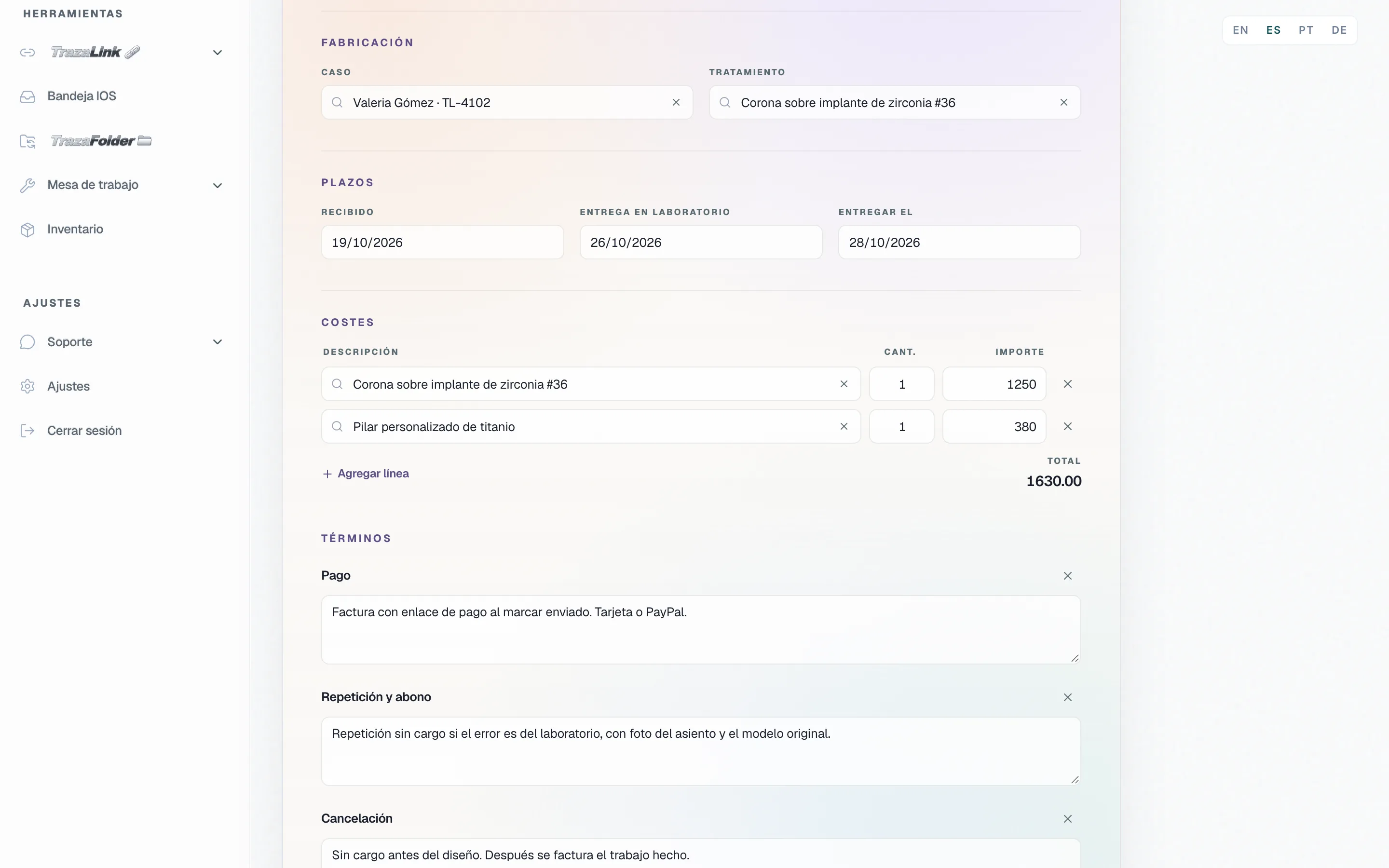
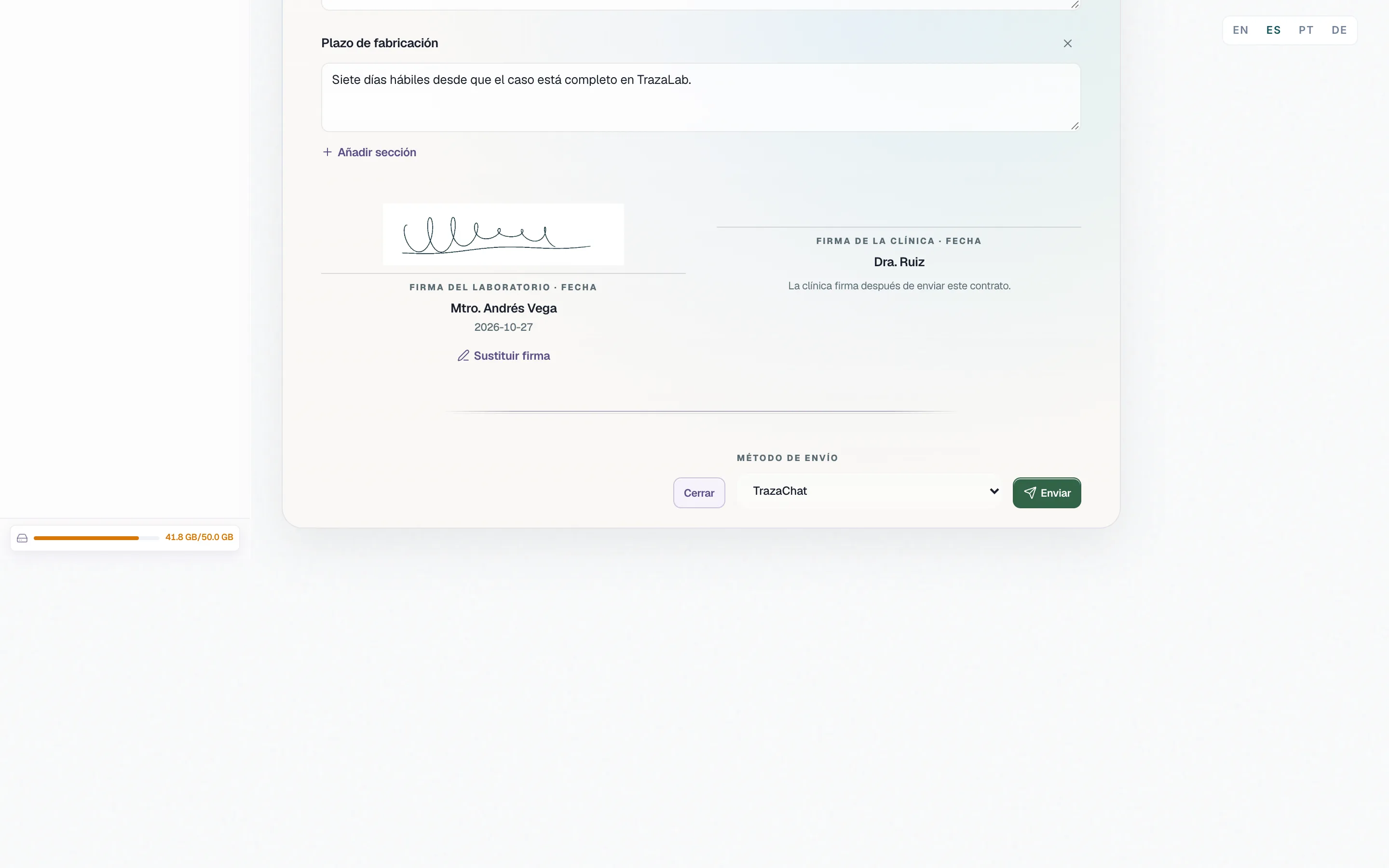
On the clinic record, Contracts → New contract. The parties come from the record: your laboratory and the clinic, with their details.
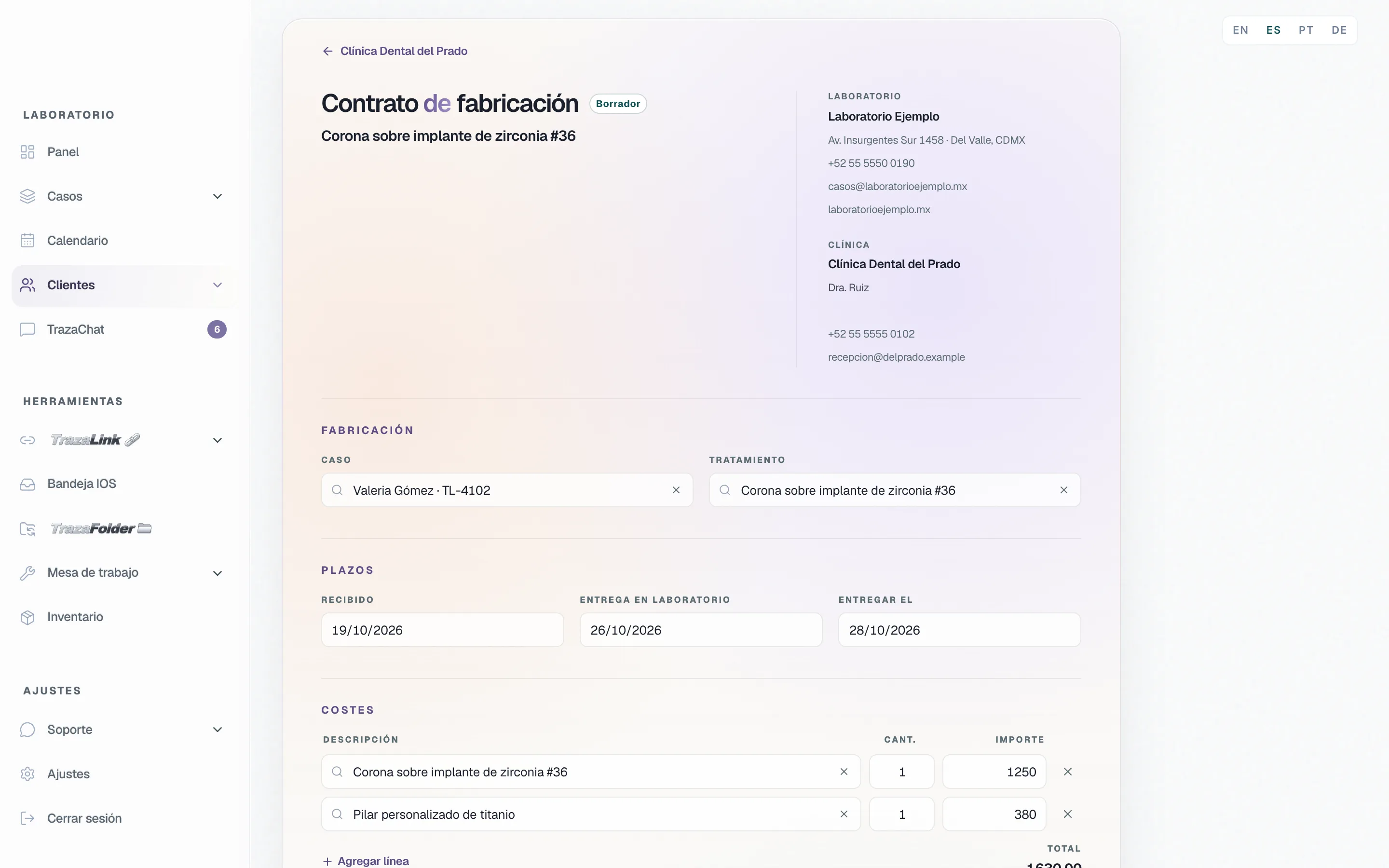
Electronic signature
Signed by both parties.
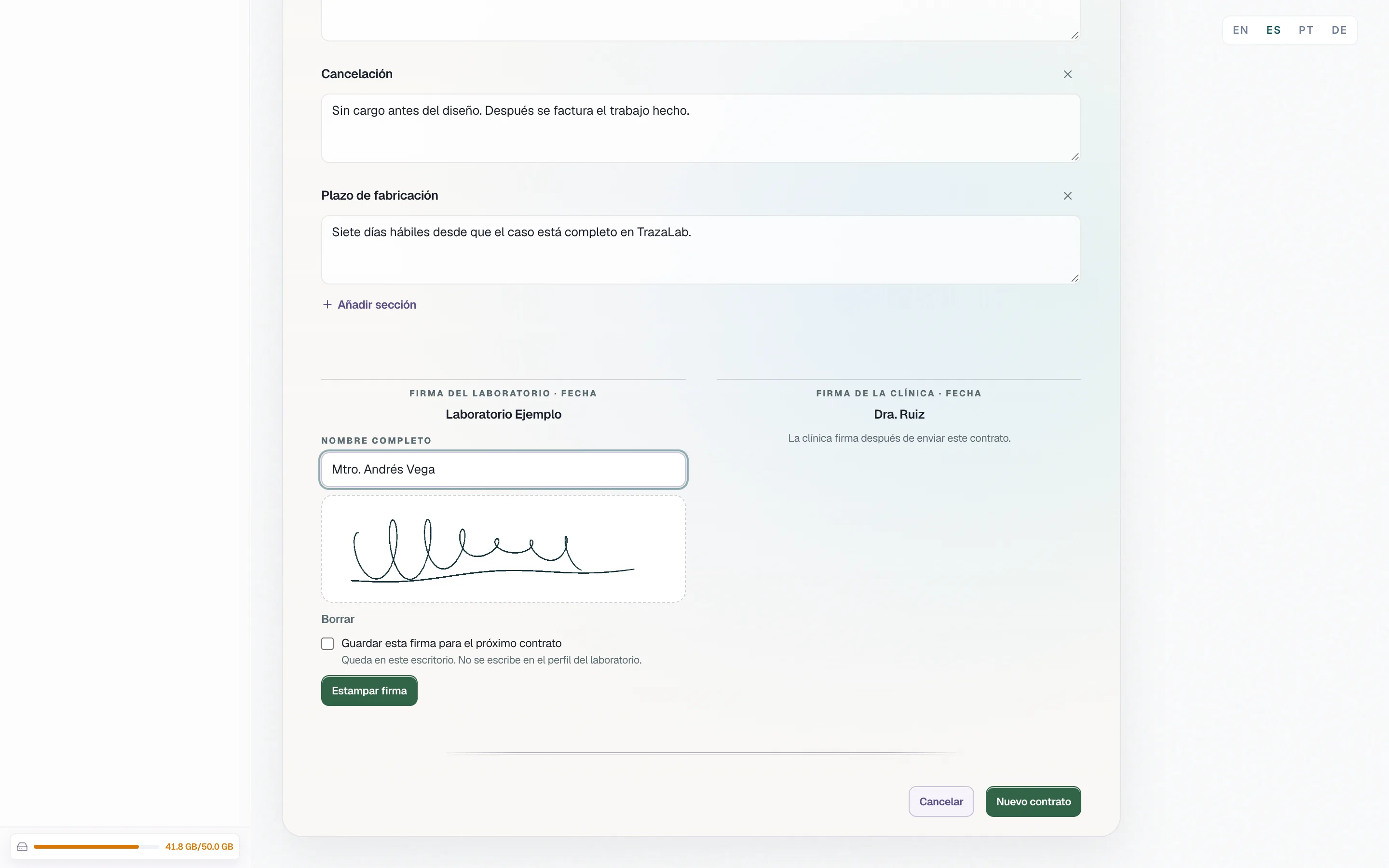
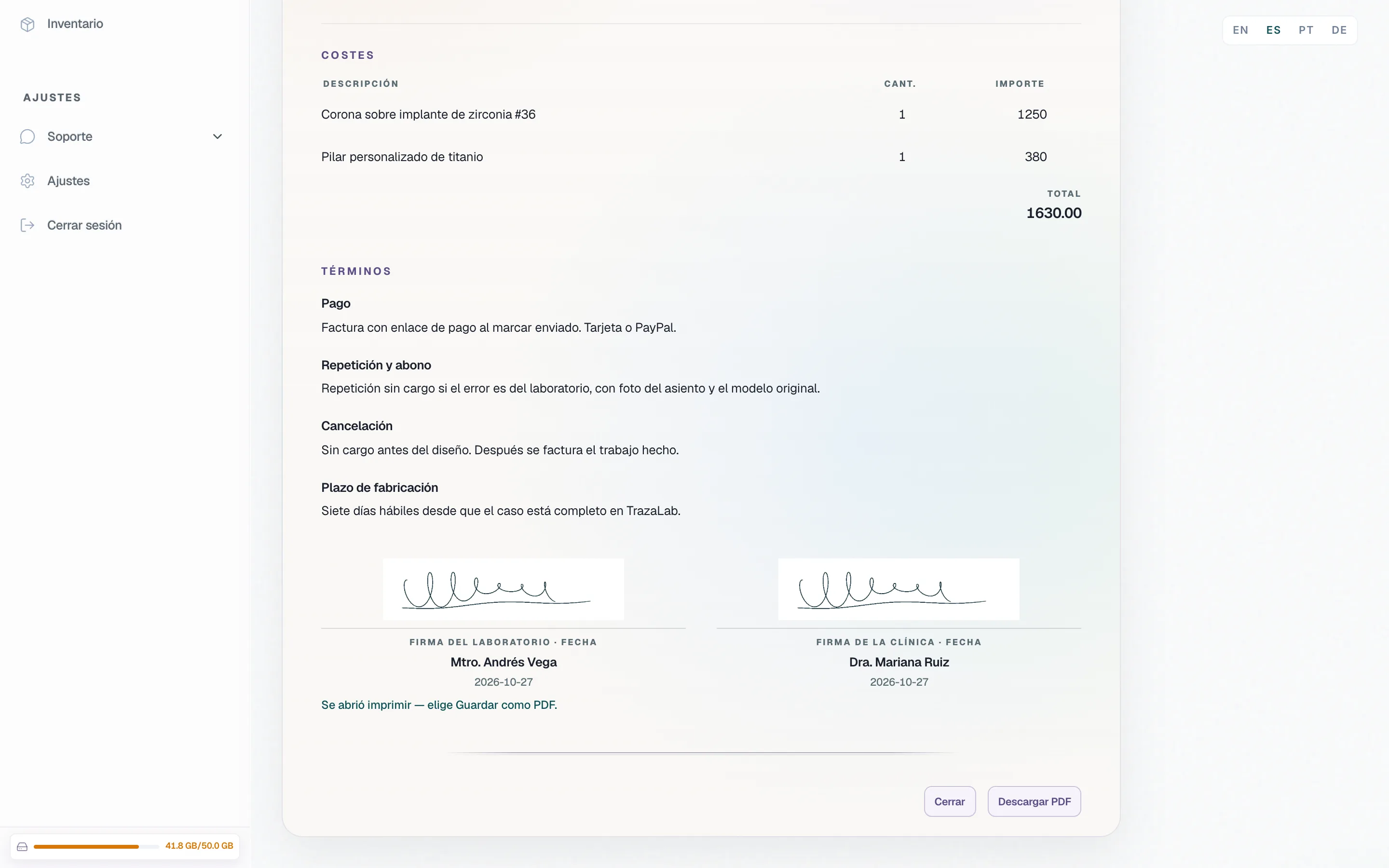
Sign opens the box: full name and the signature, with the mouse or a finger. Place signature puts it on the agreement with the date.
Send to the clinic
On the case, where you already talk.
In Send method you choose how the agreement arrives. It travels as an attached file on the case you chose.
- TrazaChat.
In the case chat, on the dentist desk.
- TrazaLink.
In the case's TrazaLink chat, for the doctor who works without an account.
- PDF.
Download PDF opens the print view of the agreement with both parties and the signatures.
Side by side
Two contracts, one way to sign.
The laboratory contracts fabrication with the clinic. The clinic contracts the treatment with its patient.
Laboratory
Fabrication agreement.Dentist
Treatment consent.With each clinic.
With each patient.
Clinic record → Contracts.
Patient chart → Contracts.
Case, treatment, schedule, costs, and terms.
Letterhead, chart details, treatment, and sections.
The laboratory, and then the clinic.
The clinician; the patient's line is on the document.
TrazaChat, TrazaLink, or PDF.
TrazaChat, link, or PDF.
—
Signer, date and time, IP, and browser.
Dentist · Consent
Each patient, their consent.
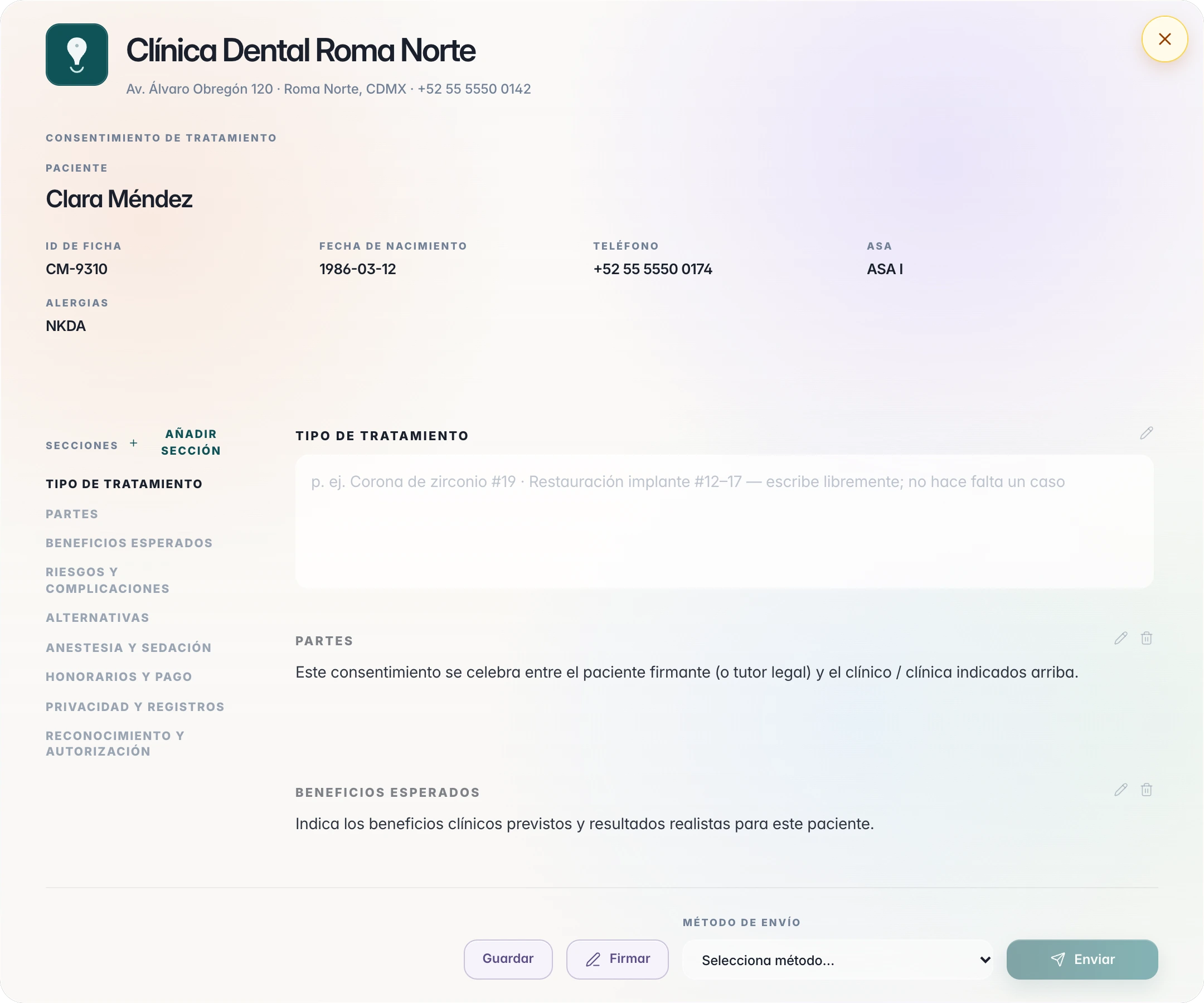
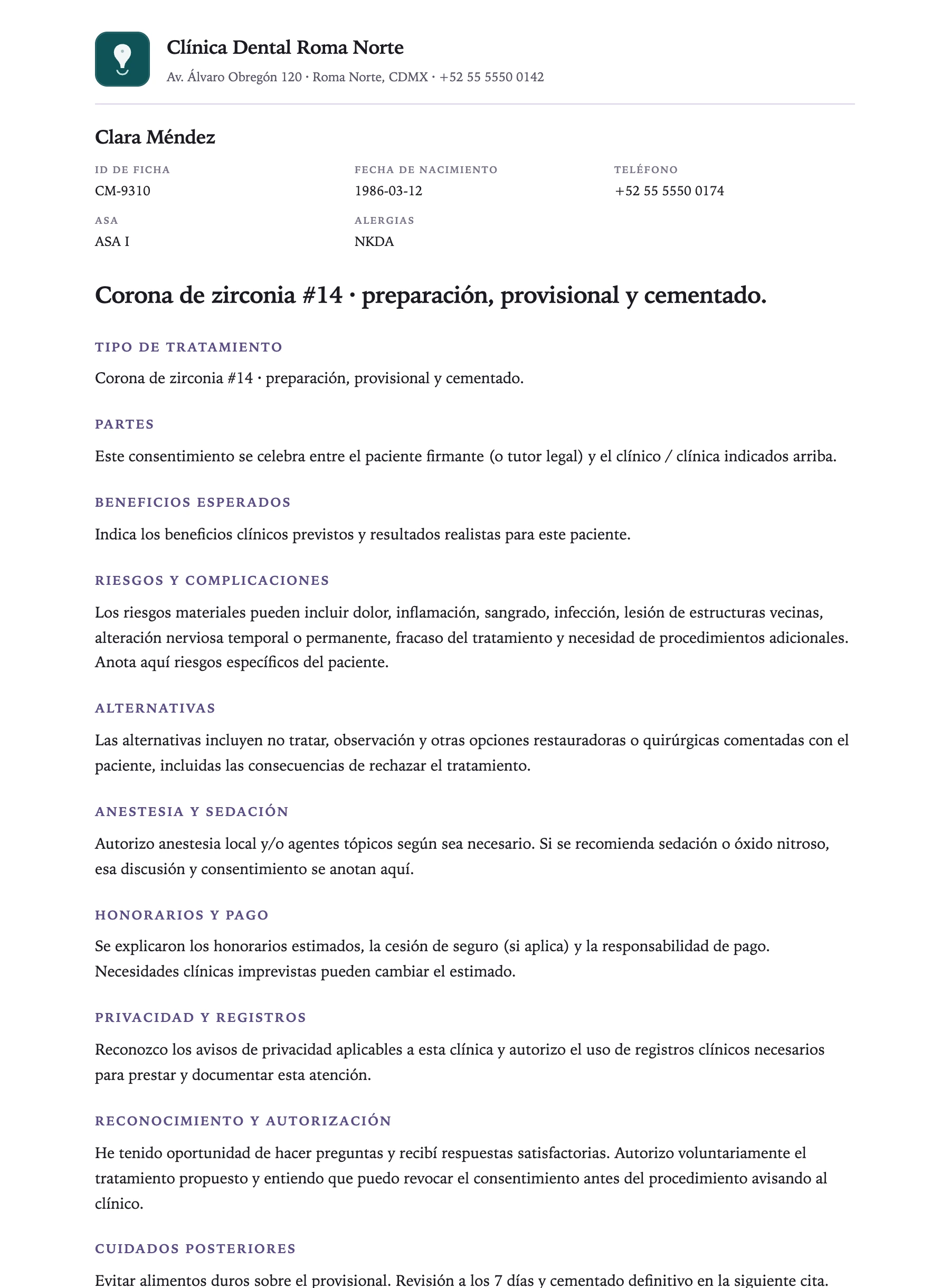
On the patient chart, Contracts → New contract opens the document with your clinic's letterhead and the chart details. You write the treatment.
The record
Every consent signature is recorded.
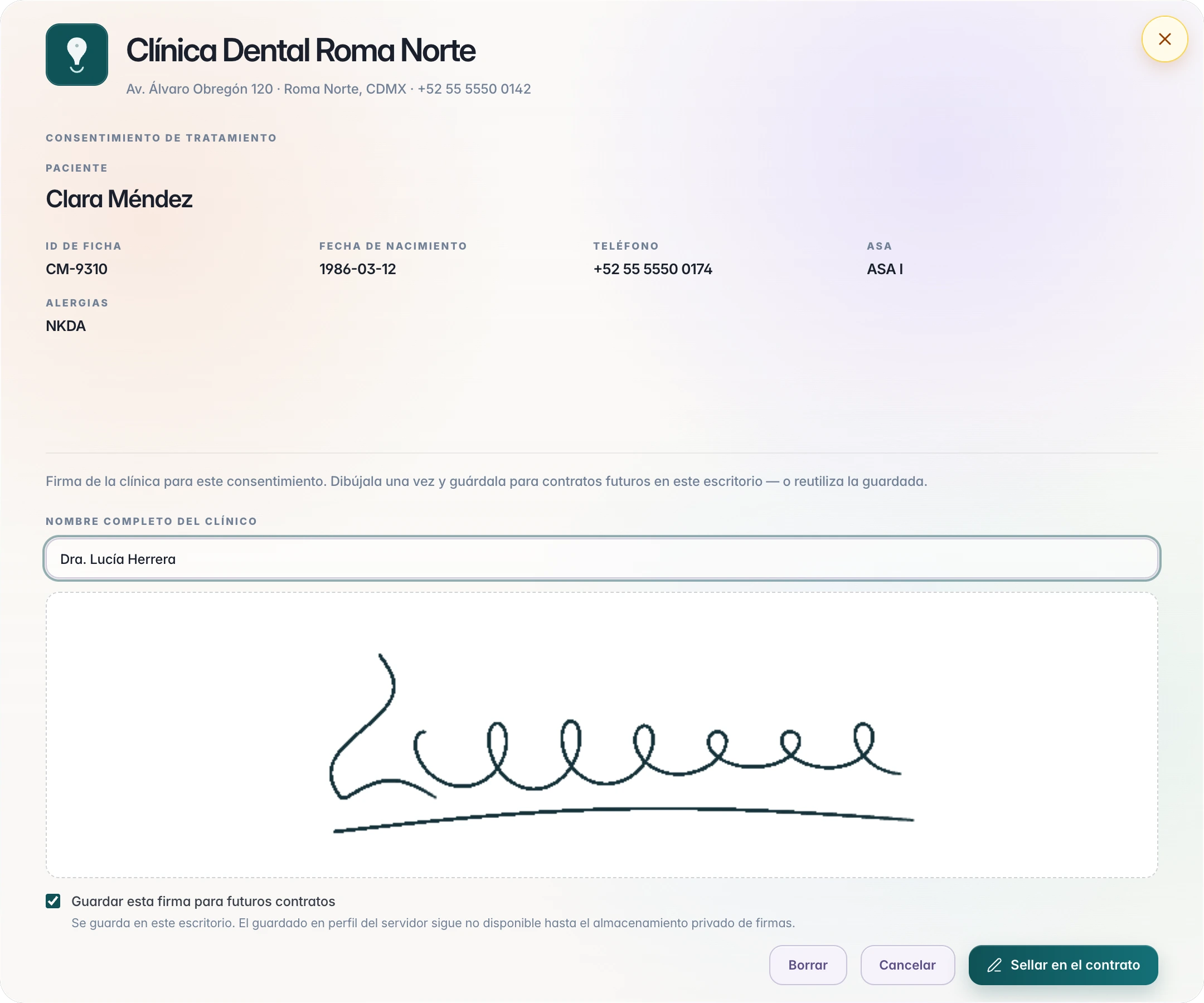
With each signature, TrazaLab stores on the patient’s record who signed, when, and from where.
It is an electronic signature drawn on screen, not a digital certificate. Check what your jurisdiction asks for each contract.
- Signer
- The full name of the person who signs.
- Date and time
- The moment it was sealed.
- IP address
- Where it was signed from.
- Browser
- Which device it was signed with.
- Version
- Each new consent is a version; earlier ones stay on the patient's record.
Send to the patient
By TrazaChat, link, or PDF.
In Send method you choose how the consent reaches the patient.
- TrazaChat.
In the patient chat with the file attached. If they are not connected yet, you share your clinic's link and a PIN.
- Link.
Copy sign link saves the consent and copies its link.
- PDF.
The print view with the letterhead and each section, to save it or sign it at the clinic.
Questions
Questions about contracts.
Two. The laboratory makes the fabrication agreement with each clinic, from the clinic record. The dentist makes the treatment consent with each patient, from the patient chart.
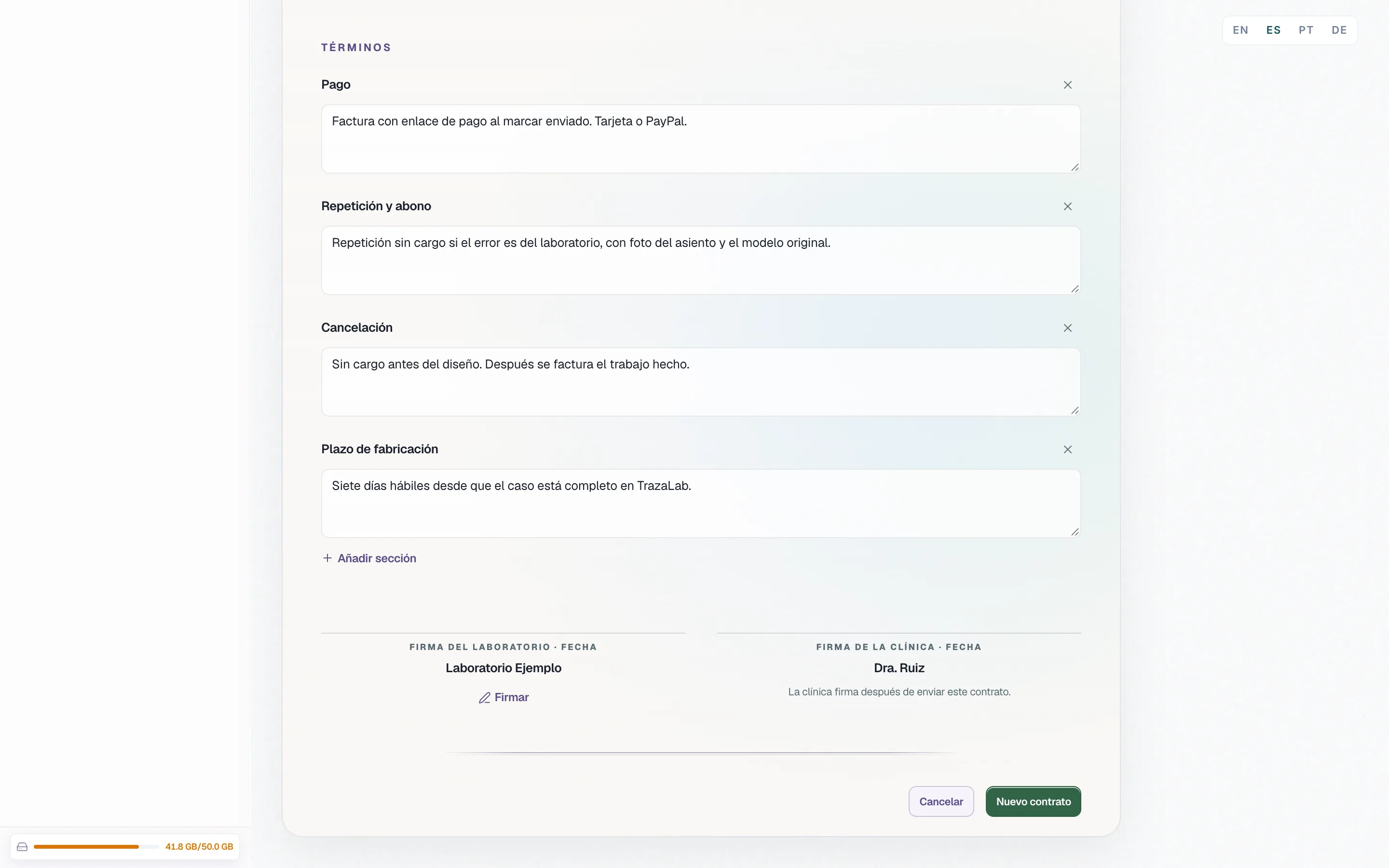
Side by sideThe two parties with their details, the case and the treatment, the schedule (received, in-lab due, and delivery), the costs with their total, and the terms: payment, remake and credit, cancellation, and turnaround. Each term is edited, removed, or added.
Fabrication agreementBy TrazaChat, in the case chat on the dentist desk, or in the case's TrazaLink chat, with the file attached. Also as a PDF from the print view.
Send to the clinicYour clinic's letterhead, the chart details (ID, date of birth, phone, ASA, and allergies), the treatment type, and the starter sections: parties, benefits, risks, alternatives, anesthesia, fees, privacy, and authorization. You can edit them, remove them, and add your own.
ConsentOn the fabrication agreement the laboratory signs, and the clinic's signature line opens once it has been sent. On the consent the clinician signs, and the document carries the patient's signature line with the date.
SignaturesNo. It is an electronic signature drawn on screen. On the patient consent, who signed, when, the IP address, and the browser are recorded. Check what your jurisdiction asks for.
The recordIf you choose to save it, it stays on that desk for the next contract. It is not written to the laboratory profile or the clinic profile.
SignaturesNext step
Sign your first contract.
Open a clinic record or a patient chart and press New contract.