
Dental lab · Practices
How to record each dentist's preferences
Ask each practice how they like the work before the first order, save it on their record and keep only what changes for one case on the Rx.
The guide
Every preference in its place.
New practice · Form
Ask before the first order.
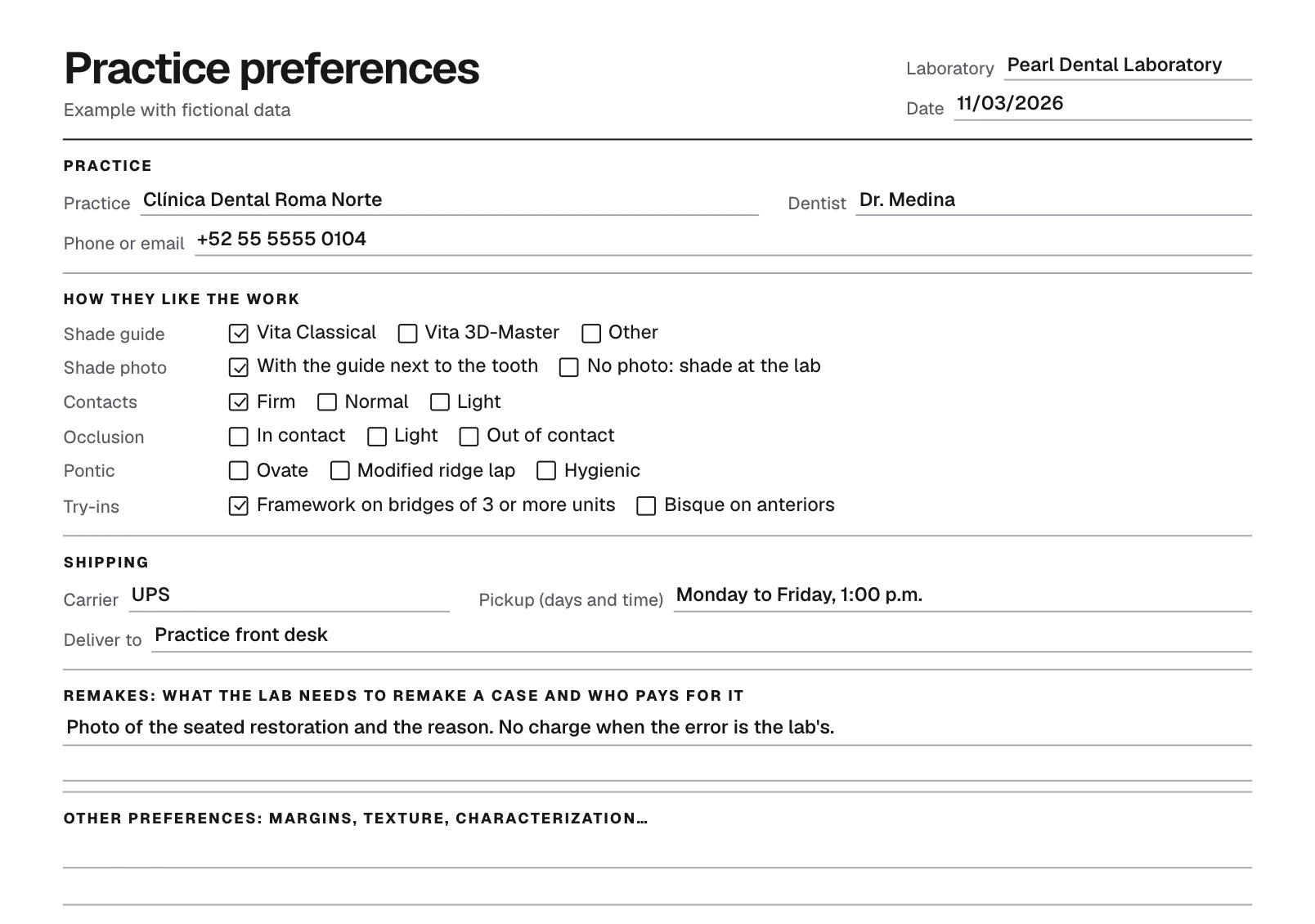
Dr. Medina, of Clínica Dental Roma Norte, is about to send his first crown. First, the lab gives him a short sheet to mark how he likes the work.
Shade guide, shade photo, contacts and try-ins: what he asks for in almost every case. Anything left blank is decided case by case.
Which carrier he uses and when cases are picked up and delivered.
What the lab needs to remake a case and who pays for it. Better to agree before the first case than to argue over the first one that fails.
Clínica Dental Roma Norte
Dr. Medina's preferences
First order · November 3
How he likes the work
- Shade guide
- Vita Classical
- Shade photo
- With the guide next to the tooth
- Contacts
- Firm
- Try-ins
- Framework on bridges of 3 or more units
Left blank: occlusion and pontic. They are decided case by case.
Shipping
- Carrier
- UPS
- Pickup
- Monday to Friday, 1:00 p.m.
Remakes
- To remake
- Photo of the seated restoration and the reason
- Who pays
- No one, if the error is the lab's
The template
Your preferences form.
Fill it in with the practice or print it blank and hand it over with the first order. Each block fits a field on their record in TrazaLab.
Marked0
Blocks0/4
Blank 6
Anything left blank is decided case by case, on the Rx.
Saving preferences on each practice's record takes an account. Create an account
Clients · Preferences
Save them on the record.
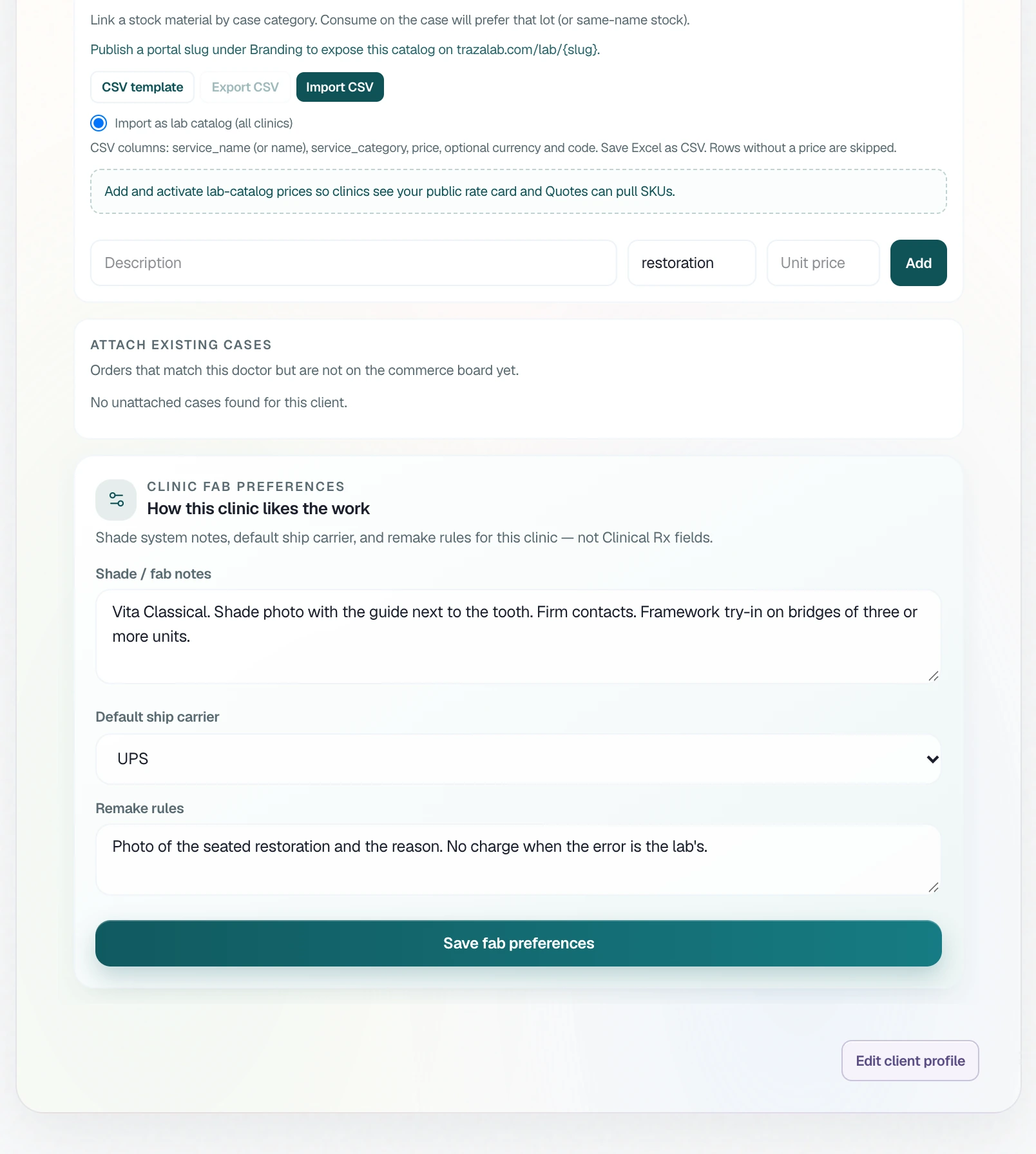
Copy the sheet into the practice's record in TrazaLab. It's three fields, and the technician sees them on every case from that practice.
In Clients, open the practice and click Connection; inside, Connection again. Under How this clinic likes the work, write the shade and fabrication notes in Shade / fab notes, choose the carrier and copy the remakes into Remake rules. Click Save fab preferences.
The practice's Preferences tab shows the three fields. On every case linked to that practice, the technician sees the same block, How this clinic likes the work, with an Edit on client button.
The case's Rx
What changes, on the Rx.
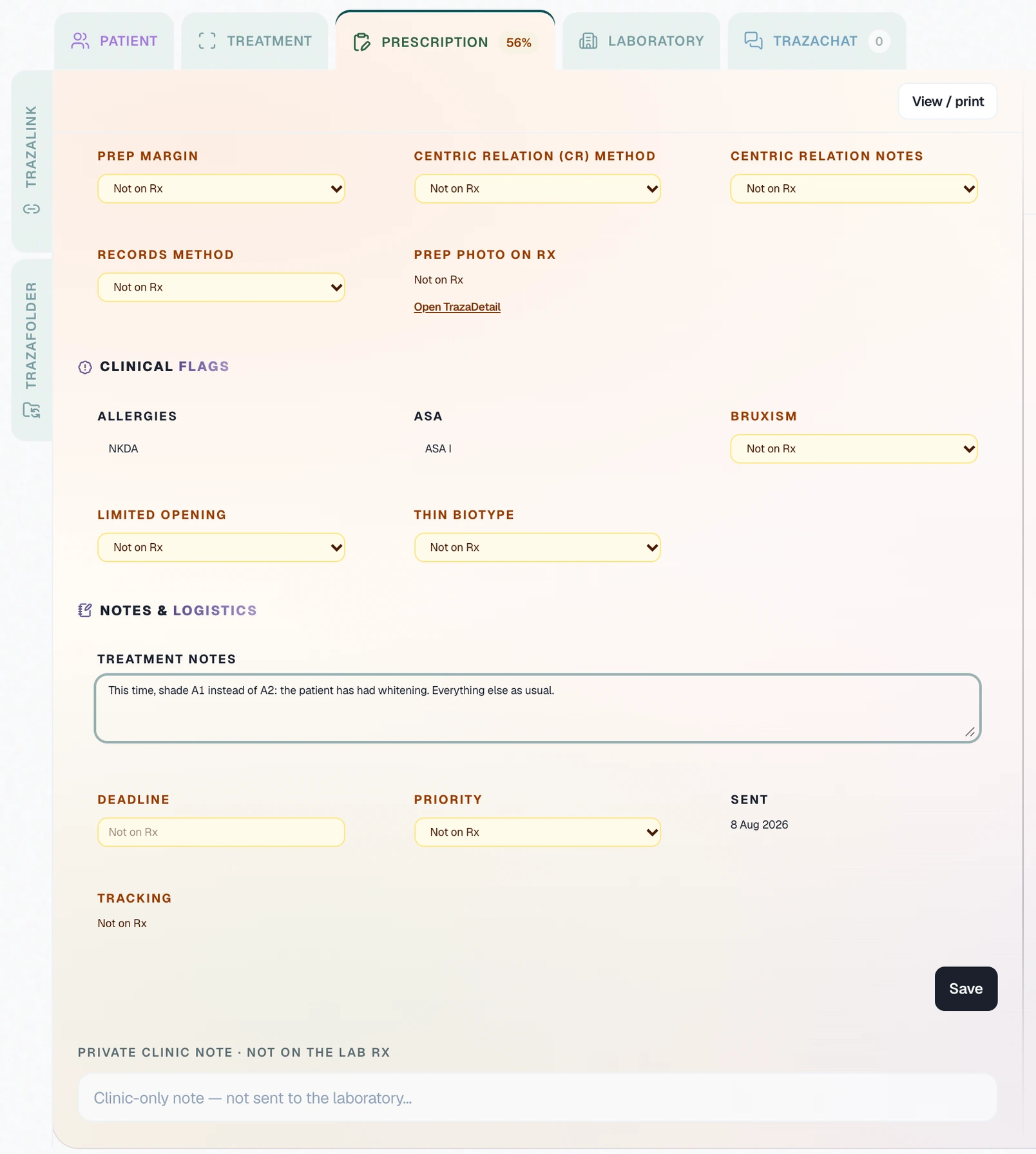
The record applies to every case. If the dentist wants something different on one, they write it on that case's Rx.
On the case's Prescription, under Notes & logistics, the dentist writes only what changes. That note reaches the lab with the Rx; the private clinic note doesn't.
If Dr. Medina asks for A1 three cases in a row, it's no longer an exception. Update Shade / fab notes and save.
Questions
Before the first order.
The ones that repeat in almost every case: shade guide and how they send the shade photo, contacts, occlusion, pontic and try-ins. Add the carrier and what you need to remake a case.
On the record, what applies to every case from the practice. On the Rx, what belongs to that case: the work, the tooth, the deadline and any change from the record.
On the case, in the How this clinic likes the work block, if the case is linked to its client. Also on the practice's Preferences tab, in Clients.
The lab, on the practice's record in Clients. The dentist doesn't repeat them on every Rx: they only write what changes, in Treatment notes.
Fill in one sheet per dentist. In TrazaLab, preferences are saved on the practice's record: if two dentists work differently, write in Shade / fab notes what each one asks for.
Update the record and save. If the same change shows up on several cases in a row, it's no longer an exception: move it to the record.
It stays in your browser: it isn't sent to TrazaLab and it's cleared when you reload. Print it or save it as a PDF.
Keep how each practice works in TrazaLab.
Three fields on each client's record, in front of the technician on every case from that practice.