
Front desk · Cancellations
How to fill a last-minute cancellation
When a patient cancels on short notice, call or message the people who can come and give the slot to the first to confirm.
The guide
Fill the slot in four steps.
Calendar · 9:10 a.m.
Free the slot in the calendar.
Patricia Sanchez calls: she can't make tomorrow's 10:00 appointment. That leaves 45 minutes open on Thursday morning.
Find the appointment and delete it
In Calendar, choose Appointments and the Week view. Open Patricia's Thursday 10:00 appointment and click Delete event.
Front desk note · Wed 11/4, 9:10 a.m.
Thursday, November 5
10:00–10:45 · 45 min
Patricia Sanchez · checkupCancelled by phone
Patients and waitlist · 9:13 a.m.
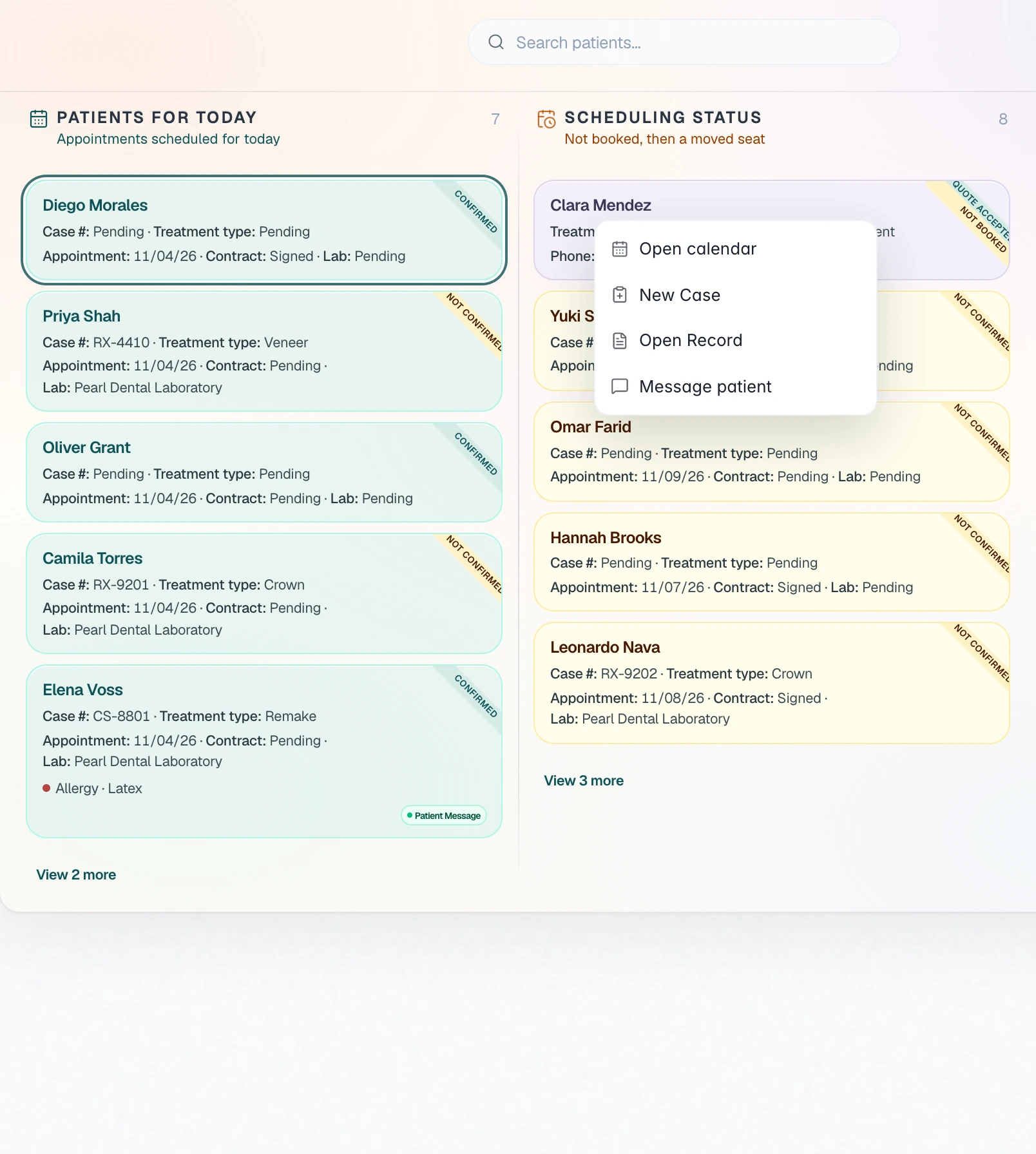
Pick who to contact first.
Look for someone who needs a visit of 45 minutes or less and can come in on short notice.
On the patients board, Scheduling status lists first the patients with no appointment. Clara is there: she accepted the quote for her bridge and has no fitting date yet.
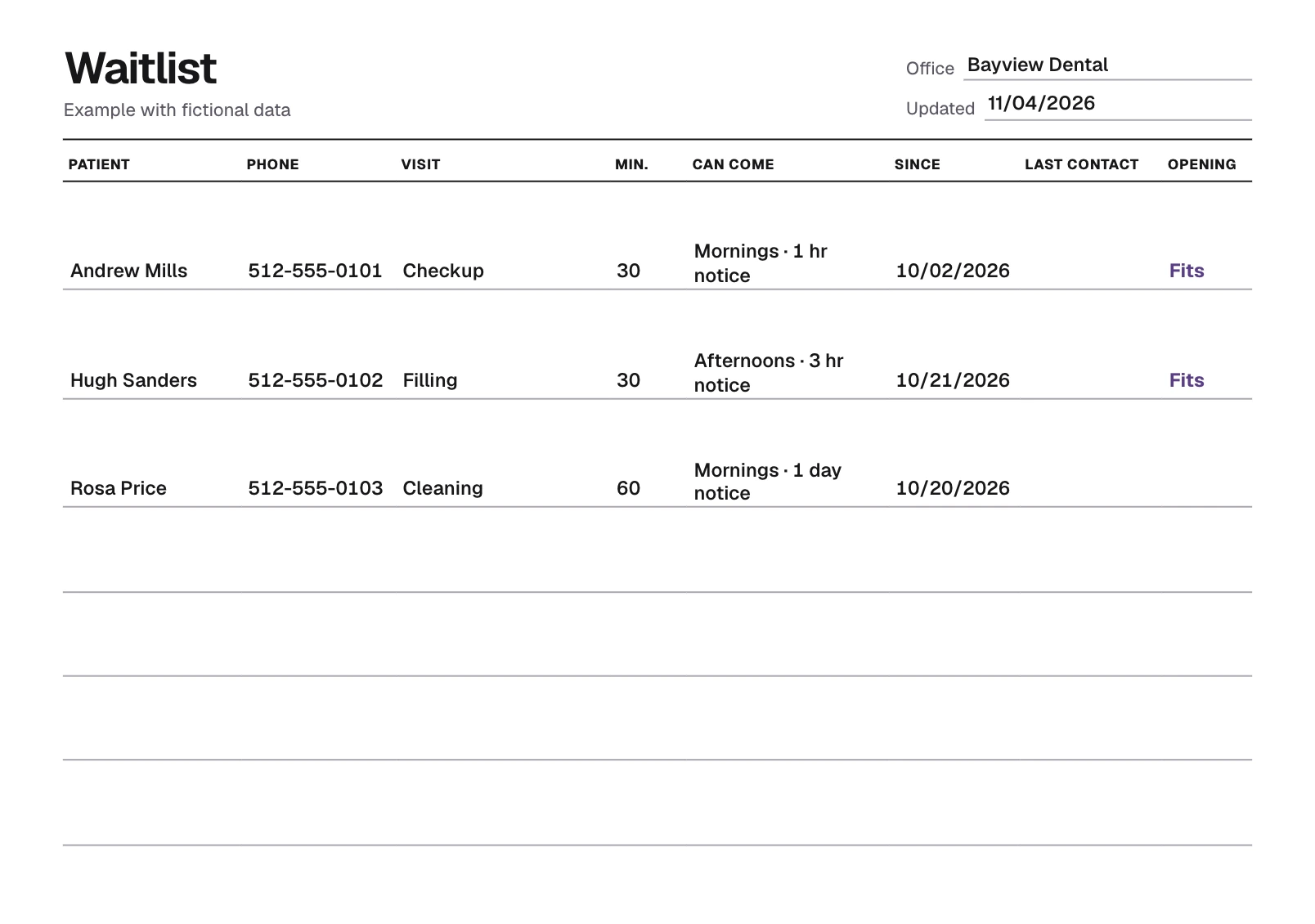
Andrew asked to move up his 30-minute checkup and can come in the morning. Hugh can only come in the afternoon, and Rosa's cleaning takes an hour. Start with Andrew, who has waited since October 2.
Phone and TrazaChat · 9:15 a.m.
Call or message on TrazaChat.
Say the time, how long the visit is and when you need an answer. That way nobody takes the slot as theirs without confirming.
Say the time, the visit and when you need an answer. Don't wait: contact the next person.
Clara already asked in TrazaChat when her fitting would be. Reply in her chat with the time and how long it takes. The read ticks tell you when she has seen it.
In TrazaChat, open Patients and the patient's name, and click Share TrazaChat. Send your office's short link and the 6-digit PIN: they open the page on their phone, enter the PIN and write only to you.
Tell them the slot is taken and that they stay on the list.
Andrew Mills · 9:15 a.m.
Hi Andrew, this is Bayview Dental. We have an opening tomorrow at 10:00 for your checkup. It goes to the first person who confirms. Please call us back by 10:30 today.
Patient record · 9:21 a.m.
Give it to the first to confirm.
Clara replies on TrazaChat at 9:20: she can come. Book her right then, before you contact anyone else.
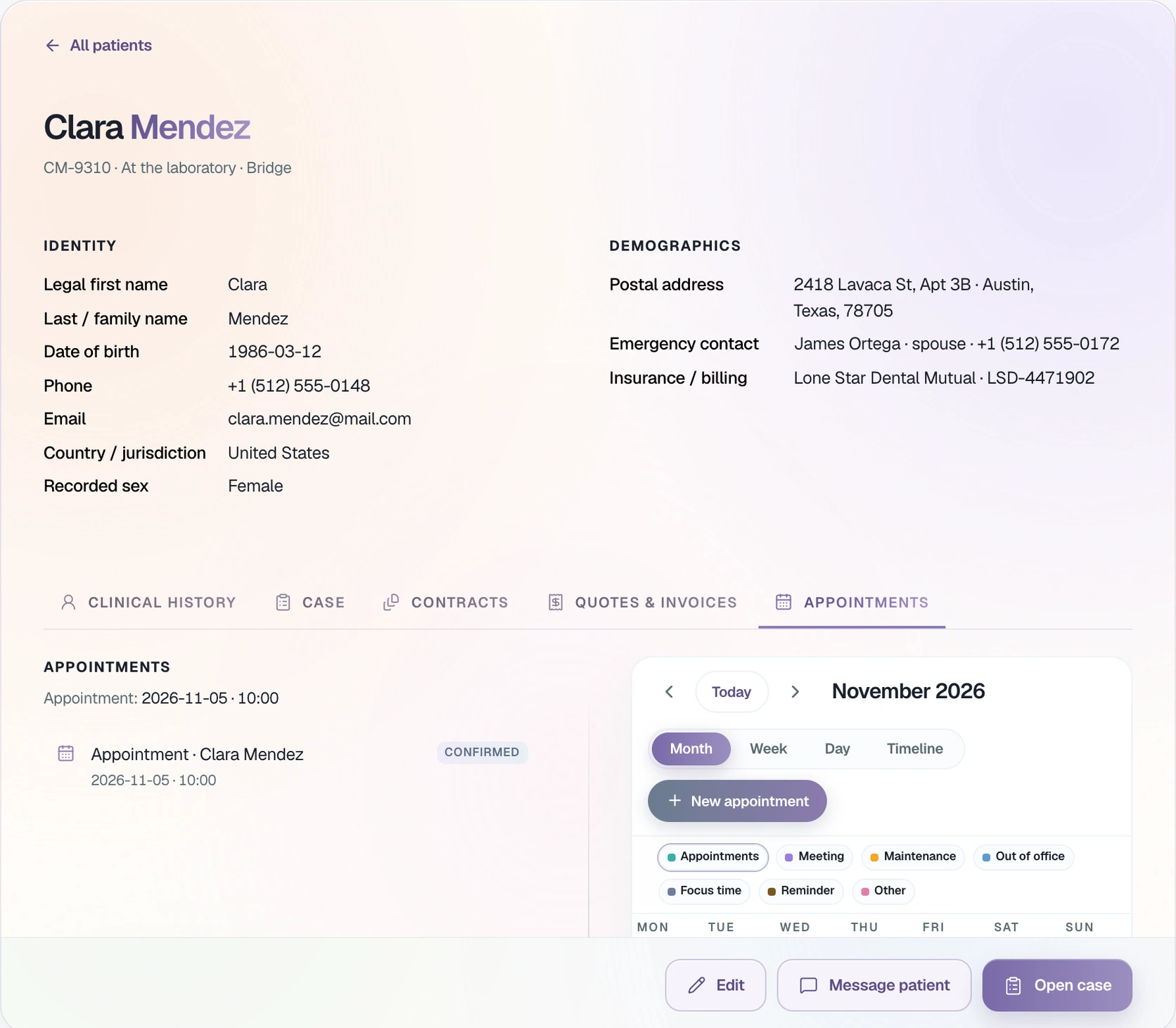
Create the appointment and mark it confirmed
In Clara's record, open Appointments and click New appointment. Link her case, set the start time to 10:00 and the end time to 10:45, and click Save event. Then click Mark confirmed.
The template
Your waitlist.
Write down who wants an earlier appointment: the visit, how long it takes and when they can come. Pick the length of the opening and the sheet marks who fits.
On the list0
Fit0
Blank 4
Without a length, the sheet can't tell who fits the opening.
Keeping appointments in the office calendar takes an account. Create an account
Questions
Before you call.
Someone the visit fits who can come on that notice: patients with no appointment under Scheduling status and the people on your waitlist. Among them, start with whoever has waited longest.
Call first. If they don't pick up, leave a message with the time, the length and when you need an answer. If the patient uses TrazaChat with your office, write there too: you'll see when they've read it.
In TrazaChat, open Patients, choose the patient and click Share TrazaChat. Send your office's short link and the 6-digit PIN. The patient opens the page on their phone, enters the PIN and writes only to you.
The slot belongs to whoever confirmed first. Tell the second person as soon as they answer and keep them on the list for the next opening.
It doesn't send reminders or automatic messages. The front desk calls or writes on TrazaChat, and the patient sees the message when they open their chat. The visit is booked with New appointment and marked confirmed in the patient's record.
It stays in your browser: it isn't sent to TrazaLab and it's cleared when you reload. Print it or save it as a PDF.
Keep your office's appointments in TrazaLab.
Book each visit in the calendar, link it to the case and mark it confirmed in the patient's record.