
Re-tightening, as the manufacturer states it
MIS states no re-tightening interval in the prosthetic options, product catalogs or the V3 and C1 user manuals we read.
IMPLANT TORQUE · MIS
One implant site. Five moments where a number decides whether the screw holds: placement, healing, abutment, prosthesis, re-tightening. Every value below is quoted from MIS documentation, with the document named beside it.
Scale 0–70 Ncm. Select a component to move the pointer. Values beyond the scale sit at its end.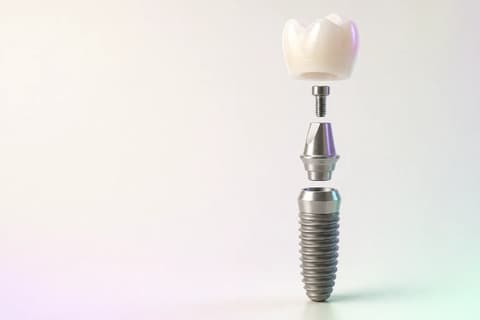 EDITORIAL VISUALIZATION
“Recommended insertion torque: 35–60 Ncm.” Drilling protocols: “Ø3.30 mm … Max. Torque: 45 Ncm”; Ø3.75 and up “Max. Torque: 60 Ncm”. “MIS recommends the use of a torque controlled driver whenever possible.”
THE VALUES
Rows are grouped in treatment order. Where MIS publishes a hand-tight instruction instead of a number, the row says so. Where nothing is published, the row says that too.
| Component | Applies to | Torque | From the document | Source |
|---|---|---|---|---|
| PlacementInsertion torque of the fixture | C1 · V3 · Seven · M4 — maximum 45 for Ø3.30, 60 from Ø3.75 Driver: Torque-controlled driver (recommended) · Ratchet MT-RI030 | 35–60Ncm | “Recommended insertion torque: 35–60 Ncm.” Drilling protocols: “Ø3.30 mm … Max. Torque: 45 Ncm”; Ø3.75 and up “Max. Torque: 60 Ncm”. “MIS recommends the use of a torque controlled driver whenever possible.” | MIS V3 User Manual (MP-UI0V3 rev. 2)Manufacturer document |
| HealingHealing abutment · cover screw | Healing caps, narrow / standard / wide platform Driver: 0.05 inch hex driver | 20–25Ncm | “Healing Caps — Tightening torque: 20–25 Ncm”, printed identically in the conical and internal-hex prosthetic options. | MIS Conical Connection Prosthetic Options (MC-RCCTE rev. 15)Manufacturer document |
| AbutmentFinal abutment screw at implant level | Titanium prosthetic screw — cementable, transgingival, Ti-Base, Ti blanks, CONNECT Ø4 / Ø5.7 Driver: 0.05 inch hex driver | 30Ncm | “Cementable Abutments — Tightening torque: 30 Ncm”; “CONNECT System Ø4 mm / Ø5.7 mm — 30 Ncm”. The gold prosthetic screw (MD-G0220) is 20 Ncm. | MIS Conical Connection Prosthetic Options (MC-RCCTE rev. 15)Manufacturer document |
| Multi-unitMulti-unit abutment into the implant | Multi-Unit → implant: straight 30 · 17° and 30° angulated 20 Driver: Straight Multi-Unit ratchet key · angulated Multi-Unit key | 30 · 20Ncm | “Multi-Unit System (straight) — Tightening torque: 30 Ncm”; “17° / 30° Angulated Multi-Unit — Tightening torque: 20 Ncm.” | MIS Conical Connection Prosthetic Options (MC-RCCTE rev. 15)Manufacturer document |
| Prosthetic screwScrew that holds the prosthesis on the abutment | Titanium prosthetic screw for Multi-Unit (MU-S0220) · gold screw 20 Driver: 0.05 inch hex driver | 25Ncm | Catalog line items: “MU-S0220 — Prosthetic screw for Multi-Unit, 25 Ncm, Titanium”; “MU-G0220 — Prosthetic gold screw for Multi-Unit, 20 Ncm.” The prosthetic options booklet prints no separate multi-unit cylinder torque. | MIS Conical Connection Product Catalog 2025 (MC-PCCSE rev. 11)Manufacturer document |
| TemporaryTemporary abutment or coping | Temporary cylinders Ti / plastic · impression copings · EZ-Base — gold plastic cylinders 30 Driver: 0.05 inch hex driver | 20–25Ncm | “Temporary Cylinders Free / Anti-rotation — Tightening torque: 20–25 Ncm”; “Gold Plastic Cylinders — Tightening torque: 30 Ncm.” | MIS Conical Connection Prosthetic Options (MC-RCCTE rev. 15)Manufacturer document |
MIS states no re-tightening interval in the prosthetic options, product catalogs or the V3 and C1 user manuals we read.
Newest revision read: 2026. Manufacturers revise these documents; the revision printed on your IFU wins.
Values are quoted from manufacturer documentation and can change by component, platform and revision. Confirm the IFU for the component and lot in your hand before torquing.
WHY THE SCREW LOOSENS
Torque creates preload — the clamping force that keeps abutment and implant pressed together. Microscopic peaks on the thread surfaces flatten under that load, and part of the preload is gone before the patient leaves the chair. The literature calls it the settling effect, or embedment relaxation.
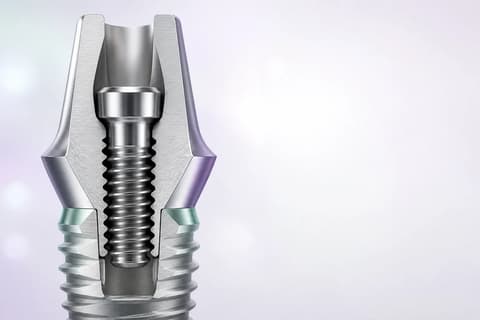
Preload
ONE SITE, FIVE MOMENTS
Site 36, one fixture, one crown. The same MIS values from the table, placed on the moment each one is read off the wrench.
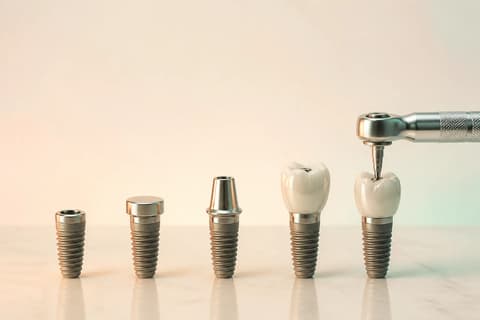 EDITORIAL VISUALIZATION
C1 · V3 · Seven · M4 — maximum 45 for Ø3.30, 60 from Ø3.75
Healing caps, narrow / standard / wide platform
Titanium prosthetic screw — cementable, transgingival, Ti-Base, Ti blanks, CONNECT Ø4 / Ø5.7
Titanium prosthetic screw for Multi-Unit (MU-S0220) · gold screw 20
Titanium prosthetic screw — cementable, transgingival, Ti-Base, Ti blanks, CONNECT Ø4 / Ø5.7
Shown as the same value as the abutment row. Whether and when to re-tighten follows the manufacturer statement quoted in the values section.
AFTER THE CLICK
In TrazaLab the implant line on a tooth site keeps system, platform, connection, abutment and applied torque together. It travels into the Digital Rx and onto the laboratory’s per-tooth sheet. An unconfirmed torque is not blank — the laboratory sees it as a gap.
See the Digital RxOTHER SYSTEMS
Each page is built the same way: quoted values, the document beside them, and the gaps stated as gaps.
Final abutment · Conical Connection (CC) · Tri-channel (NobelReplace) · External hex (Brånemark)
Final abutment · CrossFit (BL/BLT) · TorcFit (BLX) · TLX NT/RT/WT
Final abutment · Grand Morse (GM) — one prosthetic platform for Helix, Drive, Titamax, Helix Long and Zygoma
Final abutment · Tapered Screw-Vent internal hex (TSV · TM · TSX) · 3i Certain internal · 3i External hex
Final abutment · Conical connection (C1 · V3) · Internal hex (Seven · M4) · Multi-Unit · CONNECT
Final abutment · TS internal conical hex — mini and regular platforms (TS II · TS III · TS IV)
Final abutment · Internal hex (Tapered Internal · Tapered Pro · Tapered Plus · 3.0 · Tissue Level) · Conical (Tapered Pro Conical)
Final abutment · AnyRidge internal conical · Blue Diamond conical · AnyOne External hex
Final abutment · ET / EK internal conical hex — mini and regular platforms · SS (Octa) · EM
QUESTIONS
Values are quoted from manufacturer documentation and can change by component, platform and revision. Confirm the IFU for the component and lot in your hand before torquing.
Because the MIS prosthetic options print it that way: “Healing Caps — Tightening torque: 20–25 Ncm”, in both the conical and internal-hex booklets. It is a manufacturer value, not a habit carried over from another brand, and it is one of the reasons the brand name belongs on the case record.
The user manuals recommend 35–60 Ncm. The drilling protocols set the ceiling by diameter: 45 Ncm for the Ø3.30 narrow platform and 60 Ncm for Ø3.75 and wider. MIS also asks for a torque-controlled driver, warning that the ratchet may transfer torque that does not correlate to the recommendation.
No. They are quoted from the manufacturer documents listed on this page, with the revision year noted. The IFU packed with your component and lot is the instruction; this page puts the values next to the treatment step and the case record.
The literature on the settling effect widely advocates a second application at the same value after about ten minutes, and in vitro work shows it partially restores preload. The evidence for a fixed interval is limited. The manufacturer statement for this system is quoted in the values section; where it says nothing, this page does not turn that silence into a rule.
In TrazaLab it is a field on the implant line of the tooth site, next to system, platform, connection and abutment. The Digital Rx carries it to the laboratory, whose per-tooth sheet prints the torque. If it was never confirmed, the packet shows “Not on Rx” instead of a number.
AFTER THE CLICK
TrazaLab records the implant line with its torque on the tooth site, writes it into the Digital Rx, and shows the laboratory exactly what was applied — or exactly what was not confirmed.