QUESTIONS ABOUT THE DICOM WORKSPACE
The limit is part of the answer.
These questions describe audited behavior and separate orientation, measurement, and file relationship from capabilities this route must not imply.
01Which DICOM files can this workspace open?+
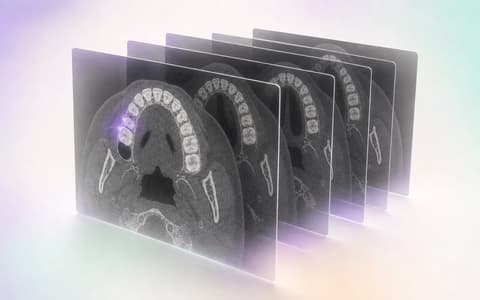
The audited implementation works with a concrete subset: native little-endian uncompressed DICOM images, single channel, with 8 or 16 allocated bits. The study is inspected before it opens and the interface reports whether the content is in scope, needs review, or falls outside what has been demonstrated. That definition is not full DICOM conformance and is not universal support for transfer syntaxes, manufacturers, CBCT equipment, viewers, or encapsulated files. The page uses synthetic case TL-8264 to explain the walkthrough.
02How does TrazaLab identify series inside a study?+
Local reading uses available metadata and heuristics to group candidates and present a series selection. Heuristics help order the study; they do not replace confirmation by the person who reviews, and they do not turn a candidate series into the clinically correct series. In the demonstration, the user distinguishes the study, opens the axial series, and keeps that choice inside the plan of the same case. When metadata is insufficient or the content does not match the supported subset, the state must stay visible. The page does not promise perfect classification, automatic anatomy re-identification, or diagnostic series selection.
03Does the tool offer true MPR or panoramic reconstruction?+
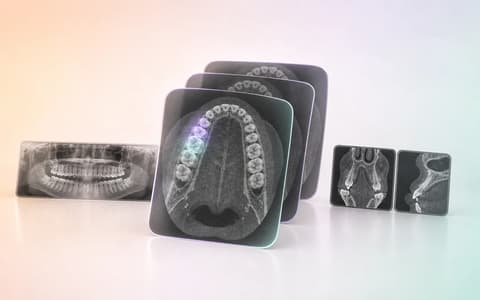
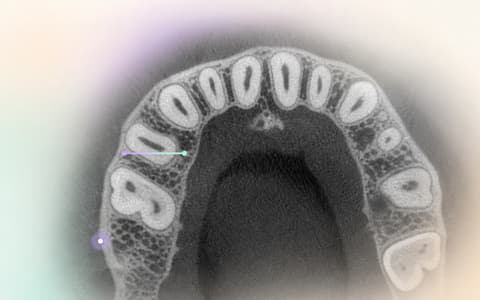
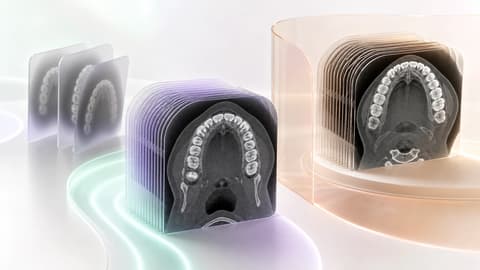
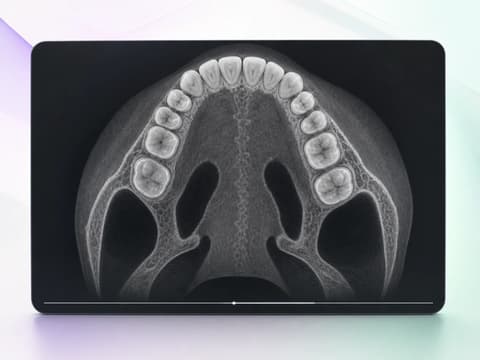
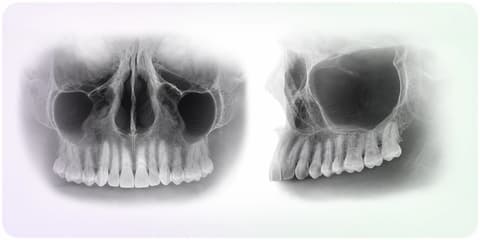
No. The confirmed behavior for this page is axial review with slice navigation and window-and-level adjustment. There are also quick frontal and lateral projections based on MIP approximations to help initial orientation. Those projections are presented explicitly as quick orientation: they are not true multiplanar reconstructions, not a reconstructed panoramic, and must not be read as equivalent to a dedicated radiology viewer. The interface avoids calling axial, frontal, and lateral capabilities that do not exist, and keeps the difference visible throughout the walkthrough.
04How does measurement work, and what happens if PixelSpacing is missing?+
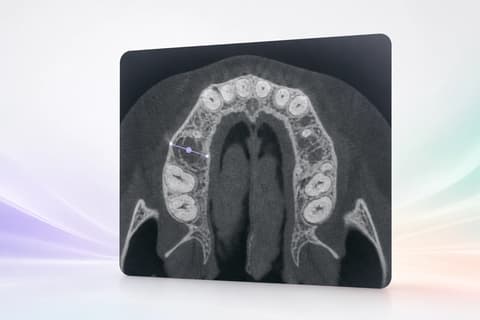
When the active file contains usable PixelSpacing, measurement can be calculated with that reference and the state is identified as DICOM scale. When that metadata is unavailable or not reliable for the demonstrated flow, the interface separates an estimated scale and labels it as such. The two states are not interchangeable. A measurement line keeps points and visual context, but it does not demonstrate clinical accuracy, safety, clearance distance, surgical indication, or adequacy of a guide. Interpretation and decision still belong to the professional, who must know the origin of the scale before using the value.
05What are the frontal and lateral projections that appear on the page?+
They are quick MIP approximations derived from the compatible volume to offer a frontal or lateral reference during orientation. Their function is to help recognize how the study is arranged before returning to the axial slice. They do not replace a panoramic reconstruction, a validated cephalometric view, true MPR, or a diagnostic evaluation. The page shows them together, with a manual selection and an explicit boundary, so an attractive visual composition is not interpreted as a broader capability. They are not attributed nerve tracing, segmentation, pathology detection, or automatic planning.
06Do plan versions form immutable history or a shared laboratory layer?+
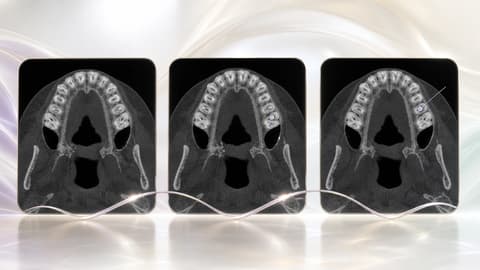
No. The audited behavior keeps mutable plan versions for the same user. A person can return to a version, modify it, and save another working state, but this page does not present that mechanism as immutable history, a regulatory record, real-time co-editing, or a shared laboratory layer. The visual sequence V01, V02, and V03 explains changes of the same plan inside case TL-8264. If another audit, signature, or collaboration function is activated in another environment, it will need its own verification; it is not inferred here from three related images.
07Does TrazaLab merge DICOM, the model, and the guide, or convert DICOM to STL?+
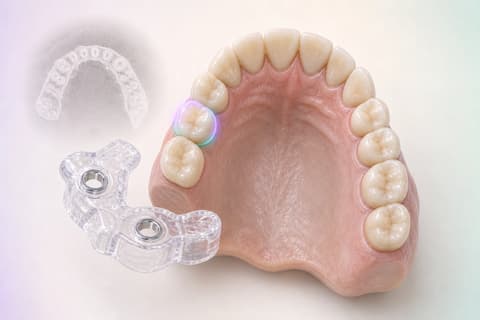
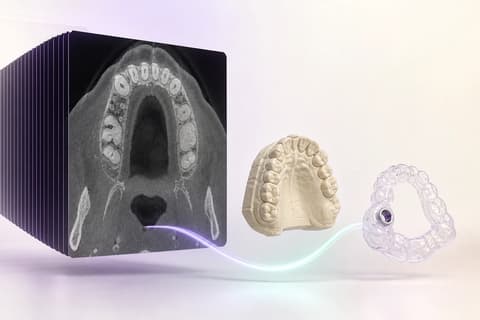
No. The case packet can relate different objects — the DICOM study, a planning file, a model, and the FDI 14 guide branch — without claiming they are geometrically merged. Case identity explains why they belong together; each object keeps its function and provenance. This page does not promise automatic registration, general DICOM-to-STL conversion, guide generation, segmentation, implant design, or complete reopen of any ZIP. Available capture is limited to the current canvas as PNG. Relating evidence avoids orphaned files, but it does not fabricate new geometry or guarantee that the objects are aligned.
08Is this a diagnostic viewer, does it anonymize studies, or does it connect to any PACS?+
Those claims are not made. The page describes a case-review workspace inside the locally audited scope; it does not declare diagnostic-device status, clinical safety, diagnosis, full DICOM conformance, anonymization or total de-identification, HIPAA compatibility, PACS interoperability, or universal codec or equipment support. Walkthrough data are synthetic and contain no patient identity. Before using a real study, the organization must apply its own authorized controls for privacy, access, retention, and professional responsibility. TrazaLab structures review context; it does not replace the viewer, protocol, or clinical judgment required by each environment.