
There are plans for clinics and for labs. The trial lasts 14 days and asks for no card; annual billing equals 10 months.
Pricing (opens in a new tab)One case, from the dentist to the lab
How it works Two desks
The Rx, the files and the chat live in the case. The clinic and the lab see the same case.
Free plan. Clinic from $29 / €29 a month. Lab from $49 / €49 a month.
Lab and dentist
One case, two desks.
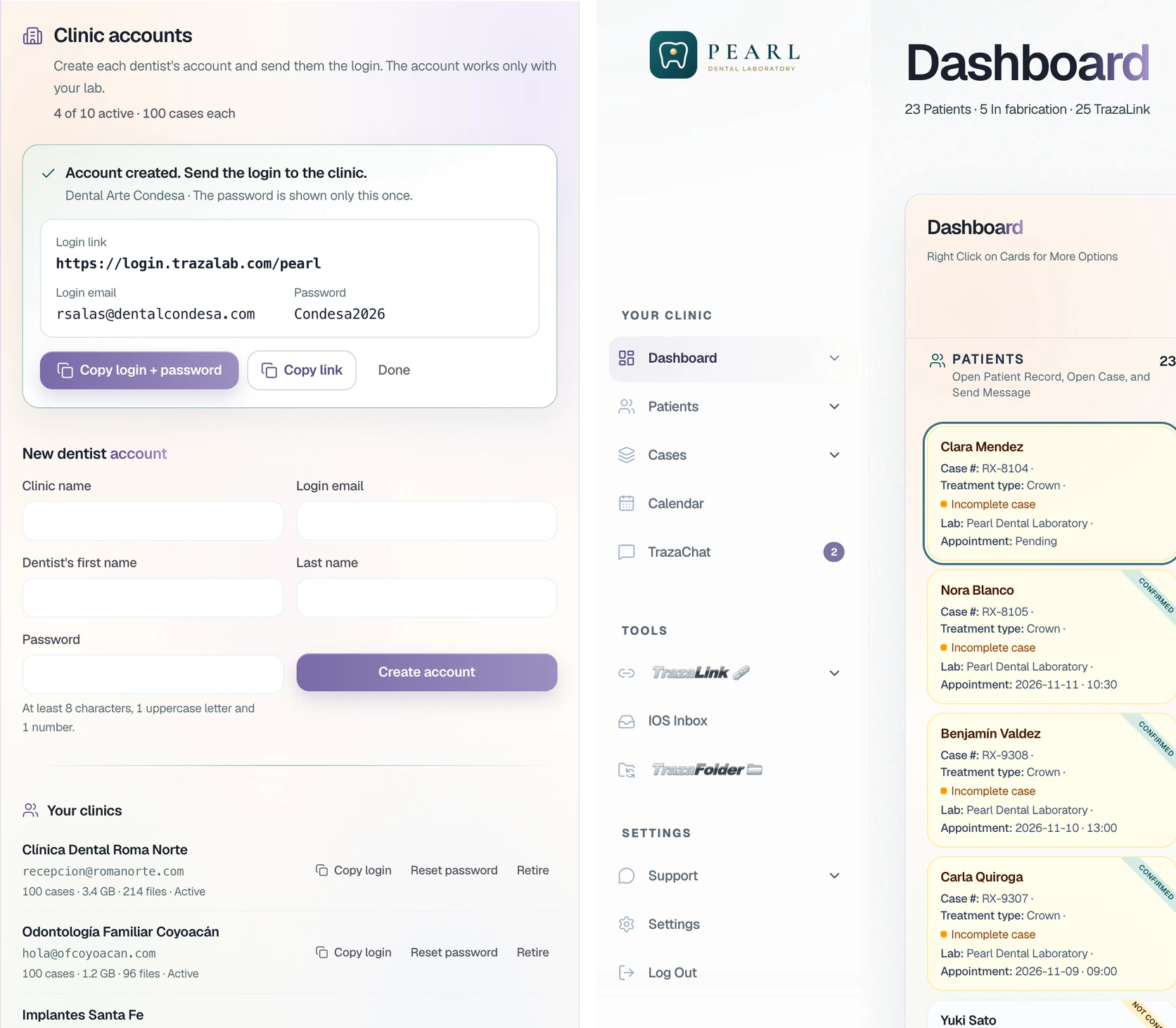
The lab creates accounts for its dentist clients, or the independent dentist adds their lab. Each one works the case from their own desk or from TrazaLink.
- The lab creates the account. In Clinic accounts, with an email and password. The dentist signs into a desk with the lab's logo.
- The dentist sends a TrazaLink. They choose their lab and copy the link. The lab opens the packet without signing into the dentist's desk.
Dentists
Case creation.
Data entry, treatment design, the prescription, and preparation for fabrication.
New case
Prepare the case.
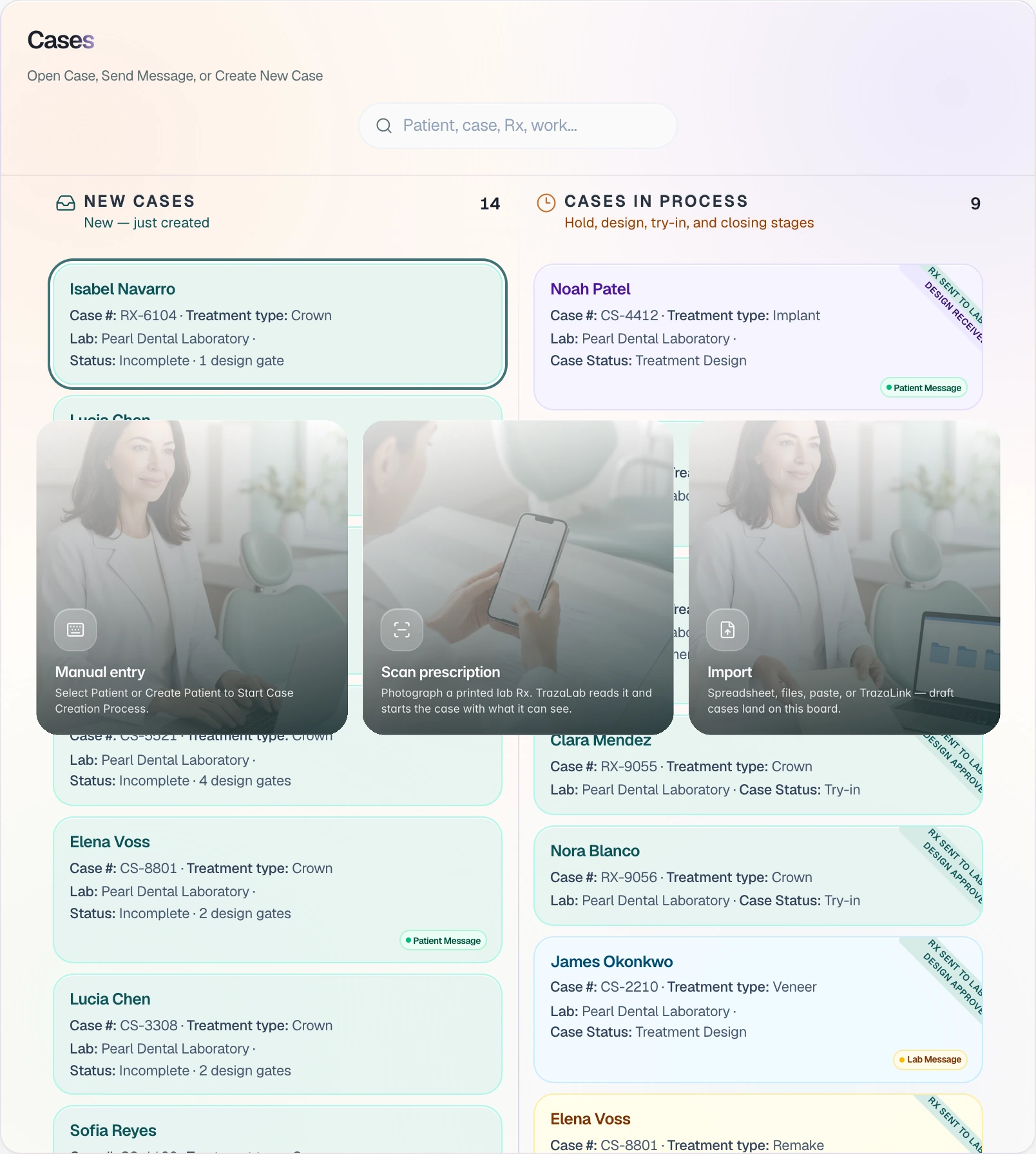
The dentist opens New Case (opens in a new tab), picks how to start, and selects the patient or creates their file.
- New Case. Three ways to start: Manual entry, Scan prescription or Import.
- Scan prescription. Scan the work order with the camera or upload the photo, printed or handwritten. TrazaLab fills the fields and the dentist confirms them.
- The patient file. Clinical history, Case, Contracts, Quotes & invoices and Appointments.
- Patients. From each card: the patient file, the calendar or a message to the patient. In New Case, this is where you pick who the case is for.
The odontogram
Design the treatment.
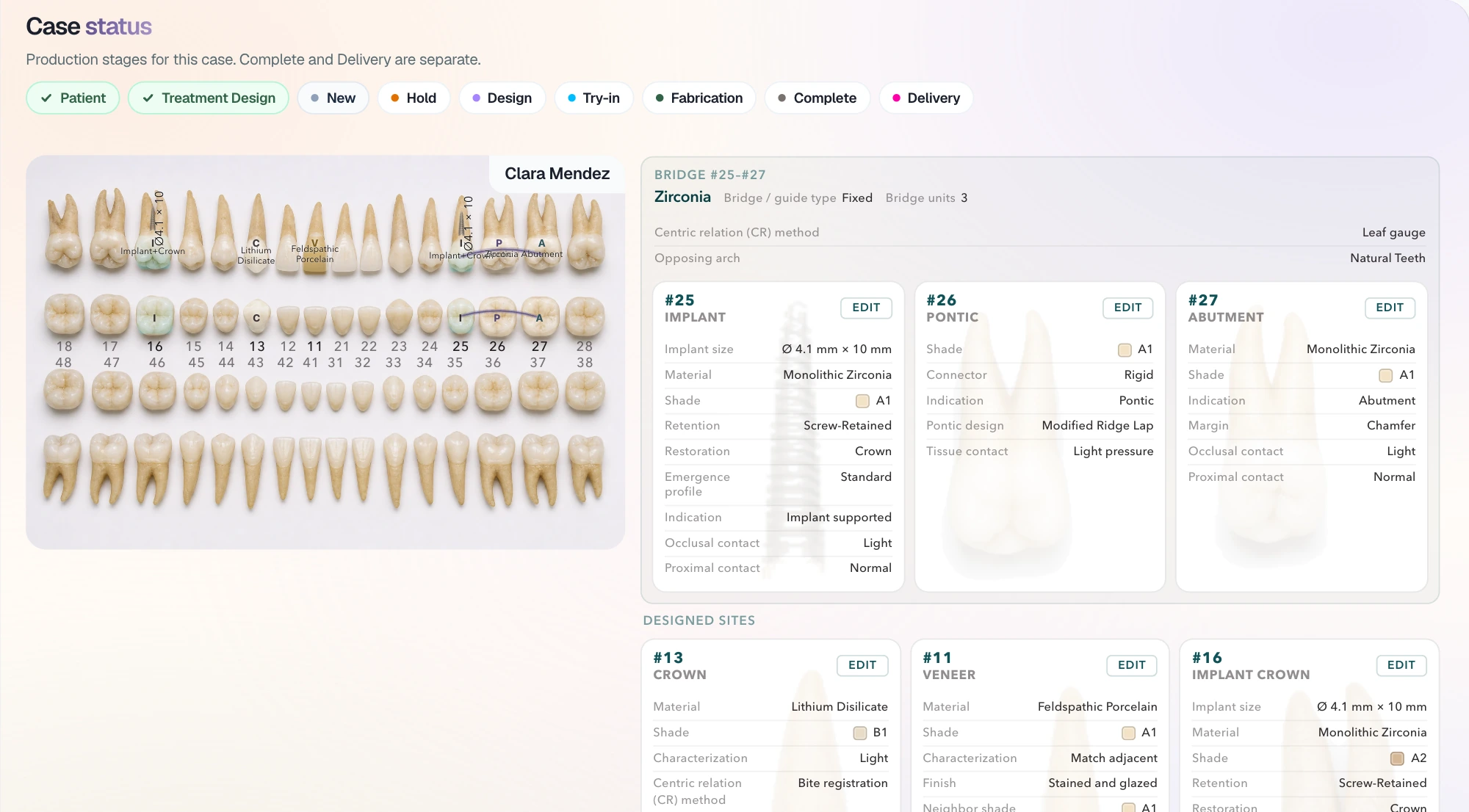
Crown, veneer, implant, pontic or abutment, with its material and shade, on the odontogram. Each tooth carries over to the Digital Rx (opens in a new tab) on its own.
Advanced odontogram (opens in a new tab)The Digital Rx
Complete the Digital Rx.
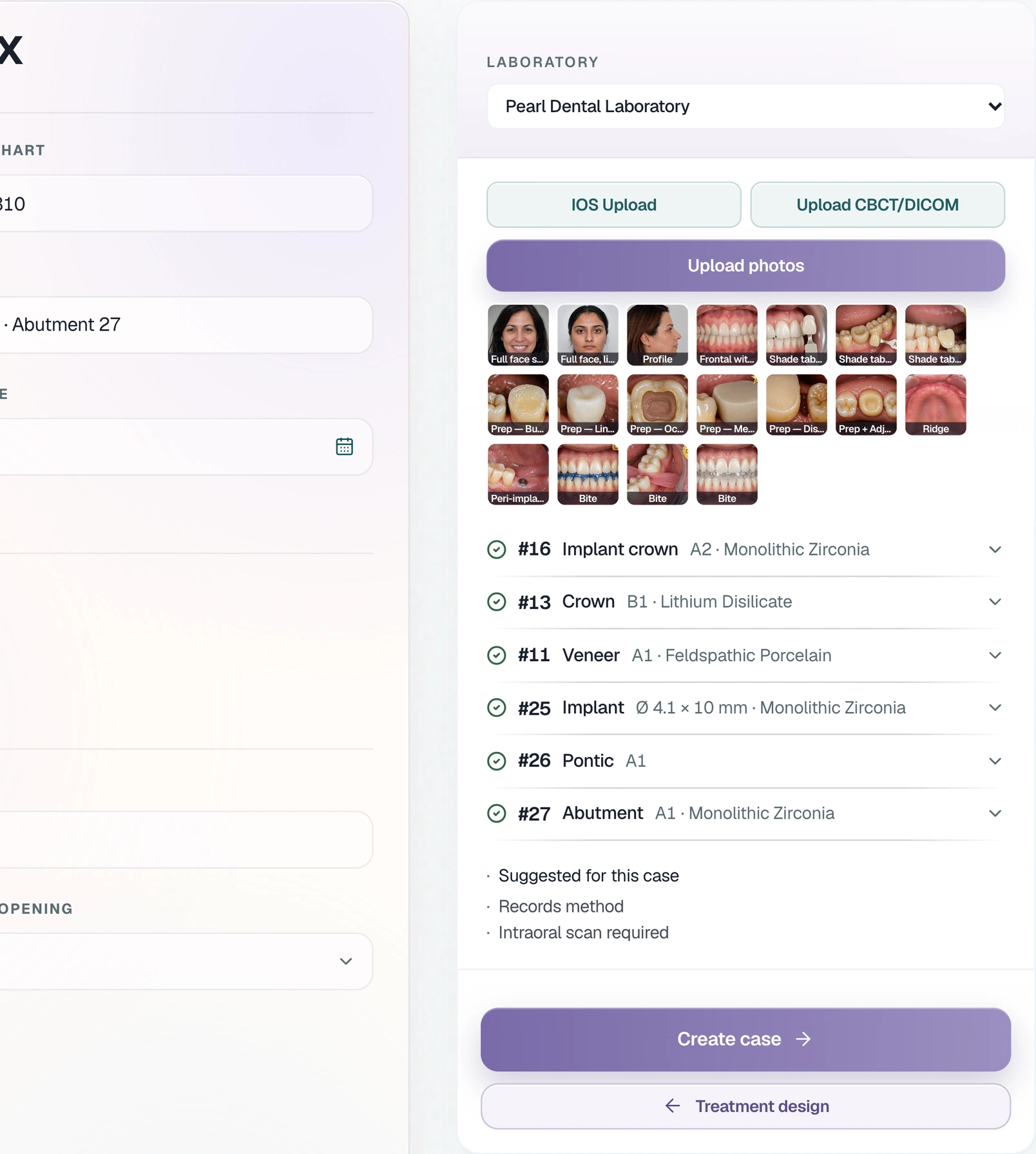
Teeth, materials and shades arrive on the Digital Rx (opens in a new tab) on their own. The dentist attaches the scan, the CBCT and the photos (opens in a new tab); if the lab requires a record, the case is not created without it.
- The lab's requirement. Pearl requires the intraoral scan for crowns.
- Create case stops. Without the scan, the case is not created.
- IOS, DICOM and photos. With the files in, the requirement is met.
- The scan, in 3D. Checked in the browser before the case is created.
- The CBCT, slice by slice. Window, level and measurements, with no other DICOM viewer.
- Each photo in its slot. TrazaLab reads the view in each file name.
TrazaLink
Send the case to the lab.
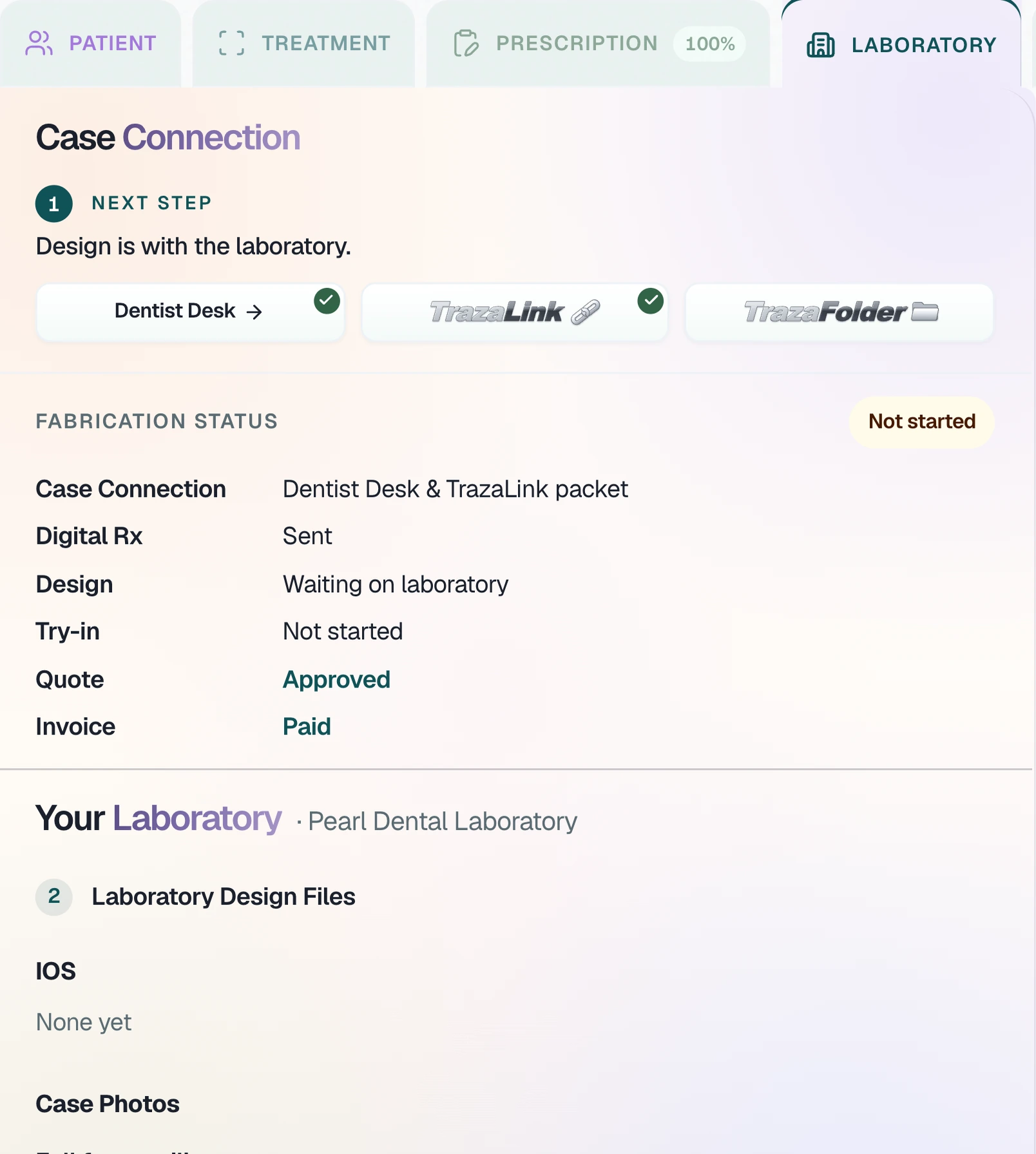
With the case created, the dentist sends it with TrazaLink (opens in a new tab) from the Laboratory tab and proposes the fabrication date on the calendar (opens in a new tab).
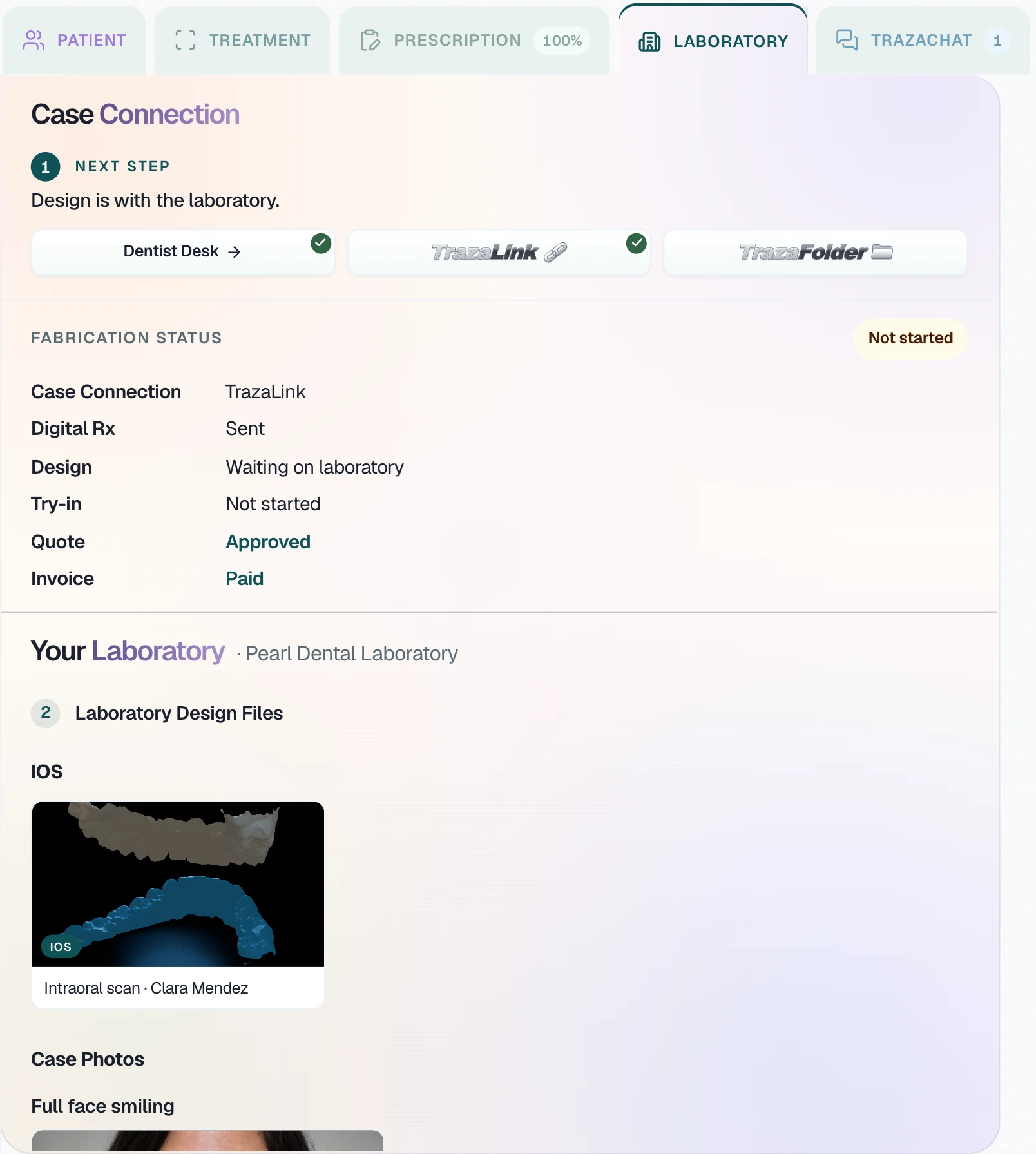
- Laboratory tab. Next step: Dentist Desk, TrazaLink or TrazaFolder.
- TrazaLink for the lab. Pick the lab, then open the packet or copy the link.
- The lab opens the packet. The Digital Rx arrives Sent, without signing into the dentist's desk.
- Propose the date. One click on the day and the lab is notified to accept.
- Closed days. The days the lab closes show closed on your calendar.
TrazaChat · Dentist
Your lab and your patients.
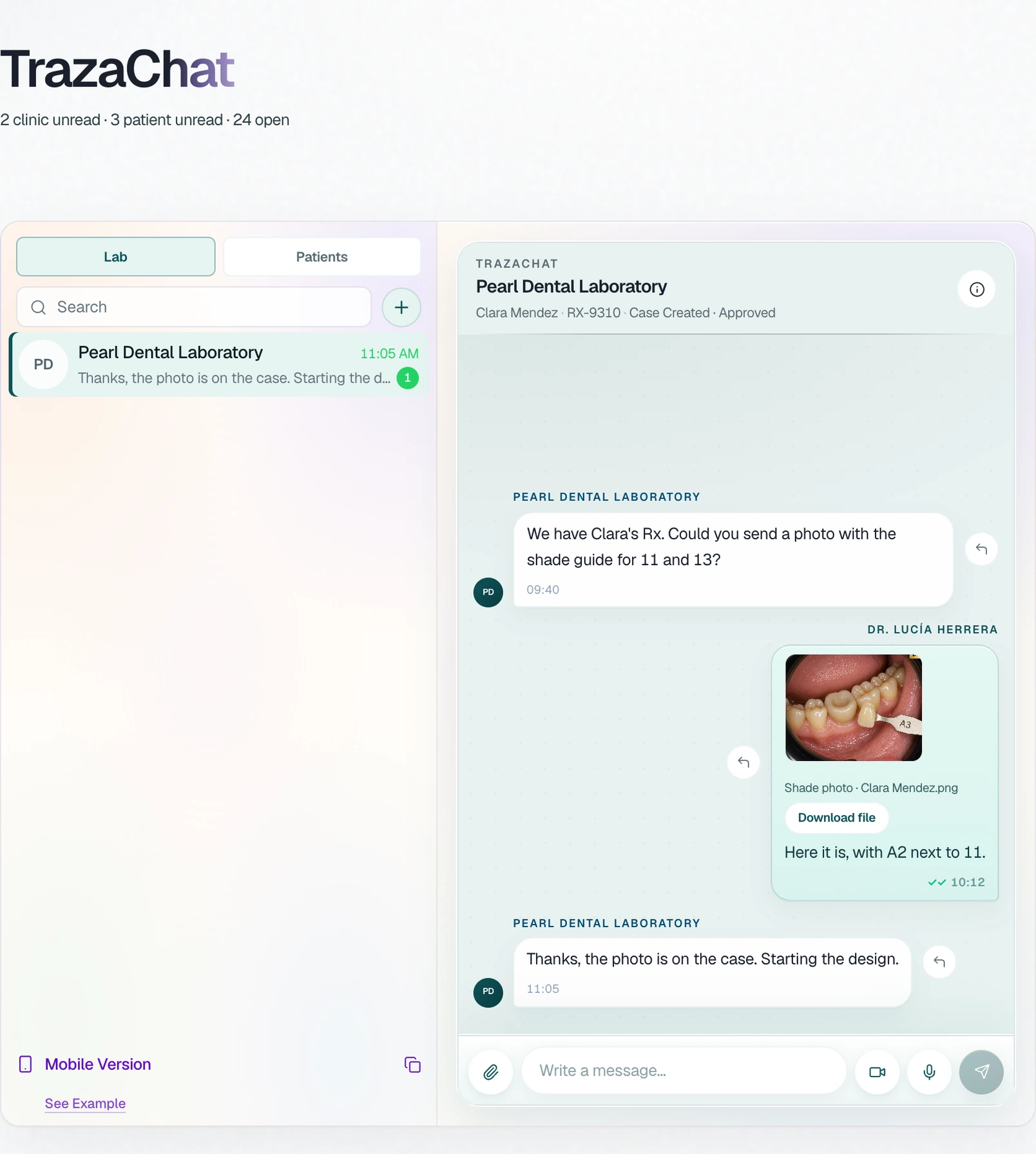
In TrazaChat (opens in a new tab), the dentist has two lists: Lab, to talk with their lab about each case, and Patients, to write to each patient. What they send the lab stays on the case.
- With the lab. The lab asks for the shade photo and the photo stays on the case.
- With the patient. The chat with the patient marks Sent, Delivered and Read.
- The patient signs in with a PIN. A short clinic link and a 6-digit PIN. They message only their clinic.
- On the phone. With their mobile link, the dentist follows the chat without signing in.
Laboratories
The lab's desk.
Cases, calendar, and clients. The workbench and the inventory.
Intake
Review on arrival.
When the case arrives, the lab reviews each file: it approves it or asks for a resubmit. The clinic gets the request in TrazaChat, on the same case.
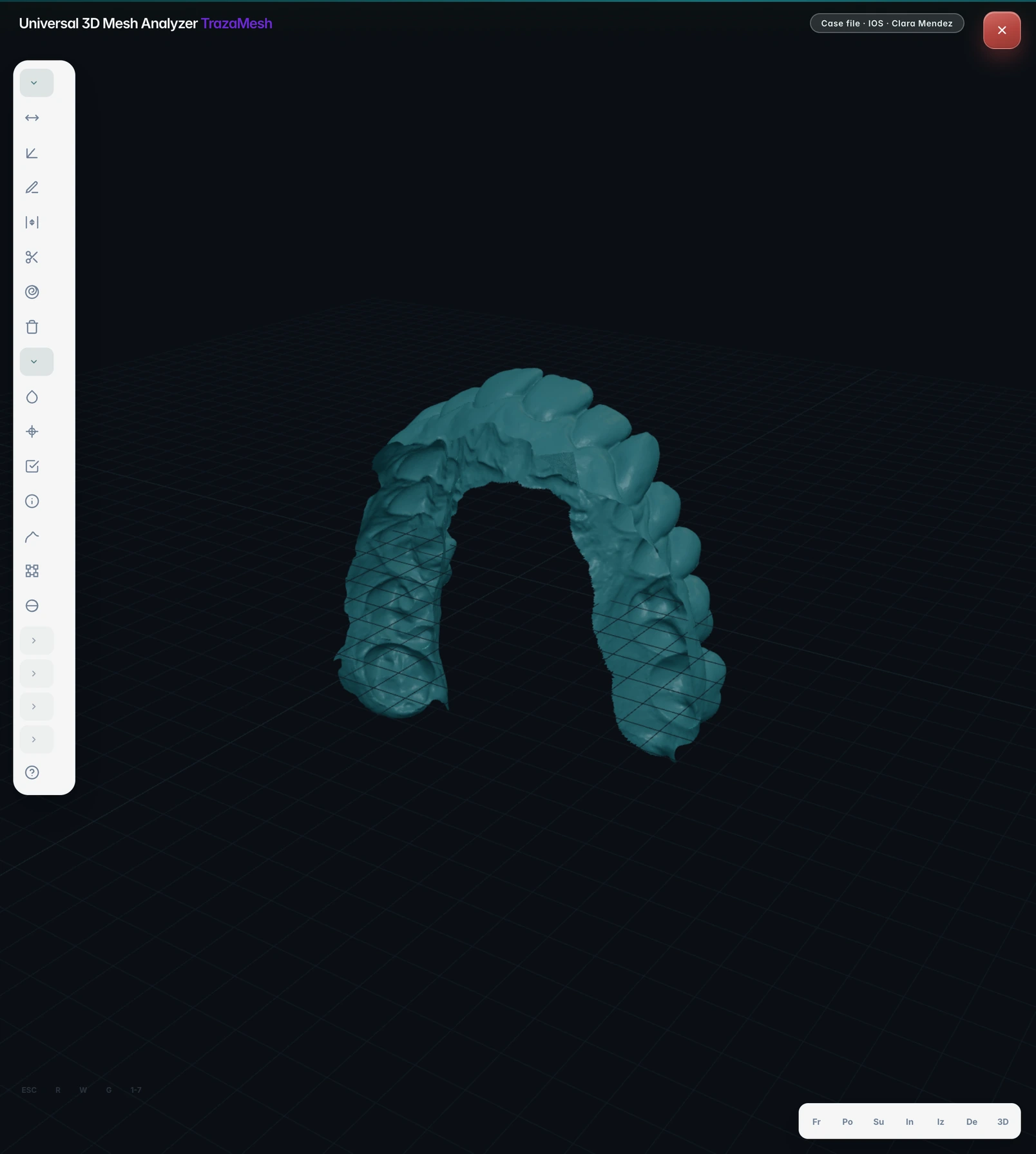
- The scan, in 3D. The lab opens the intraoral scan in the 3D viewer, without downloading it.
- The CBCT, slice by slice. And the CBCT in the DICOM viewer, with window, level and measurements.
- The case files. Scans, CBCT and photos, on the case.
- Approve or ask for a resubmit. Right-click the file, with a note for the clinic.
- The clinic sees it in TrazaChat. The request arrives with the file, and the clinic resends it there.
TrazaChat · Laboratory
Your clinics and your team.
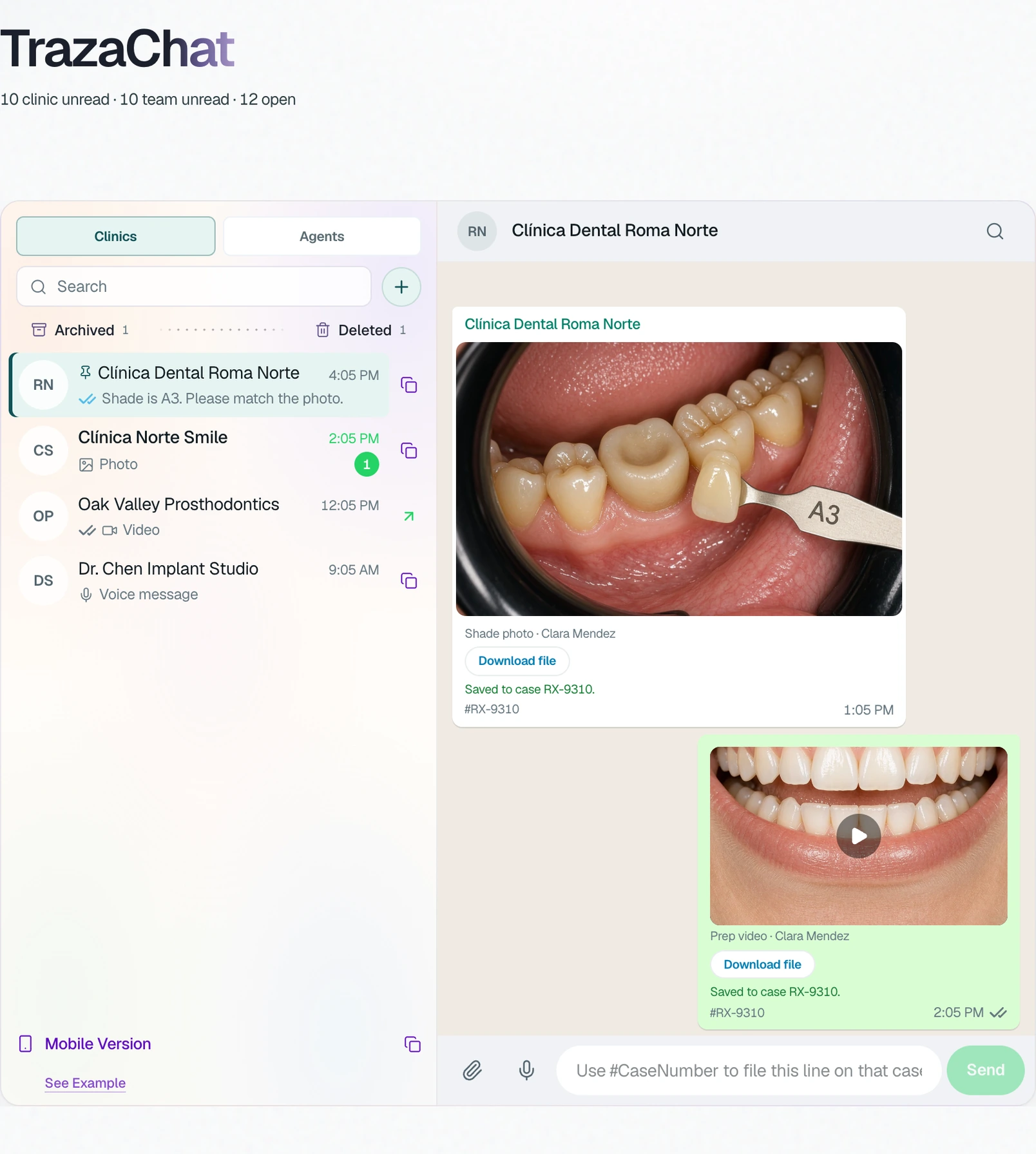
In TrazaChat (opens in a new tab), the lab has two lists: Clinics, to talk with each dentist, and Agents, a private chat with its team. Type the case number and the message is filed on that case.
- With your clinics. The clinic sends the shade photo and the prep video; they stay on the case.
- With your team. The CAD technician shares the design in a chat the clinic does not see.
- On the phone. A mobile link for the admin, with both lists, without signing in.
The agreement
Quote and contract.
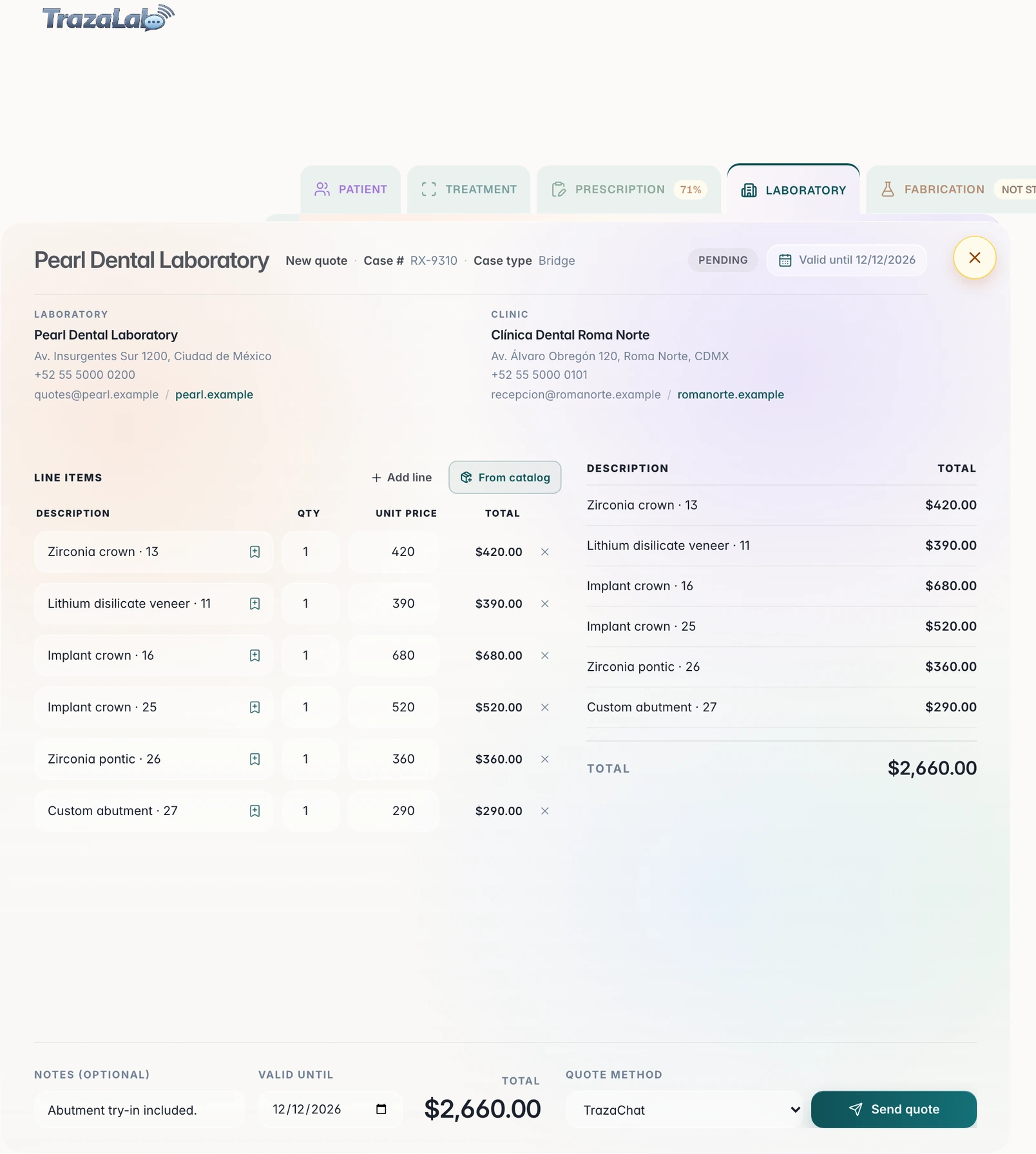
With Lab Enterprise, the lab quotes the case and prepares its manufacturing contract. The clinic accepts the quote in TrazaChat (opens in a new tab) and signs the contract.
- The quote. Line items from your price list, sent by TrazaChat or by link.
- The clinic decides. Accept or Request changes, from the case chat.
- The signed contract. Costs, payment, remakes, cancellation and turnaround, with both signatures.
Invoicing
Invoice and get paid.
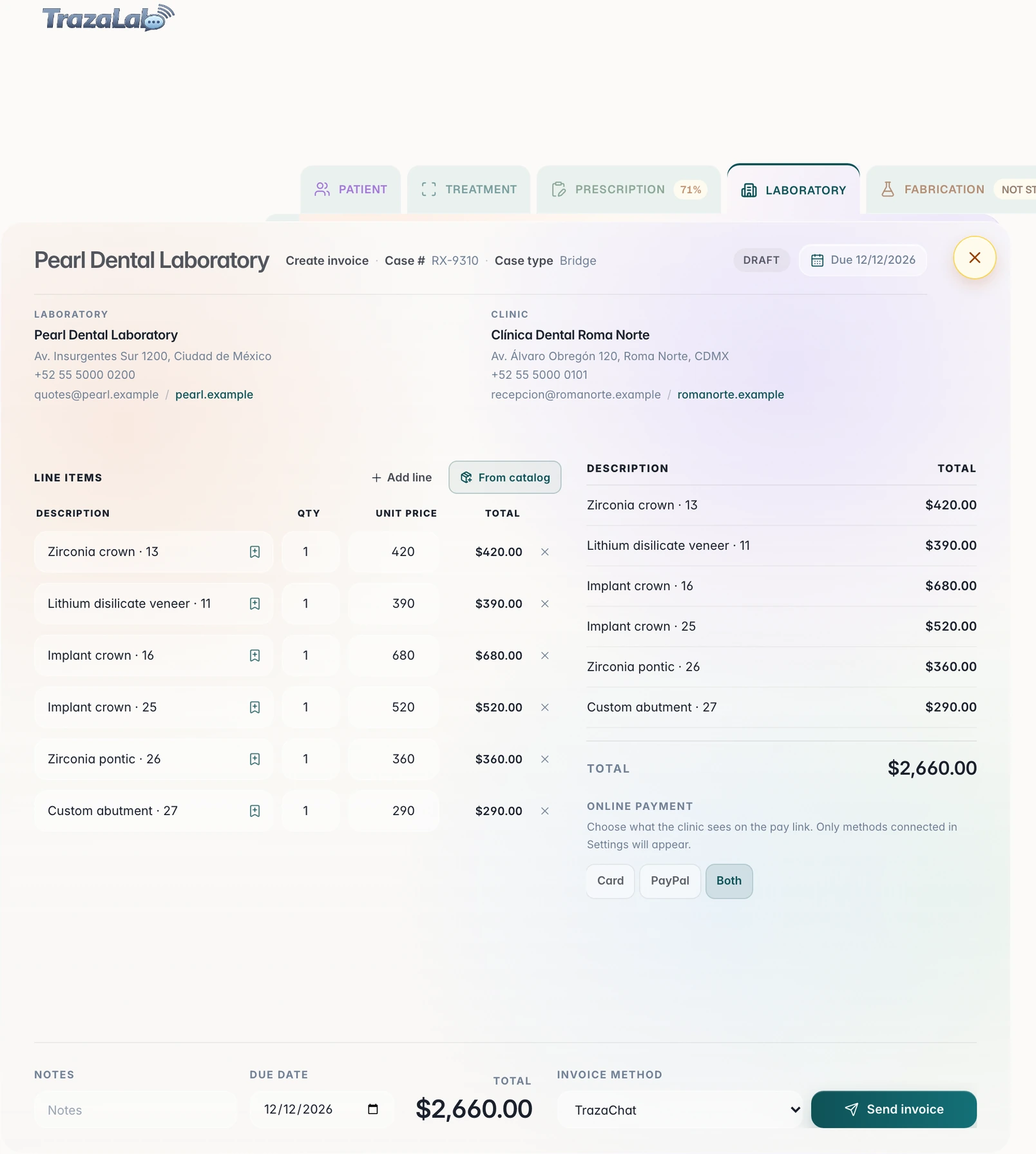
With Lab Enterprise, the invoice comes from the accepted quote, with its line items, and the clinic pays it with Stripe or PayPal (opens in a new tab) from the link.
White label
Your lab, with your brand.
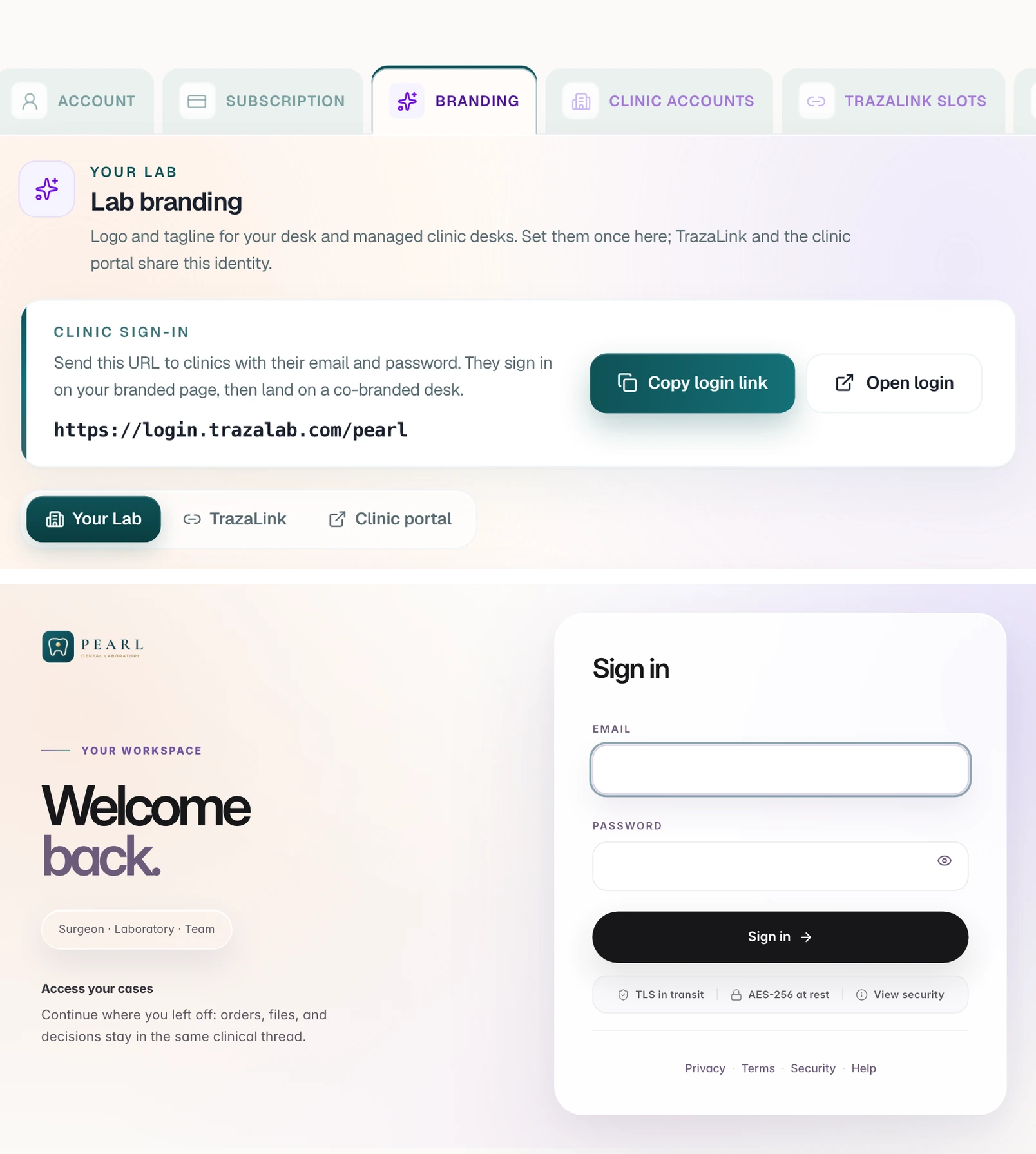
Only with Lab Enterprise. Lab Network does not include branding. Your logo goes on your desk, on each clinic's desk, on TrazaLink, on TrazaFolder and on TrazaChat Mobile (opens in a new tab).
- Your brand, once. Logo and tagline in Settings, with Lab Enterprise only. Lab Network does not include branding. Your clinics sign in at login.trazalab.com/your-lab or on your subdomain.
- On the clinic's desk. You create their accounts (10 with Lab Network, 20 with Lab Enterprise) and invite your technicians. The logo shows only with Lab Enterprise.
- On TrazaLink and TrazaChat Mobile. The clinic opens your TrazaLink on the phone and messages you in TrazaChat Mobile, with your logo on top.
- On TrazaFolder. The folder you share opens on the clinic's desk, with your logo.
Before and with TrazaLab
The case, in one place.
Today the Rx goes on paper, scans by WeTransfer, photos by WhatsApp and the invoice by email. In TrazaLab everything stays on the case, and the clinic and the lab see the same thing.
- The connection. Before, an email with attachments. Now, the case sent through TrazaLink or Dentist Desk.
- The status. Before, a call to ask. Now, the Rx sent, the design and the try-in, in front of both.
- The quote and the invoice. Before, by email and apart. Now, approved and paid on the case, with Lab Enterprise.
- The files. Before, by WeTransfer or on a USB stick. Now, the scan, the CBCT and the photos, on the case.
- The conversation. Before, on WhatsApp, outside the case. Now, in TrazaChat, with the files.
Your desk
Come in from your side.
Each tool has its own page, with the real desk.
Questions
Questions from the clinic and the lab.
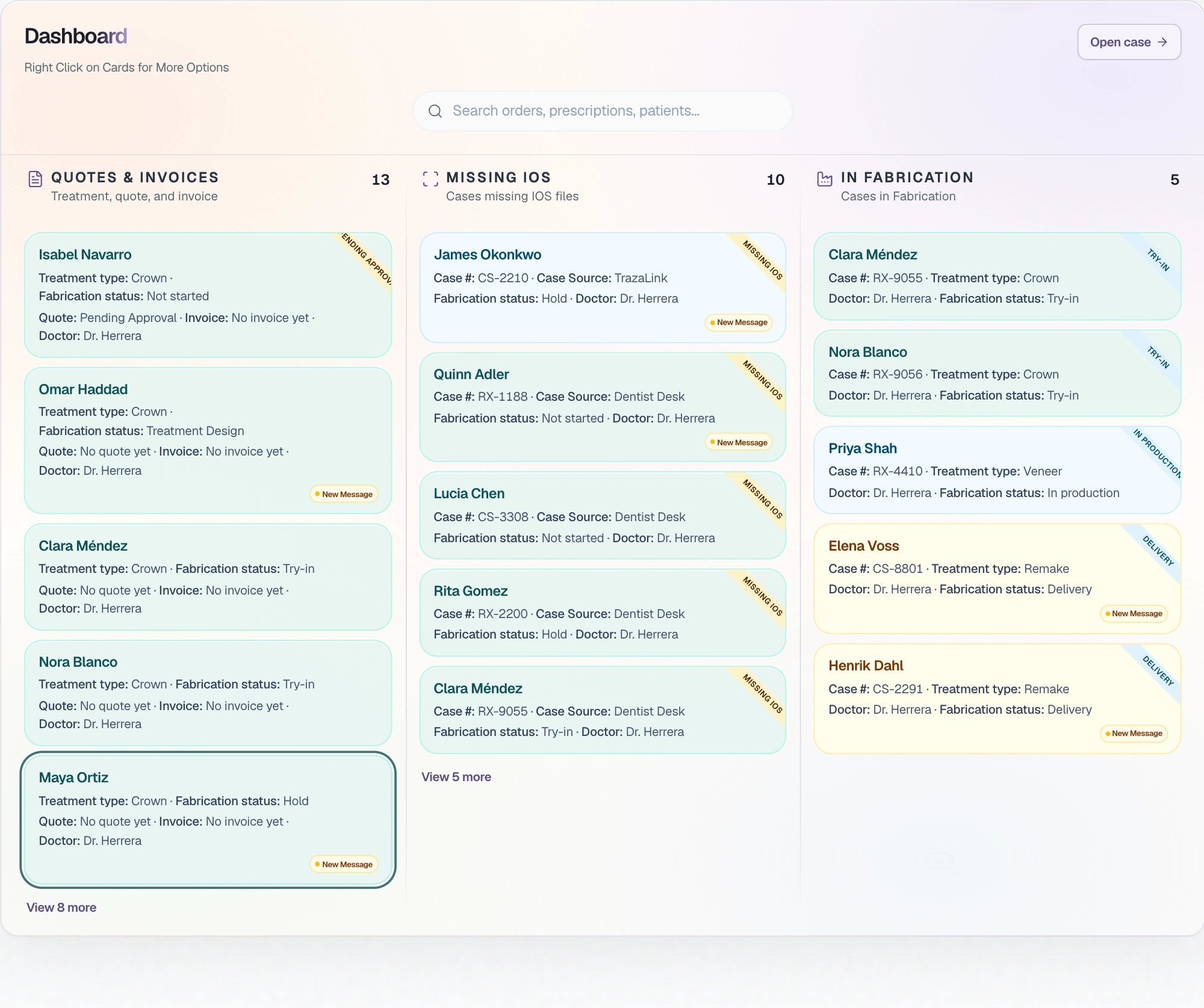
For both. The clinic and the lab work the same case, each from its own desk.
One case, two desksEach role sees only its cases: isolation is applied in the database, not on the screen. Every action is recorded with user, IP and time, with encryption and Cloudflare's protection.
Security (opens in a new tab)Not always. With a TrazaLink, the doctor opens the case packet in the browser, completes the Digital Rx and uploads files without an account.
TrazaLink (opens in a new tab)From Cases: manual entry, scan a printed Rx or import. Then they draw the treatment on the odontogram and complete the Digital Rx.
Start the caseIn TrazaChat, inside the case. Photos, scans and voice notes stay in the case thread, including from TrazaChat Mobile.
TrazaChat (opens in a new tab)Yes, with Lab Enterprise. It quotes, turns the quote into an invoice, and the clinic pays with Stripe or PayPal.
Quotes and invoices (opens in a new tab)Yes, only with Lab Enterprise. Lab Network does not include branding. Your logo goes on your desk, on each clinic's desk, on TrazaLink, on TrazaFolder and on TrazaChat Mobile.
White label (opens in a new tab)With Lab Solo and Lab Pro, your clinics send you cases from your portal. With Lab Network you create 10 clinic accounts and with Lab Enterprise 20, and you can add packs of 5.
Plans for labs (opens in a new tab)The intraoral scanner package with its STL, PLY, OBJ or 3MF meshes, the CBCT as DICOM, the photos and the PDFs. When the package is imported, TrazaLab identifies each file.
Files and scanners (opens in a new tab)Yes. In New Case, Import accepts your lab software's CSV or Excel export, a spreadsheet, files or a ZIP, pasted text, a TrazaLink or a Case Import Link.
Create cases (opens in a new tab)No. The desks open in the browser, and TrazaChat Mobile opens from a link, without signing in.
Start free (opens in a new tab)Next step
Start with your first case.
Start free opens the plans. You choose clinic or lab.