
TrazaLab for dentists
How to manage
your dental clinic
Start with the first patient on today’s schedule. Open their chart, plan the work and book their next visit.
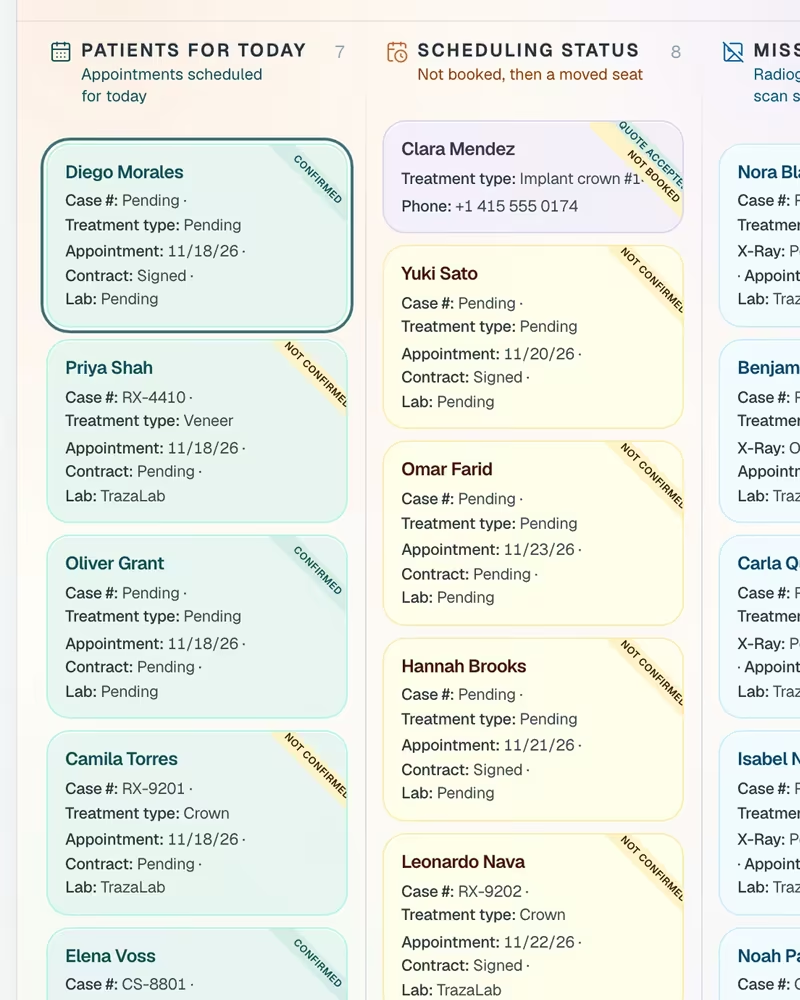
The patient visit
From the first visit to the invoice
Patients
Open the patient’s chart.
Start in Patients. Each person has one chart for their contact details, health history and cases.
Look in Today’s patients or search by name. For a first visit, choose Create patient and enter their details.
Right-click the patient’s card and open their record. Check their phone number, allergies and medications before the visit.
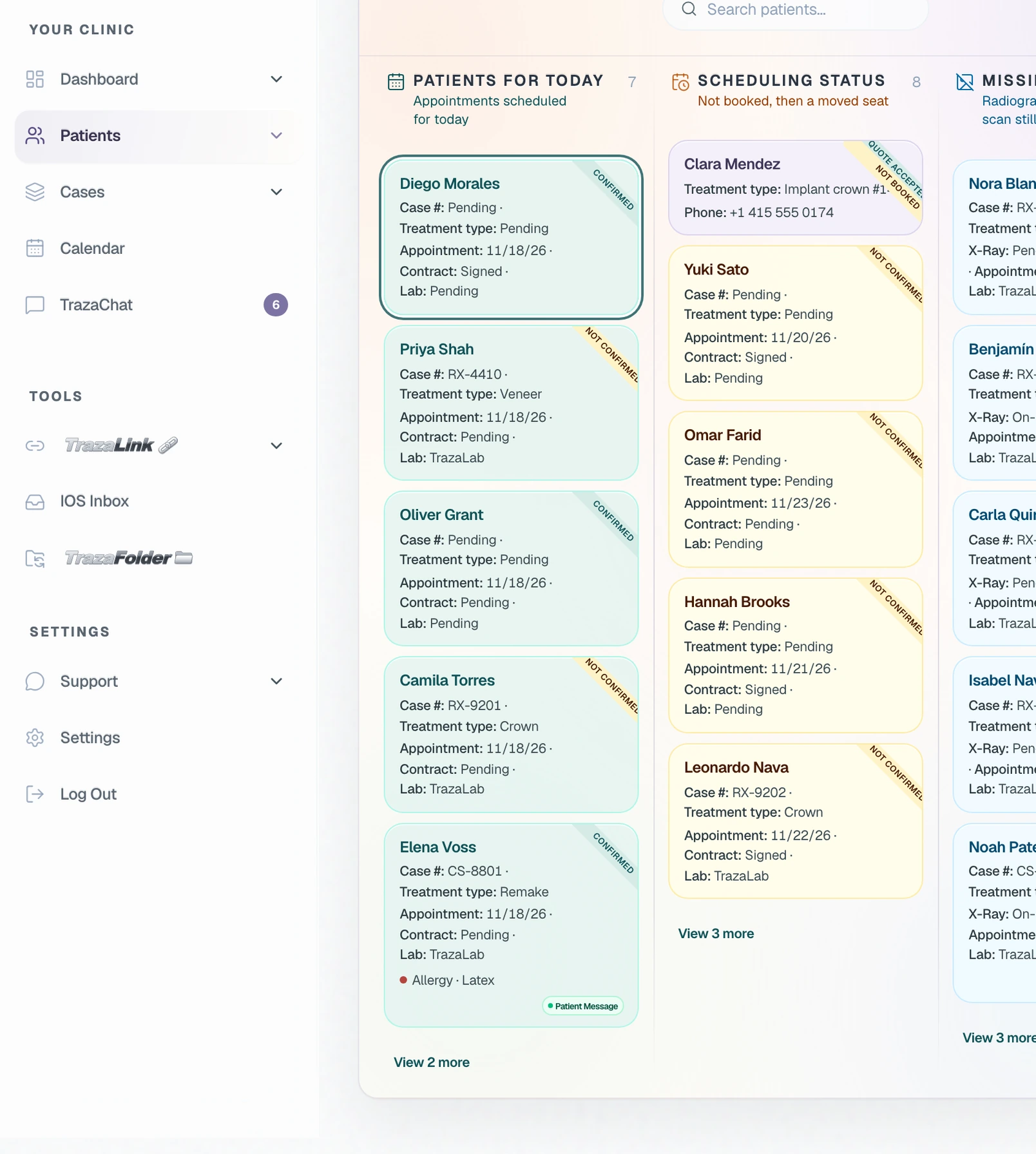
Treatment
Plan the treatment.
Keep the plan with the patient so you can find it at the next visit.
In Cases, open the patient’s existing case. For a new treatment, choose New case, then Manual entry and select the patient.
Select the tooth on the chart and choose the treatment. For a crown, record the material and shade.
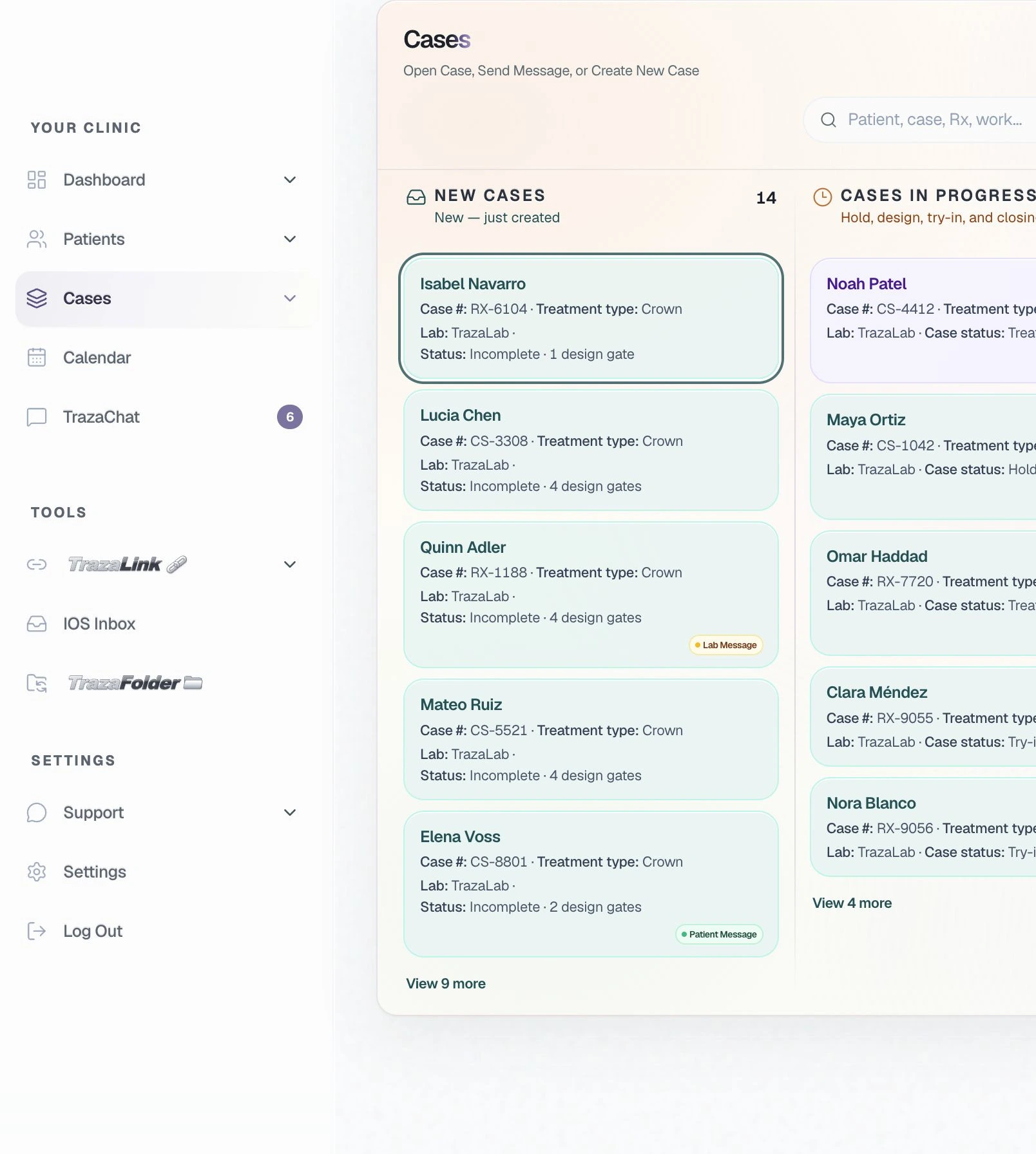
Estimate
Prepare the patient’s estimate.
Give the patient an itemized price before they decide whether to go ahead.
Open Quotes and invoices and choose New quote. Check that the patient’s name is correct.
Add a line for each item. Enter the quantity and unit price, then check the total and validity date with the patient.
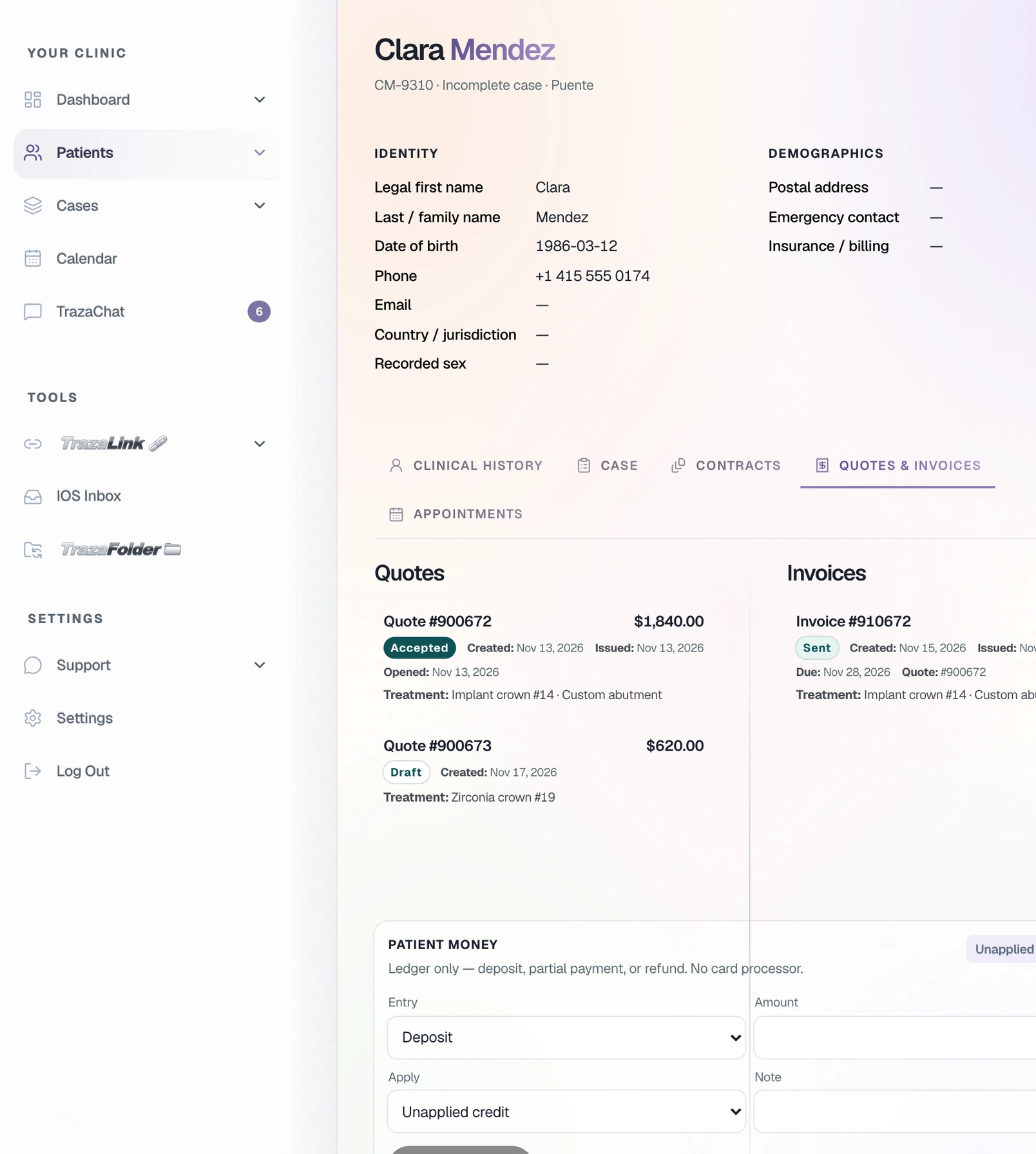
Lab work
Send the case to your lab.
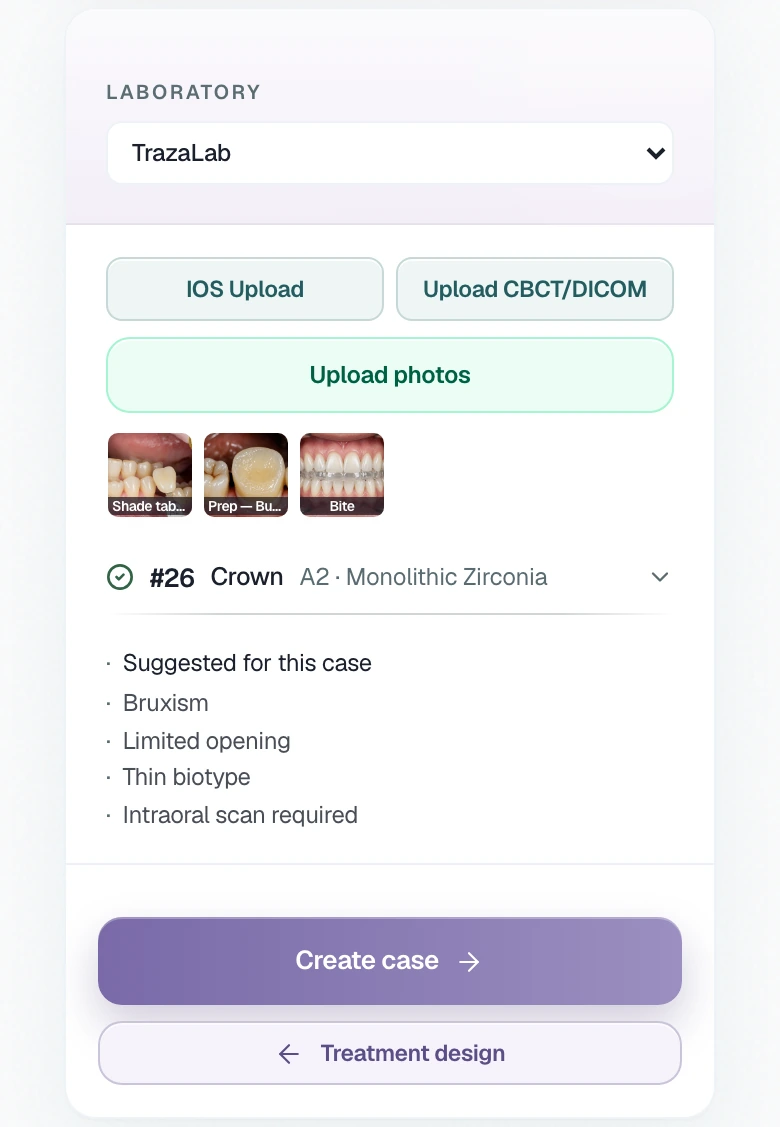
For work such as a crown, ask your lab which scans and photos it needs.
In the digital prescription, use Upload IOS for the intraoral scan. Add the requested photos, such as a shade tab next to the tooth.
Open the link from your lab. Check the tooth, material and shade, attach the requested files, then send the prescription.
Appointments
Book the next visit.
If the visit depends on a crown coming back, agree on the lab date before promising the patient a time.
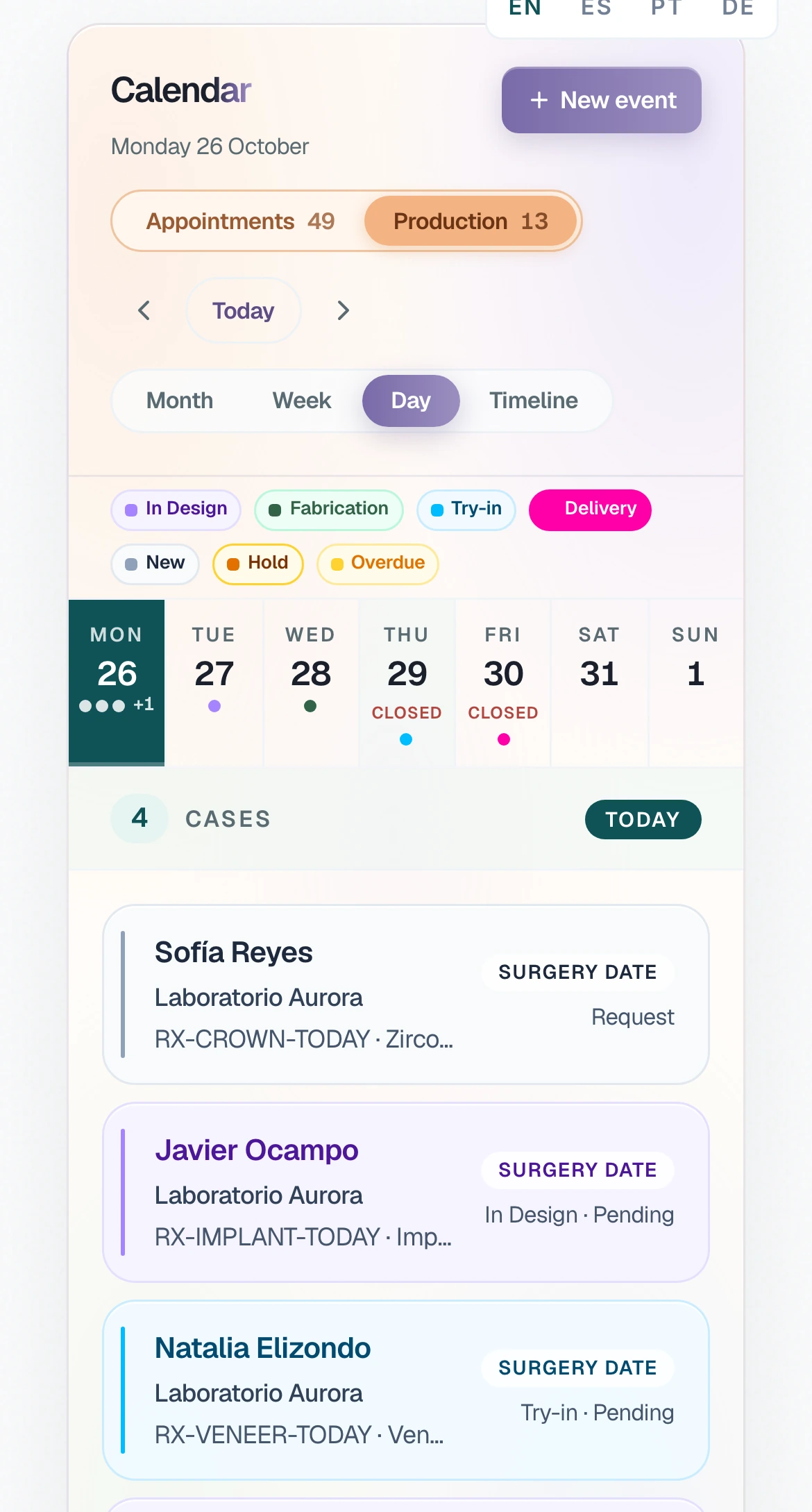
On your phone, open Calendar and select Production. Closed days are marked. Propose an available date to your lab.
In Calendar, switch to Appointments and choose New appointment. Select the patient, room, date and time, then save the visit.
Invoice
Invoice the patient.
Use the estimate the patient accepted so the invoice includes the agreed items.
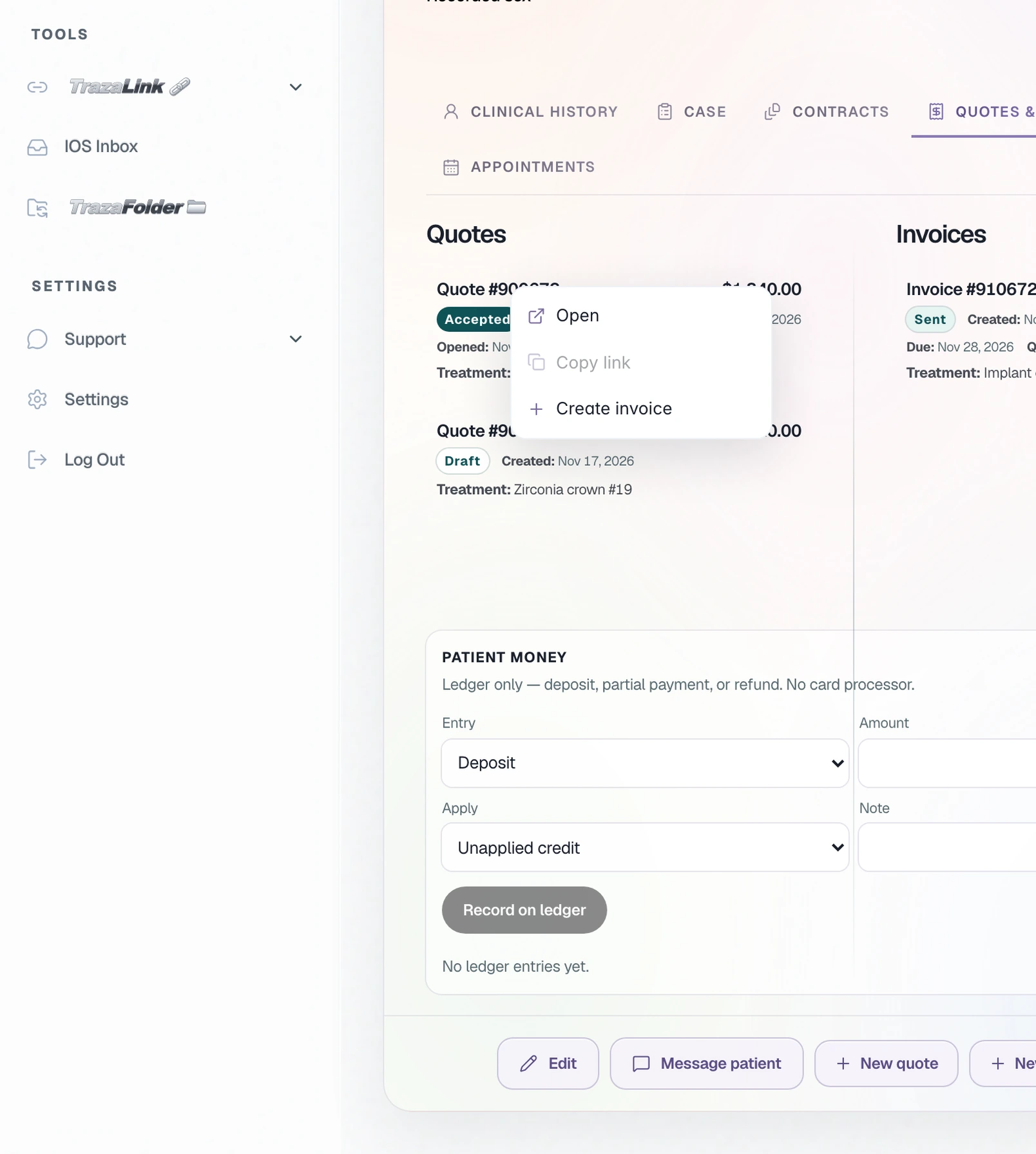
In the patient’s chart, open Quotes and invoices. Right-click the accepted quote and choose Create invoice.
Open the invoice in the same chart. Check the patient, items, total and due date before sharing it.
Questions from dentists
Use the same patient chart. Open a new case when a different treatment needs its own plan.
Find the patient chartKeep the plan and estimate in the patient’s chart. Book the next visit directly in Appointments.
Book a visitThe production date belongs to the lab case. Create a separate appointment with the patient, room and time.
See both calendar views