
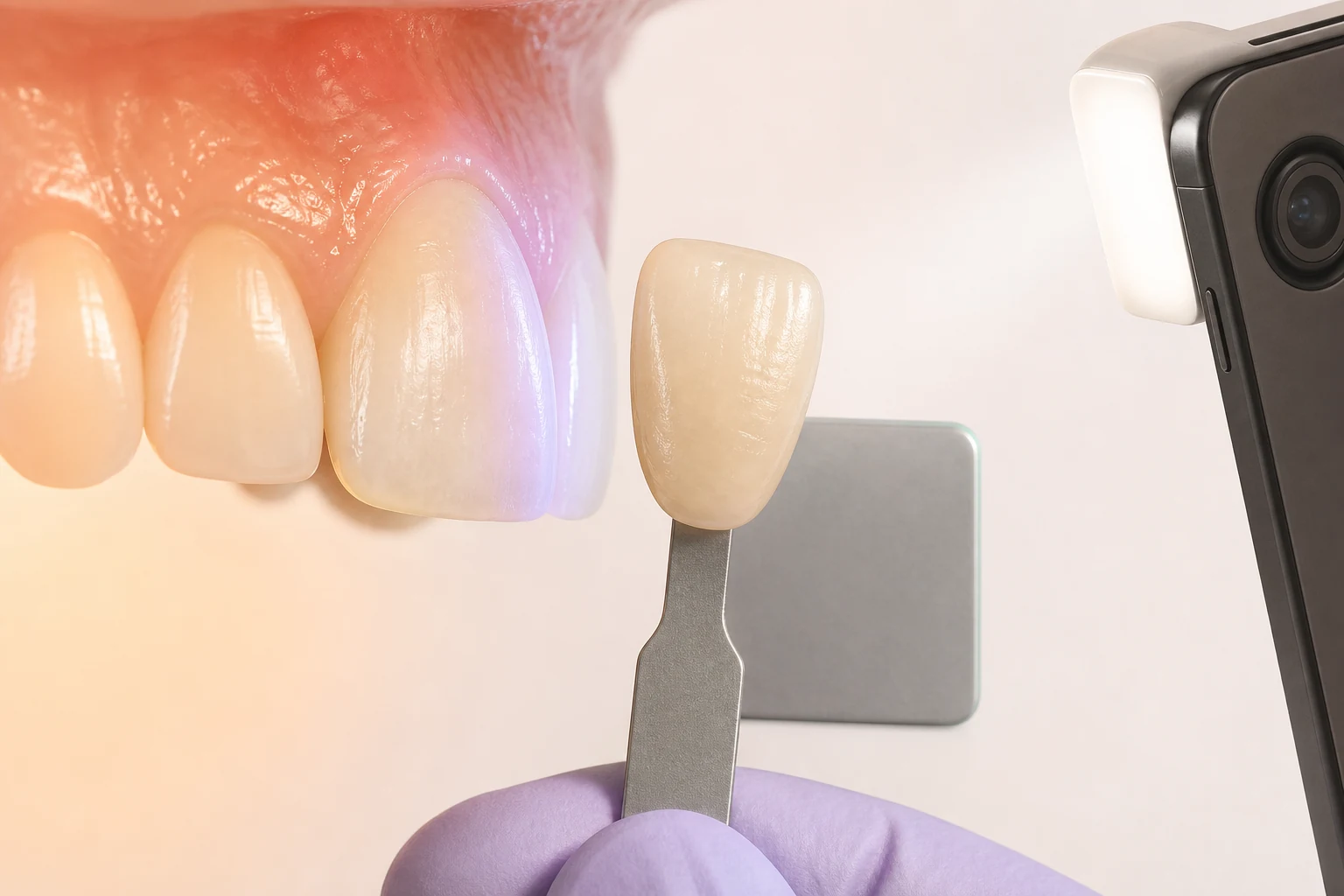
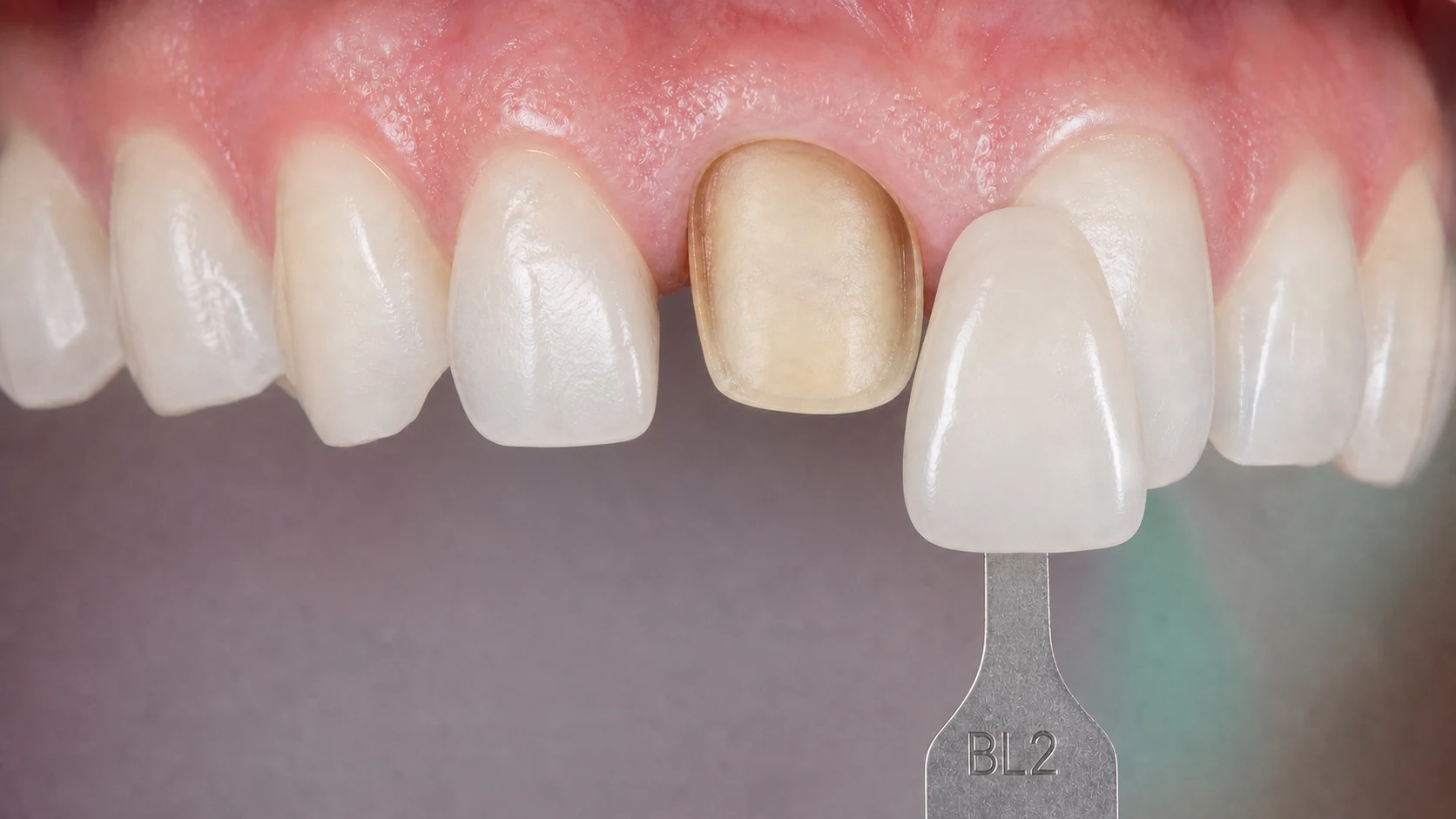
Visual shade picker with VITA Classical and 3D-Master systems. Zone-specific mapping for cervical, body, and incisal regions. Cross-reference charts, material context, and PDF shade map export.
Capabilities
Built for the workflow between clinician and lab — not just a color chart.
All 16 shades (A1-A4, B1-B4, C1-C4, D2-D4) displayed as visual color samples. Sorted by hue group or by value (brightness) for faster matching in clinical conditions.
Complete 26-shade system organized by lightness level, chroma, and hue. The three-dimensional organization mirrors how the human eye perceives color differences.
Assign separate shades to cervical, body, and incisal zones. Essential for layered restorations where natural teeth transition from darker cervical to lighter incisal regions.
Select a shade in Classical and see its closest 3D-Master equivalent (and vice versa). Confidence ratings indicate match quality since the systems are not perfectly interchangeable.
Select the restoration material (zirconia HT, lithium disilicate, PFM, composite) and the tool adjusts recommendations. Translucent materials shift shade appearance compared to opaque substrates.
Export a professional shade communication document with color swatches, zone assignments, cross-references, and material notes. Attach to your lab prescription for zero ambiguity.
Touch-friendly on tablets for chairside use. Large shade targets designed for quick selection between patients. No zooming or scrolling required to find the shade you need.
See which shades are most commonly selected across TrazaLab users. A2 and A3 dominate — but knowing regional shade distribution helps calibrate expectations for unusual cases.
How It Works
Choose VITA Classical or 3D-Master. Browse shades as visual color samples sorted by hue or value. Toggle between systems to see cross-references instantly.
Assign shades to cervical, body, and incisal zones. Select the restoration material to see how translucency and opacity affect the final shade appearance.
Download a PDF shade map with swatches, zone assignments, and material notes. Attach to your lab Rx for clear, visual shade communication.
Comparison
Digital shade documentation that travels with the case.
| Feature | TrazaLab | Physical Shade Guide | VITA EasyShade | Generic Color Picker |
|---|---|---|---|---|
| VITA Classical + 3D-Master | ✓ | ✓ | ✓ | ✗ |
| Zone-specific mapping | ✓ | ✗ | ✓ | ✗ |
| Cross-system reference | ✓ | ✗ | ✓ | ✗ |
| Material context adjustment | ✓ | ✗ | ✗ | ✗ |
| PDF shade map export | ✓ | ✗ | ✗ | ✗ |
| No hardware purchase | ✓ | ✗ | ✗ | ✓ |
| Free to use | ✓ | ✗ | ✗ | ✓ |
| Dental-specific interface | ✓ | ✓ | ✓ | ✗ |
In-Depth Guide
A patient sits in the dental chair. The clinician holds up a shade guide, squints at the tab next to the patient's tooth, and writes "A2" on a lab prescription. That two-character note is the only shade information the lab technician receives. From it, the technician must recreate the complex color gradient of a natural tooth — a gradient that varies from a warm, saturated cervical region through a brighter body to a translucent, often grayish incisal edge. The odds of a perfect match from a single shade code are low, and both the clinician and the technician know it.
Shade mismatch remains one of the top reasons for restoration remakes. Studies consistently report that 5-15% of single-crown restorations require shade adjustment or remaking. At an average remake cost of $200-400 per unit (materials, lab time, chair time), a practice that seats 20 crowns per month can expect $200-600 in monthly waste from shade-related issues alone. The cost is not just financial — it is relational. A patient who sees a mismatched crown loses confidence, even if the fit is perfect.
The VITA Classical shade guide has been the global standard since 1956. Its 16 shades are organized into four hue groups: A (red-brown), B (red-yellow), C (gray), and D (red-gray), each with 1-4 chroma levels. The system is intuitive — most dentists can identify a "group A" tooth quickly — but it has a significant limitation: the chroma scale is not uniform. The perceptual difference between A1 and A2 is not the same as between A3 and A3.5. This makes interpolation difficult when the tooth falls between two tabs.
The VITA 3D-Master system, introduced in 1998, addresses this by organizing shades in three independent dimensions: lightness (value groups 0-5), chroma (saturation levels 1-3), and hue (L for yellow, M for medium, R for red). This structure means that increasing chroma does not inadvertently change lightness, which is what happens with Classical. The 3D-Master's 26 shades provide finer granularity, and its logical organization makes it easier to systematically identify a shade: first match lightness (the dimension the human eye is most sensitive to), then chroma, then hue.
A natural tooth is not one shade. The cervical third, near the gumline, is typically more chromatic (saturated) and slightly darker due to the thinner enamel layer exposing more dentin. The body (middle third) is where the "true" shade is most visible. The incisal third is more translucent, often with a grayish or bluish quality from the enamel layer, and it transmits light differently than the opaque dentin underneath.
When a lab technician receives a single shade code, they have to guess at this gradient. Experienced technicians make educated assumptions based on the patient's age (older patients tend to have more cervical darkening) and the shade group (A3 teeth often have a noticeable cervical-to-incisal gradient). But these are assumptions, not measurements.
Zone mapping eliminates the guesswork. Instead of "A2," the lab receives: cervical A3, body A2, incisal A1 (or in 3D-Master terms: cervical 2M2, body 2M1, incisal 1M1). The technician now has a clear blueprint for the shade gradient. The layering technique, stain placement, and incisal translucency can all be matched precisely to the natural tooth.
Many clinicians trained on VITA Classical, but labs increasingly work with 3D-Master for its greater precision. This creates a translation challenge. TrazaLab's cross-reference engine maps each Classical shade to its closest 3D-Master equivalent using published VITA conversion data and CIE Lab color space calculations.
The mappings are not perfect — the two systems were designed independently and do not share a common mathematical basis. TrazaLab addresses this by assigning a confidence rating to each cross-reference. An "exact" rating means the color difference (Delta E) between the two shades is below 1.5 (barely perceptible to the human eye). A "close" rating means Delta E is between 1.5 and 3.0 (perceptible but acceptable clinically). A "approximate" rating means Delta E exceeds 3.0, and the technician should verify the match visually.
A VITA A2 in porcelain-fused-to-metal (PFM) does not look the same as A2 in monolithic zirconia, lithium disilicate, or composite. The material's translucency, fluorescence, and opalescence all affect how the shade appears in the patient's mouth under natural and artificial light.
High-translucency zirconia (like BruxZir Anterior) transmits more light than the metal-backed opaque porcelain of a PFM crown. The result is that a zirconia restoration at the same VITA shade will often appear lighter and more lifelike than its PFM counterpart. Lithium disilicate (IPS e.max) has even higher translucency plus opalescence (a blue-orange color shift depending on the angle of light), which further shifts the perceived shade.
TrazaLab's material context feature adjusts shade recommendations based on the selected material. When you choose "lithium disilicate" and shade A2, the tool notes that the final appearance will tend 0.5-1.0 value unit lighter than the same shade in PFM, and suggests considering A2.5 or a half-step more chromatic ingot if matching adjacent PFM restorations. These are not arbitrary adjustments; they are based on published spectrophotometric comparisons between material systems.
Dental shade matching is fundamentally an exercise in color perception, and color perception is entirely dependent on lighting conditions. The color of an object is not an intrinsic property — it is the result of the interaction between the object's surface, the light illuminating it, and the observer's visual system. Change any of these three, and the perceived color changes.
The ideal light source for shade matching has a color temperature of 5500K (CIE D55 illuminant), a Color Rendering Index (CRI) above 90, and an intensity of approximately 1000-1500 lux at the tooth surface. Standard dental operatory lights typically run at 4000-5000K with CRI values around 80-85 — adequate for clinical work but suboptimal for shade matching.
TrazaLab cannot solve the physics of light on your monitor — but it can document the shade selection process. By recording the shade in standardized system terminology (not subjective descriptions), zone mapping, and material context, the documentation is independent of the lighting conditions in which it was viewed. The lab technician receives the same precise shade specification regardless of whether the clinician matched under ideal D55 conditions or compromised operatory lighting.
Start with lightness matching, which is the dimension the human eye is most sensitive to. In the 3D-Master system, this means identifying the correct value group (0-5) first. In Classical, compare the tabs sorted by value rather than by hue group. Then refine chroma and hue. Use zone mapping for every case, even single crowns — the cervical shade is almost always different from the body, and communicating this prevents the flat, monochromatic look that makes a restoration obviously artificial.
FAQ
TrazaLab supports VITA Classical (16 shades: A1-A4, B1-B4, C1-C4, D2-D4) and VITA 3D-Master (26 shades organized by lightness, chroma, and hue). Both systems include visual color samples.
Yes. The zone mapping feature lets you assign separate shades to the cervical (gingival third), body (middle third), and incisal (incisal third) regions. This is essential for layered restorations that mimic natural shade gradients.
Select a shade in one system, and the tool shows the closest equivalent in the other system. For example, selecting VITA Classical A2 shows its approximate 3D-Master equivalent (2M1). Cross-references include a confidence rating since the systems are not perfectly interchangeable.
Yes. The PDF export includes the selected shades for each zone, visual color swatches, cross-reference notes, and the tooth number. Attach it to your lab prescription for clear shade communication.
The tool provides visual shade references and cross-system mapping based on published VITA conversion data. However, monitor color calibration varies between devices. For critical shade matches, always verify with physical shade tabs under standardized lighting.
Yes. The tool is fully responsive with touch-friendly shade selection. Many clinicians use it on an iPad alongside a physical shade guide for quick cross-referencing and documentation.
Yes. The material context selector adjusts shade recommendations based on the restoration material. A shade that works in opaque PFM may appear lighter in translucent lithium disilicate. The tool notes these adjustments for the selected material.
No signup, no install, no hardware. Visual shade picker with VITA Classical and 3D-Master, zone mapping, cross-references, and PDF export — free forever.