
Your invoices, in QuickBooks.
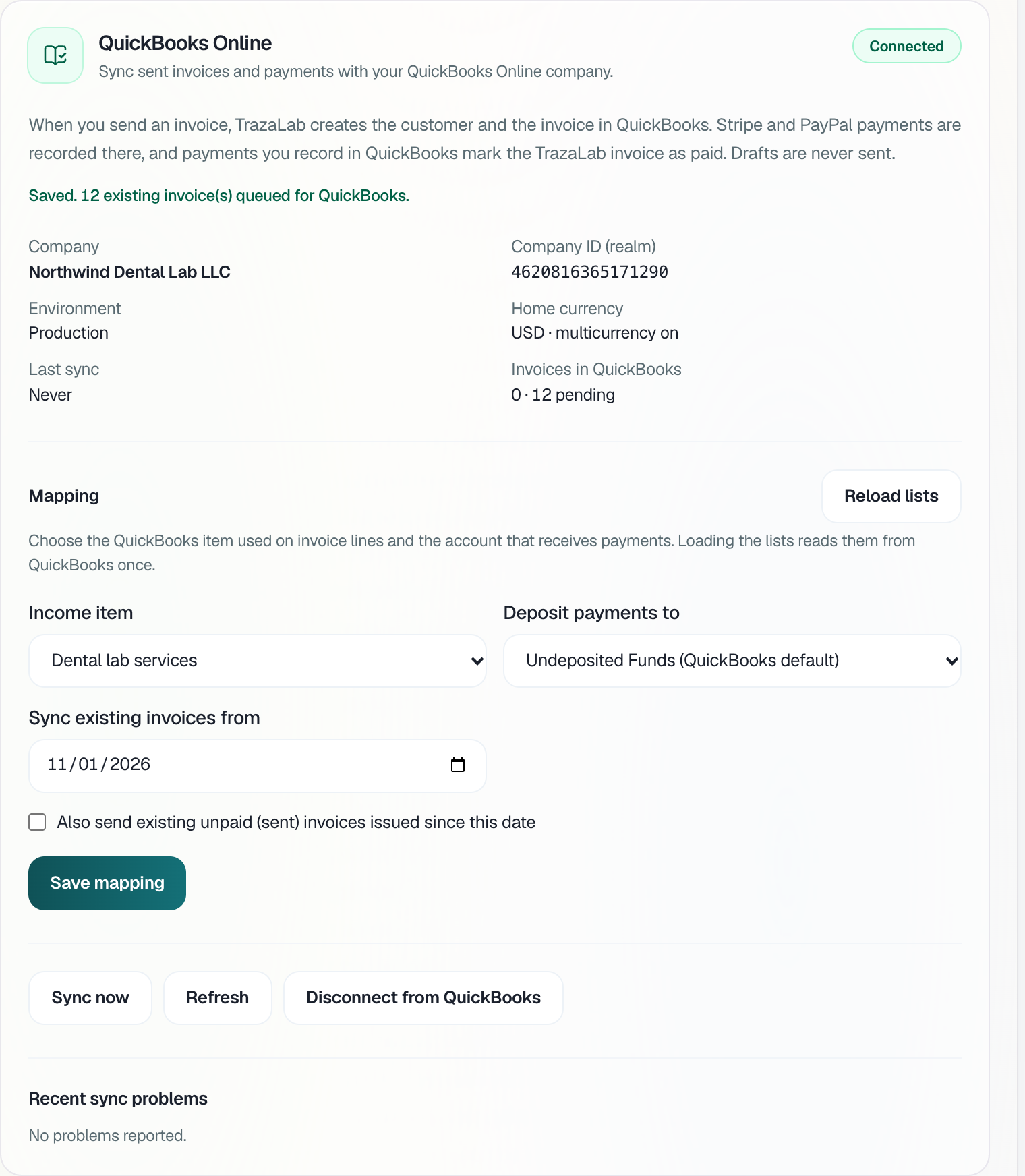
Dental labs: connect QuickBooks Online once, and the invoices you send arrive there with their clinic.
Send the invoice
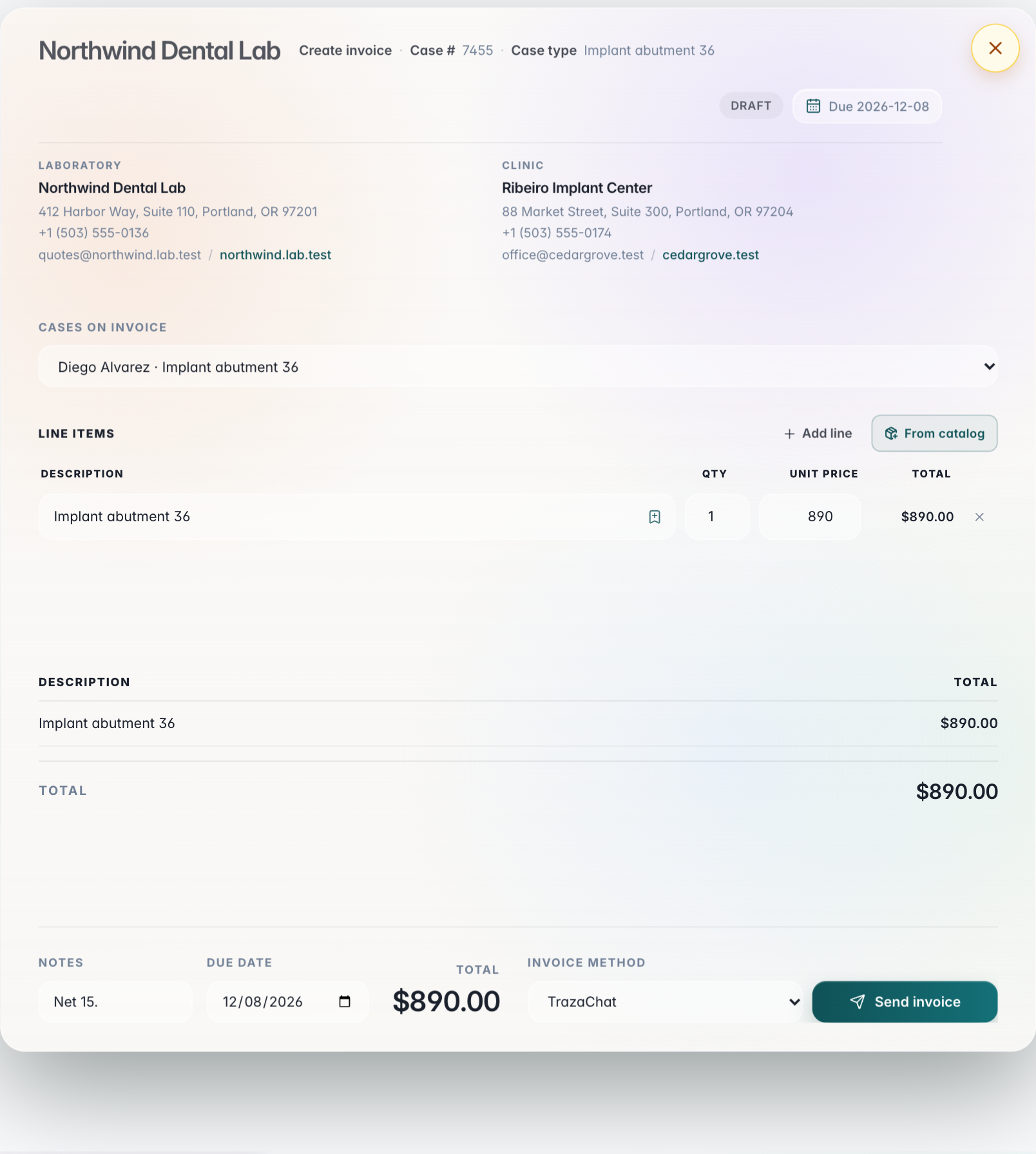
Send it from TrazaLab.
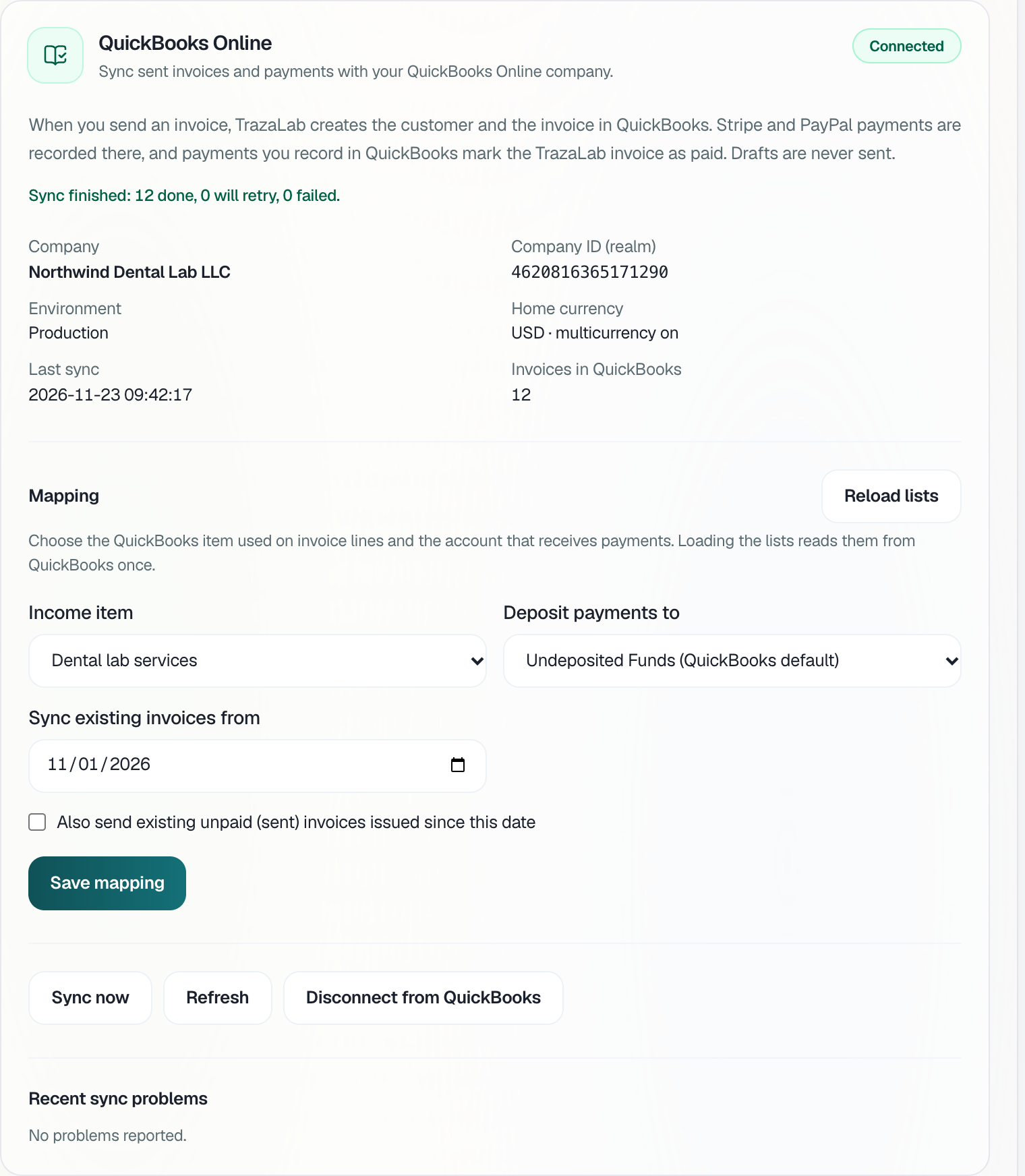
When you send an invoice, TrazaLab finds the clinic in QuickBooks, or creates it, and adds the invoice.
- Send it as you do today.
By TrazaChat, by link or as a PDF.
- Same number in QuickBooks.
The QuickBooks invoice carries the TrazaLab invoice number.
- Drafts stay here.
A draft reaches QuickBooks only once you send it.
Payments
Paid on both sides.
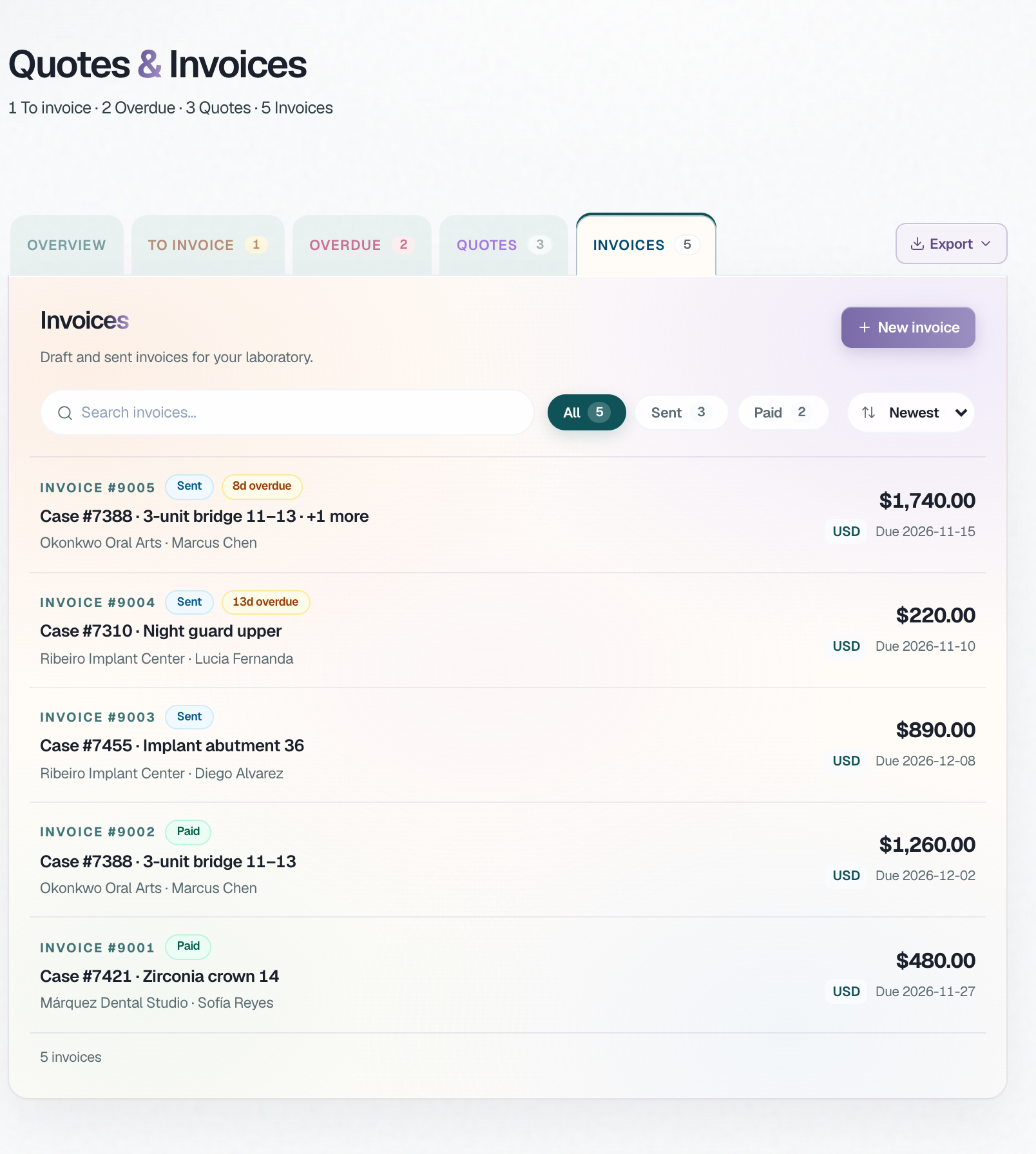
A card or PayPal payment is recorded in QuickBooks. A payment you record in QuickBooks marks the TrazaLab invoice paid.
- Card or PayPal.
The payment goes against the QuickBooks invoice, in the account you chose.
- Recorded in QuickBooks.
TrazaLab marks the invoice Paid on your Invoices list.
QuickBooks Desktop
Desktop and Xero files.
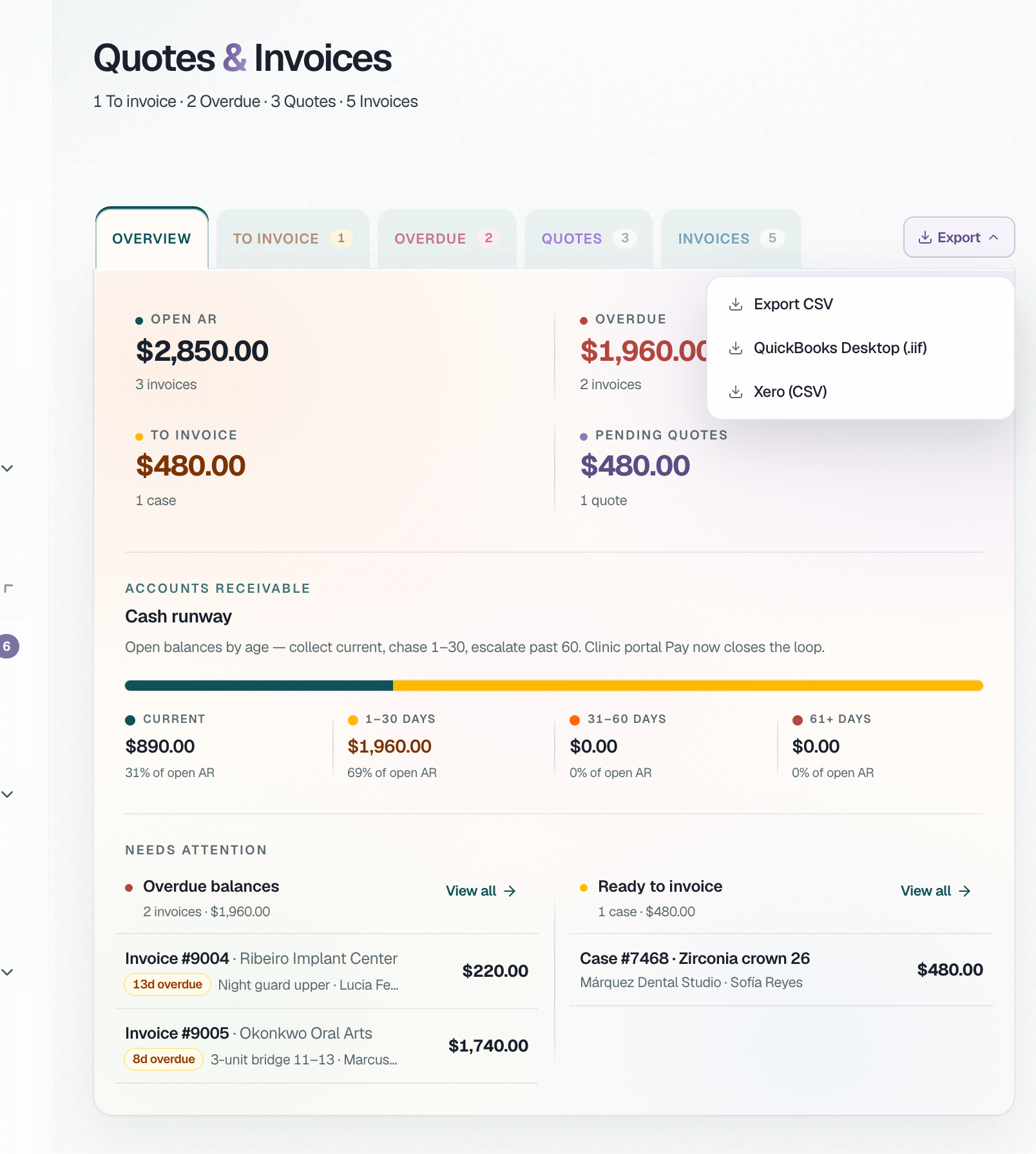
No QuickBooks Online? Export downloads your sent and paid invoices as a QuickBooks Desktop .iif or a Xero CSV.
- Open Export.
On Quotes & Invoices, at the top right.
- Pick the file and the dates.
QuickBooks Desktop (.iif) or Xero (CSV), for the invoices issued in that range.
What syncs
What QuickBooks receives.
You work in TrazaLab. Each event below reaches your QuickBooks Online company on its own.
TrazaLab
What you do.QuickBooks Online
What it gets.You send an invoice to a clinic.
The clinic as a customer, and the invoice.
You edit the invoice or add a remake credit.
The same QuickBooks invoice, updated.
The clinic pays on its pay link.
The payment, recorded against the invoice.
The invoice reads Paid.
You record the payment there.
Stays in TrazaLab until you send it.
Nothing.
Stays in TrazaLab, with a note in the panel.
You enter it in QuickBooks.
Sent when your company has multicurrency on.
One customer per currency for that clinic.
Questions
Questions about QuickBooks.
In Settings → Subscription. Click Connect to QuickBooks, sign in to Intuit and choose your company.
The panelThe lab owner or an admin. One QuickBooks company connects to one TrazaLab lab.
The panelPick a date under Sync existing invoices from and tick the box below it: TrazaLab also sends the unpaid invoices issued since then.
The mappingThe one you pick under Deposit payments to. If you leave the default, QuickBooks uses Undeposited Funds.
PaymentsDrafts and invoices with tax. An invoice in another currency syncs only when your QuickBooks company has multicurrency on.
What syncsYes. Disconnect from QuickBooks is on the same panel, and you can connect again later.
The panelNo. Labs using Spanish fiscal invoicing keep their own fiscal flow; QuickBooks sync and the exports are not available to them.
What syncsNo. The QuickBooks Desktop (.iif) and Xero (CSV) files need no Intuit account. Payments are not included in them.
Desktop and XeroNext step
Connect QuickBooks Online.
Sign in to TrazaLab and open Settings → Subscription. No account yet? Create one.
QuickBooks is a registered trademark of Intuit Inc.